
pengenalan
The Hunter ZenTech 44-inch smart ceiling fan combines modern design with advanced technology to provide efficient air circulation and adjustable lighting for indoor and covered outdoor spaces. This fan features a slim DC motor for quiet operation and energy efficiency, TrueLight LED technology for customizable lighting, and HunterSMART technology for seamless integration with smart home systems like Amazon Alexa, Google Assistant, and Apple HomeKit.
This manual provides detailed instructions for the safe installation, operation, and maintenance of your ZenTech ceiling fan. Please read all instructions carefully before beginning installation or use.
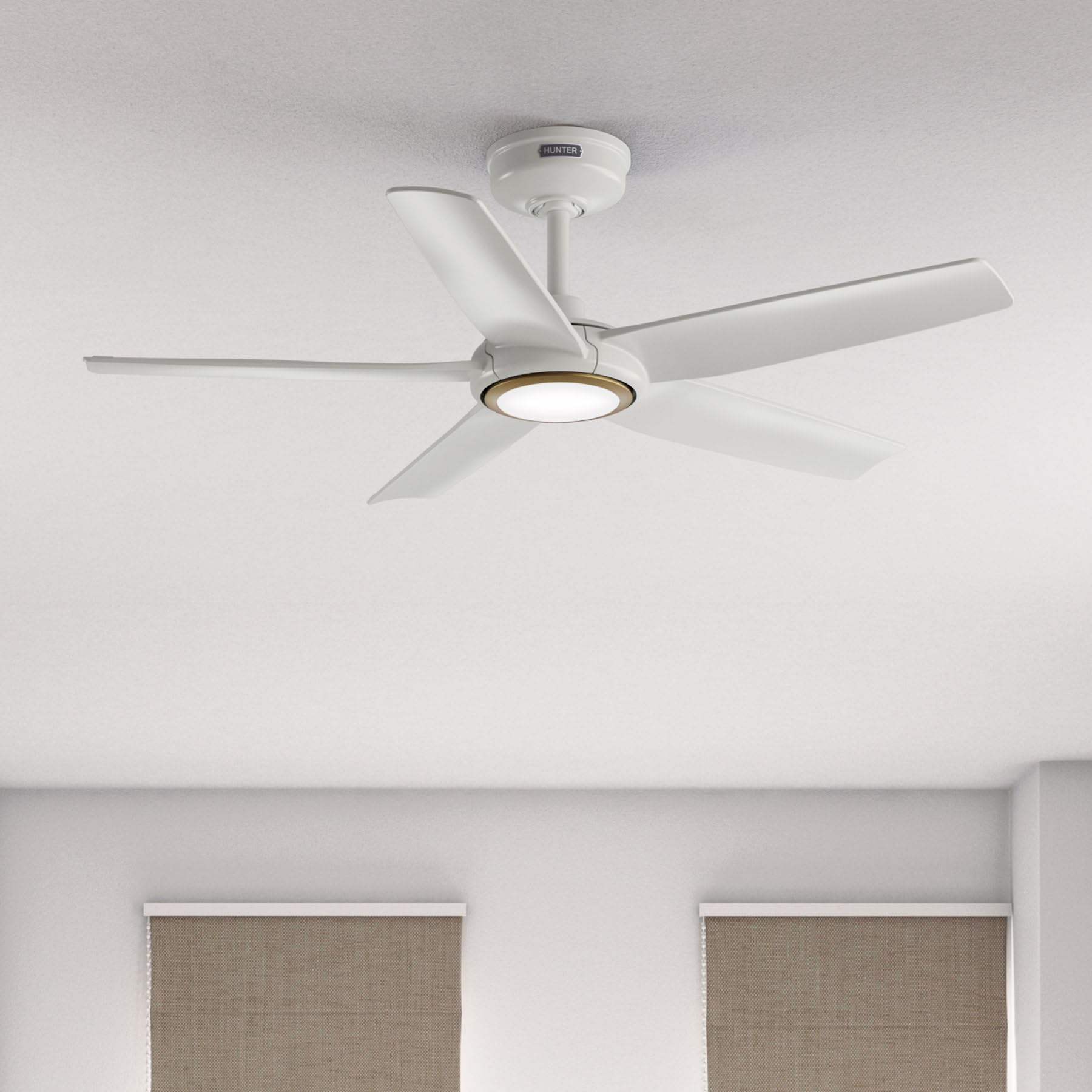
Image: Hunter ZenTech 44-inch ceiling fan in Fresh White, showcasing its sleek design and integrated LED light.
Maklumat Keselamatan
To reduce the risk of electric shock, fire, or injury to persons, always follow these important safety precautions:
- Baca semua arahan sebelum memasang atau menggunakan kipas ini.
- Pastikan kuasa pada pemutus litar dimatikan sebelum pemasangan atau servis.
- Semua pendawaian mestilah mengikut kod elektrik nasional dan tempatan. Jika anda tidak biasa dengan pendawaian, rujuk juruelektrik yang bertauliah.
- Kipas mesti dipasang dengan jarak minimum 7 kaki (2.1 meter) dari tepi belakang bilah ke lantai.
- Pastikan struktur pelekap dapat menyokong berat kipas (kira-kira 13.45 paun).
- Do not operate the fan with damaged blades or any other damaged components.
- Kipas ini ialah damp-rated, suitable for indoor use and covered outdoor areas where exposure to moisture may occur. Do not expose to direct water spray.
Persediaan dan Pemasangan
Proper installation is crucial for the performance and safety of your ceiling fan. It is recommended to have a qualified electrician perform the installation.
Pemeriksaan Pra-Pemasangan
- Pastikan semua komponen ada seperti dalam senarai pembungkusan.
- Ensure the electrical box is securely mounted and capable of supporting a ceiling fan.
- Matikan kuasa pada pemutus litar utama.
Memasang Kipas
- Attach the mounting bracket to the ceiling electrical box using the provided screws.
- Assemble the downrod (6 inches included) to the motor housing. Factory-installed wiring and connectors are designed for downrods up to 24 inches. Do not extend or modify.
- Angkat pemasangan kipas dengan berhati-hati dan gantungkannya dari pendakap pelekap.
Sambungan Elektrik
- Connect the fan's electrical wires to the household wiring according to the wiring diagram in the full instruction manual. Ensure all connections are secure.
- Masukkan semua wayar dengan kemas ke dalam kotak elektrik.
Memasang Bilah dan Kit Lampu
- Securely attach the five fan blades to the motor housing.
- Install the LED light kit module. The fan includes in-box accessories for a personalized finish, including an interchangeable LED module, a no-light cap, and two trim ring options (one matching the fan finish and one in Luxe Gold).

Image: Hunter ZenTech ceiling fan installed in a modern living room, demonstrating its aesthetic integration into a home environment.

Image: Hunter ZenTech ceiling fan installed on a covered outdoor patio, highlighting its damp-rated suitability for outdoor use.
Arahan Operasi
Your ZenTech fan offers multiple control options for convenience.
Alat Kawalan Jauh
A handheld remote control is included for basic fan and light functions:
- Kelajuan Kipas: Adjust between 6 speeds.
- Arah Kipas: Reverse the fan direction for summer (downward airflow) or winter (upward airflow) operation.
- Nyala / Mati: Hidupkan atau matikan lampu LED.
- Peredupan Cahaya: Laraskan kecerahan lampu LED.
HunterSMART App Control
The HunterSMART app provides advanced control and customization options:
- Download the HunterSMART app from your device's app store.
- Follow the in-app instructions to connect your ZenTech fan to your home Wi-Fi network.
- Once connected, you can control fan speed, light brightness, and color temperature from your smartphone or tablet.
- Access additional features such as scheduling and custom settings.

Image: Diagram illustrating HunterSMART app interface and voice command examples for controlling the ceiling fan.
Kawalan Suara
The ZenTech fan is compatible with leading smart home platforms:
- Amazon Alexa: Enable the Hunter skill in the Alexa app and link your HunterSMART account.
- Pembantu Google: Link your HunterSMART account through the Google Home app.
- Apple HomeKit: Follow the pairing instructions in the Apple Home app.
Use voice commands such as "Alexa, turn on the living room fan" or "Hey Google, set the bedroom light to warm white."
TrueLight LED Lighting
The integrated TrueLight LED technology allows for fully adjustable lighting:
- Choose from 10 brightness levels to suit your needs.
- Adjust the color temperature between warm and cool tones to create the desired ambiance.

Image: Graphic illustrating the 'Clearly Brighter' TrueLight features, showing 10 levels of light and 10 color temperatures for adjustable LED lighting.
Penyelenggaraan
Regular maintenance ensures the longevity and optimal performance of your ZenTech ceiling fan.
Pembersihan
- Bilah Kipas: Wipe the blades with a soft, damp cloth. Do not use abrasive cleaners as they may damage the finish.
- Perumahan Motor: Dust the motor housing with a soft, dry cloth.
- Kit Cahaya: Clean the light diffuser with a soft, lint-free cloth.
Always ensure the power is off at the circuit breaker before cleaning any part of the fan.
Penjagaan Am
- Periksa semua skru dan sambungan secara berkala untuk memastikan ia ketat. Ketatkan semula jika perlu.
- The fan's DC motor is designed for long-term, maintenance-free operation and does not require lubrication.
Menyelesaikan masalah
If you encounter issues with your ZenTech ceiling fan, refer to the following common problems and solutions:
| Masalah | Kemungkinan Punca | Penyelesaian |
|---|---|---|
| Kipas tidak bermula | Tiada kuasa kepada kipas; Sambungan wayar longgar; Bateri kawalan jauh lemah. | Periksa pemutus litar; Sahkan semua sambungan wayar selamat; Gantikan bateri kawalan jauh. |
| Cahaya tidak berfungsi | Loose wire connection to light kit; LED module faulty. | Check light kit wiring; Contact customer support for LED module replacement if necessary. |
| Kipas bergoyang | Skru bilah longgar; Bilah yang tidak seimbang dengan betul; Pendakap pelekap longgar. | Tighten all blade screws; Use a blade balancing kit (not included); Ensure mounting bracket is secure. |
| Alat kawalan jauh tidak berfungsi | Battery low or dead; Remote not paired with fan. | Replace battery; Refer to the full manual for remote pairing instructions. |
| Isu sambungan Wi-Fi | Incorrect Wi-Fi password; Router too far; Network interference. | Verify Wi-Fi password; Move router closer or use a Wi-Fi extender; Reduce interference from other devices. |
For more complex issues or if troubleshooting steps do not resolve the problem, please contact Hunter customer support.
Spesifikasi
| Ciri | Perincian |
|---|---|
| Jenama | Pemburu |
| Nama Model | ZenTech |
| Nombor Model | 53641 |
| Saiz | 44 inci |
| warna | Putih Segar |
| Dimensi Produk | 44"D x 44"W x 11.78"H |
| Berat Barang | 13.45 paun |
| Bilangan Bilah | 5 |
| Jenis Motor | DC Motor (43% slimmer) |
| Bilangan Kelajuan | 6 |
| Jenis Cahaya | TrueLight LED (Adjustable Brightness & Color Temperature) |
| Kaedah Kawalan | App Control (HunterSMART), Remote Control, Voice Control |
| Keserasian Rumah Pintar | Amazon Alexa, Google Assistant, Apple HomeKit |
| Penggunaan Dalaman/Luar | Dalaman, Luaran Berbumbung (Damp Dinilai) |
| Voltage | 120 Volt |
| Wattage | 14 watt |
| Kapasiti Aliran Udara | 4493.25 Kaki Kubik Seminit |
| Panjang Downrod | 6 Inches (included), compatible up to 24 inches |
| Pensijilan | ETL, Energy Star, FCC |
Waranti
The Hunter ZenTech ceiling fan is backed by a limited lifetime motor warranty, reflecting Hunter's commitment to engineering and quality. This warranty covers defects in materials and workmanship of the fan motor for the lifetime of the original purchaser. Specific terms and conditions apply. Please refer to the warranty card included with your product or visit the official Hunter weblaman web untuk maklumat lengkap.
Sokongan
For technical assistance, warranty claims, or additional information regarding your Hunter ZenTech ceiling fan, please contact Hunter customer support:
- Sokongan dalam talian: Visit the Hunter Fan Company webtapak untuk Soalan Lazim, panduan penyelesaian masalah dan borang hubungan.
- Sokongan Telefon: Refer to your product packaging or the Hunter webtapak untuk nombor telefon perkhidmatan pelanggan terkini.
Apabila menghubungi sokongan, sila sediakan nombor model anda (53641) dan bukti pembelian.