
1. Produk Lebihview
The Hunter ZenTech 52 Inch Smart Ceiling Fan (Model 53638) is designed for both indoor and covered outdoor spaces, offering quiet, efficient performance with advanced smart home integration. This 5-blade fan features a slim DC motor, adjustable LED lighting with TrueLight technology, and Wi-Fi connectivity for control via the HunterSMART app, Amazon Alexa, Google Assistant, and Apple HomeKit. It is ENERGY STAR certified and damp-rated for versatile use.
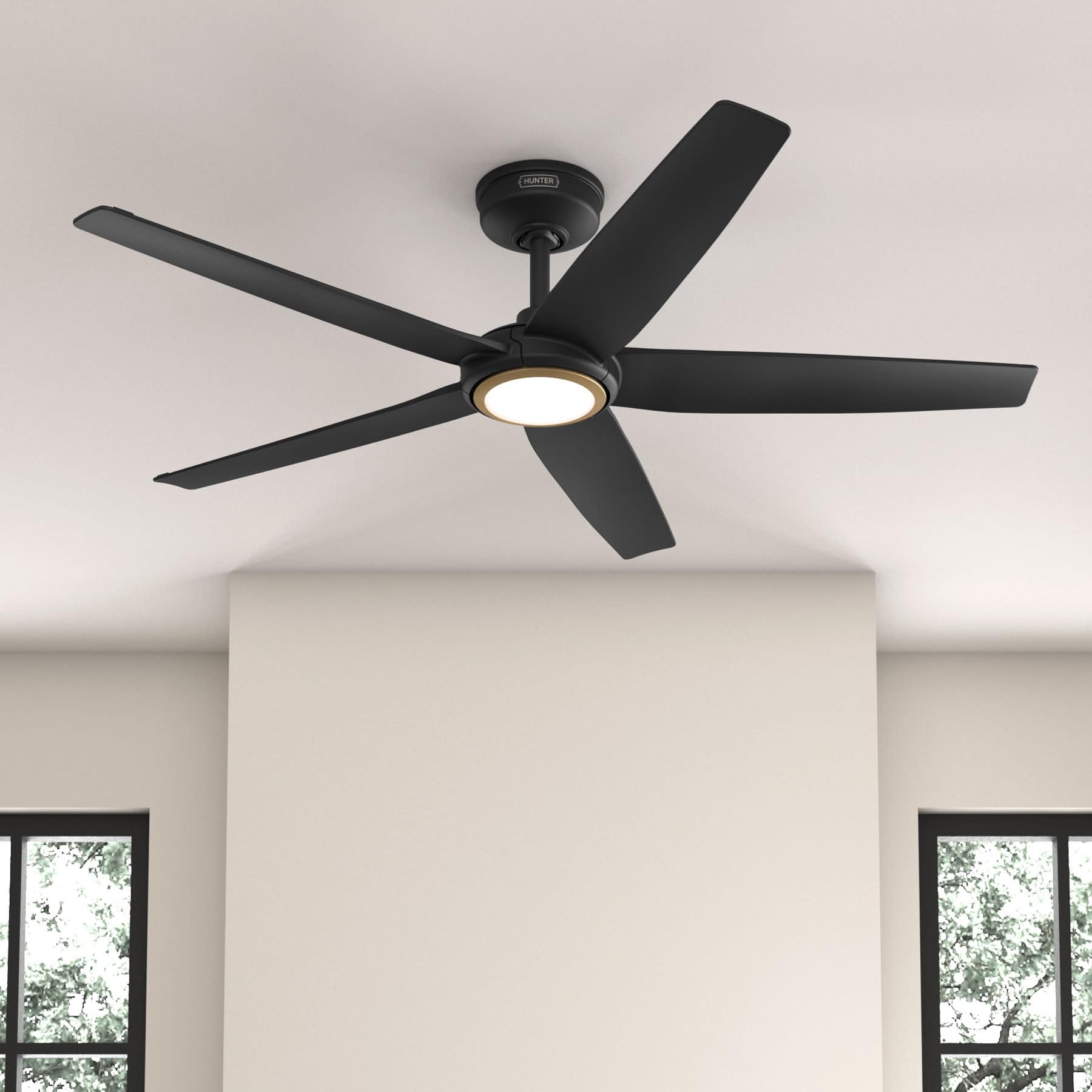
Figure 1: Hunter ZenTech 52 Inch Smart Ceiling Fan (Matte Black)
Ciri-ciri Utama:
- Reka Bentuk Lanjutan: Ultra-slim DC motor for powerful, quiet airflow and a modern aesthetic.
- Integrasi Rumah Pintar: HunterSMART technology for app and voice control via Amazon Alexa, Google Assistant, and Apple HomeKit.
- Pencahayaan LED boleh laras: TrueLight LED offers 10 brightness levels and 10 color temperatures, protected by a durable Duralight lens.
- SureSpeed Guarantee: Delivers strong, consistent airflow with quiet, wobble-free performance.
- Cekap Tenaga: ENERGY STAR certified reversible 6-speed DC motor.
- Damp Dinilai: Suitable for indoor and covered outdoor areas.
2. Arahan Keselamatan Penting
Baca semua arahan dengan teliti sebelum memulakan pemasangan. Kegagalan mematuhi arahan ini boleh mengakibatkan renjatan elektrik, kebakaran atau kecederaan diri.
- Sentiasa putuskan sambungan kuasa pada pemutus litar utama sebelum pemasangan atau servis.
- Ensure all electrical connections comply with local codes and ordinances. If you are unfamiliar with electrical wiring, consult a qualified electrician.
- The mounting structure must be capable of supporting the fan's weight (approximately 14.11 lbs).
- Do not bend blade brackets during installation or cleaning.
- Pastikan tangan jauh daripada bilah kipas semasa kipas sedang beroperasi.
- Kipas ini ialah damp-rated for use in covered outdoor areas but should not be exposed directly to water.
3. Kandungan Pakej
Sahkan bahawa semua komponen yang disenaraikan di bawah terdapat dalam pakej anda sebelum memulakan pemasangan.
- Perumahan Motor Kipas Siling
- 5 Bilah Kipas
- Light Kit with Duralight Lens
- Downrod 6 inci
- Kanopi dan Pendakap Melekap
- Alat Kawalan Jauh Pegang Tangan
- Pek Perkakasan (skru, pencuci, kacang dawai)

Figure 2: ZenTech 52 Inch Fan Components
4. Panduan Pemasangan
Professional installation is recommended. Ensure the power is OFF at the circuit breaker before starting.
4.1 Memasang Kipas
- Pasangkan pendakap pelekap pada kotak simpang siling. Kotak simpang mesti disenaraikan untuk sokongan kipas.
- Assemble the downrod (6-inch included, compatible with up to 24-inch downrods) to the fan motor housing.
- Hang the fan assembly from the mounting bracket.
- Complete electrical wiring connections as per the wiring diagram provided in the full manual.
- Pasangkan bilah kipas pada perumah motor.
- Install the light kit and Duralight lens.

Figure 3: ZenTech Fan installed in a covered outdoor space
5. Arahan Operasi
The ZenTech fan can be operated using the included handheld remote control or through the HunterSMART app.
5.1 Operasi Kawalan Jauh
- Kipas Hidup / Mati: Tekan butang kipas untuk menghidupkan atau mematikan kipas.
- Kelajuan Kipas: Use the speed buttons to cycle through 6 fan speeds.
- Nyala / Mati: Tekan butang lampu untuk menghidupkan atau mematikan lampu.
- Peredupan Cahaya: Hold the light button to dim or brighten the light.
- Suhu Warna: Press the color temperature button to cycle through different color temperatures (warm to cool).
- Fungsi terbalik: Press the reverse button to change the fan's direction for seasonal use.
5.2 LED Light Control (TrueLight Technology)
The TrueLight LED system allows for precise control over your lighting environment. You can select from 10 brightness levels and 10 color temperatures to match your preference.

Figure 4: TrueLight LED Technology for adjustable lighting
6. Integrasi Rumah Pintar
The ZenTech fan features HunterSMART technology, enabling seamless integration with popular smart home ecosystems.
6.1 Connecting to HunterSMART App
- Download the HunterSMART app from your device's app store.
- Follow the in-app instructions to create an account and add your ZenTech fan.
- Ensure your fan is powered on and your mobile device is connected to a 2.4 GHz Wi-Fi network during setup.
6.2 Keserasian Kawalan Suara
Once connected to the HunterSMART app, you can link your fan to:
- Amazon Alexa
- Pembantu Google
- Apple HomeKit
Refer to the respective smart home platform's instructions for linking smart devices.

Figure 5: HunterSMART Control Options
7. Penjagaan dan Penyelenggaraan
Penyelenggaraan tetap memastikan prestasi optimum dan jangka hayat kipas siling anda.
- Pembersihan: Dust the fan blades and motor housing periodically with a soft, lint-free cloth. For damp-rated areas, wipe down with a slightly damp cloth, then dry thoroughly. Do not use abrasive cleaners or solvents.
- Pemeriksaan kekejangan: Annually, check all screws and connections for tightness. Vibrations can cause them to loosen over time.
- Kit Cahaya: The LED light source is designed for long life and is not user-serviceable.
8. Panduan Penyelesaian Masalah
If you encounter issues with your ZenTech ceiling fan, refer to the table below for common problems and solutions.
| Masalah | Kemungkinan Punca | Penyelesaian |
|---|---|---|
| Kipas tidak bermula | Tiada kuasa kepada kipas; Sambungan wayar longgar; Bateri kawalan jauh lemah. | Periksa pemutus litar; Sahkan semua sambungan wayar selamat; Gantikan bateri kawalan jauh. |
| Cahaya tidak berfungsi | No power to the light kit; Loose wire connection; Light kit malfunction. | Check circuit breaker; Verify light kit wiring; Contact customer support if LED is faulty. |
| Kipas bergoyang | Bilah atau pemegang bilah longgar; Bilah yang tidak seimbang; Pendakap pelekap longgar. | Ensure all blade screws are tight; Use a blade balancing kit (not included); Tighten mounting bracket screws. |
| Ciri pintar tidak bersambung | Incorrect Wi-Fi network (not 2.4 GHz); Incorrect app setup; Router issues. | Ensure connection to 2.4 GHz Wi-Fi; Re-attempt app setup; Restart router and fan. |
9. Spesifikasi Teknikal
| Spesifikasi | Perincian |
|---|---|
| Jenama | Pemburu |
| Nama Model | ZenTech |
| Nombor Model | 53638 |
| Saiz | 52 inci |
| warna | Hitam Matte |
| Dimensi Produk | 52"D x 52"W x 11.78"H |
| Berat Barang | 14.11 paun |
| Bilangan Bilah | 5 |
| Jenis Motor | DC |
| Bilangan Kelajuan | 6 |
| Kapasiti Aliran Udara | 5443.94 Kaki Kubik Seminit |
| Wattage | 17 watt |
| Voltage | 120 Volt |
| Penggunaan Dalaman/Luar | Dalaman, Luaran Berbumbung (Damp Dinilai) |
| Ciri Khas | LED Light, Quiet Operation, Water Resistant, Wi-Fi Enabled |
| Jenis Pengawal | Kawalan Apl, Kawalan Jauh |
| Pensijilan | ETL, Energy Star, FCC |
| Panjang Downrod | 6 Inci (termasuk) |
10. Maklumat Waranti
The Hunter ZenTech 52 Inch Smart Ceiling Fan is backed by Hunter's commitment to quality. It includes a limited lifetime motor warranty, ensuring long-term confidence in your product. For full warranty details and terms, please refer to the documentation included with your fan or visit the official Hunter Fan Company webtapak.
11. Sokongan Pelanggan
If you require further assistance, have questions about installation, operation, or troubleshooting that are not covered in this manual, please contact Hunter Fan Company customer support. You can typically find contact information on the official Hunter Fan Company webtapak atau dalam pembungkusan produk.