
1. Pengenalan
This manual provides detailed instructions for the Donner DEK-630 61-Key Electronic Keyboard. Please read this manual thoroughly before using the instrument to ensure proper operation and to maximize your musical experience. The DEK-630 is designed for beginners and music enthusiasts, featuring lighted keys, various tones and rhythms, and learning modes to support your musical journey.

Image 1.1: The Donner DEK-630 61-Key Electronic Keyboard Set, including the keyboard, Z-stand, and bench.
2. Apa yang ada di dalam Kotak
Sahkan bahawa semua komponen terdapat dalam pakej:
- Donner DEK-630 Electric Keyboard
- Z-shaped Stand
- Bangku Piano
- Rehat Muzik
- Pelekat Nota
- Penyesuai Kuasa
- Manual Arahan (dokumen ini)
3. Persediaan
3.1 Assembling the Z-shaped Stand
- Unfold the main frame of the Z-stand.
- Attach the horizontal support bars to the vertical frames using the provided screws and knobs. Ensure they are securely tightened.
- Adjust the height of the stand to your preferred playing position using the adjustment knobs.
Video 3.1: Official Donner Music video demonstrating the assembly of the DEK-630 keyboard stand.
3.2 Assembling the Piano Bench
- Buka lipatan kaki bangku piano.
- Pastikan semua mekanisme penguncian diaktifkan untuk kestabilan.
3.3 Placing the Keyboard and Music Rest
- Carefully place the DEK-630 keyboard onto the assembled Z-stand. Ensure it is stable and centered.
- Masukkan baki muzik ke dalam slot yang ditetapkan pada panel atas papan kekunci.

Image 3.1: The Donner DEK-630 keyboard fully set up with the Z-stand and piano bench.
3.4 Sambungan Kuasa
- Connect the provided power adapter to the DC 12V input jack (8) on the rear panel of the keyboard.
- Palamkan penyesuai kuasa ke soket elektrik standard.

Image 3.2: Close-up of the DEK-630's rear panel, highlighting the power adapter input and other connectivity options.
4. Arahan Operasi
4.1 Hidupkan/Mati Kuasa
Tekan ke KUASA button located on the control panel to turn the keyboard on or off. The LCD display will illuminate upon power-on.
4.2 Paparan LCD Lebihview
The LCD display provides visual feedback on the current tone, rhythm, tempo, and learning mode status. Use the navigation buttons to browse through options.

Image 4.1: The DEK-630's LCD display, showing active settings for tones, rhythms, and learning modes.
4.3 Tone Selection (300 Tones)
To select a tone:
- Tekan ke TONA butang.
- Gunakan pad nombor atau +/- buttons to select from 300 available tones. The selected tone number and name will appear on the LCD.
4.4 Rhythm Selection (256 Rhythms)
To select a rhythm:
- Tekan ke RITMA butang.
- Gunakan pad nombor atau +/- buttons to select from 256 available rhythms.
- Tekan MULA/BERHENTI untuk memulakan atau menamatkan main balik irama.
4.5 Demo Songs (40 Songs)
The keyboard includes 40 demo songs for listening and practice.
- Tekan ke LAGU DEMO butang.
- Gunakan +/- buttons to cycle through the demo songs.
- Tekan BERMAIN to start the selected demo song.
4.6 Learning Modes
The DEK-630 offers built-in learning modes to assist beginners, including lighted keys, auto-chord, and metronome functions.
- Kekunci Terang: Keys illuminate to guide you during learning exercises.
- Auto-Chord: Automatically plays chords based on single key presses, simplifying accompaniment.
- Metronom: Provides a steady beat to help develop rhythm and timing. Activate by pressing the METROME butang.

Image 4.2: A user's hands playing the DEK-630, demonstrating the lighted key feature for learning.
4.7 Rakaman dan Main semula
To record your performance:
- Tekan ke REC button. The REC indicator will light up.
- Mainkan melodi yang anda inginkan.
- Tekan BERMAIN to stop recording and listen to your recorded performance.
4.8 Dual Keyboard / Split Functions
- Papan Kekunci Dwi: Allows two different voices to be layered and played simultaneously.
- Fungsi Pisah: Divides the keyboard into two sections, each with its own tone, allowing two different instruments to be played at once. Refer to the full manual for detailed activation steps.
4.9 Kawalan Kelantangan
Laraskan kelantangan induk menggunakan VOLUME MASTER knob or buttons on the control panel.
4.10 Pilihan Kesambungan
The DEK-630 offers various ports for expanded functionality:
- Sustain Pedal Jack (1): Connect an optional sustain pedal for expressive playing.
- MIDI Port (2): Connect to computers or other MIDI devices for music production and learning software.
- Port USB (3): For USB MIDI connectivity.
- Audio Input Line (4): Connect external audio sources (e.g., MP3 player) to play along.
- Output (L/R) (5): Sambungkan ke luaran amplifiers or mixing consoles.
- Mic Jack (6): Connect a microphone for vocal accompaniment.
- Bicu Fon Kepala (7): Connect headphones for private practice. Headphones need to be purchased separately.
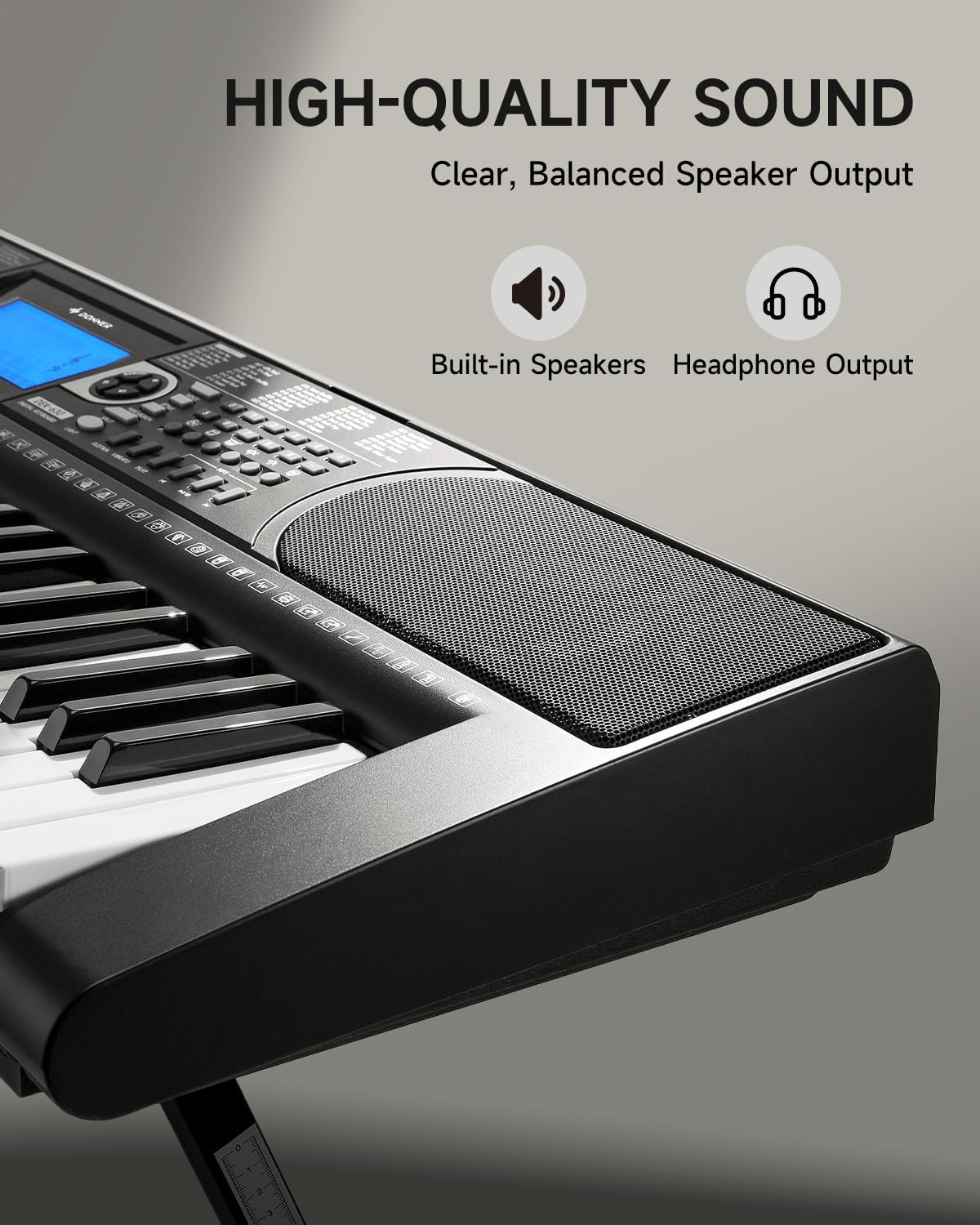
Image 4.3: The DEK-630's built-in speaker and headphone output for versatile sound options.
5. Penyelenggaraan
5.1 Pembersihan
- Wipe the keyboard and stand with a soft, dry cloth.
- Untuk kotoran degil, gunakan sedikit damp kain dan kemudian keringkan dengan teliti.
- Elakkan menggunakan pembersih, pelarut atau lilin yang kasar, kerana ini boleh merosakkan kemasan.
5.2 Penyimpanan
- Simpan papan kekunci di tempat yang sejuk dan kering jauh dari cahaya matahari langsung dan suhu yang melampau.
- Jika menyimpan untuk tempoh yang lama, putuskan sambungan penyesuai kuasa.
6. Penyelesaian masalah
| Masalah | Kemungkinan Punca | Penyelesaian |
|---|---|---|
| Tiada bunyi |
|
|
| Kunci tidak bertindak balas |
|
|
| Paparan LCD kosong |
|
|
7. Spesifikasi
- model: DEK-630
- Bilangan Kunci: 61
- Nada: 300
- Irama: 256
- Lagu Demo: 40
- Ciri Khas: Built-In Speaker, Lighted Keys, Portable, LCD Display, Learning Modes (Auto-Chord, Metronome)
- Ketersambungan: USB MIDI, Audio Input, Output (L/R), Mic Jack, Headphone Jack, Sustain Pedal Jack
- Kuasa: Penyesuai Kuasa 12V DC
- Dimensions (Keyboard without stand): 37.80 x 11.81 x 3.54 inci (96 x 30 x 9 cm)
- Komponen yang Disertakan: Electric Keyboard, Z-shaped Stand, Piano Bench, Music Rest, Note Stickers
8. Waranti dan Sokongan
8.1 Maklumat Waranti
The Donner DEK-630 Electronic Keyboard comes with a Waranti 2 tahun from the date of purchase. This warranty covers manufacturing defects and malfunctions under normal use. Please retain your proof of purchase for warranty claims. The warranty does not cover damage caused by misuse, accidents, unauthorized modifications, or normal wear and tear.
8.2 Sokongan Pelanggan
For technical assistance, troubleshooting, or warranty inquiries, please contact Donner customer support. Visit the official Donner webtapak untuk maklumat hubungan dan sumber tambahan.
Donner Official Webtapak: www.donnerdeal.com