
1. Pengenalan
This manual provides detailed instructions for the installation, operation, and maintenance of your Rosewill VNG 650W ATX 3.1 Power Supply. Please read this manual thoroughly before installation and keep it for future reference. The Rosewill VNG 650W is an 80+ Gold Certified, non-modular power supply compatible with ATX 3.0 & 3.1 standards, featuring a 450W PCIe 5.1 12V-2x6 connector for modern graphics cards.
2. Maklumat Keselamatan
- Always disconnect the power cord from the wall outlet before installing, removing, or cleaning the power supply.
- Jangan buka unit bekalan kuasa. vol tinggitages terdapat di dalam, dan tiada bahagian yang boleh diservis pengguna. Membuka unit akan membatalkan jaminan.
- Ensure the power supply is installed in a well-ventilated area, away from heat sources, direct sunlight, and moisture.
- Use only the cables provided with your power supply. Using third-party cables may cause damage to your system and void the warranty.
- Connect the power supply to a grounded power outlet.
- Do not force connectors. Ensure proper orientation before plugging in any cables.
3. Kandungan Pakej
Sahkan bahawa semua komponen terdapat dalam pakej anda:
- Rosewill VNG 650W Power Supply Unit
- Kord Kuasa AC
- Skru Pemasangan
- Manual Pengguna
- Pengikat Kabel (untuk pengurusan kabel)

Figure 3.1: Rosewill VNG 650W Power Supply with its bundled, non-modular cables.
4. Persediaan dan Pemasangan
Follow these steps to install your Rosewill VNG 650W Power Supply:
- Sediakan Sistem Anda: Ensure your computer case is open and accessible. Disconnect all power from your existing power supply and remove it if necessary.
- Pasang Bekalan Kuasa: Carefully slide the Rosewill VNG 650W into the power supply bay of your computer case. Secure it with the provided mounting screws.
- Sambungkan Kuasa Papan Induk: Connect the 24-pin ATX motherboard power cable to your motherboard.
- Sambungkan Kuasa CPU: Sambungkan kabel kuasa CPU 4+4 pin ke papan induk anda.
- Sambung Kuasa Kad Grafik: For modern graphics cards, use the dedicated PCIe 5.1 12V-2x6 connector. For older or less demanding cards, use the 6+2 pin PCIe connectors. Ensure all necessary power connectors for your graphics card(s) are securely attached.
- Sambung Peranti: Connect SATA power cables to your storage drives (HDDs/SSDs) and Molex connectors to any other peripherals requiring them.
- Pengurusan Kabel: Organize the non-modular cables using the included cable ties to improve airflow and aesthetics within your case.
- Sambungkan Kuasa AC: Once all internal connections are made, connect the AC power cord to the power supply and then to a grounded wall outlet.
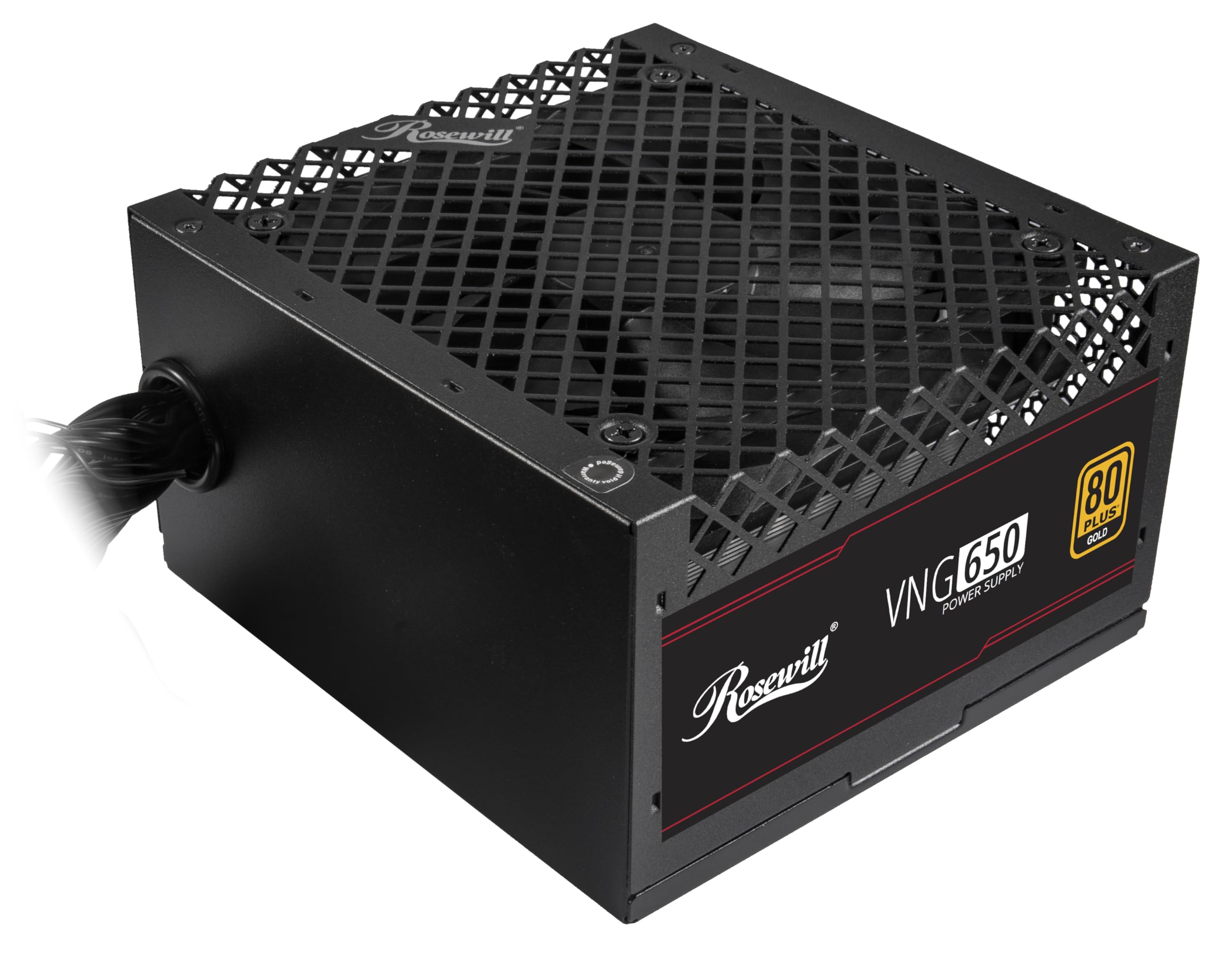
Figure 4.1: Rosewill VNG 650W Power Supply overview.

Figure 4.2: Rear panel with power switch and AC input.

Figure 4.3: Available Power Supply Connectors.
5. Arahan Operasi
Once installed, the Rosewill VNG 650W Power Supply operates automatically. Its 80 PLUS Gold certification ensures high efficiency, converting more AC power into usable DC power and reducing wasted heat. The low-noise design helps maintain a quiet computing environment. The power supply is designed to handle power excursions up to 235% and GPU power excursions up to 300%, providing stable power delivery for demanding components.

Rajah 5.1: Atas view showing the cooling fan.
6. Penyelenggaraan
To ensure optimal performance and longevity of your Rosewill VNG 650W Power Supply:
- Pastikan ia bersih: Periodically clean the exterior of the power supply and the fan grill with a soft, dry cloth. Use compressed air to gently remove dust from the fan and internal components, ensuring the system is powered off and unplugged before cleaning.
- Pastikan Aliran Udara yang Betul: Make sure there is adequate space around the power supply for proper ventilation. Avoid blocking the intake or exhaust vents.
- Semak Sambungan: Occasionally check that all power cables are securely connected to the power supply and your components.
7. Penyelesaian masalah
If you encounter issues with your Rosewill VNG 650W Power Supply, refer to the following common troubleshooting steps:
- Tiada Kuasa:
- Pastikan kord kuasa AC dipasang dengan kukuh pada kedua-dua bekalan kuasa dan soket dinding yang berfungsi.
- Periksa sama ada suis kuasa di belakang PSU berada dalam kedudukan 'HIDUP'.
- Verify all internal power connections (24-pin, CPU, PCIe) are firmly seated.
- Uji alur keluar dinding dengan peranti lain untuk mengesahkan ia mempunyai kuasa.
- Ketidakstabilan/Ranap Sistem:
- Pastikan keperluan kuasa sistem anda tidak melebihi kapasiti 650W PSU.
- Check for loose power connections to components.
- Pantau suhu sistem untuk memastikan komponen tidak terlalu panas.
- Bunyi Luar Biasa:
- A slight fan noise is normal during operation. If the noise is excessive or unusual, ensure the fan is not obstructed by dust or cables.
- Jika bunyi bising berterusan, hubungi khidmat pelanggan.
If these steps do not resolve your issue, please refer to the Support section.
8. Spesifikasi

Figure 8.1: Electrical Specifications Label.
| Ciri | Penerangan |
|---|---|
| Nama Model | VNG650 |
| Jenama | Rosewill |
| Peranti Serasi | Komputer Peribadi |
| Jenis Penyambung | ATX |
| Output Wattage | 650 Watt |
| Faktor Bentuk | ITX mini |
| Kaedah Penyejukan | Udara |
| Dimensi Item (L x W x H) | 5.9 x 5.51 x 3.38 inci |
| Berat Barang | 2.8 paun |
| Reka Bentuk Bekalan Kuasa | Bukan Modular |
| Input Maksimum Voltage | 240 Volt (AC) |
| Input Minimum Voltage | 240 Volt (AC) |
| System Bus Connector Type | ATX |
| UPC | 840951136676 |
| Nombor Bahagian Mfr | VNG650 |
9. Maklumat Waranti
The Rosewill VNG 650W Power Supply comes with a Waranti Pengeluar 5 Tahun. Please retain your proof of purchase for warranty claims. For detailed terms and conditions, refer to the official Rosewill webtapak atau hubungi sokongan pelanggan.
10. Sokongan
For technical assistance, warranty claims, or further inquiries, please visit the official Rosewill webtapak atau hubungi pasukan sokongan pelanggan mereka. Anda selalunya boleh mencari Soalan Lazim dan sumber tambahan dalam talian.
Rosewill Official Webtapak: www.rosewill.com