
1. Produk Lebihview
The EPZ G20 In-Ear Monitor (IEM) earphones are designed for high-fidelity audio experiences, suitable for music, gaming, and calls. They feature a 3D printed resin cavity, a 10mm dynamic driver, and come with detachable cables for versatile connectivity.
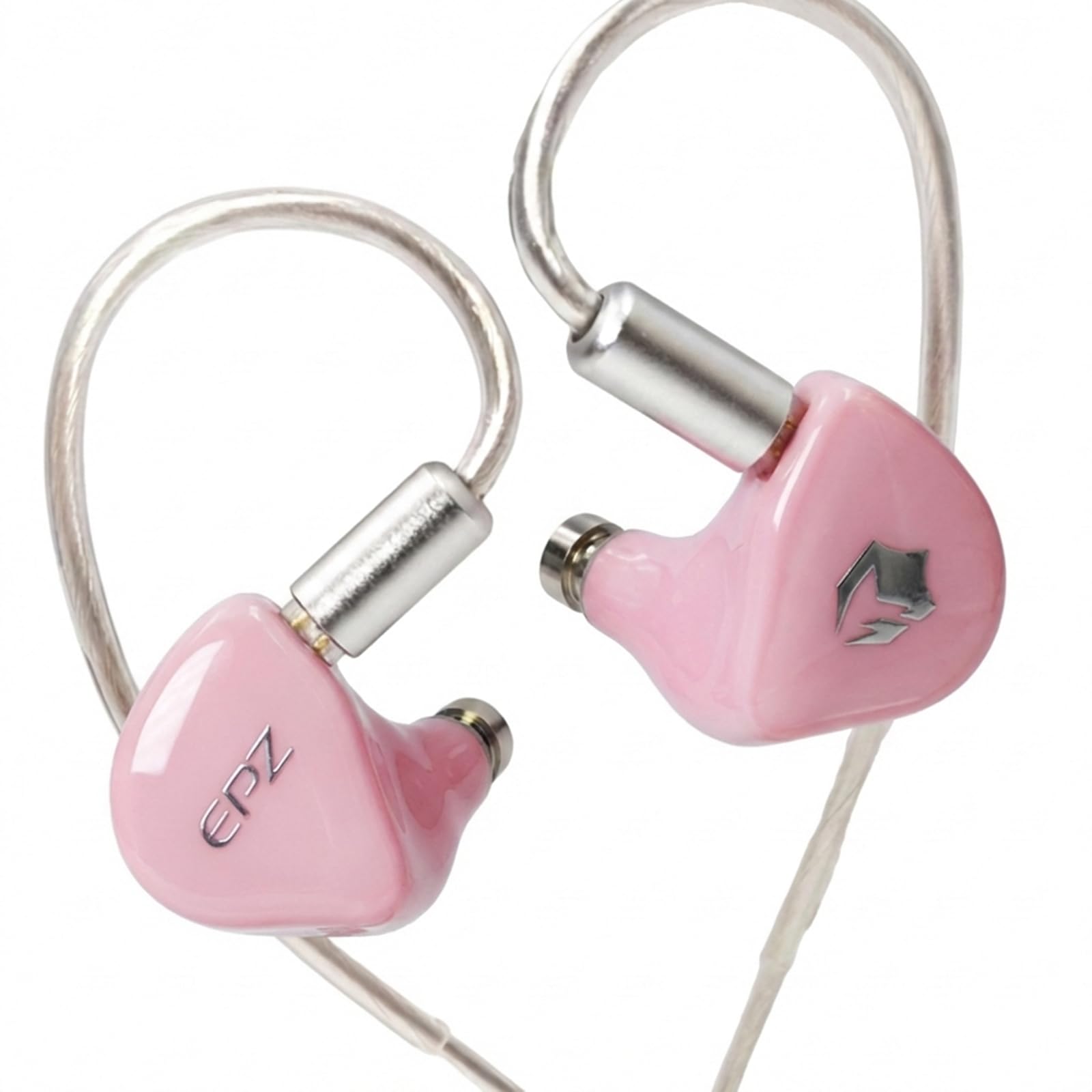
Figure 1.1: EPZ G20 In-Ear Monitor Earphones (Pink variant).
Video 1.1: Tamatview of the EPZ G20 Gaming Earbuds, showcasinreka bentuk dan ciri-ciri mereka.
Ciri-ciri Utama:
- 3D Printed Resin Cavity: Ergonomically designed using medical-grade resin for comfort and durability.
- 10mm Silicone and PU Dynamic Unit: Delivers a wide frequency response range of 20Hz to 20kHz for immersive audio.
- Detachable OFC Cables: Includes a 5.9ft Type-C cable and a 3.9ft 3.5mm cable, both with a 0.78mm 2-pin plug for broad compatibility.
- Ringan dan Selesa: Designed for extended wear without fatigue.
- Bunyi Kesetiaan Tinggi: Provides natural sound with deep bass and clear treble.
2. Apa yang ada di dalam Kotak
Sahkan bahawa semua item yang disenaraikan di bawah disertakan dalam pakej anda:
- 1 x EPZ G20 HIFI Earphones
- 1 x 3.9ft 3.5mm Cable
- 1 x 5.9ft Type-C Cable
- 1 x Sampul
- 1 x Kain Pembersih
- 1 x USB Adaptor
- 3 x Pairs of Ear Caps (S/M/L)
- 1 x Kad
- 1 x Sijil
- 1 x Accessory Box
- 1 x Manual Arahan

Figure 2.1: Included cables and earphone unit, highlighting the detachable design.
3. Persediaan
3.1 Attaching the Cables
- Identify the left (L) and right (R) earphone units and the corresponding cable connectors. The cables are equipped with 0.78mm 2-pin plugs.
- Align the 2-pin connector on the cable with the receptacle on the earphone unit. Ensure the pins are correctly oriented.
- Gently push the connector into the earphone unit until it is securely seated. Do not force the connection.
- Repeat for the other earphone unit.
3.2 Memilih dan Memasang Hujung Telinga
The EPZ G20 includes three pairs of silicone ear caps (S/M/L). Proper ear tip selection is crucial for sound quality and comfort.
- Experiment with different sizes to find the best fit for your ears. A good seal provides optimal bass response and noise isolation.
- To install, gently push the ear tip onto the nozzle of the earphone unit until it is firmly attached.
3.3 Memakai Fon Telinga
The EPZ G20 features a wrap-around ear design for a secure and comfortable fit.
- Masukkan unit fon telinga ke dalam saluran telinga anda.
- Guide the cable over the top and behind your ear, ensuring it sits comfortably.
- Adjust the earphone's position until you achieve a snug and comfortable fit with a good seal.

Figure 3.1: Correct wearing method for the EPZ G20 earphones, demonstrating the over-ear cable routing.
4. Arahan Operasi
4.1 Menyambung kepada Sumber Audio
- Using the 3.5mm Cable: Plug the 3.5mm jack into your device's headphone port. This cable is suitable for most audio players, computers, and gaming consoles.
- Menggunakan Kabel Jenis-C: Plug the Type-C connector into your compatible device's USB-C port. An included USB adaptor can be used for devices with a standard USB-A port.
4.2 Main Semula dan Panggilan Audio
- Once connected, begin audio playback from your device.
- The Type-C cable features a DSP chip that remembers your preferred EQ settings.
- The earphones include a microphone for calls and in-game communication.
4.3 EQ Adjustment (Type-C Cable Only)
The Type-C cable supports EQ adjustment via a dedicated application. The 3.5mm jack does not support EQ adjustment.
- To download the tuning driver or application for EQ adjustment, please visit the official EPZ webtapak atau hubungi terus sokongan pelanggan.
- Follow the instructions provided with the application to customize your sound profile.

Gambar 4.1: Cthample of an application interface for adjusting sound equalization.
5. Penyelenggaraan
5.1 Pembersihan
- Use the provided cleaning cloth to gently wipe the earphone units and cables.
- Regularly remove ear tips and clean any earwax or debris from the earphone nozzles using a small brush or cotton swab.
- Ensure earphones are dry before reattaching ear tips and storing.
5.2 Penjagaan Kabel
- Elakkan selekoh tajam atau tarikan kabel yang berlebihan untuk mengelakkan kerosakan.
- When detaching cables, grasp the connector firmly, not the cable itself.
- Store cables neatly to prevent tangling.
5.3 Penyimpanan
- Store the earphones in the accessory box or a protective case when not in use to prevent dust accumulation and physical damage.
- Keep earphones away from extreme temperatures and humidity.
6. Penyelesaian masalah
If you encounter issues with your EPZ G20 earphones, refer to the following common problems and solutions:
| Masalah | Kemungkinan Punca | Penyelesaian |
|---|---|---|
| Tiada suara atau kelantangan rendah |
|
|
| Poor sound quality (e.g., weak bass, distorted audio) |
|
|
| Mikrofon tidak berfungsi |
|
|
| EQ settings not applying (3.5mm cable) | The 3.5mm cable does not support EQ adjustment via the DSP chip. | Use the Type-C cable for EQ adjustment functionality. |
7. Spesifikasi
Detailed technical specifications for the EPZ G20 In-Ear Monitor Earphones:

Figure 7.1: Visual representation of EPZ G20 key specifications.
| Ciri | Spesifikasi |
|---|---|
| Jenama | EPZ |
| Nama Model | EPZ-G20 |
| Pilihan Warna | Pink, Blue, Gray, Green |
| Penempatan Telinga | Di Telinga |
| Faktor Bentuk | Di Telinga |
| Impedans | 32 ohm |
| Sensitiviti | 100 dB |
| Respons Kekerapan | 20Hz - 20kHz |
| Dynamic Unit | 10mm Silicone + PU Composite Diaphragm |
| Bahan Rongga | 3D Printed Resin |
| Jenis Kabel | Kabel OFC |
| Jenis Palam | 3.5mm Jack, Type-C |
| Jenis Pin | 0.78mm 2-Pin |
| Panjang Kabel | 3.9ft (3.5mm), 5.9ft (Type-C) |
| Kawalan Bunyi | Pembatalan Bunyi Persekitaran |
| Teknologi Ketersambungan | berwayar |
| Ciri-ciri Tambahan | Ringan, Mikrofon Termasuk |
| Kaedah Kawalan | App (for Type-C EQ), Touch |
8. Waranti dan Sokongan
8.1 Maklumat Waranti
The EPZ G20 In-Ear Monitor Earphones come with a Waranti 1 tahun dari tarikh pembelian. Waranti ini meliputi kecacatan pembuatan di bawah penggunaan biasa. Sila simpan bukti pembelian anda untuk tuntutan waranti.
8.2 Sokongan Pelanggan
For technical assistance, warranty claims, or any other inquiries, please:
- Visit the official EPZ webtapak untuk sumber sokongan dan maklumat hubungan.
- Contact EPZ customer service directly through the contact details provided on the official webtapak atau platform pembelian anda.
9. Maklumat Keselamatan
- Perlindungan Pendengaran: Elakkan mendengar pada tahap kelantangan tinggi untuk tempoh yang lama untuk mengelakkan kerosakan pendengaran.
- Kesedaran alam sekitar: Do not use earphones in situations where inability to hear ambient sounds could be dangerous (e.g., driving, cycling, walking in traffic).
- Bahaya tercekik: Keep earphones and small parts away from children and pets.
- Pembersihan: Use only dry, soft cloths for cleaning. Avoid liquids or abrasive cleaners.
- Suhu: Do not expose earphones to extreme temperatures or direct sunlight.