
pengenalan
Thank you for choosing the EcoLink Tiny Tornado Mini Fan. This compact and portable personal fan is designed to provide powerful, quiet, and convenient cooling for various environments. Please read this manual carefully before use to ensure proper operation and maintenance.
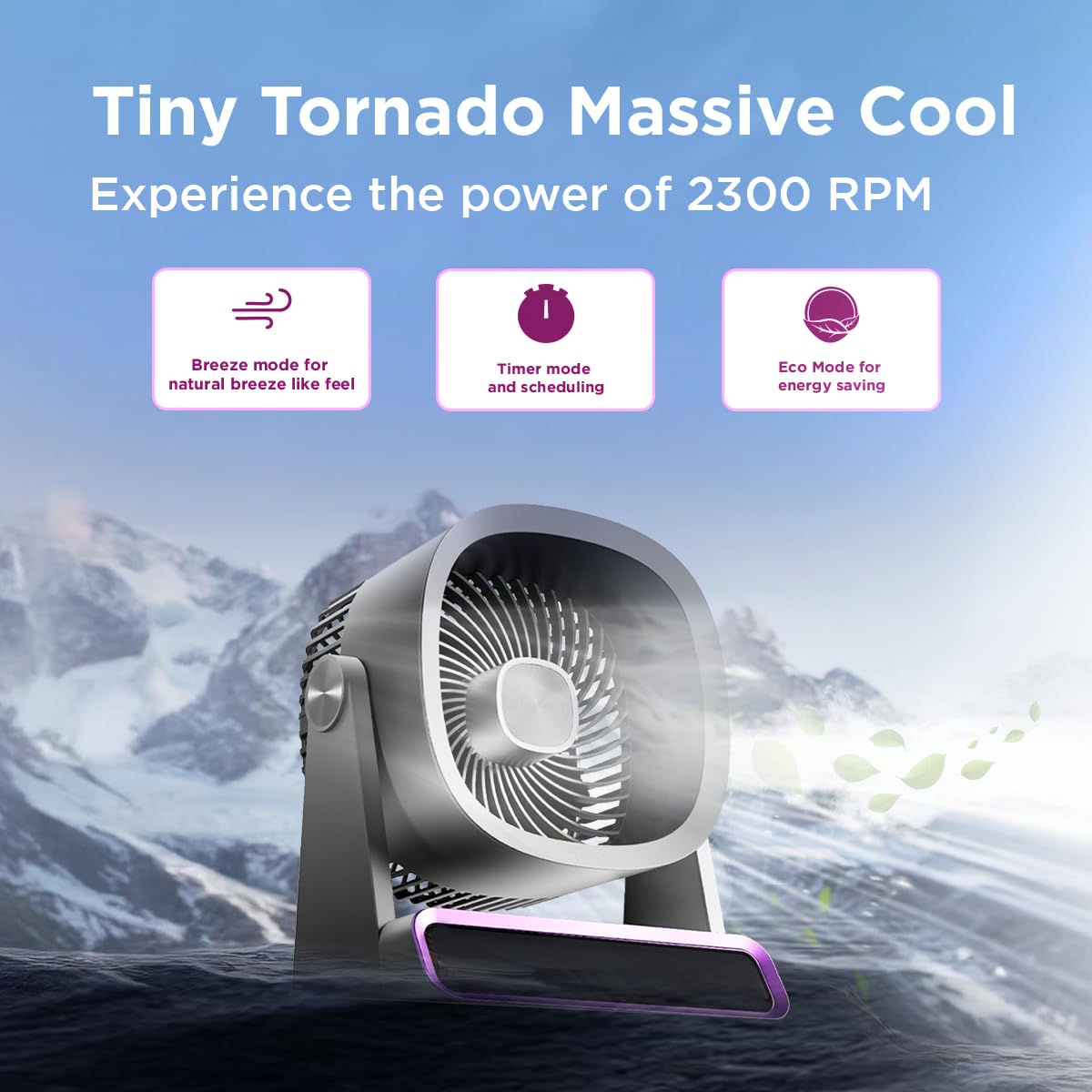
The EcoLink Tiny Tornado Mini Fan delivers powerful airflow in a compact design.
Ciri-ciri Utama:
- Mini Yet Powerful Cooling: Delivers strong airflow in a compact size for instant personal cooling.
- Ultra-Kompak & Ringan: Easy to carry and place on desks, tables, or in bags.
- Operasi Lancar & Senyap: Low-noise performance suitable for various quiet environments.
- Kemudahan Boleh Dicas Semula USB: Rechargeable via laptop, power bank, or USB adapter.
- Penggunaan Serbaguna: Ideal for desk use, travel, outdoor activities, commuting, and emergency cooling.
Kandungan Pakej
Pastikan semua item ada dalam pakej:
- EcoLink Tiny Tornado Mini Fan (1 unit)
- Kabel Pengecas USB Jenis-C (1 unit)

The fan comes with a Type-C charging cable for easy recharging via various devices.
Arahan Keselamatan
To prevent injury or damage, please observe the following safety precautions:
- Jangan masukkan jari atau sebarang objek ke dalam gril kipas.
- Jauhkan kipas daripada air atau cecair lain.
- Do not use the fan in excessively humid or dusty environments.
- Jauhkan daripada kanak-kanak dan haiwan peliharaan.
- Use only the provided USB cable or a certified Type-C cable for charging.
- Do not attempt to disassemble or repair the fan yourself. Contact customer support for assistance.
- Avoid blocking the air intake or outlet during operation.
Persediaan
Pengecasan Awal:
- Connect the provided USB Type-C cable to the charging port on the fan.
- Connect the other end of the USB cable to a power source such as a USB adapter (not included), computer, or power bank.
- The charging indicator light will illuminate (color may vary) to show that the fan is charging.
- A full charge typically takes 10 to 12 hours. The indicator light will change or turn off when charging is complete.
penempatan:
Place the fan on a stable, flat surface. Ensure there is adequate space around the fan for proper airflow.
Arahan Operasi
Hidupkan/Mati Kuasa:
- To turn on the fan, press the power button (usually located on the base or front panel).
- To turn off the fan, press and hold the power button, or cycle through the speed settings until it turns off.
Melaraskan Kelajuan Kipas:
Press the power button repeatedly to cycle through different fan speeds. The fan typically has multiple speed settings (e.g., Low, Medium, High, Boost).
Mod Pengendalian:
The fan may feature different operating modes, indicated by specific icons or lights:
- Mod Breeze: Simulates a natural breeze with varying fan speeds.
- Mod Pemasa: Allows scheduling the fan to turn off after a set period. Refer to the fan's display or specific button for timer settings.
- Mod Eko: Optimizes fan speed for energy saving, extending battery life.

The fan features digital touch screen control and a boost mode for high-speed output.
Hayat Bateri:
The fan offers extended battery life, with up to 17 hours of run time at the lowest speed on a full charge. Run time decreases with higher fan speeds.

The 6000 mAh battery provides long-lasting power, with up to 17 hours of run time at speed 1.
Penyelenggaraan
Pembersihan:
- Pastikan kipas dimatikan dan dicabut plag sebelum dibersihkan.
- Lap permukaan luar dengan lembut, damp kain. Jangan gunakan pembersih atau pelarut yang melelas.
- Use a soft brush or vacuum cleaner to gently remove dust from the fan grille.
- Jangan rendamkan kipas di dalam air atau sebarang cecair lain.
Storan:
Apabila tidak digunakan untuk tempoh yang lama, simpan kipas di tempat yang sejuk dan kering, jauh daripada cahaya matahari langsung dan suhu yang melampau. Adalah disyorkan untuk mengecas sepenuhnya bateri sebelum menyimpannya.
Menyelesaikan masalah
| Masalah | Kemungkinan Punca | Penyelesaian |
|---|---|---|
| Kipas tidak dihidupkan. | Bateri habis. | Cas kipas menggunakan kabel USB Jenis-C yang disediakan. |
| Aliran udara yang lemah. | Fan grille is obstructed or dirty. | Clean the fan grille. Ensure nothing is blocking the air intake or outlet. |
| Kipas membuat bunyi yang luar biasa. | Objek asing di dalam kipas. | Turn off and unplug the fan. Carefully inspect for any foreign objects. If unable to resolve, contact customer support. |
| Penunjuk pengecasan tidak berfungsi. | Isu kabel atau sumber kuasa. | Try a different USB Type-C cable or a different power source. Ensure connections are secure. |
Spesifikasi
| Ciri | Perincian |
|---|---|
| Jenama | EcoLink |
| Nombor Model | 915006708301_1 |
| warna | Ungu |
| Reka Bentuk Kipas Elektrik | Wearable Fan / Tabletop Mount |
| Sumber Kuasa | Dikuasakan Bateri (Boleh Dicas Semula USB) |
| Gaya | Mini |
| Dimensi Produk (D x W x H) | 19.5D x 14.5W x 25.8H Sentimeter |
| Berat Barang | 940 Gram |
| Wattage | 4.6 Watt |
| Komponen yang Disertakan | Handheld Pack of 1 (Fan, USB Type-C Cable) |
| Penggunaan Dalaman/Luar | Dalaman, Luaran |
| Jenis Pemasangan | Mudah alih |
| Keserasian Rumah Pintar | Not Smart Home Compatible |

The fan is equipped with a powerful and silent BLDC motor for smooth, consistent, and energy-efficient airflow.
Maklumat Waranti
This EcoLink product is covered by a manufacturer's warranty. Please refer to the warranty card included with your purchase or contact EcoLink customer support for detailed warranty terms and conditions. Keep your purchase receipt as proof of purchase for warranty claims.
Sokongan Pelanggan
For any questions, technical assistance, or warranty claims, please contact the manufacturer:
- Pengeluar: Signify Innovations India Limited
- Maklumat Hubungan: Refer to the packaging or official EcoLink webtapak untuk butiran hubungan terkini.