
pengenalan
This manual provides detailed instructions for the safe and proper installation, operation, and maintenance of your Perlegear Ultra Slim Full Motion TV Wall Mount, Model PGTVM65B-LF-US. Please read all instructions carefully before beginning installation and keep this manual for future reference.
Maklumat Keselamatan
AMARAN: Failure to read and follow all instructions can result in personal injury, property damage, or voiding your warranty. Do not install on drywall alone. Ensure the mounting surface can safely support the combined weight of the mount and your TV.
- Verify your TV's VESA pattern and weight are within the mount's specifications.
- Use a stud finder to locate wood studs accurately.
- For concrete or brick walls, use the provided anchors.
- Always use appropriate safety gear, including eye protection.
- Dua orang disyorkan untuk pemasangan.
Kandungan Pakej
Please check that all components are present and undamaged before installation. If any parts are missing or defective, contact Perlegear customer support.

Rajah 1: Komponen Termasuk
- Pemasangan Plat Dinding
- Pendakap TV (2)
- Kit Perkakasan (pelbagai skru, pencuci, spacer, sauh)
- Tahap Buih
- Pengikat Kabel
- Manual Pemasangan
Spesifikasi
| Ciri | Spesifikasi |
|---|---|
| Nombor Model | PGTVM65B-LF-US |
| Keserasian Saiz Skrin | 42 - 90 inci |
| Kapasiti Beban Maksimum | 132 paun (60 kg) |
| Keserasian VESA | 200x200mm hingga 600x400mm |
| Jenis Pemasangan | Lekap di dinding |
| Jenis Pergerakan | Full Motion (Swivel, Tilt, Extend) |
| Sudut Kecondongan | +5° / -15° |
| Sudut Pusing | ±45° |
| Pelarasan Tahap | ±3° |
| Sambungan daripada Wall | Sehingga 15 inci |
| Profile (Retracted) | 1.1 inci |
| bahan | Keluli Aloi |
Penting: Always confirm your TV's VESA pattern and weight before installation.

Figure 2: Universal Compatibility and VESA Patterns

Figure 3: VESA Mounting Reference Position
Persediaan dan Pemasangan
Pemeriksaan Pra-Pemasangan
- Semak Jenis Dinding: This mount is suitable for wood studs (16" to 24" spacing), solid concrete, and brick walls. JANGAN pasang pada drywall sahaja.
- Check TV Weight and VESA: Ensure your TV weighs no more than 132 lbs and has a VESA pattern between 200x200mm and 600x400mm.
- Check Cable Access: Verify that the mount will not block any ports or cable connections on the back of your TV.

Figure 4: Compatible Wall Types and Stud Spacing
Langkah Pemasangan
Follow these steps carefully for a secure installation. Refer to the included drilling template for precise hole placement.
- Lampirkan Kurungan TV: Secure the TV brackets to the back of your TV using the appropriate screws, washers, and spacers from the hardware kit. Ensure the brackets are centered and level.
- Tandakan Lokasi Penggerudian: Position the wall plate assembly on the wall at your desired height. Use the integrated bubble level to ensure it is perfectly horizontal. Mark the drilling points through the holes on the wall plate.
- Gerudi Lubang Juruterbang:
- Untuk Kancing Kayu: Drill pilot holes using a 7/32" (5.5mm) drill bit.
- Untuk Dinding Konkrit/Bata Pepejal: Drill pilot holes using a 3/8" (10mm) masonry drill bit. Insert wall anchors into these holes.
- Pasang Plat Dinding: Attach the wall plate assembly to the wall using the lag bolts and washers. Tighten all bolts securely.
- Gantung TV: Carefully lift your TV with the attached brackets and hook it onto the wall plate. Ensure the TV is securely seated on the mount.
- Secure TV to Mount: Use the safety screws or locking mechanisms on the TV brackets to prevent the TV from accidentally lifting off the wall plate.
Panduan Video Pemasangan
Video 1: General Installation Guide for Perlegear TV Mounts. This video demonstrates the steps for mounting the TV bracket to the TV and securing the wall plate to various wall types, followed by hanging the TV.
Arahan Pengendalian (Pelarasan)
This full-motion TV mount allows for various adjustments to achieve optimal viewsudut-sudut.
- Sambungan: Gently pull the TV away from the wall to extend the arms up to 15 inches.
- Pusing: Pivot the TV left or right up to ±45° to adjust the horizontal viewsudut ing.
- Condong: Loosen the tilt knobs on the TV brackets, adjust the screen to your desired vertical angle (+5° up / -15° down), and then re-tighten the knobs to secure the position. This helps reduce glare.
- Pelarasan Tahap: After installation, you can fine-tune the TV's level by rotating it up to ±3°.

Rajah 5: Boleh laras Viewsudut
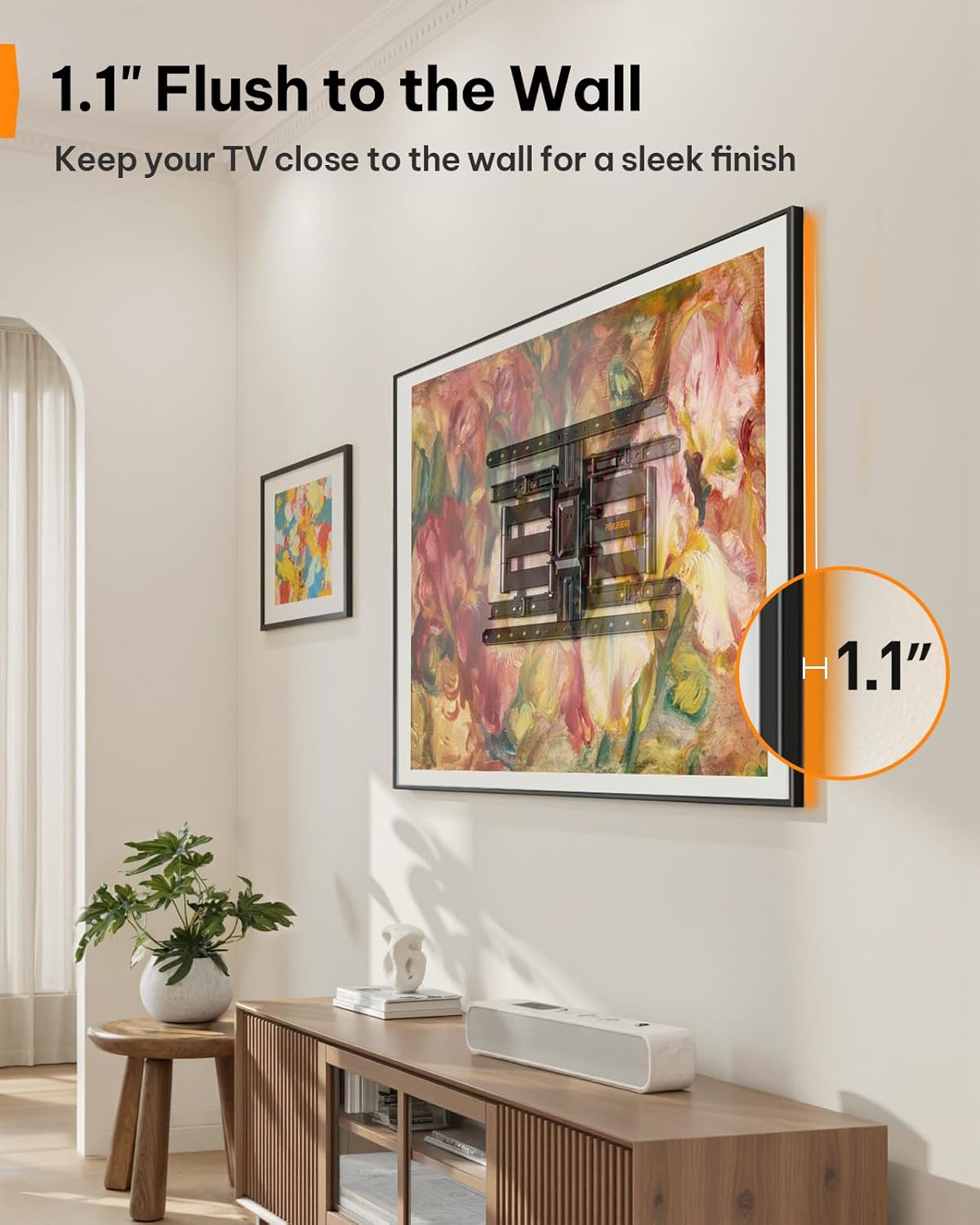
Figure 6: Ultra-Slim Profile
Video Ciri Produk
Video 2: Perlegear Ultra Slim TV Mount Features. This video showcases the mount's slim profile, cable management, swivel, and tilt capabilities in a modern living room setting.
Penyelenggaraan
Penyelenggaraan berkala memastikan ketahanan dan operasi yang selamat pada dudukan TV anda.
- Semak Sambungan: Periodically inspect all screws and bolts to ensure they remain tight. Re-tighten if necessary.
- Bersih: Lap dudukan dengan kain lembut dan kering untuk menghilangkan habuk. Elakkan pembersih atau pelarut yang kasar.
- Pelinciran: The articulating arms are designed for smooth movement. If movement becomes stiff over time, a small amount of silicone-based lubricant can be applied to the pivot points.
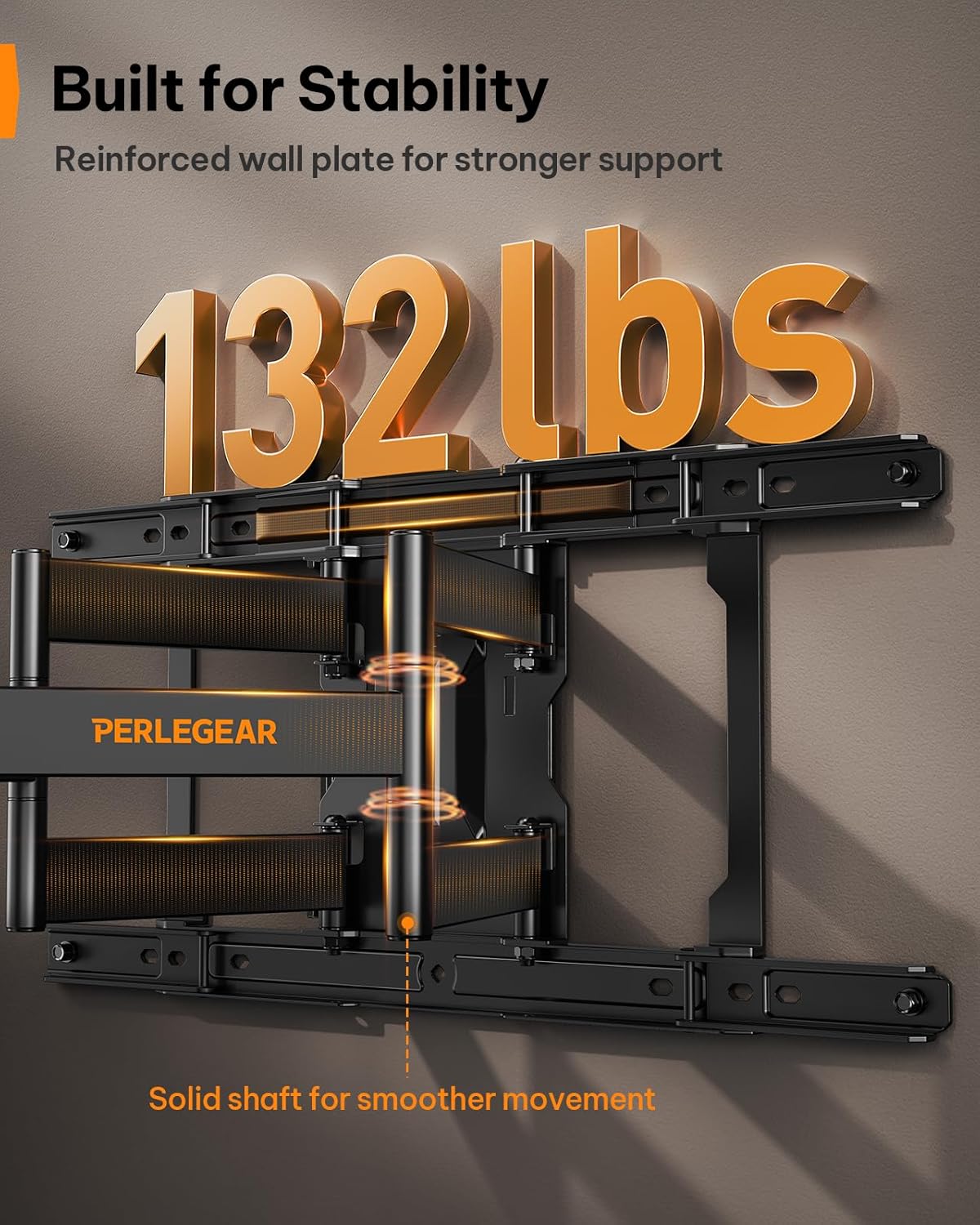
Figure 7: Built for Stability
Menyelesaikan masalah
| Masalah | Kemungkinan Punca | Penyelesaian |
|---|---|---|
| TV tidak paras selepas pemasangan. | Minor misalignment during installation. | Use the ±3° level adjustment feature to fine-tune the TV's position. |
| Gunung terasa longgar di dinding. | Lag bolts not fully tightened or incorrect wall anchors used. | Ensure all lag bolts are securely tightened. Verify correct anchors were used for your wall type. If on wood studs, ensure bolts are in the center of the stud. |
| TV tidak sesuai dengan pelekap. | Corak VESA atau saiz/berat TV yang salah. | Double-check your TV's VESA pattern and weight against the mount's specifications (200x200mm to 600x400mm, max 132 lbs). |
| Mount arms are stiff to move. | Lack of lubrication or dust accumulation. | Apply a small amount of silicone-based lubricant to the pivot points of the articulating arms. Clean any dust or debris. |
Waranti dan Sokongan
This Perlegear TV wall mount comes with a 5-year warranty. For warranty claims, technical assistance, or any questions regarding installation or operation, please contact Perlegear customer support.
You can find contact information on the official Perlegear webtapak atau melalui platform pembelian anda.