
pengenalan
Thank you for choosing the Inkbird Cordless Electric Lunch Box. This device is designed to provide warm meals on the go, featuring a 16000mAh rechargeable battery, 1.5L capacity, and 5-sided heating technology. Please read this manual thoroughly before use to ensure proper operation and maintenance.
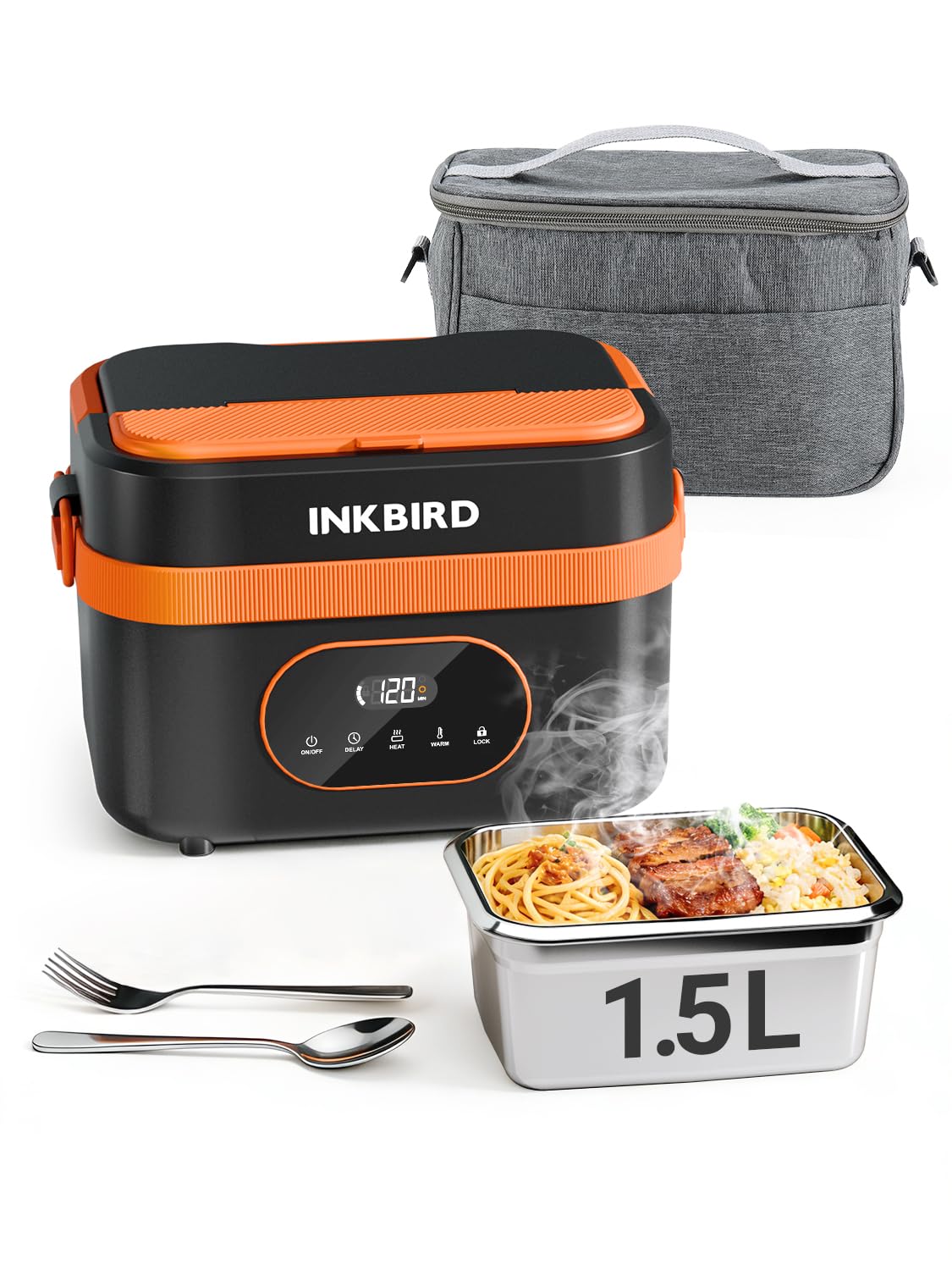
Image: The Inkbird Cordless Electric Lunch Box, showcasing its design and a heated meal.
Produk Selesaiview
Kandungan Pakej
Pakej termasuk item berikut:
- Cordless Lunch Box (1)
- TYPE-C Charging Cable (1)
- Penyesuai (1)
- Manual Arahan (1)
- Rice Spoon (1)
- Fork (1)

Image: All components included in the Inkbird Cordless Electric Lunch Box package.
Ciri-ciri Utama
- Operasi tanpa wayar: Integrated 16000mAh rechargeable battery for heating without an external power source.
- Pemanasan yang cekap: 5-sided heating technology ensures even warming of food.
- Pemasa Pintar: Programmable heating from 1 to 8 hours.
- Kapasiti Murah: 1.5L (approximately 6 cups) stainless steel food container.
- Mudah dibersihkan: Removable, dishwasher-safe stainless steel container.
- Reka Bentuk Tahan Tumpahan: Secure lid and leak-proof seal to prevent spills.
- Fungsi Bank Kuasa Mudah Alih: TYPE-C port allows charging of other devices.
Persediaan
Pengecasan Awal
Before first use, fully charge the lunch box battery. Connect the provided TYPE-C charging cable to the lunch box and the adapter to a power outlet. A full charge typically takes 3-4 hours. The LED display will indicate charging status.

Image: The lunch box being charged via its TYPE-C port, also illustrating its ability to charge a mobile phone.
Preparing the Food Container
Wash the stainless steel food container and lid thoroughly before placing food inside. Ensure the leak-proof seal is properly seated on the lid to prevent spills during transport.
Arahan Operasi
Meletakkan Makanan
Place your prepared meal into the stainless steel container. If desired, use the removable divider to separate different food items. Secure the lid firmly onto the container, then place the container into the main heating unit.

Image: The removable tray divider, demonstrating flexible meal storage options.
Mod Pemanasan
The lunch box offers two primary modes: Panas dan Tetap Hangat.
- Mod Panas: Designed to actively heat food from room temperature to a hot level. This process requires at least 30 minutes. Heating times can be adjusted (e.g., 30, 40, 50, 60 minutes).
- Mod Kekalkan Panas: Maintains the temperature of already warm food. This mode will not actively heat cold food to a hot level. Keep warm times can be adjusted (e.g., 30, 60, 90, 120 minutes).

Image: Visual representation of the Heat and Warm modes and their respective time options.
Using the Smart Timer (Delayed Heating)
The smart timer allows you to set a delayed start for heating, ensuring your meal is ready when you need it. You can set the timer for 1 to 8 hours. After setting the delay, the lunch box will automatically begin heating at the programmed time.

Image: The delay timer function, allowing users to schedule heating up to 8 hours in advance.
Fungsi Power Bank
The integrated 16000mAh battery can also be used to charge other devices via the TYPE-C port. Connect your device to the TYPE-C port on the lunch box to begin charging.
Pembersihan dan Penyelenggaraan
Membersihkan Bekas Makanan
The stainless steel food container is removable and dishwasher safe for easy cleaning. The lid should also be washed thoroughly after each use.

Image: The dishwasher-safe stainless steel container for convenient cleaning.
Membersihkan Unit Utama
The main heating unit is bukan kalis air. Do not immerse it in water or wash it under running water. Wipe the exterior with a damp cloth and ensure it is completely dry before storage or next use.

Image: Cleaning the removable container, with a crucial reminder that the main unit is not waterproof.
Menyelesaikan masalah
| Masalah | Kemungkinan Punca | Penyelesaian |
|---|---|---|
| Makanan tidak cukup panas. |
|
|
| Lunch box does not turn on. |
|
|
| Food spills during transport. |
|
|
Spesifikasi
| Ciri | Perincian |
|---|---|
| Jenama | Burung Tinta |
| Model | B0GCMDQ7FF |
| warna | Hitam & Jingga |
| bahan | Akrilonitril Butadiena Stirena (ABS) |
| Kapasiti | 1.5 Liter |
| Bateri | 16000mAh Boleh dicas semula |
| kuasa | 60W |
| Dimensi Produk (D x W x H) | 6.14" x 6.14" x 6.14" |
| Bilangan Petak | 1 (with optional divider) |
| Ciri Khas | Heat Resistant, Portable Power Bank |
| Arahan Penjagaan | Hand Wash Only (main unit), Dishwasher Safe (stainless steel container) |
Maklumat Keselamatan
- Do not immerse the main heating unit in water or any other liquid.
- Ensure the lunch box is fully charged before extended use to avoid unexpected power loss during heating.
- Jauhkan daripada kanak-kanak.
- Jangan gunakan jika produk kelihatan rosak.
- Always ensure the lid is securely closed before transport to prevent spills.
- Heating requires time; plan accordingly. Do not expect instant heating of cold food.
- Do not place the insulated cover over the lunch box while heating, as this can affect thermal efficiency and potentially cause damage.
Video Produk Rasmi
Inkbird Cordless Electric Lunch Box: Operation Guide
Video: A detailed guide on how to operate the Inkbird Cordless Electric Lunch Box, including setting heating modes and timers.
Inkbird Cordless Lunch Box, Portable, Silent & Easy Clean
Video: Demonstrates the portability, quiet operation, and ease of cleaning for the Inkbird Cordless Electric Lunch Box.
Waranti dan Sokongan
For warranty information or technical support, please refer to the contact details provided in the included instruction manual or visit the official Inkbird webtapak. Simpan resit pembelian anda untuk tuntutan waranti.
Anda juga boleh melawat Kedai Inkbird di Amazon untuk mendapatkan lebih banyak maklumat produk dan sumber sokongan.