
1. Pengenalan
The JONR X1 Max is an advanced robot vacuum and mop cleaner designed to provide comprehensive floor cleaning. It features powerful suction, intelligent navigation, and an all-in-one self-cleaning station for a hands-free cleaning experience. This manual will guide you through the setup, operation, and maintenance of your device.
Ciri-ciri Utama:
- 20000 Pa Suction Power: Effectively removes hair, dust, and debris from various floor types.
- TroboWave DuoBrush System: Anti-tangle design to minimize hair entanglement and maintenance.
- 30 mm Obstacle Climbing: Easily navigates over thresholds and carpets.
- 3D LiDAR Navigation with RGB Technology: Precise room mapping and intelligent obstacle avoidance.
- Stesen All-in-One: Automatic dust collection, hot water mop washing (75°C), and hot air mop drying (45°C).
- Kawalan Pintar: App control and voice command compatibility (Alexa, Google Home).
- Hayat Bateri yang Panjang: Up to 150 minutes of cleaning, covering over 200 m².
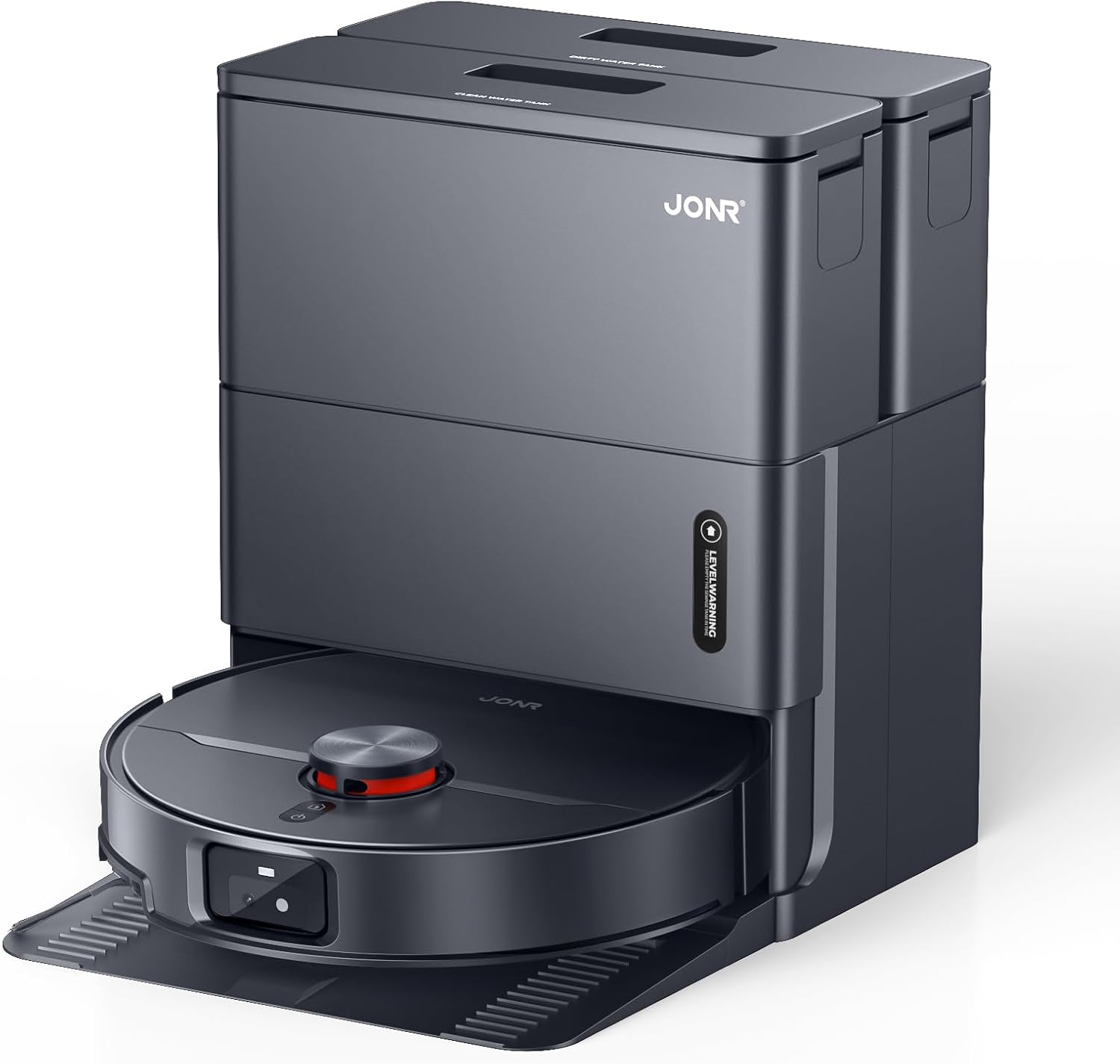
Image: The JONR X1 Max robot vacuum demonstrating its powerful 20000 Pa suction, effectively lifting dust and pet hair from various surfaces.
2. Persediaan
2.1 Membongkar dan Semakan Komponen
Keluarkan semua komponen dari pembungkusan dengan berhati-hati. Pastikan semua item yang disenaraikan di bawah ada.
- JONR X1 Max Robot Vacuum and Mop Cleaner
- All-in-One Docking Station
- Penyesuai Kuasa
- Pad Mop (prapasang atau berasingan)
- Manual Arahan (dokumen ini)
- Dust Bag (pre-installed in station or separate)
- Clean Water Tank (4.2 L)
- Dirty Water Tank (3.8 L)
2.2 Penempatan Stesen Dok
Place the docking station on a hard, level surface against a wall. Ensure there is at least 0.5 meters of clear space on both sides and 1.5 meters in front of the station for the robot to navigate freely. Connect the power adapter to the station and plug it into a wall outlet.

Image: The JONR X1 Max robot vacuum and its all-in-one docking station. The station is designed for automatic dust collection, mop washing, and drying.
2.3 Pengecasan Awal
Place the robot onto the docking station. Ensure the charging contacts on the robot align with those on the station. The robot will automatically begin charging. For first-time use, fully charge the robot before operation (approximately 2.5 hours).
2.4 Pemasangan Apl dan Berpasangan
- Download the "JONR" app from your smartphone's app store (iOS or Android).
- Buka aplikasi dan buat akaun atau log masuk.
- Follow the in-app instructions to add your JONR X1 Max device. This typically involves connecting to the robot's Wi-Fi hotspot temporarily and then connecting the robot to your home Wi-Fi network.
- Once paired, you can control the robot, set cleaning schedules, and view maps from the app.
3. Arahan Operasi
3.1 Memulakan Kitaran Pembersihan
You can start a cleaning cycle using one of the following methods:
- Butang Robot: Press the power button on the robot once to start a general cleaning cycle.
- JONR App: Open the app, select your device, and tap "Start Cleaning." You can choose specific cleaning modes (Vacuum, Mop, Vacuum & Mop) and areas.
- Kawalan Suara: If integrated with Amazon Alexa or Google Home, use commands like "Alexa, start JONR robot" or "Hey Google, tell JONR to clean."
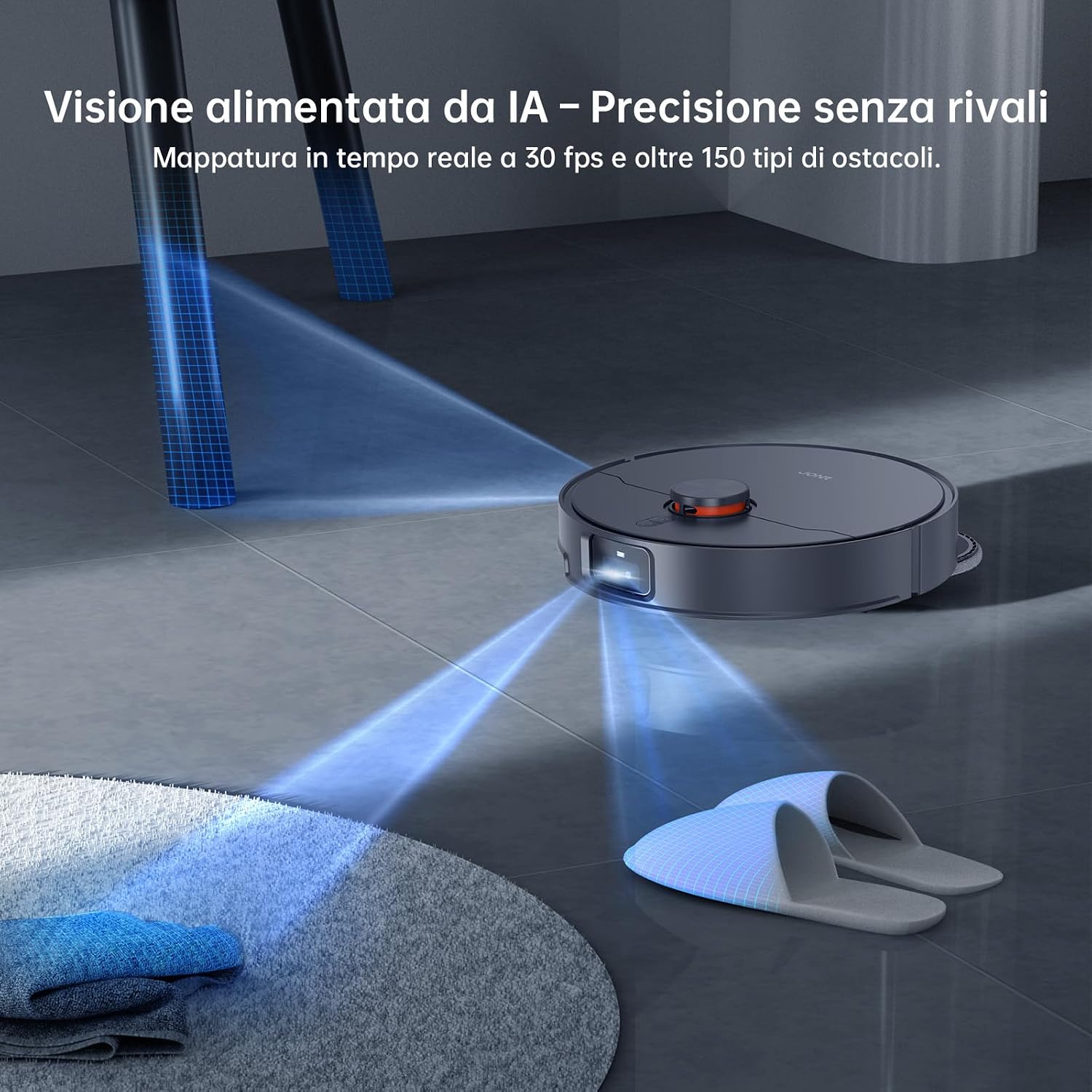
Image: The JONR X1 Max robot vacuum navigating a room, demonstrating its AI-powered obstacle avoidance system to detect and bypass objects like slippers.
3.2 Mod Pembersihan
- Mod vakum: The robot will only vacuum, suitable for carpets or dry debris.
- Mod Pel: The robot will only mop, suitable for hard floors. Ensure water tanks are filled.
- Mod Vakum & Mop: The robot will vacuum and mop simultaneously. This is the default and recommended mode for most hard floors.
- Pembersihan Zon: Use the app to define specific areas for the robot to clean.
- Pembersihan Tempat: Direct the robot to a specific spot for intensive cleaning.

Image: The JONR X1 Max robot vacuum demonstrating its edge-to-edge cleaning capability, with extendable mop pads ensuring thorough coverage near walls and furniture.
3.3 Navigasi Berhalangan
The JONR X1 Max is equipped with a lifting roller design, allowing it to overcome obstacles up to 30 mm, such as door thresholds and thick carpets. Its 3D LiDAR navigation and RGB technology enable precise mapping and real-time obstacle avoidance.

Image: The JONR X1 Max robot vacuum demonstrating its ability to climb over obstacles up to 30mm high, such as floor transitions or rugs, compared to a standard robot's 8mm capability.
3.4 Fungsi Stesen Semua-dalam-Satu
The docking station provides automated maintenance for the robot:
- Pengosongan Habuk Automatik: After each cleaning cycle, the robot's dustbin is automatically emptied into a 3L dust bag within the station.
- Mencuci Mop Air Panas: The mop pads are washed with 75°C hot water to remove dirt and grime effectively.
- Pengeringan Mop Udara Panas: After washing, the mop pads are dried with 45°C hot air to prevent mildew and odors.
- Automatic Water Refill/Drain: The station manages the clean and dirty water tanks, refilling the robot's water tank and draining dirty water as needed.

Image: The JONR X1 Max docking station actively cleaning the robot's mop pads with 75°C hot water, ensuring thorough sanitation and removal of stubborn stains.
4. Penyelenggaraan
Regular maintenance ensures the optimal performance and longevity of your JONR X1 Max.
4.1 Dust Bag Replacement (Docking Station)
- The 3L dust bag in the docking station typically lasts up to 2.5 months, depending on usage.
- When the app indicates the dust bag is full, open the station's top cover, remove the full bag, and replace it with a new one.
4.2 Water Tank Maintenance (Docking Station)
- Clean Water Tank (4.2 L): Refill with clean tap water as needed. Do not add detergents or cleaning solutions unless specifically designed for robot vacuums and approved by JONR.
- Dirty Water Tank (3.8 L): Empty the dirty water tank regularly to prevent odors and ensure proper mop washing. Clean the tank with water if necessary.
4.3 Pembersihan dan Penggantian Pad Mop
- The docking station automatically washes and dries the mop pads.
- Periodically inspect the mop pads for wear and tear. Replace them when they become excessively worn or no longer clean effectively.
4.4 Pembersihan Berus Utama dan Berus Sisi
- Berus Utama: The TroboWave DuoBrush system is designed to reduce hair entanglement. However, periodically remove the main brush and clean any accumulated hair or debris using the cleaning tool provided.
- Berus Sisi: Check side brushes for tangled hair or damage. Remove and clean them. Replace if bristles are bent or broken.

Imej: Dari dekat view of the JONR X1 Max's patented helical blade design, illustrating its anti-tangle technology that significantly reduces hair obstructions and minimizes maintenance requirements.
4.5 Pembersihan Penapis
- The robot uses a sponge filter. Remove the filter from the dustbin (after automatic emptying) and tap it gently to remove dust. Do not wash the filter with water unless specified.
- Gantikan penapis setiap 3-6 bulan, bergantung pada penggunaan.
4.6 Pembersihan Sensor
- Wipe the cliff sensors, wall sensors, and charging contacts on the robot and docking station with a clean, dry cloth periodically to ensure proper navigation and charging.
5. Penyelesaian masalah
| Masalah | Kemungkinan Punca | Penyelesaian |
|---|---|---|
| Robot tidak bermula atau bertindak balas. | Bateri lemah; Suis kuasa dimatikan; Robot tersekat. | Cas robot; Pastikan suis kuasa HIDUP; Kosongkan sebarang halangan. |
| Prestasi pembersihan yang lemah. | Full dustbin; Clogged filter; Worn brushes/mop pads. | Empty dustbin/replace dust bag; Clean/replace filter; Clean/replace brushes/mop pads. |
| Robot cannot return to docking station. | Station obstructed; Robot too far; Charging contacts dirty. | Clear area around station; Manually place robot on station; Clean charging contacts. |
| Isu sambungan apl. | Kata laluan Wi-Fi salah; Penghala terlalu jauh; Robot di luar talian. | Verify Wi-Fi credentials; Move robot closer to router; Restart robot and app. |
| Pad mop tidak membersihkan dengan berkesan. | Dirty water tank full; Clean water tank empty; Worn mop pads. | Empty dirty water tank; Refill clean water tank; Replace mop pads. |
6. Spesifikasi
| Ciri | Perincian |
|---|---|
| Jenama | JONR |
| Nama Model | X1 MAX |
| Kuasa Sedutan | 20,000 Pa |
| Obstacle Climbing Capability | 30 mm |
| Suhu Basuh Mop Air Panas | 75 °C |
| Hot Air Mop Drying Temperature | 45 °C |
| Hayat Bateri | Up to 2.5 Hours (150 minutes) |
| Komposisi Bateri | Polimer Litium |
| Kapasiti Tangki Air Bersih | 4.2 Liter |
| Kapasiti Tangki Air Kotor | 3.8 Liter |
| Kapasiti Beg Habuk | 3 Liter |
| Jenis Kawalan | Button Control, App Control, Voice Control |
| Peranti Serasi | Amazon Echo, Google Home, Telefon Pintar |
| Jenis Penapis | Span |
| Dimensi (L x W x H) | 33L x 34W x 55H cm |
| Berat Barang | 12 Kilogram |
| Tahap Kebisingan | 70 Desibel |
| Permukaan Disyorkan | Tiles, Hard Floors, Carpets |
7. Waranti dan Sokongan
JONR provides 365-day customer service for the X1 Max robot vacuum and mop cleaner. For warranty claims, technical support, or any inquiries regarding your product, please contact JONR customer service through the official webtapak atau maklumat hubungan yang diberikan dalam dokumentasi pembelian anda.
Sila simpan bukti pembelian anda untuk tujuan waranti.