
1. Produk Lebihview
The Ulefone Rugking Pad 2 Pro is a rugged 4G tablet designed for durability and performance. It features a 10.1-inch Corning Gorilla Glass display, powered by an Octa-core processor with 16GB RAM and 256GB storage, running on Android 16. Key features include a 10200mAh battery, 48MP rear camera, built-in eSIM, and IP68/IP69K/MIL-STD-810H certifications for extreme environments.
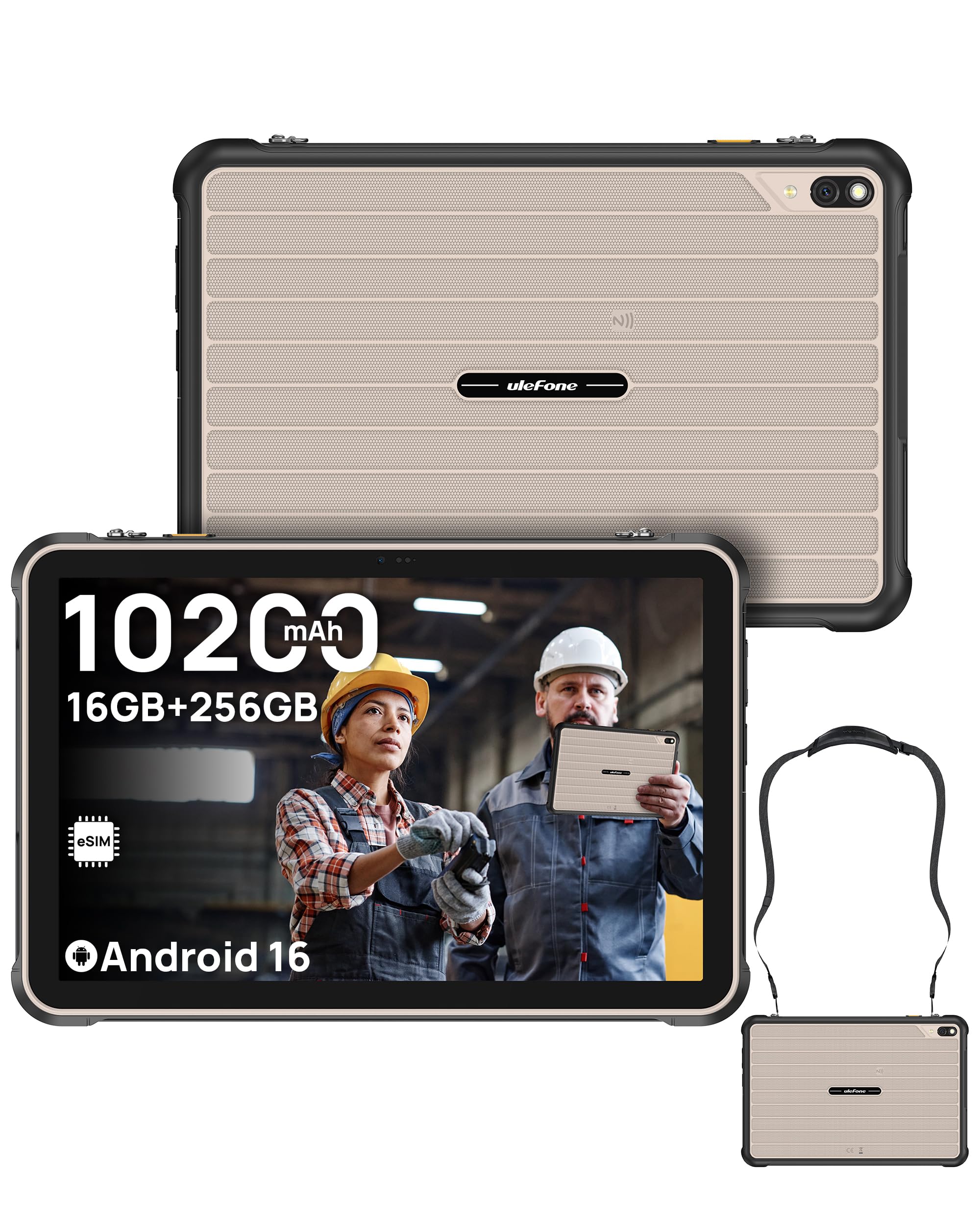
Image: Ulefone Rugking Pad 2 Pro tablet, showcasing reka bentuknya yang mantap.
2. Apa yang ada di dalam Kotak
- 1x Ulefone Rugking Pad 2 Pro Tablet
- 1x AC Power Charger (100~240V)
- 1x Type-C to Type-C Data Cable (100cm)
- 1x Wearable Strap
- 2x Skru
- 1x Protective Film (Pre-installed)
- 1x Multi-language User Manual
- 1x Charging Instruction Card
- 1x Safety Prompt Statement

Image: All items included in the Ulefone Rugking Pad 2 Pro package.
3. Persediaan
3.1 Kuasa Awal Hidup
- Press and hold the Power button located on the side of the tablet until the Ulefone logo appears.
- Ikut arahan pada skrin untuk memilih bahasa, rantau dan sambungkan ke rangkaian Wi-Fi anda.
3.2 Persediaan Kad SIM dan eSIM
The Rugking Pad 2 Pro supports dual 4G SIM cards and a built-in eSIM for flexible connectivity.
- Physical SIM Card: Use the provided tool to open the SIM card tray. Insert up to two Nano SIM cards and one MicroSD card into their respective slots. Ensure the tray is securely closed to maintain water and dust resistance.
- eSIM terbina dalam: The integrated eSIM allows you to download local data plans without physical SIM cards. Before activating, confirm support and eligibility with your cellular carrier, as service varies by region. (Note: Not compatible with AT&T or Cricket.)

Image: Visual representation of eSIM technology for global connectivity.
3.3 Mengecas Peranti
Connect the provided AC power charger and Type-C cable to the tablet's charging port. The tablet also supports 18W dock charging (dock sold separately).

Image: The Ulefone Rugking Pad 2 Pro being charged via a pogo pin dock (sold separately).
4. Arahan Operasi
4.1 Paparan dan Navigasi
The 10.1-inch HD+ display offers a 90Hz refresh rate and 600 nits maximum brightness for clear visuals. It is protected by Corning Gorilla Glass 3 for enhanced scratch resistance.

Image: The 10.1-inch 90Hz display of the Rugking Pad 2 Pro.
4.2 Penggunaan Kamera
Capture moments with the 48MP rear camera and take selfies or video calls with the 8MP front camera. The 120LM Super Torch assists in low-light conditions.

Image: Details of the 48MP rear camera and 8MP front camera.
4.3 Pengurusan Bateri
The tablet is equipped with a 10200mAh battery, providing extended usage. It can also function as a power bank to reverse charge other devices. For optimal battery life, avoid extreme temperatures and use the provided charger.

Image: Illustration of the 10200mAh battery capacity and usage times.
4.4 Water-Lock Mode
Activate Water-Lock mode to disable the touchscreen in wet conditions, preventing accidental touches and 'ghost inputs'. This ensures reliable operation even when the device is wet.
4.5 uSmart Expansion Connector
The uSmart Expansion Connector allows for stable connection with a rich accessory ecosystem, including endoscopes (E01/E02) and microscopes (C01), which are sold separately. These peripherals enhance the tablet's functionality for critical inspection tasks.

Image: The uSmart Expansion Connector and examples of compatible accessories like endoscopes and microscopes.
4.6 Ciri-ciri Lain
- Kunci Tersuai: Program the custom key for single click, double click, or long press actions.
- NFC: Utilize NFC for contactless payments and data transfer.
- GPS: Integrated GPS + GLONASS + Galileo + BeiDou + QZSS for accurate positioning.
- Penceramah Dwi: Enjoy clear and balanced audio output.
- Mod Sarung Tangan: Enables touchscreen operation while wearing gloves.
- Widevine L1: Supports high-definition streaming from various platforms.

Imej: Selesaiview of additional features including Widevine L1, Custom Key, Face Unlock, Fingerprint ID, Outdoor Toolbox, Gloves Mode, 3.5mm Headphone Jack, and GPS systems.
5. Penyelenggaraan
5.1 Durability and Protection
The Rugking Pad 2 Pro is certified IP68, IP69K, and MIL-STD-810H, making it resistant to dust, water submersion, high-pressure water jets, shocks, vibrations, and extreme temperatures. Ensure all port covers are securely closed to maintain water and dust resistance.

Image: The Rugking Pad 2 Pro showcasing its IP68, IP69K, and MIL-STD-810H certifications for extreme durability.
5.2 Pembersihan
Untuk membersihkan tablet, lap dengan kain lembutamp kain. Elakkan menggunakan bahan kimia yang keras atau bahan pelelas yang boleh merosakkan skrin atau casing.
6. Penyelesaian masalah
- Peranti tidak dihidupkan: Pastikan bateri dicas. Sambungkan pengecas dan tunggu beberapa minit sebelum cuba menghidupkan semula.
- Skrin tidak bertindak balas: Try restarting the device by holding the power button. If unresponsive, perform a forced restart (refer to the device's quick start guide for specific instructions).
- Isu ketersambungan: Check Wi-Fi and cellular settings. For eSIM, verify carrier compatibility and activation status.
7. Spesifikasi
| Jenama | Ulefone |
| Nama Model | Ulefone Rugking Pad 2 Pro |
| Kapasiti Penyimpanan Memori | 256 GB |
| Memori RAM Dipasang | 16 GB (8GB + 8GB adjustable RAM) |
| Saiz Skrin | 10.1 Inci |
| Resolusi Paparan Maksimum | 1280 x 800 HD+ Pixels |
| Kadar Muat Semula Paparan | 90 Hz |
| Maximum Display Brightness | 600 Nit |
| Sistem Operasi | Android 16 |
| Jenama Pemproses | Unisoc |
| CPU Model Number | T7250 |
| Kapasiti Bateri | 10200 Miliamp jam |
| Kamera Belakang | 48MP |
| Kamera Depan | 8MP |
| Teknologi Ketersambungan | Bluetooth, LTE, NFC, USB, Wi-Fi |
| Teknologi Selular | 4G |
| Ruggedness Certifications | IP68, IP69K, MIL-STD-810H |
| Other Special Features | 120LM Super Torch, Built-in eSIM, Dual 4G Network, Water-Lock Mode, uSmart Expansion Connector |
8. Waranti dan Sokongan
The Ulefone Rugking Pad 2 Pro comes with a Waranti 1 Tahun. For technical support, warranty claims, or further assistance, please visit the official Ulefone website or contact their customer service. Keep your purchase receipt as proof of purchase for warranty services.
9. Video Produk Rasmi
9.1 Ulefone Rugking Pad 2 Pro Product Overview
Video: Seorang pegawai tamatview of the Ulefone Rugking Pad 2 Pro, highlighting its features and capabilities.
9.2 Ulefone Rugking Pad 2 Pro Unboxing Video
Video: An official unboxing video of the Ulefone Rugking Pad 2 Pro, showing the contents of the package.