
1. Produk Lebihview
The LAICOMEIN BF05 is an advanced Bluetooth 6.0 dual-mode audio adapter designed to provide seamless wireless audio connectivity. It functions as both a transmitter (TX) and a receiver (RX), allowing you to enjoy high-quality audio in various scenarios, from in-flight entertainment to home stereo systems.
Key features include AptX Adaptive/LL/HD Audio for clear, lag-free sound, dual-link pairing to connect two devices simultaneously, a long-lasting 20+ hour battery, and hands-free calling capabilities in RX mode.

Imej: Selesaiview of the LAICOMEIN BF05 operating in Transmitter (TX) mode, connecting to non-Bluetooth devices like TVs, airplanes, and gaming consoles to stream audio to Bluetooth headphones/speakers. Also shown in Receiver (RX) mode, receiving audio from smartphones/tablets to play through car stereos or wired speakers.
2. Apa yang ada di dalam Kotak
- LAICOMEIN BF05 Bluetooth Transmitter Receiver
- Kabel Pengecas USB-C
- RCA Audio Adapter Cable
- Dual-prong Audio Connector for Aircraft
- Manual Arahan

Image: The LAICOMEIN BF05 device and its included accessories, including the charging cable, RCA adapter, and airplane adapter, along with the instruction manual.
3. Device Controls and Indicators
The BF05 features intuitive controls and clear LED indicators for easy operation.
- Kabel Audio: 3.5mm jack for audio input/output.
- Pairing / Reset Button: Initiates pairing mode or clears paired devices.
- Mode Selection Button (TX / RX): Switches between Transmitter and Receiver modes.
- Butang Kuasa: Menghidupkan/mematikan peranti.
- Device 1 Status Light: Indicates connection status for the first paired device.
- Device 2 Status Light: Indicates connection status for the second paired device.
- Penunjuk Bateri: Menunjukkan baki hayat bateri.
- Port Pengecasan Jenis-C: Untuk mengecas peranti.
- Previous Track, Volume Up Button: Controls audio playback and volume.
- Next Track, Volume Down Button: Controls audio playback and volume.
- mikrofon: For hands-free calling in RX mode.
Imej: A terperinci view of the BF05's controls and indicators, showing the audio jack, pairing button, TX/RX switch, power button, LED indicators for device connection and battery, and the USB-C charging port.
4. Persediaan dan Berpasangan
4.1. Persediaan Awal
- Hidupkan kuasa: Tekan dan tahan Butang Kuasa selama 3 saat.
- Pemilihan Mod: Slide the TX/RX switch to your desired mode (TX for transmitting, RX for receiving).
- First Use Pairing: On first use, the device will automatically enter pairing mode (Indicator 1 will flash rapidly). If not, press the "PAIRING" button.
4.2. TX Mode Pairing (Connecting to Headphones/Earbuds)
In TX mode, the BF05 transmits audio from a non-Bluetooth source to your Bluetooth headphones or earbuds.
- Ensure your headphones/earbuds are in pairing mode. For AirPods, place them in the charging case, open the lid, and hold the button on the back until the light flashes white.
- The BF05 will automatically connect to the nearest available Bluetooth audio device. Indicator 1 on the BF05 will illuminate, and your headphone/earbud LED will turn green upon successful pairing.

Image: Visual instructions for initial pairing in TX mode, showing how to put the BF05 into TX mode and pair it with AirPods.
TX Dual Pairing (Connecting Two Headphones)
To share audio with a second pair of headphones:
- After successfully pairing the first headset, put the second Bluetooth headset into pairing mode.
- Click the "PAIRING" button on the BF05. Indicator 2 will flash, and then both Indicator 1 and 2 will be solid when both devices are successfully paired.
Video: Demonstrates how to pair two pairs of headphones to the LAICOMEIN BF05 in TX mode for shared listening.
4.3. RX Mode Pairing (Connecting to Smartphones/Tablets)
In RX mode, the BF05 receives audio from your Bluetooth-enabled device (smartphone, tablet) and plays it through a wired audio system (car stereo, home speakers).
- Set the BF05 to RX mode.
- On your smartphone/tablet, turn on Bluetooth and search for "BF05" in the device list. Select it to establish a connection.
- Indicator 1 on the BF05 will illuminate upon successful pairing.

Image: Visual guide for initial pairing in RX mode, showing how to connect a smartphone to the BF05 and then to a car stereo's AUX input.
RX Dual Pairing (Connecting Two Smartphones)
To connect a second smartphone to the BF05 in RX mode:
- After successfully pairing the first smartphone, ensure the second smartphone's Bluetooth is on and in pairing mode.
- Click the "PAIRING" button on the BF05. Indicator 2 will flash, and then both Indicator 1 and 2 will be solid when both devices are successfully paired.
Video: Illustrates the process of pairing two smartphones to the LAICOMEIN BF05 in RX mode, allowing for effortless switching between audio sources.
5. Arahan Operasi
5.1. TX Mode Usage Scenarios
Connect the BF05 to audio output ports of non-Bluetooth devices to stream audio wirelessly to your Bluetooth headphones/speakers.
- TV: Plug the BF05 into your TV's 3.5mm AUX audio out or RCA audio out ports. Ensure your TV's audio output is set to "Headset" or "External Speakers" if no sound is heard.
- Kapal terbang: Use the included dual-prong adapter or the 3.5mm plug to connect to the in-flight entertainment system.
- Konsol Permainan: Connect to the 3.5mm audio output of your gaming console for wireless audio.
Video: Shows how to connect the LAICOMEIN BF05 to a TV's audio output to transmit sound to Bluetooth headphones.
Video: Demonstrates connecting the LAICOMEIN BF05 to an airplane's audio jack for wireless headphone use.
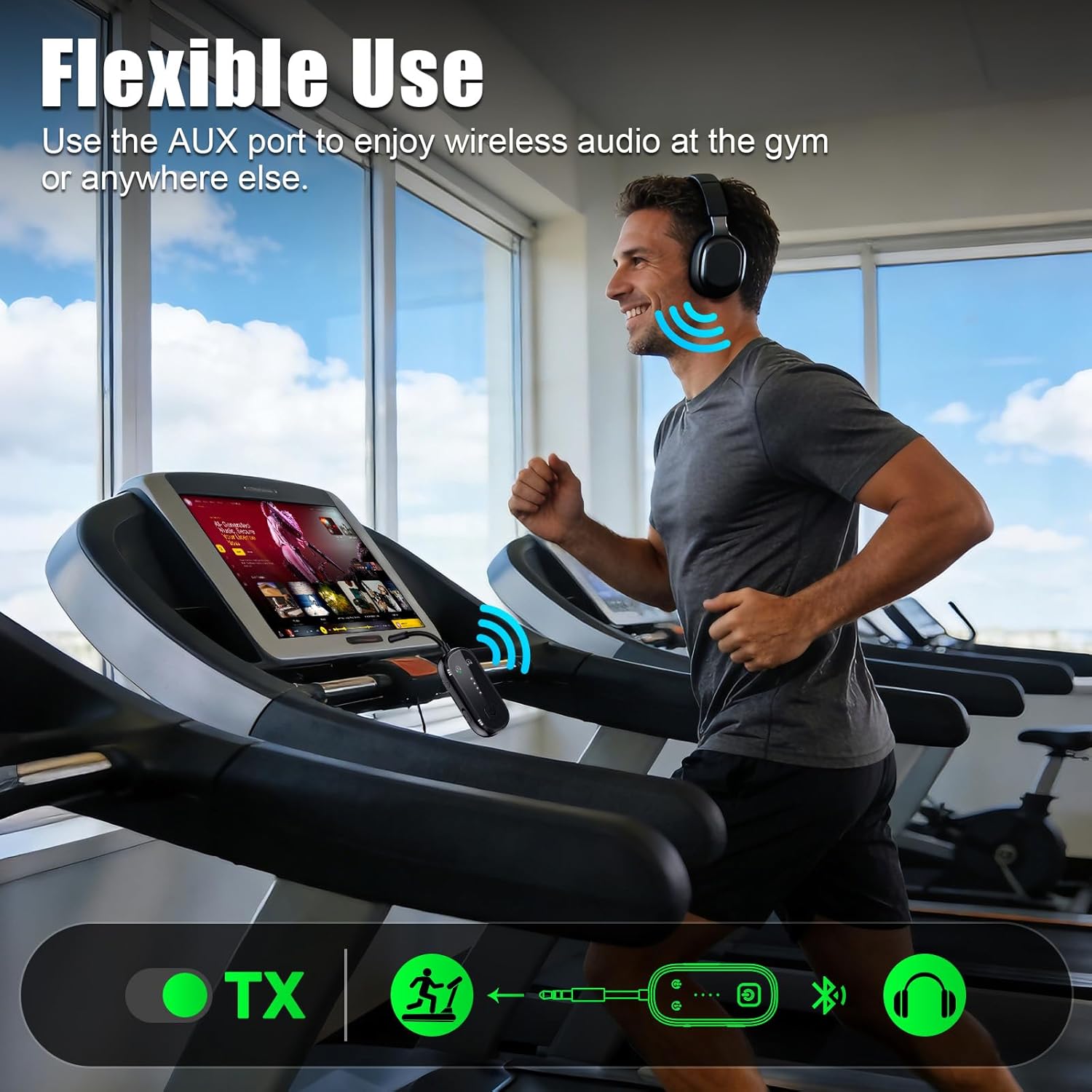
Image: The BF05 connected to an AUX port, enabling wireless audio for gym equipment or other devices.
5.2. RX Mode Usage Scenarios
Connect the BF05 to wired audio systems to receive Bluetooth audio from your smartphone or tablet.
- Stereo Kereta: Plug the BF05 into your car's AUX input. Pair your smartphone to the BF05 to stream music and make hands-free calls using the built-in microphone.
- Home Stereo/Wired Speakers: Connect the BF05 to your home stereo or wired speakers via the 3.5mm AUX or RCA input. Stream music wirelessly from your phone or tablet.

Image: The BF05 used as a Bluetooth receiver in a car, enabling hands-free calls and music streaming through the car's audio system.

Image: The BF05 connected to a speaker, streaming audio from a phone for outdoor entertainment.
6. Penyelenggaraan
To ensure the longevity and optimal performance of your LAICOMEIN BF05, follow these simple maintenance guidelines:
- Keep the device clean and dry. Avoid exposure to extreme temperatures, moisture, or direct sunlight.
- Use the provided USB-C cable for charging. Do not use unauthorized chargers.
- Simpan peranti di tempat yang sejuk dan kering apabila tidak digunakan.
- Elakkan daripada menjatuhkan atau meletakkan peranti kepada kesan yang kuat.
7. Penyelesaian masalah
If you encounter issues with your LAICOMEIN BF05, please refer to the following solutions:
- Isu Sambungan: For automatic reconnections, disconnect your headphones/smartphones from other devices first before attempting to pair with the BF05.
- No Sound from AirPods/Headphones: If your AirPods or headphones have no sound after pairing, put them back in their case (if applicable) to reset the connection, then try pairing again.
- Device Freeze/Unresponsive: In case of a freeze, press and hold the Power Button for 10 seconds to force reset and shut down the device. Then, you can restart it by holding the Power Button for 3 seconds.
Video: A troubleshooting guide for common issues with the LAICOMEIN BF05 Bluetooth transmitter, including connection problems and device resets.
8. Spesifikasi
| Ciri | Perincian |
|---|---|
| Jenama | LAICOMEIN |
| Model | BF05 |
| Teknologi Ketersambungan | Bluetooth, AUX, RCA |
| Versi Bluetooth | 6.0 |
| Piawaian yang Disokong | FCC, CE, RoHS, BQB, AptX Adaptive, AptX LL, AptX HD |
| Sumber Kuasa | USB-C Battery Powered |
| Hayat Bateri | 20+ Jam |
| Masa Pengecasan Bateri | 1.5 - 2 Jam |
| Ciri Khas | Built-In Microphone, Dual Link, Auto-Pairing, USB-C Fast Charging, LED Indicators, Dual Mode TX/RX, Hands-Free Calls, Low Latency, Noise Cancellation |
| Peranti Serasi | TV, Car Stereo, Home Stereo, Airplane Entertainment Systems, AirPods, Bose, Sony, Bluetooth audio devices |
9. Waranti dan Sokongan
The LAICOMEIN BF05 comes with a Waranti 24 bulan. Register your product to receive an additional 12-month free return/replacement period.
For further assistance or support, please contact LAICOMEIN customer service through your purchase platform or visit the official LAICOMEIN store.