
1. Pengenalan
Welcome to the DOOGEE Blade 20 Pro Rugged Phone user manual. This guide provides essential information to help you set up, operate, and maintain your device. The DOOGEE Blade 20 Pro is designed for durability and high performance, featuring a robust build, powerful specifications, and advanced camera capabilities, making it suitable for demanding environments and everyday use.
2. Kandungan Pakej
Upon opening your DOOGEE Blade 20 Pro package, please verify that all items listed below are present and in good condition:
- 1 x Cellphone (DOOGEE Blade 20 Pro)
- 1 x Kabel USB Jenis-C
- 1 x Pengecas (18W)
- 1 x Filem Pelindung Bercetak Skrin (Pra-digunakan)
- 1 x Filem anti-letupan
- 1 x Kad Waranti
- 1 x Manual Pengguna
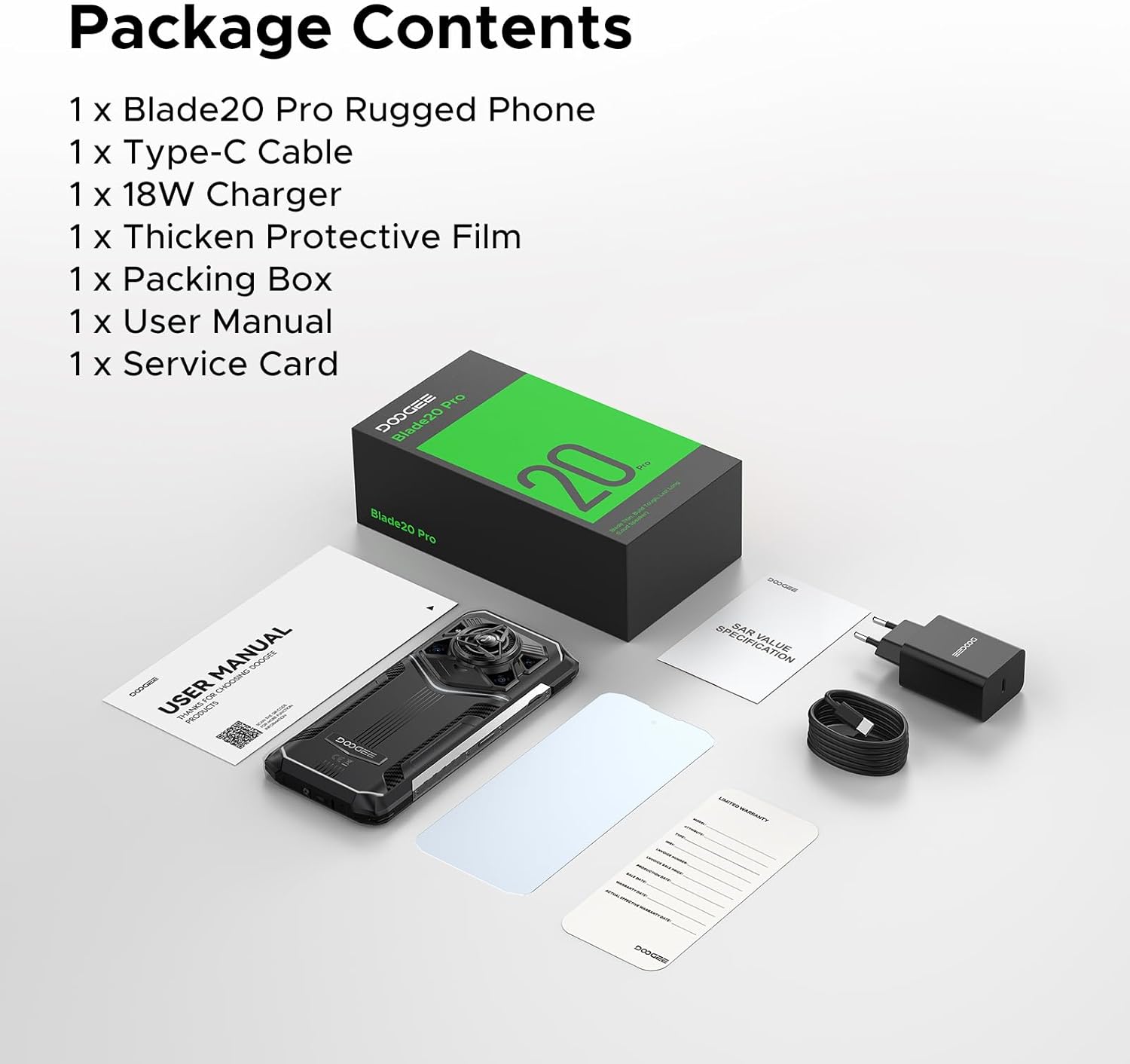
Image: Contents of the DOOGEE Blade 20 Pro retail box.
3. Produk Lebihview
The DOOGEE Blade 20 Pro is engineered for resilience and performance. Key features include:
- Pemproses: Pemproses Octa-Core Unisoc T7200
- Ingatan: 24GB RAM (6GB physical + 18GB virtual)
- Storan: 256GB ROM, expandable up to 2TB via microSD (sold separately)
- Sistem pengendalian: Android 15
- paparan: 6.6-inch HD+ IPS punch-hole screen with 90Hz refresh rate
- Bateri: 11800mAh Silicon Anode Battery with 18W fast charging and 5W OTG reverse charging
- Kamera: 50MP AI Main Camera, 20MP Infrared Night Vision Camera, 8MP Front Camera
- Audio: 125dB Thunder Speaker with 3.5W peak wattage and 36mm giant driver
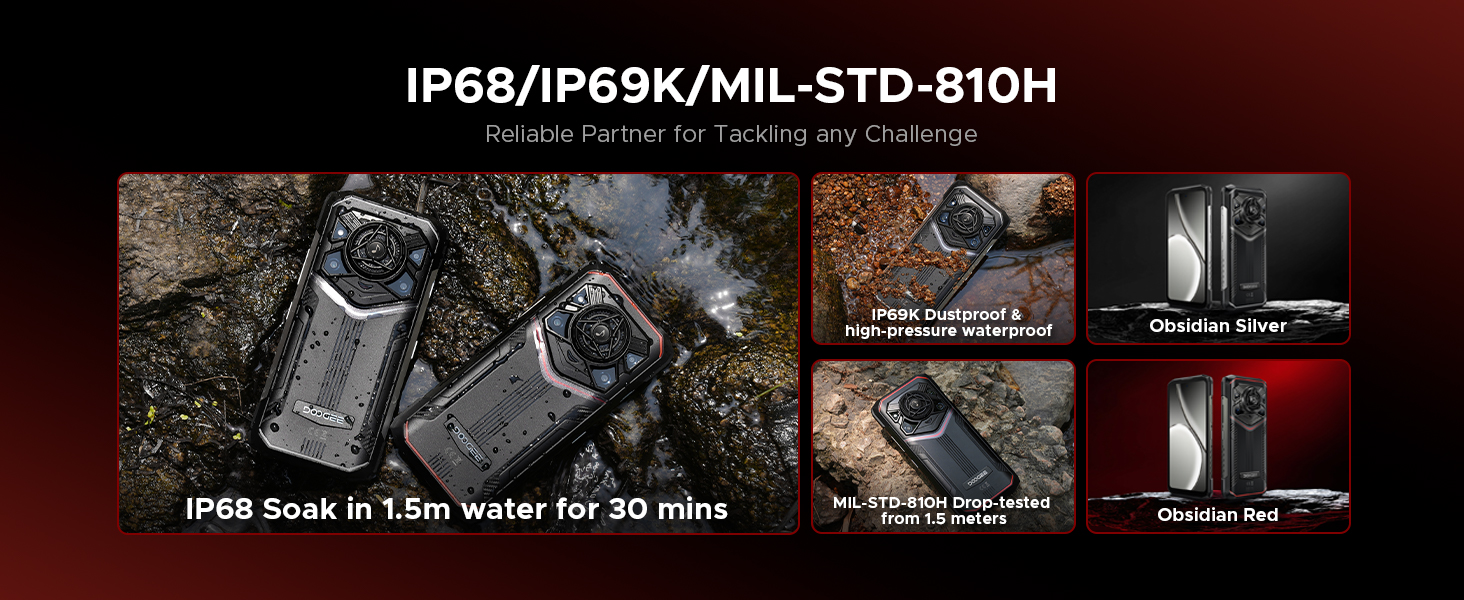
- Ketahanan: IP68, IP69K, MIL-STD-810H certified for water, dust, and shock resistance
- Ketersambungan: Dual 4G SIM, Wi-Fi 6, NFC, GPS, Glonass, Beidou, Galileo
- Keselamatan: Face ID and Fingerprint Unlock
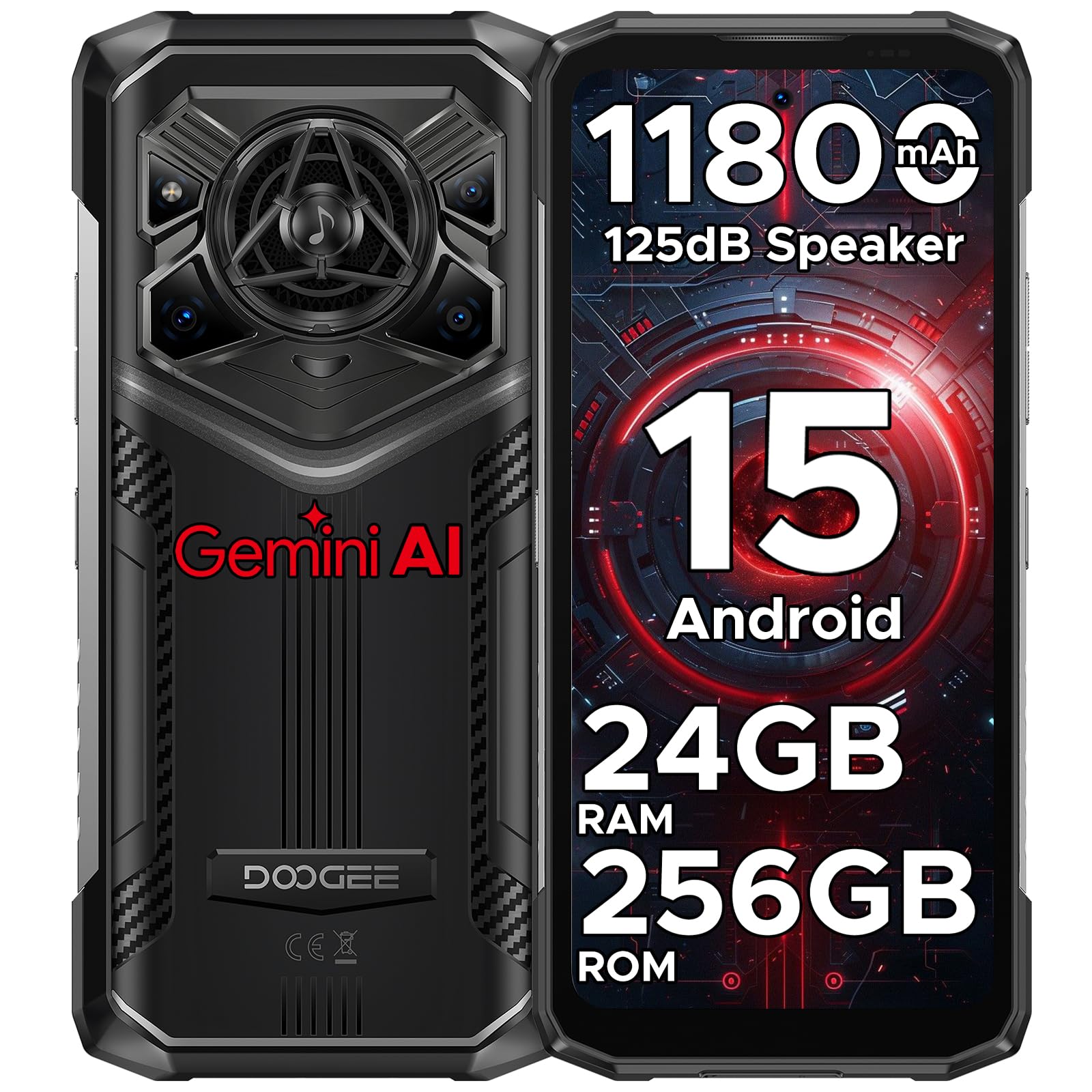
Imej: Depan dan belakang view of the DOOGEE Blade 20 Pro, showcasing reka bentuk dan ciri-cirinya.

Image: Diagram illustrating the Unisoc T7200 Octa-core Processor, 24GB RAM, and 256GB ROM.

Imej: Terperinci view of the 125dB Thunder Speaker technology.
4. Persediaan
4.1 Memasukkan Kad SIM dan Kad MicroSD
- Cari dulang kad SIM di sisi telefon.
- Gunakan alat ejektor SIM yang disediakan untuk membuka dulang.
- Carefully place your Nano-SIM cards and/or microSD card into the designated slots. Ensure the gold contacts are facing down.
- Tolak dulang kembali ke dalam telefon dengan lembut sehingga rata dengan badan peranti.
4.2 Kuasa Awal Hidup dan Wizard Persediaan
- Tekan dan tahan butang Kuasa (terletak di sebelah kanan) sehingga logo DOOGEE muncul.
- Follow the on-screen instructions to complete the initial setup, including language selection, Wi-Fi connection, Google account login, and security settings (Face ID/Fingerprint).
5. Arahan Operasi
5.1 Navigasi Asas
- Sentuh: Ketik ikon untuk membuka apl atau memilih item.
- Leret: Move your finger across the screen to scroll, switch screens, or close apps.
- Cubit: Gunakan dua jari untuk zum masuk atau keluar pada foto dan web muka surat.
- Tekan lama: Tekan dan tahan item untuk mendapatkan lebih banyak pilihan atau untuk mengalihkannya.
5.2 Ciri-ciri Android 15
Your DOOGEE Blade 20 Pro runs on Android 15, offering enhanced privacy, improved performance, and new features:
- Enhanced Privacy Controls: Granular permissions for apps, privacy dashboard.
- Smoother UI: Optimized animations and transitions for a fluid experience.
- Smart Assistant (Gemini AI): Integrated AI for various tasks, content creation, image analysis, and more.
- Pengklonan Aplikasi: Run multiple instances of the same app.
- Skrin Pisah: Gunakan dua aplikasi secara serentak.
- Mod Sarung Tangan: Enhanced touch sensitivity for use with gloves.
Imej: Selesaiview of Android 15 operating system features.

Image: Visual representation of the integrated Gemini AI capabilities.
6. Ciri-ciri Kamera
The DOOGEE Blade 20 Pro is equipped with a versatile camera system to capture moments in various conditions:
- Kamera Utama AI 50MP: For high-resolution photos with AI scene recognition.
- Kamera Penglihatan Malam Inframerah 20MP: Capture clear images in complete darkness.
- Kamera Depan 8MP: Untuk selfie dan panggilan video.
6.1 Mod Kamera
Explore various camera modes for optimal photography:
- Mod Malam: Meningkatkan fotografi cahaya malap.
- EIS Anti-shake: Electronic Image Stabilization for smoother videos and sharper photos.
- Pengecaman AI: Automatically adjusts settings based on the scene.
- Multi-frame Noise Reduction: Improves image clarity by combining multiple shots.
- Anti kerlipan: Reduces flickering in photos and videos under artificial lighting.
- Mod Pro: Manual control over camera settings like ISO, white balance, and exposure.
- Mod Panoramik: Capture wide-angle landscape shots.
- Mod Letusan: Ambil urutan foto yang pantas.
- Mod Kecantikan: Enhances facial features for portraits.
- Mod Potret: Creates a depth-of-field effect with blurred backgrounds.
- HDR: Julat Dinamik Tinggi untuk pendedahan seimbang dalam pencahayaan yang mencabar.

Imej: Selesaiview of the phone's camera setup and capabilities.
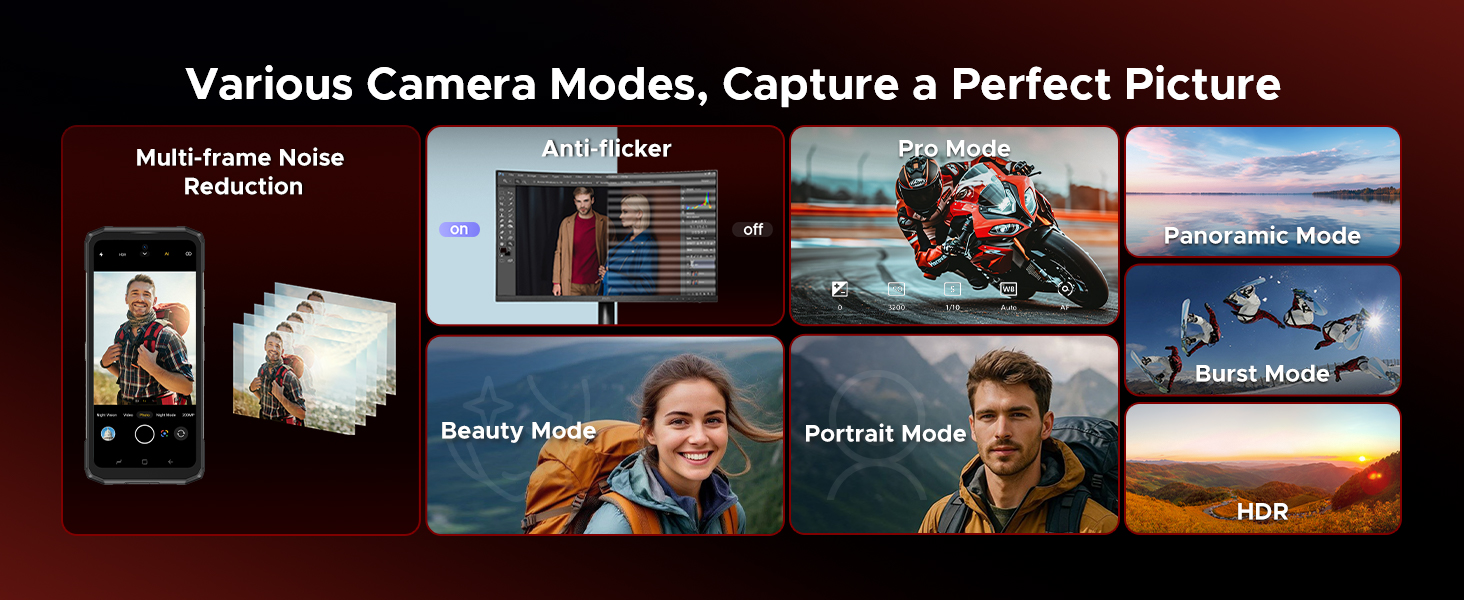
Image: Demonstrations of advanced camera features like Night Mode and EIS.

Image: Selection of camera modes for diverse photographic needs.
7. Bateri dan Pengecasan
The DOOGEE Blade 20 Pro features an 11800mAh Silicon Anode Battery for extended usage.
- mengecas: Use the provided 18W charger and Type-C USB cable for optimal charging speed.
- Pengecasan Songsang OTG: Telefon ini boleh bertindak sebagai power bank untuk mengecas peranti lain menggunakan kabel OTG (tidak disertakan).
- Hayat Bateri: Expect up to 58 days of standby time, 52.7 hours of calling, 38.3 hours of video watching, or 19.3 hours of web browsing on a single charge.
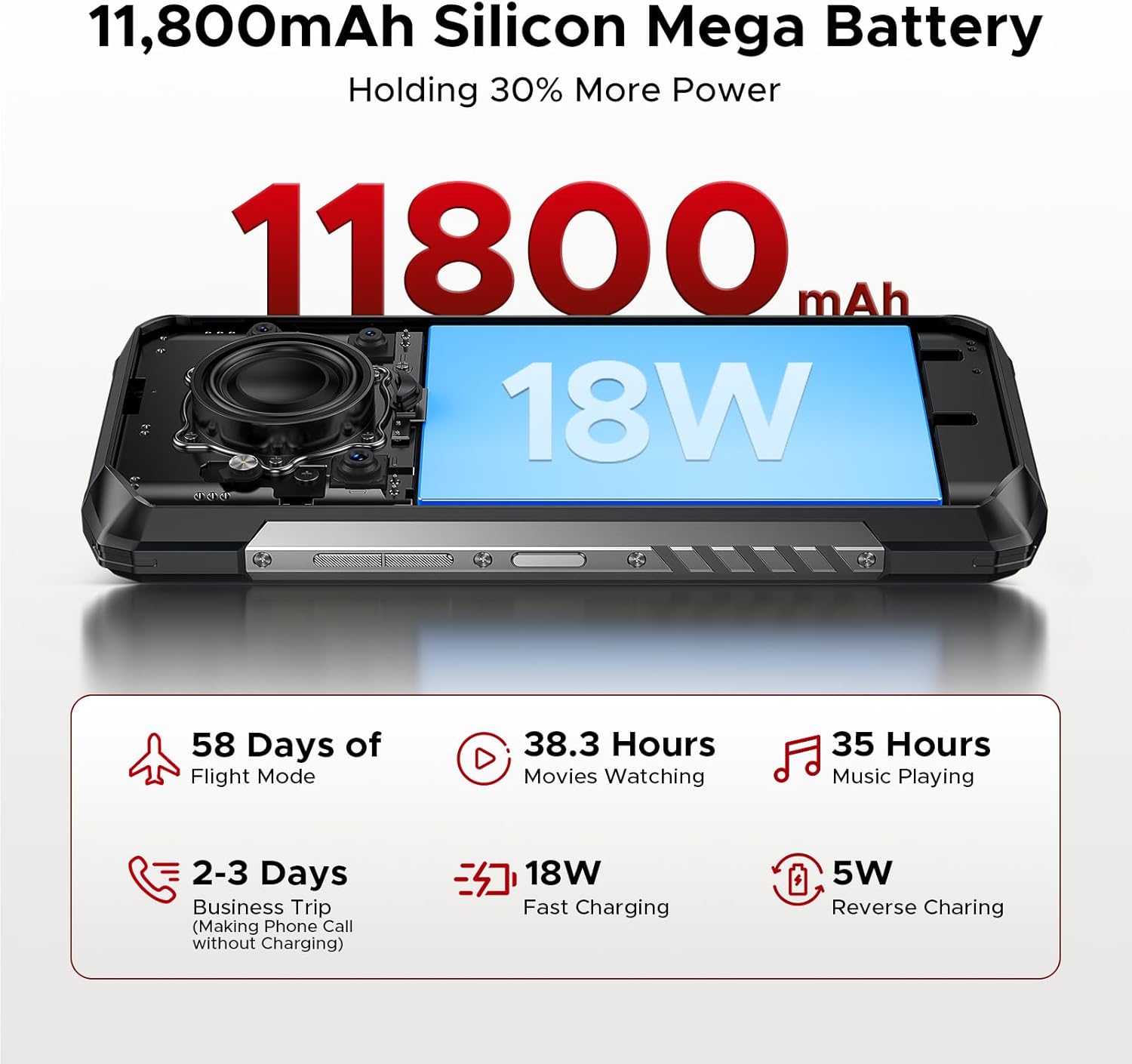
Image: Visualizing the large battery capacity and charging features.
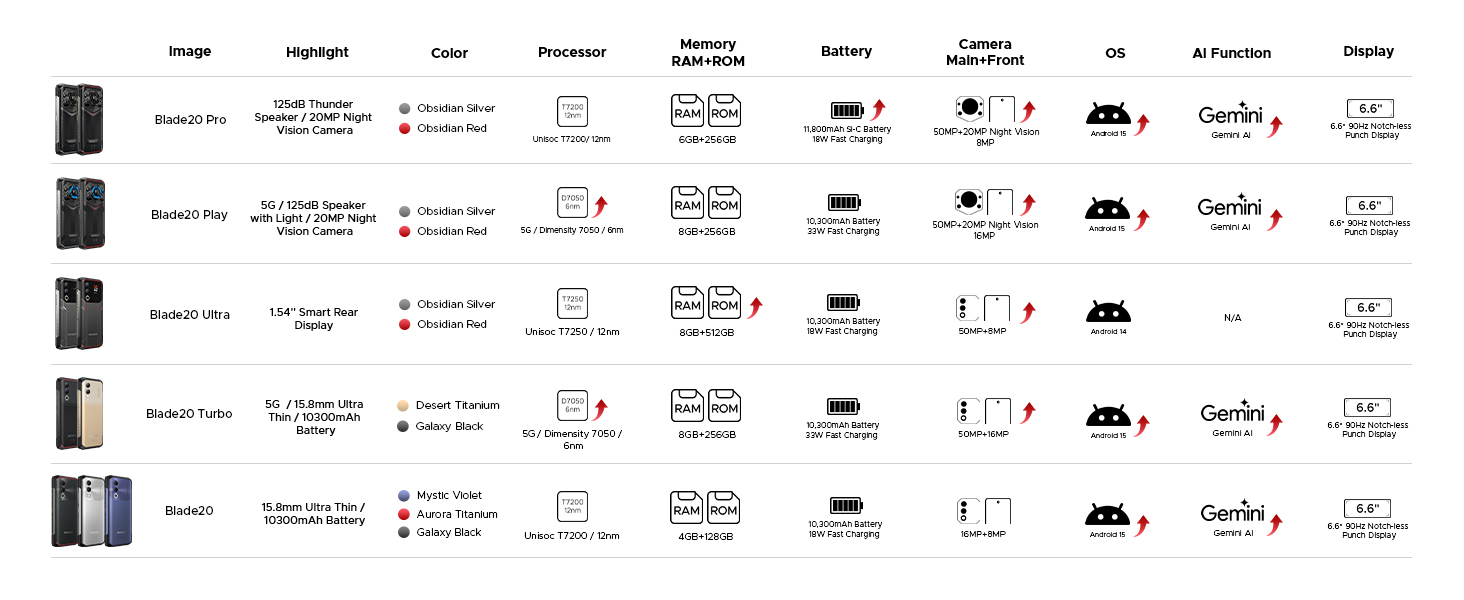
Image: Detailed battery usage statistics.
8. Durability and Certifications
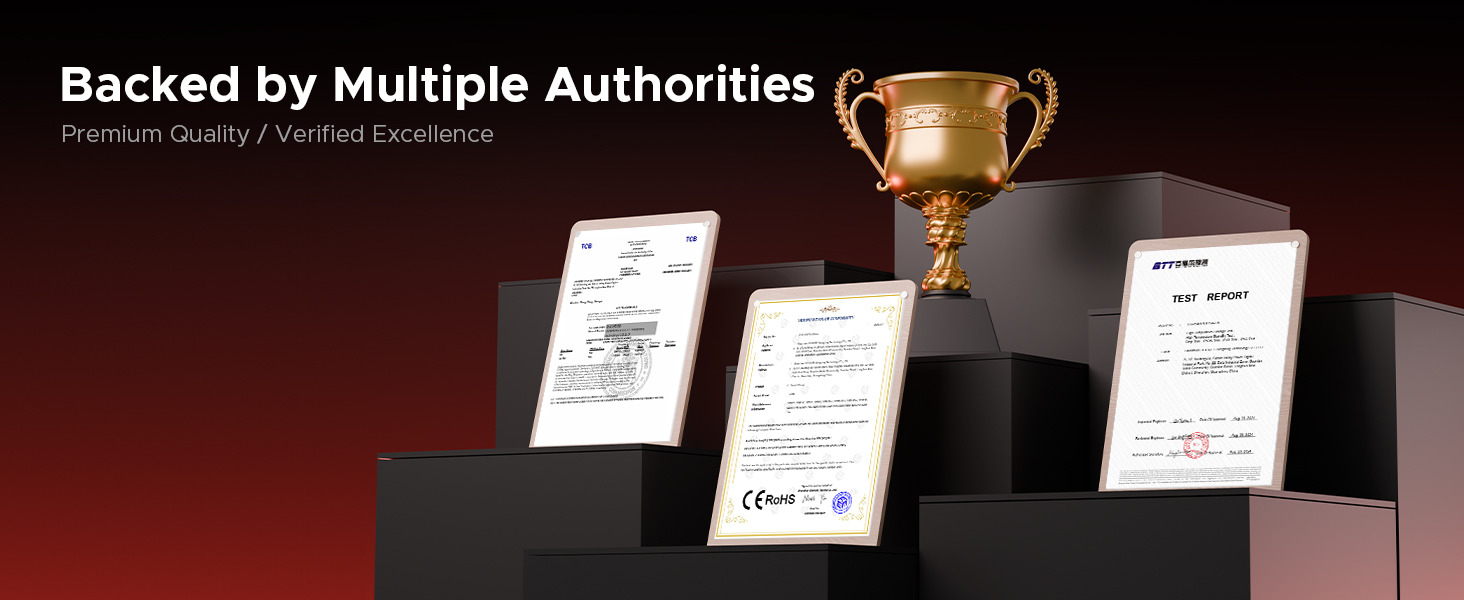
The DOOGEE Blade 20 Pro is built to withstand harsh conditions, certified with industry-leading durability standards:
- IP68: Kalis air sehingga 1.5 meter selama 30 minit.
- IP69K: Resistant to high-pressure, high-temperature water jets and dust ingress.
- MIL-STD-810H: Military-grade standard for shock, drop, vibration, and extreme temperature resistance.
Video: Demonstration of the DOOGEE Blade 20 Pro's ruggedness and water resistance.

Image: The phone submerged in water, showcasinreka bentuk kalis airnya.

Image: Infographic detailing the rigorous durability tests the phone undergoes.
9. Ketersambungan
The DOOGEE Blade 20 Pro offers robust connectivity options:
- SIM 4G Berganda: Menyokong dua kad SIM 4G untuk penggunaan rangkaian yang fleksibel.
- Wi-Fi 6: Provides faster and more stable wireless internet connections.
- NFC: Untuk pembayaran tanpa sentuh dan pemindahan data.
- GPS: GPS bersepadu, Glonass, Beidou dan Galileo untuk navigasi yang tepat.
9.1 Carrier Compatibility
This unlocked rugged smartphone supports various frequency bands. Please note: Verizon and AT&T are not supported. Confirm compatibility with your local carrier's frequency bands before use.
Supported bands include:
- GSM: B2/B3/B5/B8
- WCDMA: B1/B2/B4/B5/B8
- FDD: B1/2/3/4/5/7/8/18/19/20/25/26/28AB/66
- TDD-LTE: B34/B38/B39/B40/B41
Imej: Selesaiview of connectivity and security features.
10. Penyelenggaraan
Untuk memastikan jangka hayat dan prestasi optimum DOOGEE Blade 20 Pro anda, ikuti garis panduan penyelenggaraan ini:
- Pembersihan: Lap telefon dengan kain lembut,amp kain. Elakkan bahan kimia yang keras atau bahan yang melelas.
- Pendedahan Air: While waterproof, ensure all ports are dry before charging to prevent damage.
- Suhu: Elakkan mendedahkan telefon kepada suhu yang melampau (di bawah -40°C atau melebihi 70°C) untuk tempoh yang lama.
- Kemas Kini Perisian: Regularly check for and install system updates to ensure security and performance improvements.
- Penjagaan Bateri: Avoid fully discharging the battery frequently. Charge the phone before it drops below 20% to prolong battery health.
11. Penyelesaian masalah
If you encounter issues with your DOOGEE Blade 20 Pro, try the following common troubleshooting steps:
- Telefon Tidak Menjawab: Tekan dan tahan butang Kuasa selama kira-kira 10-15 saat untuk memaksa mulakan semula.
- Apl Ranap: Kosongkan cache dan data aplikasi yang bermasalah dalam Tetapan > Aplikasi. Jika masalah berterusan, nyahpasang dan pasang semula aplikasi tersebut.
- Isyarat Rangkaian Lemah: Ensure your SIM card is correctly inserted. Try restarting the phone or toggling Airplane Mode on and off. Verify carrier compatibility.
- Bateri Habis Cepat: Check battery usage in Settings > Battery to identify power-hungry apps. Reduce screen brightness and disable unnecessary features like GPS or Wi-Fi when not in use.
- Isu Skrin: If the screen is unresponsive, try a forced restart. If physical damage is suspected, contact support.
- Tetapan semula kilang: Sebagai langkah terakhir, anda boleh melakukan tetapan semula kilang (Tetapan > Sistem > Pilihan tetapan semula > Padam semua data). Amaran: Ini akan memadamkan semua data pada telefon anda. Sandarkan maklumat penting sebelum meneruskan.
12. Spesifikasi
| Ciri | Spesifikasi |
|---|---|
| Dimensi Produk | 6.85 x 3.2 x 0.62 inci |
| Berat Barang | 1 paun |
| Nombor Model Item | Blade 20 Pro |
| Sistem Operasi | Android 15 |
| Kelajuan CPU | 1.6 GHz (Octa-Core) |
| Saiz Terpasang Memori RAM | 24 GB (6GB fizikal + 18GB maya) |
| Kapasiti Penyimpanan Memori | 256 GB (Boleh dikembangkan kepada 2TB) |
| Saiz Paparan Skrin Berdiri | 6.6 Inci |
| Resolusi | 1612 x 720 |
| Kadar Segar Semula | 90 Hz |
| Penilaian Kuasa Bateri | 11800 Miliamp jam |
| Teknologi Ketersambungan | Tanpa wayar |
| Ciri Khas | Dual SIM, Expandable Memory, Rugged Body, Water Resistant, NFC, GPS |
| Ciri Kamera Lain | Front, Rear (50MP Main, 20MP Night Vision, 8MP Front) |
| Bicu Audio | Jenis-C |
| Faktor Bentuk | Bar |
| warna | Perak |
| Pengeluar | DOOGEE |
13. Waranti dan Sokongan
DOOGEE is committed to providing quality products and customer satisfaction.
- Waranti Terhad: Your DOOGEE Blade 20 Pro comes with a 2-year limited warranty. Please refer to the included Warranty Card for detailed terms and conditions.
- Jaminan Wang Dikembalikan: A 30-day money-back guarantee and free return policy are available for eligible purchases.
- Sokongan Pelanggan: For technical assistance, warranty claims, or other inquiries, please contact DOOGEE customer service. You can typically find support contact information on the official DOOGEE webtapak atau melalui peruncit anda.