
1. Pengenalan
Welcome to the fishkeeper 2.3G Smart Aquarium. This comprehensive instruction manual provides detailed guidance on setting up, operating, and maintaining your new smart aquarium. Designed for desktop, office, or room use, this kit features an integrated automatic feeder, a self-cleaning silent filter pump, aromatherapy capabilities, a temperature display, and customizable 7-color RGB lighting. Please read this manual thoroughly before initial use to ensure proper function and longevity of your aquarium.
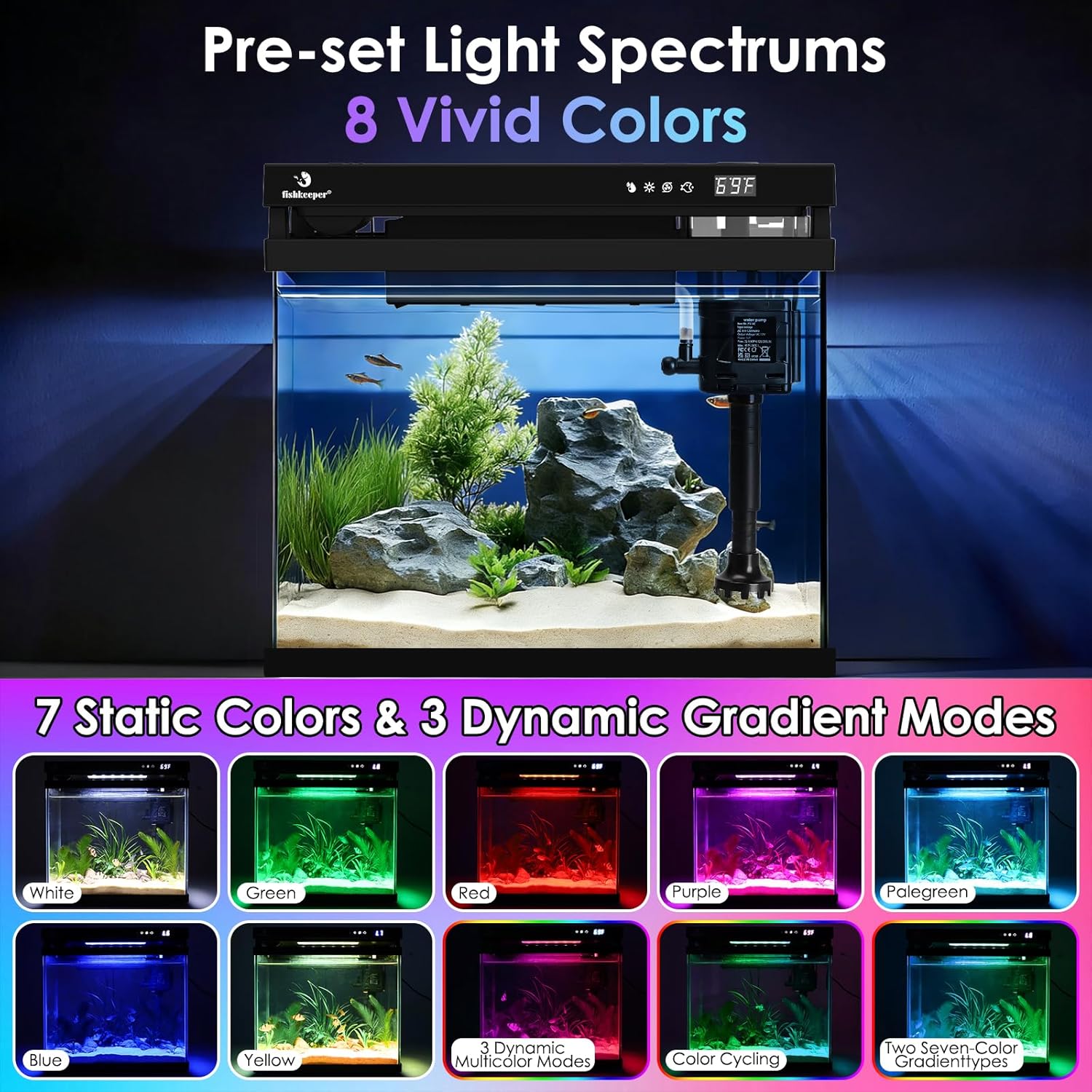
Image 1.1: The fishkeeper 2.3G Smart Aquarium, showcasinreka bentuk padat dan ciri-ciri bersepadunya.
2. Produk Lebihview dan Komponen
The fishkeeper 2.3G Smart Aquarium is an all-in-one system designed for ease of use and optimal fish care. Key components and features include:
- 2.3 Gallon HD Glass Tank: Menyediakan yang jelas viewing and durability.
- Integrated Automatic Feeder: For scheduled or manual feeding.
- Self-Cleaning Silent Filter Pump: Ensures water purification, oxygenation, and wave creation.
- Kotak Aromaterapi: Independent, detachable, and isolated for essential oils or purified water.
- Paparan suhu: Real-time water temperature monitoring in °C/°F.
- Panel Kawalan Sentuhan Pintar: For managing all functions.
- 7-Color RGB Lights: Customizable lighting with timing options.
- Suspended Lid Design: Facilitates oxygen circulation.

Image 2.1: Detailed diagram illustrating the integrated smart aquarium ecosystem, including dimensions, power cord length, and control panel features.
3. Arahan Persediaan
- Membongkar: Keluarkan semua komponen dari pembungkusan dengan berhati-hati. Periksa untuk sebarang kerosakan.
- penempatan: Place the aquarium on a stable, level surface away from direct sunlight, heat sources, and drafts.
- Bilas: Rinse the tank and all internal components (filter media, pump, decorative items) with clean water. Do not use soap or detergents.
- Aquascaping: Add substrate, plants, and decorations as desired.
- Pengisian air: Fill the tank with dechlorinated water up to the recommended level.
- Pemasangan Pam Penapis: Ensure the filter pump is correctly positioned and secured. The multi-function pump provides self-filtration, oxygenation, and a rain pipe effect.
- Pemasangan Feeder:
- Remove the feeder cover.
- Fill the feeder container with appropriate fish food.
- Align the "D" shape on the container with the "D" shape on the lid spinner, then press down gently to secure.
- Replace the feeder cover.
- Aromatherapy Pod:
- Remove the detachable aromatherapy pod.
- For humidify mode, add purified water or a few drops of essential oil to the pod.
- Place the pod back into its designated slot.
- Sambungan Kuasa: Connect the power adapter to the aquarium and then to a power outlet.

Image 3.1: Illustration of the self-circulating ecosystem, highlighting the pre-filter, water flow, and adjustable airflow.

Image 3.2: Instructions for filling the automatic feeder, showing the removal of the feeder and adding food.
4. Arahan Operasi
The fishkeeper Smart Aquarium features a user-friendly control panel on the lid.
4.1. Kawalan Pencahayaan
- Menukar Mod Cahaya: Tekan ke Butang cahaya (sun icon) to cycle through 7 static colors (white, green, red, purple, light green, blue, yellow) and two 7-color gradient types.
- Setting Light Timer:
- Tekan dan tahan butang Butang cahaya for 2 seconds to enter Light Timer mode.
- The display will show the current timer setting (e.g., 8H, 12H, 16H, 0H for off).
- Tekan ke Butang cahaya repeatedly to select the desired duration (0, 8, 12, or 16 hours).
- The light will automatically turn off after the set duration and turn on again at the same time the next day, repeating the cycle.
- To confirm and exit, either long press the button for 3 seconds or wait 10 seconds for automatic confirmation.
- The light features a power-off memory function, resuming its cycle after a power outage.
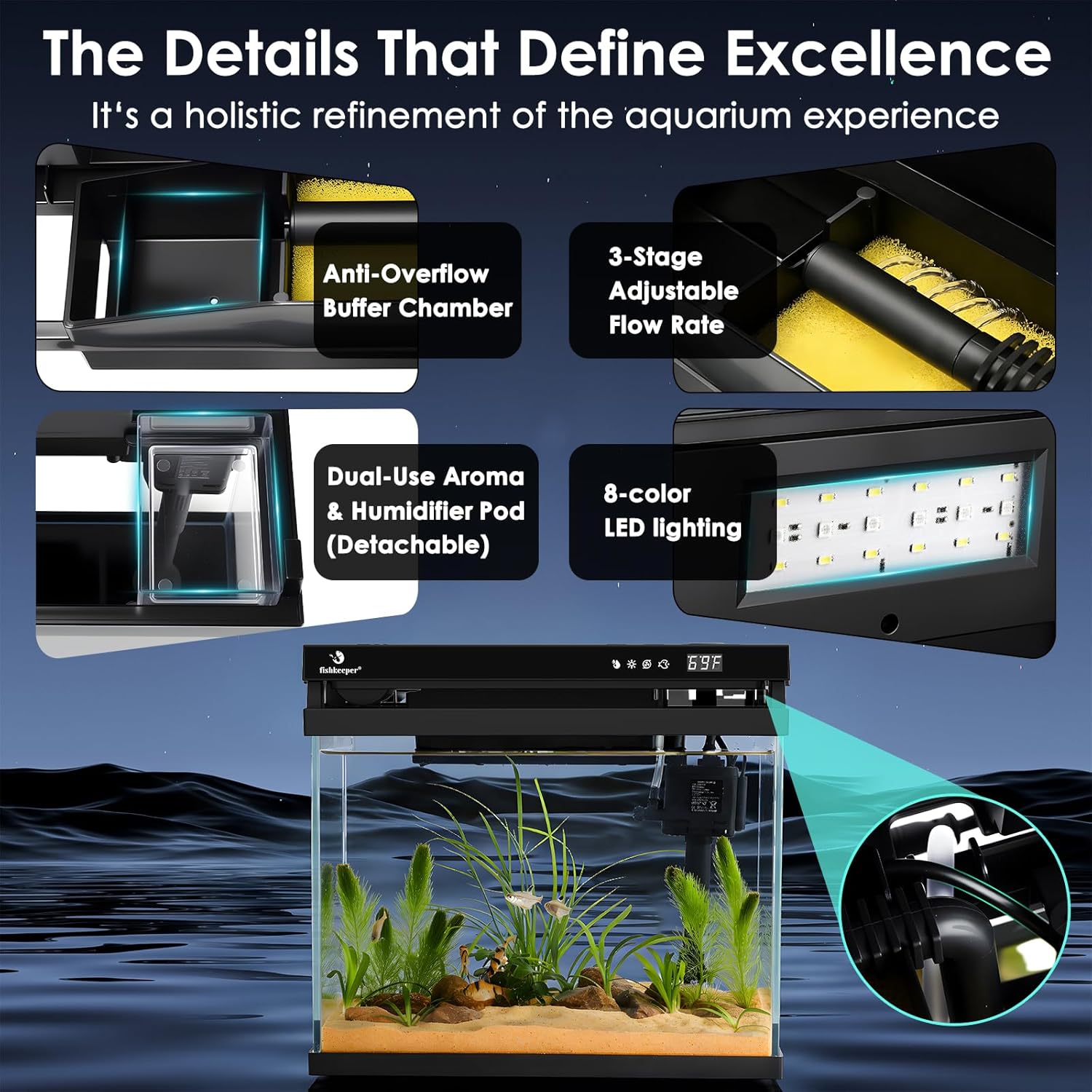
Image 4.1: The aquarium showcasing 7 static colors and 3 dynamic gradient modes available for lighting.
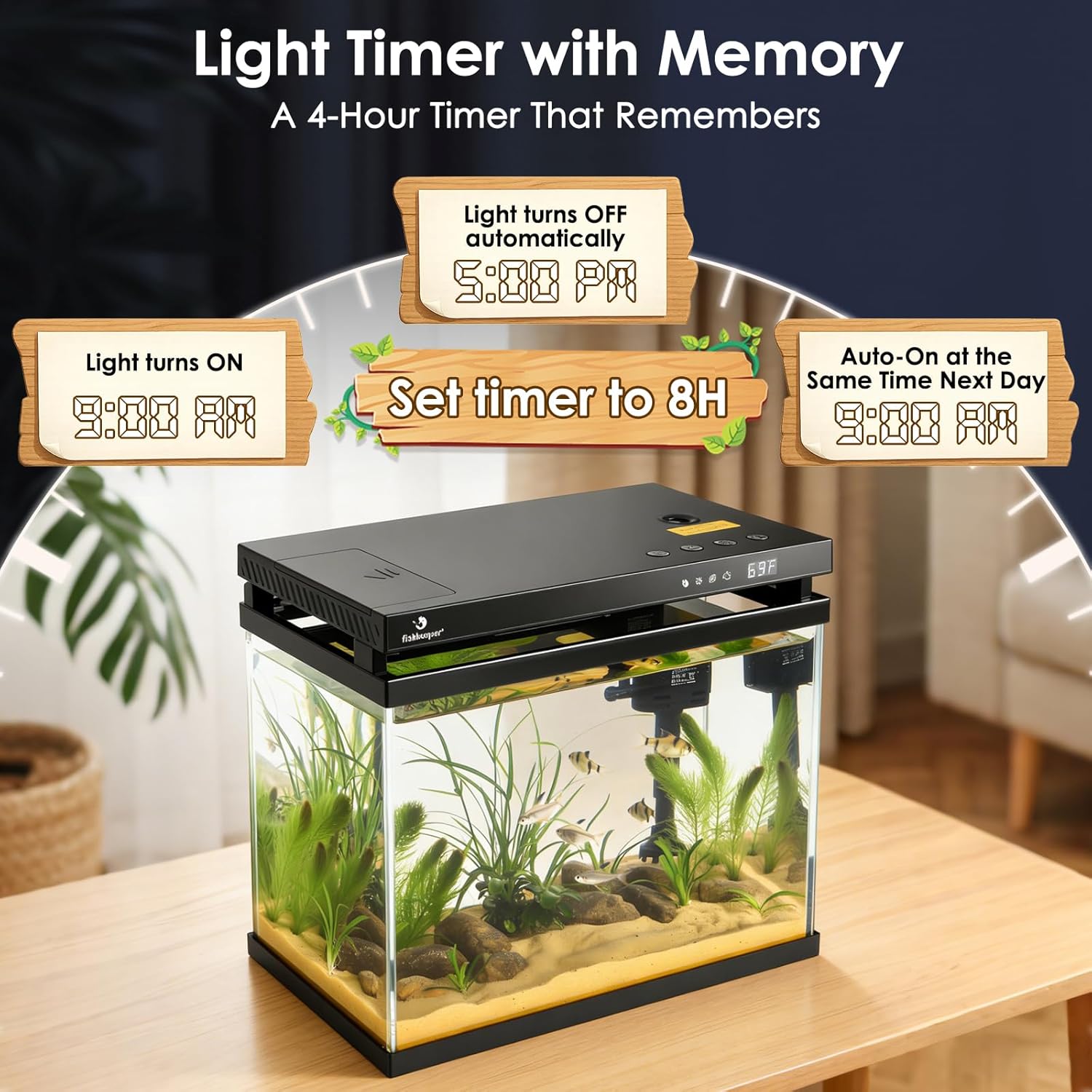
Image 4.2: Visual guide for setting the light timer, demonstrating how the light turns on and off automatically.
4.2. Automatic Feeder
- Pemakanan Manual: Klik dua kali pada Butang suapan (fish icon) to dispense food once.
- Menetapkan Pemasa Suapan:
- Tekan dan tahan butang Butang suapan for 2 seconds to enter feeding timer setting mode.
- The screen will display the timer duration (e.g., 0H for no scheduled feeding, 12H for automatic feeding every 12 hours).
- Tekan ke Butang suapan repeatedly to select the desired interval (0 to 48 hours).
- To confirm and exit, either long press the button for 3 seconds or wait 10 seconds for automatic confirmation.
- The indicator light will turn ON when a timer is set.
- Nota: The humidifier automatically pauses when the feeder runs, then resumes.
Video 4.1: Demonstrates the operation of the fishkeeper Smart Aquarium, including lighting effects, setting the light timer, removing and filling the automatic feeder, setting the feeding timer, adjusting pump speeds, and using the humidifier.
4.3. Humidifier Function
- Activating Humidifier: Tekan ke Butang pelembap (water drop icon) repeatedly to cycle through the following modes:
- F1: Continuous spray mode (uninterrupted misting).
- F2: Intermittent spray (1 second ON / 1 second OFF cycle).
- F3: Intermittent spray (1 second ON / 2 seconds OFF cycle).
- F0: Spray function OFF.
- Penting: For humidify mode, ensure purified water or essential oil is added to the detachable aromatherapy pod in advance.
- Ciri Keselamatan: The humidifier automatically enters standby mode every 3 hours and requires a manual restart to reactivate.

Image 4.3: Visual representation of the humidifier modes (F1, F2, F3, F0) and the safety auto-shutoff feature.
4.4. Pump Flow Adjustment
- Melaraskan Kadar Aliran: Tekan ke butang pam (wave icon) to cycle through three-speed adjustable water pump settings: P1 (Max Flow), P2 (Medium Flow), P3 (Min Flow).
- Turning Off Pump: Tekan lama butang pam for 3 seconds until "P0" appears on the display to switch off the pump.
- The pump is equipped with a buffer chamber to prevent water overflow if the filter compartment becomes clogged.
- An adjustable bubble control valve is also present for fine-tuning aeration.
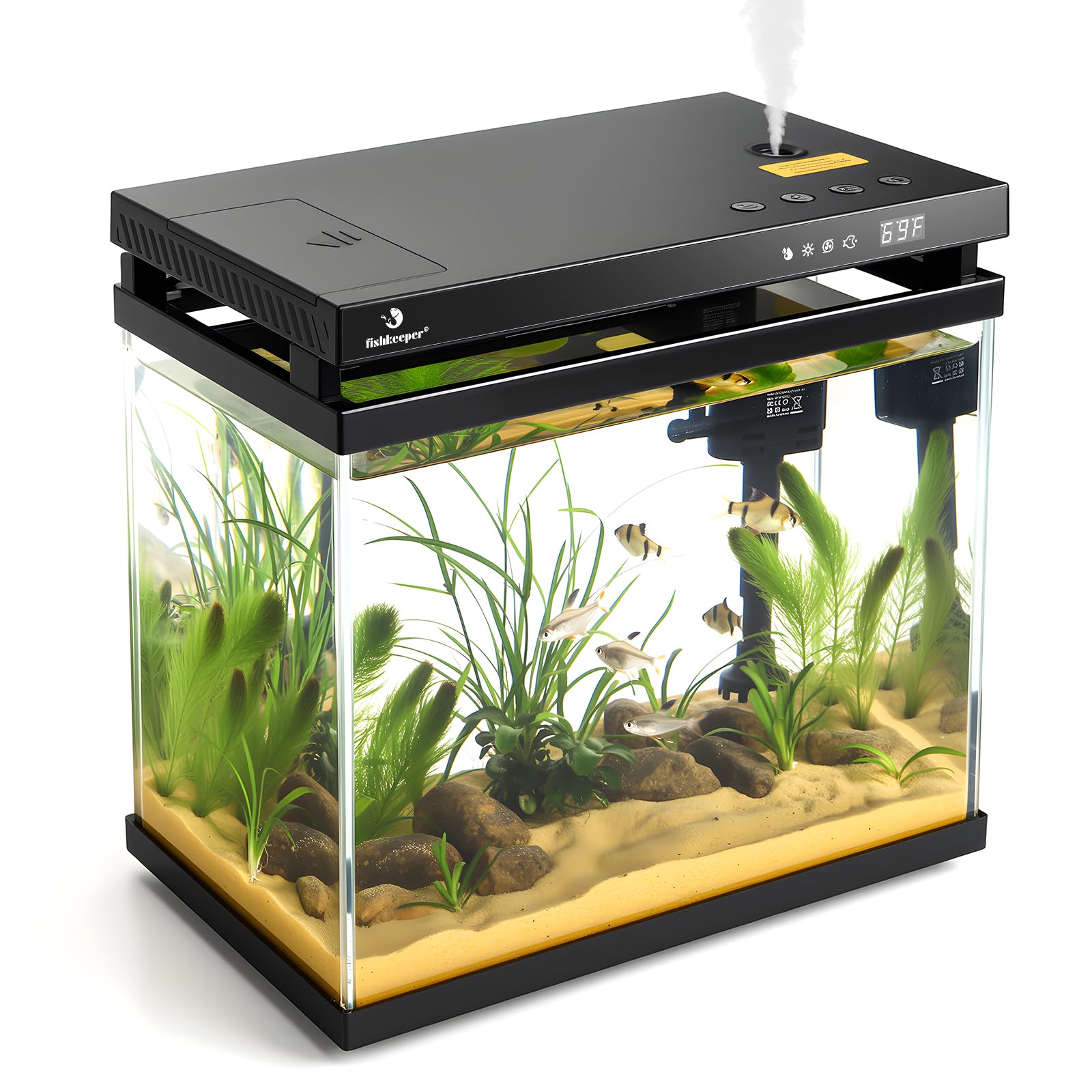
Image 4.4: Diagram illustrating the three pump flow rate settings (P1, P2, P3) and how to turn off the pump.
4.5. Paparan Suhu
- The built-in sensor monitors water temperature in real-time, displayed on the control panel.
- Menukar Unit: To switch between Fahrenheit (°F) and Celsius (°C), simultaneously press and hold the Butang pelembap dan Butang cahaya selama 3 saat.
Image 4.5: Close-up of the control panel showing the temperature display and icons for humidifier, light, pump, and feed functions.
5. Penyelenggaraan
- Pembersihan Penapis: Regularly check and clean the filter media to ensure optimal water quality and prevent pump clogging. The filter compartment is designed for easy access.
- Aromatherapy Pod Cleaning: The independent, detachable aroma diffuser box can be easily removed for cleaning.
- Perubahan Air: Perform regular partial water changes to maintain a healthy aquatic environment.
- Pembuangan Tudung: The lid can only be fully detached when it is lying flat and closed on top of the aquarium. To remove, simply lift the lid vertically upward. When the lid is hinged open (flipped up), it is locked in place and cannot be detached.
Image 5.1: Details of the filtration system, including the anti-overflow buffer chamber and 3-stage adjustable flow rate.
Image 5.2: Instructions for safe lid removal and a safety notice regarding its detachment mechanism.
6. Penyelesaian masalah
| Masalah | Kemungkinan Punca | Penyelesaian |
|---|---|---|
| Tiada Kuasa / Paparan Dimatikan | Power adapter disconnected; power outlet issue. | Semak sambungan kuasa; cuba outlet lain. |
| Pam Tidak Berfungsi | Clogged filter; pump disconnected; pump set to P0. | Clean filter media; ensure pump is connected; check pump setting (P1, P2, P3). |
| Humidifier Not Misting | No water in pod; humidifier in standby (F0); auto shut-off activated. | Add water to the pod; select F1, F2, or F3 mode; manually restart if auto shut-off occurred. |
| Feeder Not Dispensing | Feeder empty; food jammed; timer not set. | Refill feeder; clear any blockages; set feeding timer or double-click for manual feed. |
| Limpahan Air | Filter clogged; water level too high. | Clean filter media; ensure water level is appropriate. The buffer chamber helps prevent overflow. |
7. Spesifikasi
| Jenama: | penjaga ikan |
| Nombor Model: | FK140 |
| kapasiti: | 2.3 gelen |
| Bahan: | Kaca HD |
| warna: | Hitam |
| Dimensi Pakej: | 13.78 x 12.99 x 7.68 inci |
| Berat Barang: | 5.73 paun |
| Ciri Khas: | Automatic Feeder, Self-Cleaning Filter, Aromatherapy, Temperature Display, 7-Color RGB Lights, Silent Pump |
| Komponen yang Disertakan: | Pam Air |
8. Waranti dan Sokongan
For warranty information and customer support, please refer to the documentation included with your purchase or contact fishkeeper customer service directly. Keep your purchase receipt as proof of purchase.