
pengenalan
This manual provides detailed instructions for the proper use and maintenance of your CAMMHD H4 1920P Body Camera. Please read this manual thoroughly before operating the device to ensure optimal performance and longevity. The CAMMHD H4 is designed for reliable audio and video recording in various professional and personal scenarios, featuring 1920P Full HD resolution, night vision, and a long-lasting battery.

Image: The CAMMHD H4 Body Camera, illustrating its compact design and 360-degree rotating clip for versatile attachment.
Apa yang ada dalam Kotak
Sahkan bahawa semua item yang disenaraikan di bawah disertakan dalam pakej anda:
- 1* H4 Body Camera (with 64GB memory pre-installed)
- 1* 360° Rotating Long Clip
- 1* 360° Rotating Short Clip
- 1* Pengecas
- 1 * Kabel USB
- 1* Manual Pengguna

Image: All components included with the CAMMHD H4 Body Camera: the camera unit, long clip, short clip, USB cable, charger, and user manual.
Produk Selesaiview
The CAMMHD H4 Body Camera is a compact and robust recording device. It features a high-definition lens, infrared LEDs for night vision, and intuitive controls for easy operation. The device is designed for durability and versatility in various environments.

Image: The CAMMHD H4 Body Camera highlighting its one-touch start buttons for video and audio recording, emphasizing user-friendly operation.
Ciri-ciri Utama:
- 1920P Full HD Video Resolution: Merakam gambar yang jelas dan terperincitage.
- Bateri 3000mAh: Provides 8-10 hours of continuous recording at 1080P (night vision off, screen idle).
- Auto/Manual Night Vision: High-power infrared for clear recording in low light or darkness.
- Kanta Sudut Lebar 150°: Expansive field of view.
- Rakaman Gelung: Mengganti foo tertuatage apabila storan penuh.
- Pengesanan Pergerakan: Records when movement is detected.
- Perlindungan Kata Laluan: Secures recorded data.
- Masa Stamp: Embeds date and time into recordings.
Persediaan
1. Mengecas Peranti
Before first use, fully charge the body camera. Connect the USB cable to the camera and then to the provided charger. Plug the charger into a standard wall outlet. The charging indicator light will show the charging status. A full charge typically takes about 4 hours.

Image: The CAMMHD H4 Body Camera emphasizing its 3000mAh battery, capable of 8 hours of continuous use.
2. Attaching the Clip
Select either the long or short 360° rotating clip based on your preference. Attach the clip to the back of the camera by sliding it into the designated slot until it clicks securely into place. The clip allows for flexible mounting on clothing or gear.
3. Menghidupkan/Mematikan
- Hidupkan kuasa: Tekan dan tahan butang Kuasa selama beberapa saat sehingga skrin menyala.
- Matikan: Tekan dan tahan butang Kuasa sehingga peranti dimatikan.
Arahan Operasi
1. Rakaman Video
From standby mode, press the dedicated Video Record button once to start recording. The indicator light will flash, and a recording icon will appear on the screen. Press the button again to stop recording. Videos are saved automatically.
2. Rakaman Audio
From standby mode, press the dedicated Audio Record button once to start audio-only recording. An audio recording icon will appear. Press the button again to stop recording. Audio files disimpan secara automatik.
3. Tangkapan Foto
From standby mode, press the Photo button once to take a still image. The screen may briefly flash, indicating a photo has been captured.
4. Penglihatan Malam
The camera features automatic and manual night vision. In low-light conditions, the camera can automatically activate its infrared LEDs. You can also manually toggle night vision on or off via the menu settings or a dedicated button (refer to device interface for specific button). Ensure clear visibility in dark environments.
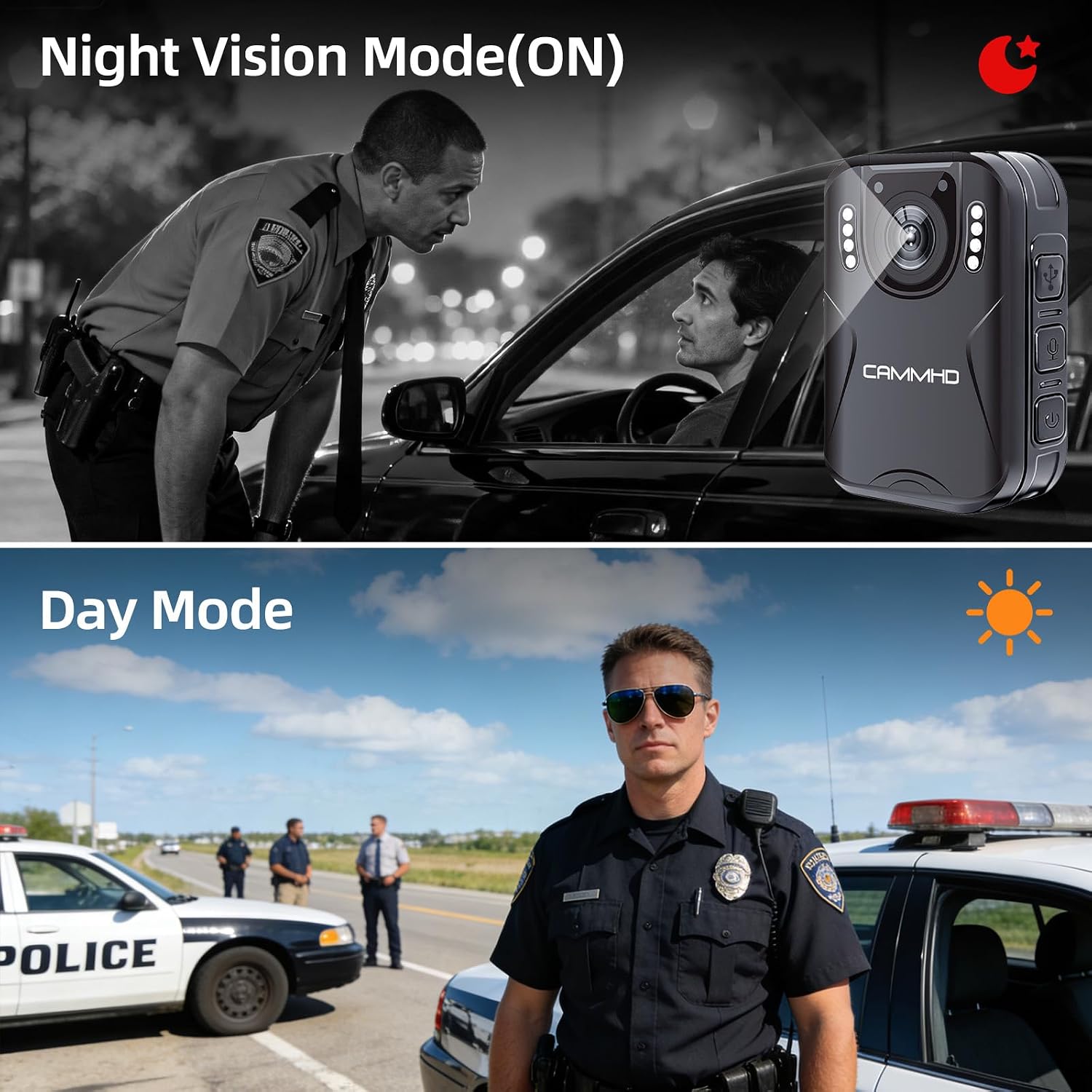
Image: Illustrates the difference between Night Vision Mode (ON) and Day Mode, showing clear visibility in dark conditions with the CAMMHD H4.
5. Rakaman Gelung
When enabled, loop recording allows the camera to continuously record. Once the memory card is full, the oldest files will be automatically overwritten by new recordings. This ensures continuous operation without manual deletion of old files.
6. Pengesanan Pergerakan
Activate motion detection in the camera settings. When enabled, the camera will automatically begin recording when it detects movement within its field of view and stop when motion ceases, conserving battery and storage space.
7. Password Protection and Time Stamp
The camera supports password protection to secure your recorded data. Access the settings menu to set up or change your password. The time stamp feature automatically embeds the date and time onto all recordings, providing crucial chronological evidence.
Penyelenggaraan
- Pembersihan: Gunakan kain lembut dan kering untuk membersihkan badan kamera. Untuk kanta, gunakan kain pembersih kanta khusus dan larutan untuk mengelakkan calar.
- Storan: Simpan kamera di tempat yang sejuk dan kering jauh dari cahaya matahari langsung dan suhu yang melampau.
- Penjagaan Bateri: Untuk memanjangkan hayat bateri, elakkan daripada kerap mencas sepenuhnya bateri. Cas kamera secara berkala, walaupun tidak digunakan, untuk mengekalkan kesihatan bateri.
- Kemas kini Firmware: Semak pengeluar weblaman web ini secara berkala untuk sebarang kemas kini perisian tegar yang tersedia bagi memastikan prestasi optimum dan ciri baharu.
Menyelesaikan masalah
| Masalah | Kemungkinan Punca | Penyelesaian |
|---|---|---|
| Kamera tidak dihidupkan. | Bateri lemah; kerosakan peranti. | Charge the camera for at least 4 hours. If still unresponsive, contact support. |
| Tidak boleh merakam video/audio. | Memory card full; memory card error; incorrect mode. | Check available storage. Format the memory card (this will erase all data). Ensure you are in the correct recording mode. |
| Kualiti video yang teruk. | Dirty lens; low light conditions; incorrect resolution setting. | Clean the lens. Activate night vision in low light. Check video resolution settings in the menu. |
| Bateri cepat habis. | Continuous recording; night vision active; screen always on. | Reduce continuous recording time. Turn off night vision when not needed. Set screen to idle or turn off display. |
Spesifikasi
| Jenama | CAMMHD |
| Nama Model | CAMMHD-H4 |
| Resolusi Tangkapan Video | 1920p |
| Resolusi Penderia Foto | 4 MP |
| Viewsudut | 170 Darjah |
| Kapasiti Bateri | 3000mAh |
| Masa Rakaman Berterusan | 8-10 hours (at 1080P, night vision off, screen idle) |
| Masa Mengecas | Lebih kurang 4 jam |
| Teknologi Ketersambungan | USB |
| Penyimpanan | 64GB (pre-installed Micro SD) |
| Dimensi Item | 1.03 x 2.08 x 2.99 inci |
| Berat Barang | 110 Gram |
| warna | Hitam |
Waranti dan Sokongan
Waranti Pengeluar
CAMMHD offers a warranty for its products. If there is any quality problem within 30 working days after purchase, you may apply for returning the goods. Please retain your proof of purchase for warranty claims.
Sokongan Pelanggan
For technical assistance, troubleshooting, or warranty inquiries, please contact CAMMHD customer support. Refer to the product packaging or the official CAMMHD webtapak untuk maklumat hubungan terkini.
Anda juga boleh melawat CAMMHD Store on Amazon untuk mendapatkan lebih banyak maklumat produk dan sumber sokongan.