
1. Pengenalan
This manual provides detailed instructions for the proper use and maintenance of your OWLNV T3 Thermal Imaging Scope. Please read this manual thoroughly before operating the device to ensure optimal performance and safety.
The OWLNV T3 is a high-performance thermal imaging scope designed for various outdoor activities, including hunting and observation. It features a 384x288 thermal sensor, 3.5X optical zoom, an integrated ballistic calculator, WiFi video recording, and a durable IP67 weatherproof construction.
2. Kandungan Pakej
Sahkan bahawa semua item terdapat dalam pakej:
- OWLNV T3 Thermal Imaging Scope
- Gunung Picatinny
- Kabel Pengecasan USB Jenis-C
- Beg Pembawa Lembut
- Panduan Mula Pantas
- Kad Waranti
- Hex Wrenches (for mounting)
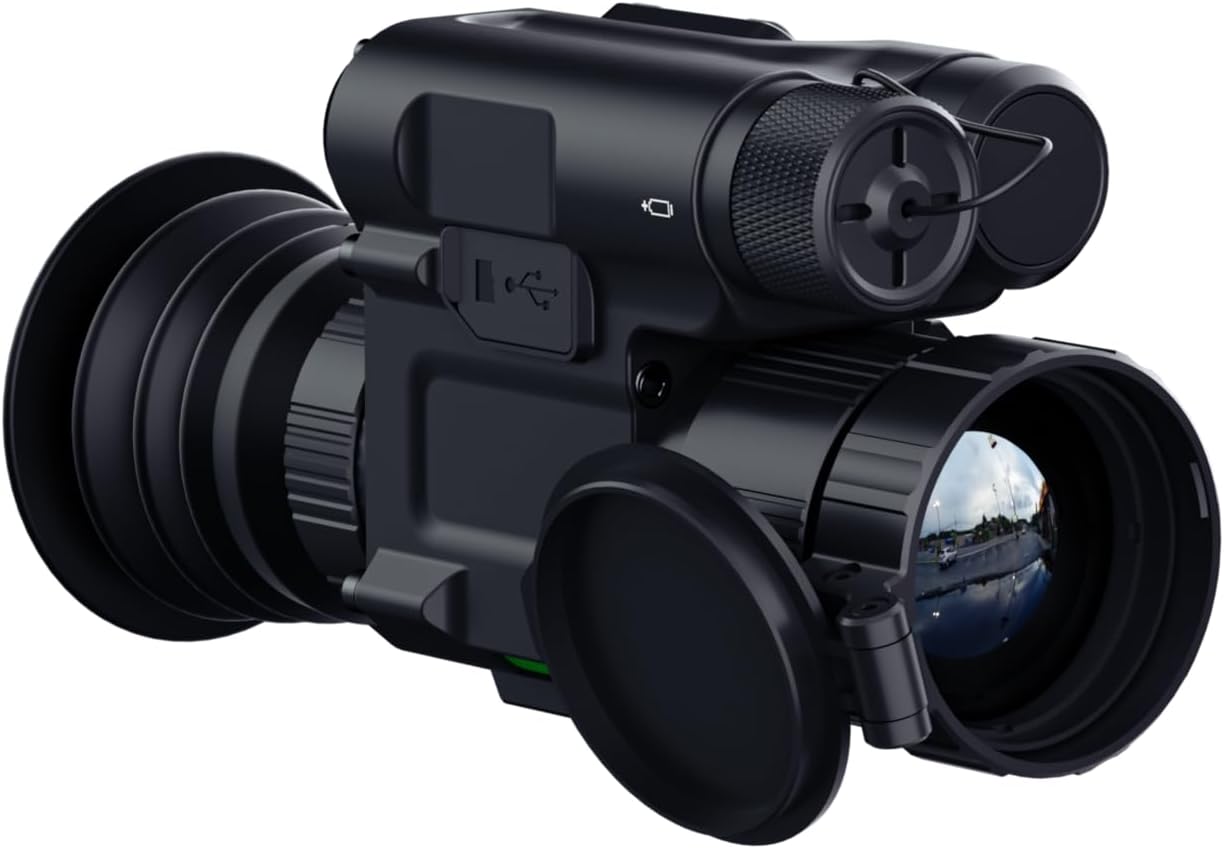
Image: Contents of the OWLNV T3 Thermal Imaging Scope package, including the scope, mount, cables, and documentation.
Video: An unboxing demonstration of the OWLNV T3 thermal imaging scope, showing all included components.
3. Persediaan
3.1 Mengecas Peranti
Before first use, fully charge the OWLNV T3 using the provided USB Type-C cable. Connect the cable to the Type-C port on the device and a compatible USB power source. The charging indicator will show the charging status.

Image: The OWLNV T3 scope showing its Type-C charging port, compatible with power banks for convenient charging.
3.2 Memasang Skop
The OWLNV T3 can be used as a handheld monocular or mounted as a rifle scope using the included Picatinny mount.
- Monocular Use: Hold the device firmly and adjust the eyepiece and objective lens for clear viewing.
- Rifle Scope Use: Attach the Picatinny mount to your rifle's Picatinny rail. Secure the OWLNV T3 to the mount using the provided hex wrenches. Ensure the scope is level and securely fastened.

Image: Comparison of the OWLNV T3 being used as a rifle scope and as a handheld monocular.

Image: A user attaching the OWLNV T3 thermal scope to a rifle's Picatinny rail.
3.3 Initial Focus Adjustment
Achieving a clear image involves a two-step focusing process:
- Pelarasan Diopter kanta mata: Rotate the eyepiece diopter ring until the on-screen icons and text appear sharp and clear. This adjusts the focus for your individual eyesight.
- Pelarasan Kanta Objektif: Rotate the objective lens to bring your target into sharp focus. This ensures a crisp, non-pixelated view of the thermal image.
Video: A demonstration of the T3's two-step focusing operation for optimal image clarity.
4. Arahan Operasi
4.1 Kawalan Ke Atasview
The OWLNV T3 features intuitive, glove-friendly buttons for easy operation. Refer to the diagram below for button functions.

Imej: Terperinci view of the OWLNV T3 control panel, highlighting glove-friendly buttons and the power/sleep function.
4.2 Mod Hidup/Mati dan Tidur
- Hidupkan kuasa: Press and hold the Power button until the device powers on.
- Matikan: Press and hold the Power button until the device powers off.
- One-Touch Sleep Mode: Briefly press the Power button to enter or exit sleep mode, conserving battery life without fully powering down.
4.3 Thermal Palettes and Scene Modes
The T3 offers 6 professional thermal palettes and various scene modes to optimize image contrast for different environments.
- Palet: White-Hot, Black-Hot, Red-Hot, Edge, Sky, In-Hot. Cycle through these options via the menu to suit your viewkeutamaan.
- Mod Pemandangan: Select between City, Rain, and Forest modes to enhance image clarity based on ambient conditions.
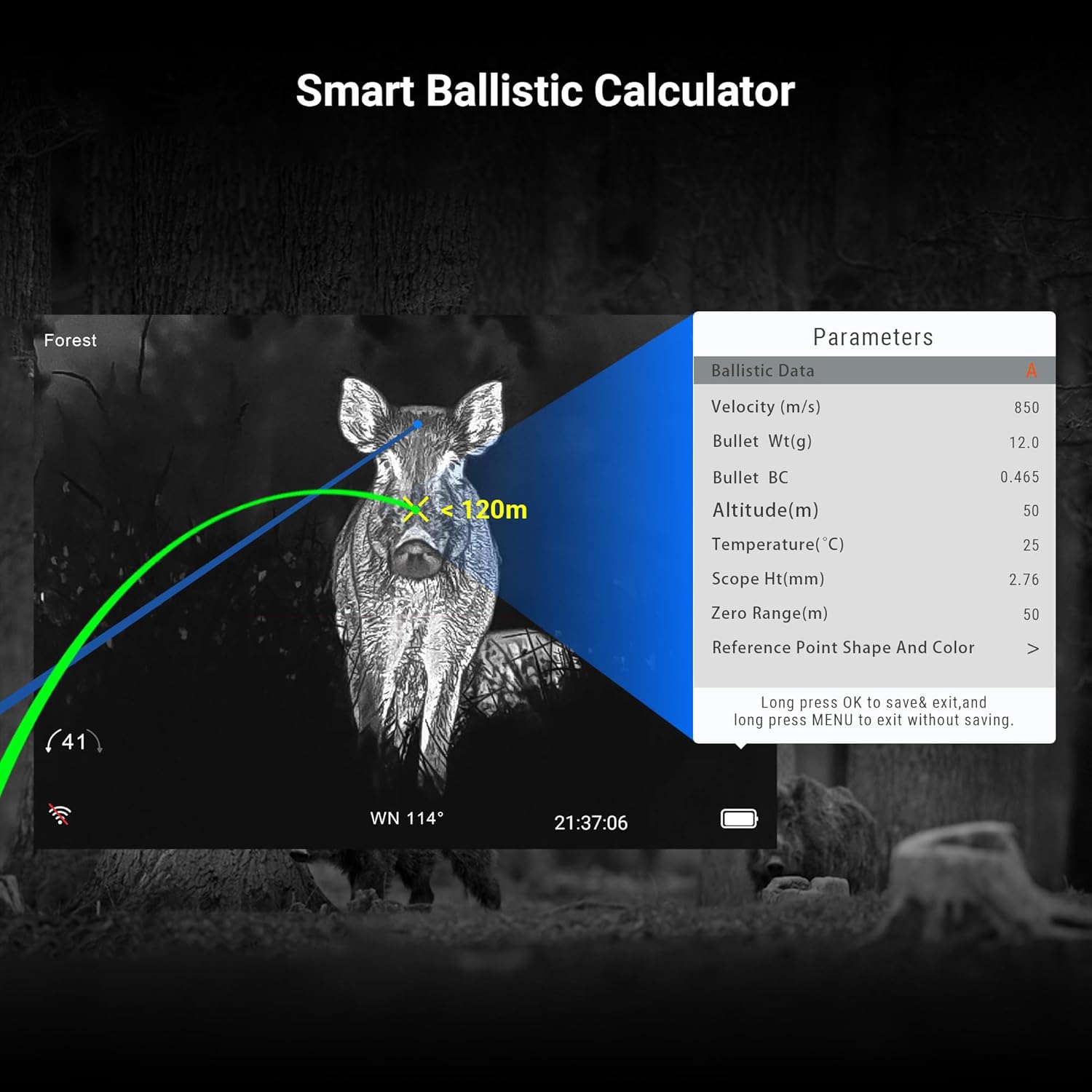
Image: Visual representation of the six thermal palettes available on the OWLNV T3, adapting to various hunting situations.
4.4 Reticle Styles
Choose from 6 reticle styles, available in 4 different colors, to customize your aiming point.
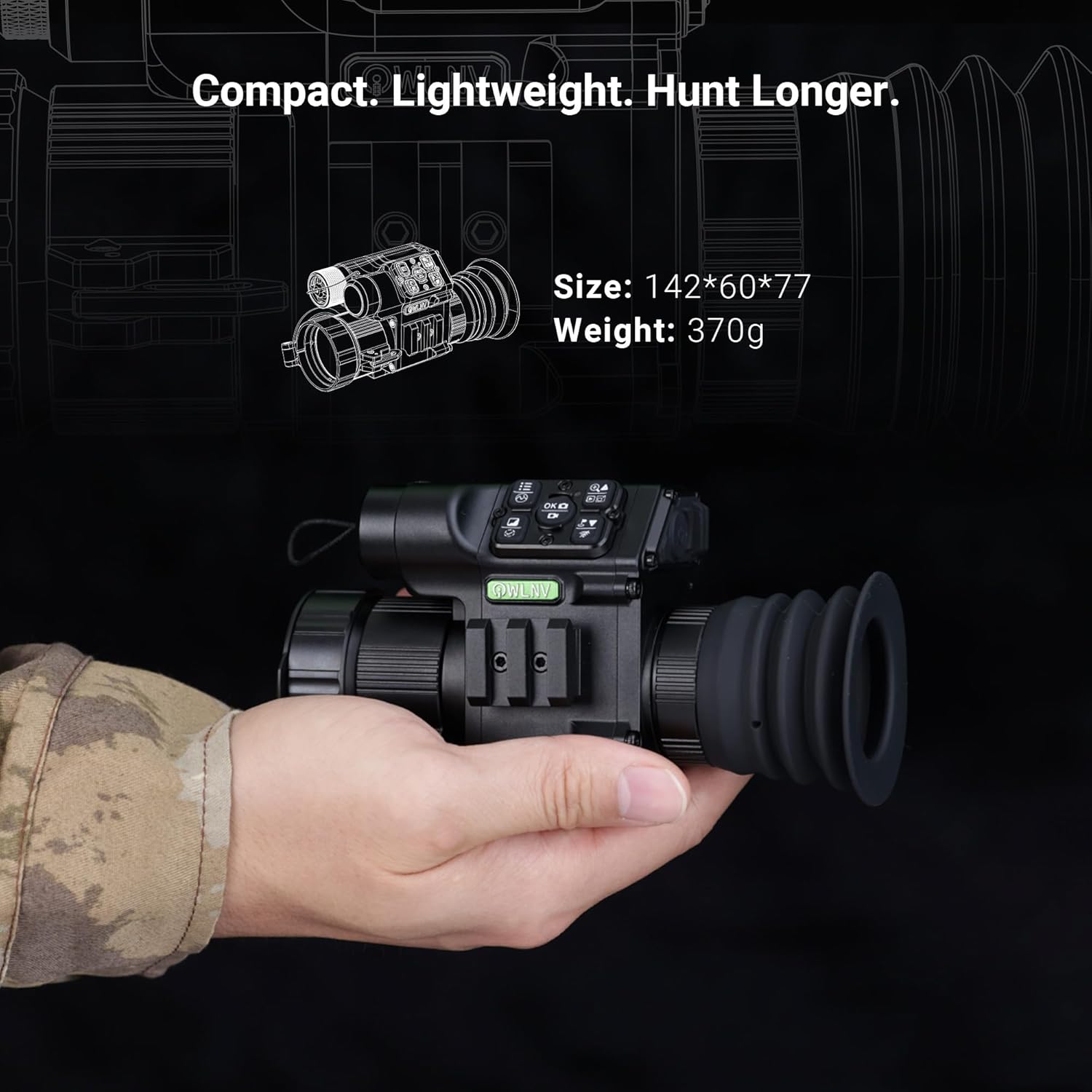
Image: Six distinct reticle styles displayed on the OWLNV T3 screen, with options for four different colors.
4.5 Picture-in-Picture (PIP) Mode
Activate PIP mode to maintain a full field of view while simultaneously displaying a magnified image of your target in a smaller window. This allows for precise tracking without losing situational awareness.

Image: The Picture-in-Picture (PIP) mode in action, showing a magnified target within the main thermal view.
4.6 Ballistic Calculator
The integrated ballistic calculator assists in estimating bullet drop and windage, enhancing first-shot accuracy. Input relevant data such as velocity, bullet weight, and environmental factors to utilize this feature.
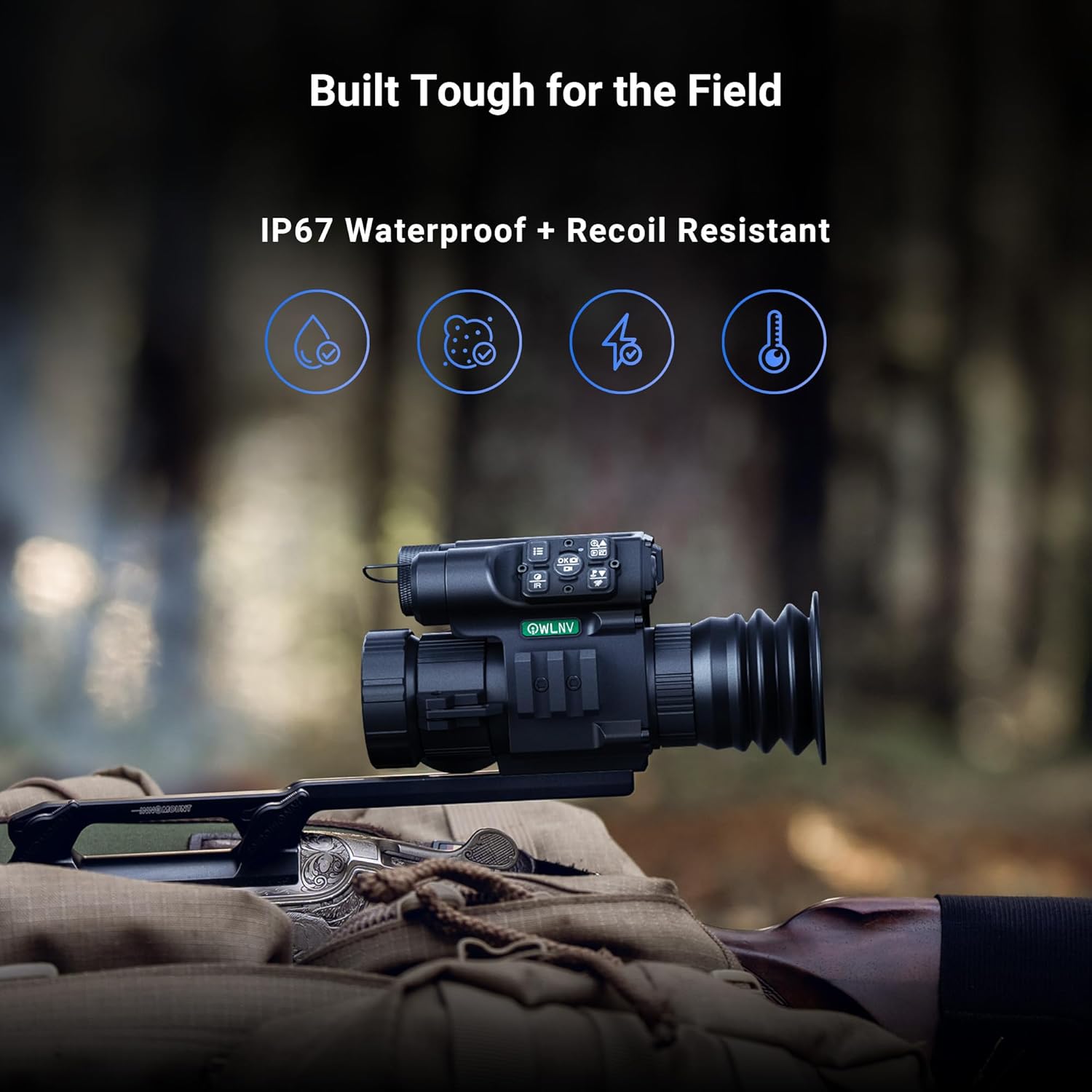
Image: The Smart Ballistic Calculator interface displayed on the OWLNV T3, showing various parameters for precision targeting.
Video: A demonstration of the T3 thermal scope's integrated precision ballistic calculator.
4.7 Video Recording and WiFi Streaming
Record high-definition videos with audio and capture 2592x1944 photos directly to the device's internal storage. Utilize the built-in WiFi to stream live footage to your smartphone, save recordings, and share your experiences.
- Rakaman: Press the designated record button to start/stop video recording.
- Tangkapan Foto: Press the designated photo button to take a still image.
- Sambungan WiFi: Access the menu to enable WiFi and connect to your smartphone using the OWLNV app.
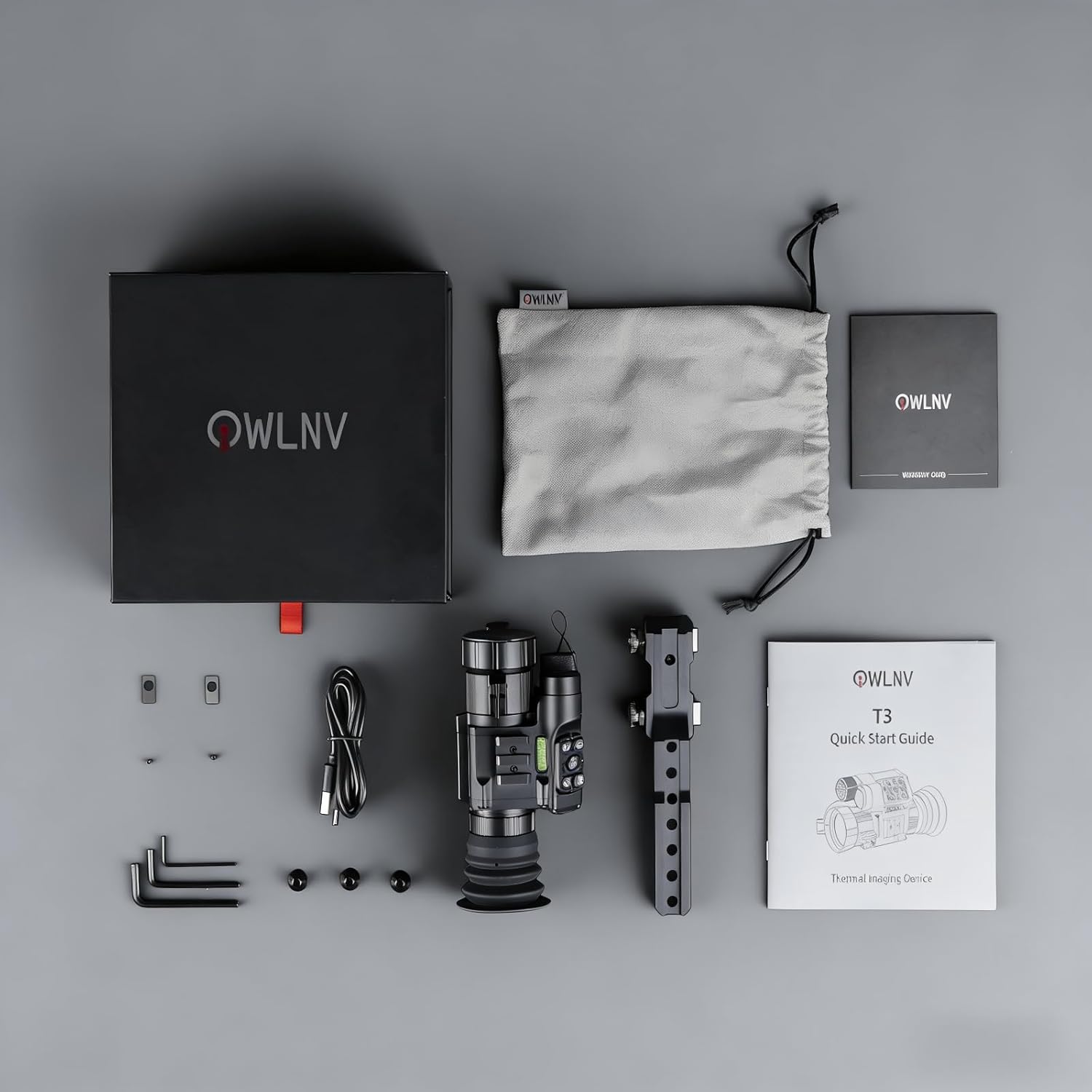
Image: The OWLNV T3 scope demonstrating WiFi streaming and video recording capabilities, with live feed shown on a smartphone.
Video: Operational instructions for the Owlnv thermal imaging scope, covering various functions.
5. Penyelenggaraan
5.1 Pembersihan
- Kanta: Use a soft, lint-free cloth specifically designed for optics. Gently wipe the objective and eyepiece lenses. For stubborn smudges, use a small amount of lens cleaning solution.
- Badan: Lap badan peranti dengan kain lembut,amp kain. Elakkan pembersih atau pelarut yang melelas.
5.2 Penyimpanan
When not in use, store the OWLNV T3 in a cool, dry place, away from direct sunlight and extreme temperatures. Ensure the lens caps are in place to protect the optics. If storing for extended periods, ensure the battery is partially charged (around 50%) to prolong its lifespan.
5.3 Penjagaan Bateri
The OWLNV T3 uses a rechargeable battery. To maximize battery life:
- Elakkan menyahcas sepenuhnya bateri dengan kerap.
- Do not expose the device to extreme heat or cold during charging or operation.
- Use only the provided or approved charging cables.
6. Penyelesaian masalah
| Masalah | Kemungkinan Punca | Penyelesaian |
|---|---|---|
| Peranti tidak dihidupkan. | Bateri lemah atau habis. | Cas peranti sepenuhnya menggunakan kabel Jenis-C. |
| Imej kabur atau tidak fokus. | Pelarasan fokus yang salah. | Perform the two-step focus adjustment (eyepiece diopter then objective lens). |
| No thermal image detected. | Lens cap still on; device malfunction. | Remove the lens cap. If problem persists, contact support. |
| Isu sambungan WiFi. | Incorrect settings; app issues. | Ensure WiFi is enabled on the device and your smartphone. Restart both devices and the app. |
| Peranti tidak responsif. | Gangguan perisian. | Perform a soft reset by holding the power button for an extended period (e.g., 10-15 seconds) or until it restarts. |
If you encounter issues not listed here or if the suggested solutions do not resolve the problem, please contact OWLNV customer support for assistance.
7. Spesifikasi
| Ciri | Perincian |
|---|---|
| Jenama | OWLNV |
| Nama Model | T3 |
| Nombor Model | T3-384 |
| Sensor terma | 384×288, 12µm, ≤25mK NETD |
| Resolusi Paparan | 1440×1080 HD OLED |
| Zum Optik | 3.5X |
| Zum Digital | Sehingga 8X |
| Diameter Kanta Objektif | 35 mm |
| Pelepasan Mata | 30 mm |
| Rakaman Video | Yes, with audio |
| Resolusi Foto | 2592×1944 |
| Ketersambungan | WiFi |
| Kalkulator Balistik | Bersepadu |
| Rintangan Cuaca | IP67 Kalis Air |
| Recoil Resistance | Up to 6000J |
| Sumber Kuasa | Type-C rechargeable |
| bahan | aluminium |
| Dimensi Produk | 5.6"L x 2.4"W x 3"H (142 x 60 x 77 mm) |
| Berat Barang | 370 Gram |
| Jenis Pemasangan | Gunung Picatinny |
8. Waranti dan Sokongan
8.1 Maklumat Waranti
Your OWLNV T3 Thermal Imaging Scope comes with a manufacturer's warranty. Please refer to the included Warranty Card for specific terms, conditions, and duration of coverage. Keep your proof of purchase for warranty claims.
8.2 Sokongan Pelanggan
For any questions, technical assistance, or support needs, please contact OWLNV customer service. You can typically reach support through the Amazon platform where the product was purchased. A dedicated 24/7 support team is available to provide assistance, including quick-start videos or PDF guides.