
Produk Selesaiview
The Baseus USB-C to USB-C cable is engineered for durability and high-performance charging. Crafted with reinforced connectors and a dual-layer design, it withstands bending and resists wear to prevent breakage, ensuring reliable daily use without compromising performance.
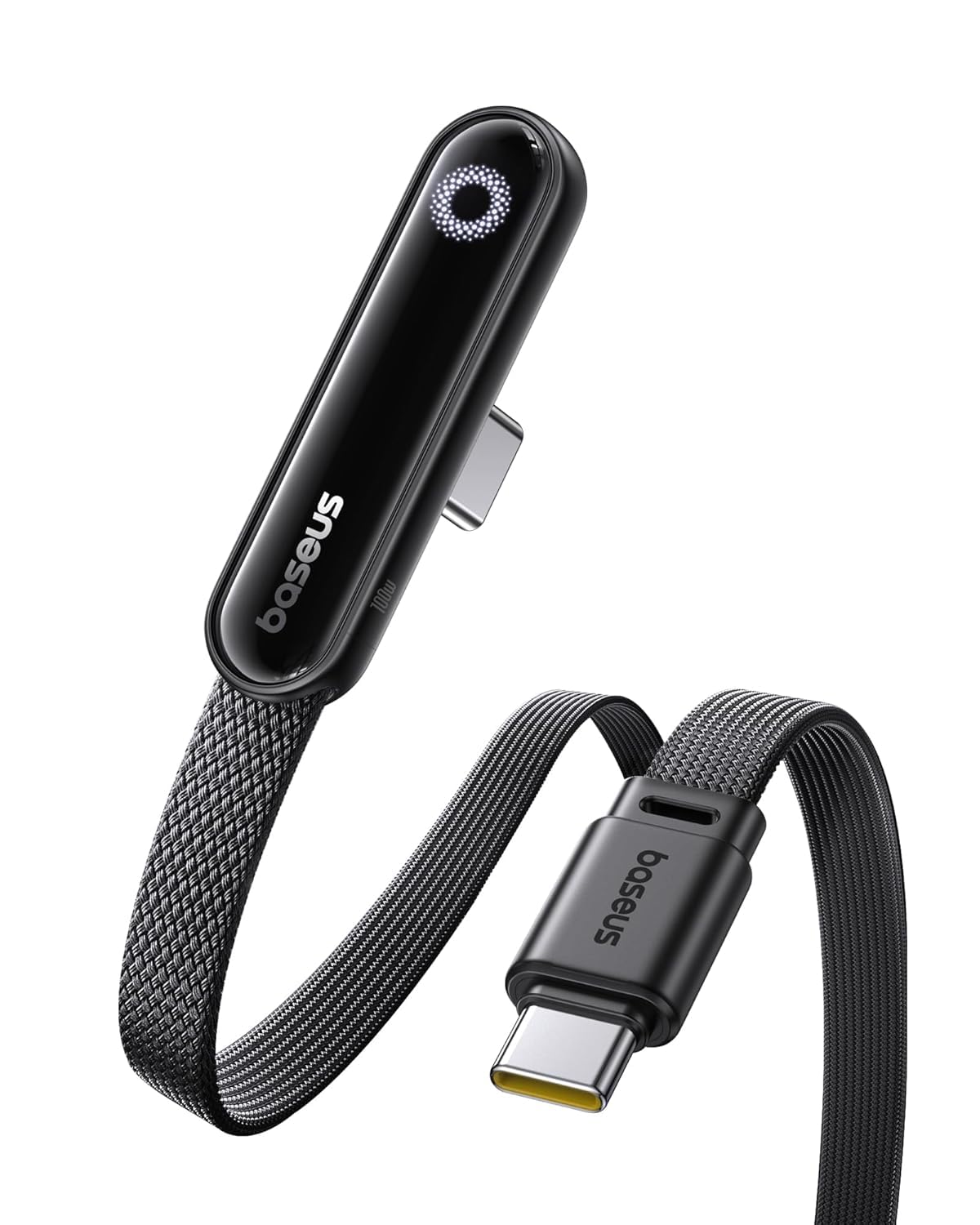
- LED Display Cable: Features a built-in E-Marker chip to support high power and current (20V/5A). The integrated LED module automatically identifies and displays the charging power required by different electronic devices.
- Secure 100W Fast Charging: Supports up to 100W fast charging, designed with reinforced copper cores and an intelligent E-Marker chip for safe, reliable power delivery. Enjoy faster, more efficient charging while protecting your device’s battery health.
- Dibina untuk Kekal: Constructed with reinforced connectors and a dual-layer design, this USB-C to USB-C cable is designed to endure daily use, resisting bending and wear.
- Keserasian Luas: Compatible with most USB-C devices, including laptops, tablets, and smartphones, offering a versatile charging solution across various electronics.
Bermula
Kandungan Pakej
- 1 x Baseus LED Display USB C Cable (6.6ft)
Menyambungkan Peranti Anda
- Connect one end of the Baseus USB-C cable to a compatible USB-C power adapter (not included).
- Connect the other end of the cable to the USB-C charging port of your electronic device (e.g., laptop, tablet, smartphone).
- Once connected, the integrated LED display on the cable will illuminate, showing the real-time charging power (voltage dan semasa).
Arahan Penggunaan
Paparan Kuasa LED
- The integrated LED screen provides real-time information on the charging voltage dan semasa.
- This display allows you to monitor the charging status and ensure your device is receiving optimal power.
Pengecasan Cepat
- For optimal fast charging performance (up to 100W), ensure that both your power adapter and the connected device support the necessary fast charging protocols.
- The intelligent E-Marker chip within the cable automatically manages power delivery to match your device's requirements, ensuring safe and efficient charging.
Keserasian Peranti
- This cable is designed for broad compatibility with a wide range of USB-C enabled devices, including various models of laptops, tablets, and smartphones.
Penjagaan dan Penyelenggaraan
- Avoid extreme bending or sharp angles of the cable, especially near the connectors, to prevent internal wire damage.
- Keep the USB-C connectors clean and free from dust, lint, or debris, which can interfere with proper connection and charging.
- Simpan kabel di tempat yang sejuk dan kering apabila tidak digunakan untuk memanjangkan jangka hayatnya.
- Do not expose the cable to liquids, excessive moisture, or extreme temperatures.
Panduan Penyelesaian Masalah
Peranti Tidak Mengecas
- Ensure both ends of the USB-C cable are securely and fully inserted into the power adapter and your device.
- Verify that the power adapter is functional and properly plugged into a live electrical outlet.
- Check your device's USB-C port for any visible obstructions, dirt, or damage.
- If possible, test the cable with a different compatible power adapter and device to isolate the issue.
Pengecasan perlahan
- Confirm that your power adapter supports the required wattage for fast charging (e.g., 100W) and that your device is also capable of receiving fast charging.
- Close any unnecessary background applications on your device to reduce power consumption during charging.
Paparan LED Tidak Berfungsi
- Ensure the cable is properly connected to both a power source and a device, and that charging is active. The LED display only shows power when current is flowing.
- If the cable is charging your device but the LED display remains off, please contact customer support for assistance.
Spesifikasi Produk
| Jenis Penyambung | USB Jenis C |
| Kuasa Mengecas | Hingga 100W (20V / 5A) |
| Panjang Kabel | 6.6 kaki |
| bahan | Zinc Alloy, Nylon Braided |
| Ciri Khas | LED Display, E-Marker Chip, Reinforced Connectors |
| Nombor Model | E0028Z |
| Pengeluar | Baseus |
| Dimensi Produk | 4.3 x 2.7 x 0.5 inci |
Waranti dan Sokongan Pelanggan
Maklumat Waranti
This product includes 24-Hour Carefree Customer Service. For detailed warranty terms and conditions, please refer to the product packaging or visit the official Baseus Store.
Hubungi Sokongan
For any inquiries, technical support, or assistance, please contact Baseus customer service through their official channels.