
1. Produk Lebihview
The TBCR Surge Protector Power Strip with Hidden Camera is a versatile device combining a multi-outlet power strip with an integrated 5MP Ultra HD camera. Designed for discreet surveillance, it offers both power distribution and security monitoring capabilities for home or office environments.
This device features multiple AC outlets and USB ports for charging various electronics, alongside advanced camera functionalities such as motion detection, two-way audio, and flexible recording options.

Figure 1: TBCR Surge Protector Power Strip with Hidden Camera.
2. Panduan Persediaan
Follow these steps to set up your TBCR Surge Protector Power Strip with Hidden Camera:
2.1 Membuka Kotak dan Pemeriksaan Awal
Carefully remove all components from the packaging. Ensure all parts are present and undamaged. The package should include the power strip camera unit, power cable, and a user manual.
Video 1: Unboxing and initial setup of the TBCR Surge Protector Power Strip with Hidden Camera.
2.2 Menghidupkan Peranti
- Connect the power strip to a standard electrical outlet.
- Locate the power button at the bottom-right corner of the device.
- Press the power button. A blue indicator light will illuminate, confirming the device is powered on.
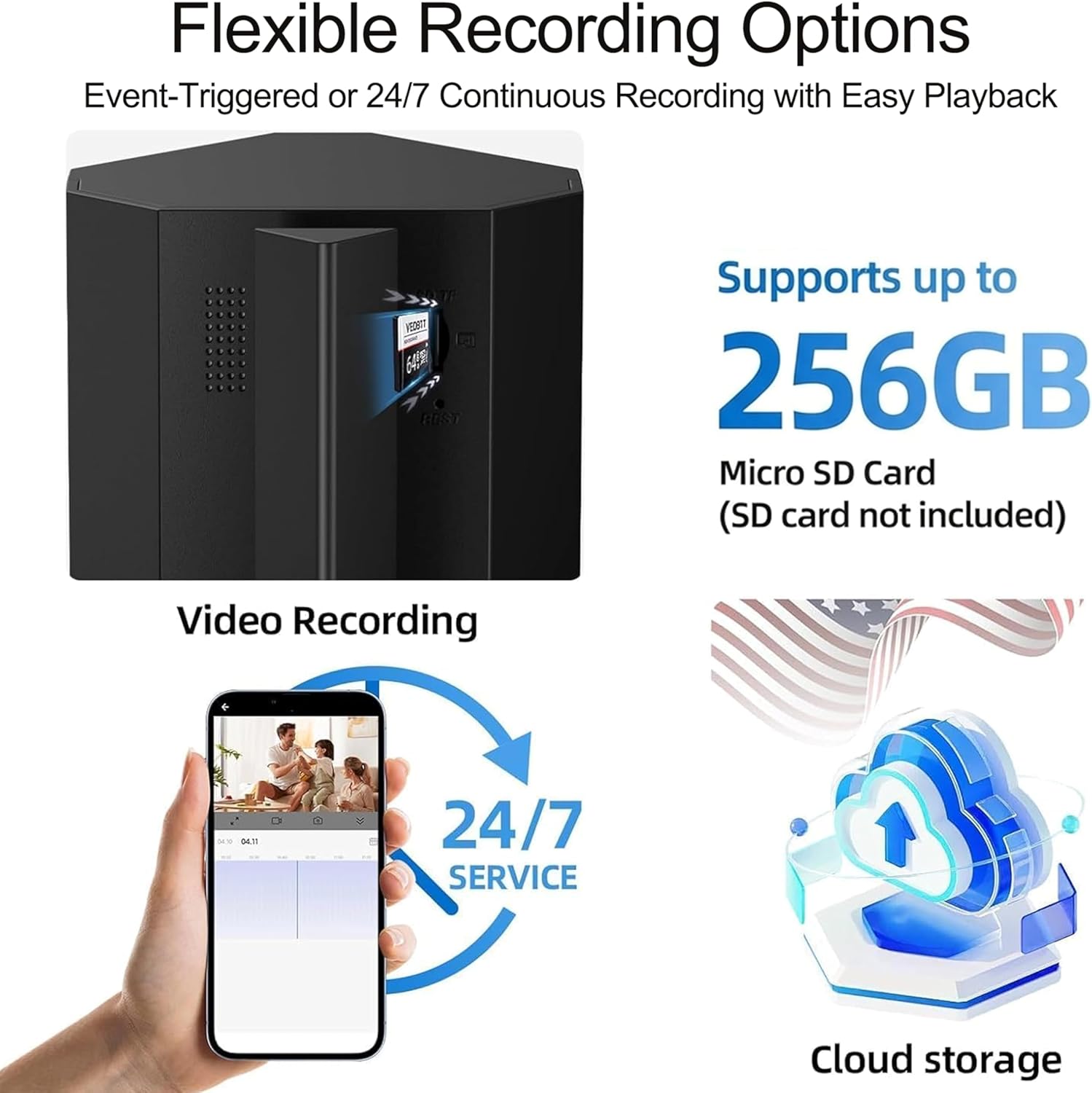
Figure 2: Power button and blue indicator light on the TBCR Power Strip.
2.3 Resetting and Pairing
- Once the device is powered on, you will hear an audible sound.
- Using the provided pin (or a similar thin object), insert it into the reset hole located on the back of the device.
- Press and hold the pin for approximately 5 seconds until you hear another sound. This indicates the device is ready for pairing.

Figure 3: Location of the reset hole on the TBCR Power Strip.
2.4 Muat Turun Apl dan Sambungan Wi-Fi
- Download the "Smart Life" app from Google Play Store or Apple App Store.
- Ensure your mobile device's Wi-Fi network is correctly configured and you know the password. If you have previously connected to a 5G network, ensure you reconnect with the correct password to maintain a stable connection.
- Open the Smart Life app, tap the "+" icon, and select "Add Device". Choose "Smart Camera" from the list of device types.
- Follow the in-app instructions to connect the camera to your Wi-Fi network. This typically involves scanning a QR code displayed on your phone with the camera lens. Position the QR code about 4.5 inches (15-20 cm) from the camera lens.
- After hearing a prompt sound from the camera, tap "I Heard a Prompt" on your phone and wait approximately 30 seconds for the device to connect successfully.

Figure 4: Smart Life app interface for camera control and monitoring.
3. Operasi
3.1 Power Strip Functionality
The device functions as a standard power strip, providing 4 AC sockets, 2 USB-A (5V/3A) ports, and 2 USB-C (5V/3A) ports. These can be used to power and charge various electronic devices simultaneously.

Gambar 5: Lebihview of the power strip's outlets and USB ports.
3.2 Camera Monitoring via App
Once connected, access live video feed and camera controls through the Smart Life app. The app provides a clear, real-time view daripada kamera.
Video 2: Demonstration of live camera feed and two-way audio functionality through the Smart Life app.
3.3 Audio Dua Hala
The camera supports two-way audio, allowing you to listen to the environment and speak through the device using the app. This feature is useful for communicating with family members or pets.

Figure 6: Illustrates the two-way audio feature for communication.
3.4 Pengesanan Gerakan dan Makluman
The device is equipped with an intelligent motion sensor and siren alarm. When motion is detected, the camera can trigger a siren and send real-time alerts to your smartphone. You can customize activity zones within the app to focus on specific areas and reduce false alarms.

Gambar 7: Cthample of a motion detection alert on a smartphone.

Figure 8: Visual representation of customizable activity zones.
3.5 Recording Options and Storage
The camera supports both event-triggered and 24/7 continuous recording. Recorded footage can be stored on an SD card (up to 256GB, not included) or via optional cloud storage. New files akan menulis ganti yang tertua secara automatik files apabila kad memori penuh.

Figure 9: SD card slot and illustration of cloud storage functionality.
3.6 Perkongsian Berbilang Pengguna
You can share access to the camera's live feed and recordings with family and friends through the Smart Life app, allowing multiple users to monitor simultaneously.

Figure 10: Screenshot demonstrating the multi-user sharing feature in the app.
3.7 Perlindungan Privasi
The Smart Life app allows you to remotely turn off the camera when privacy is desired, ensuring control over your surveillance.

Figure 11: App screen illustrating the privacy mode feature.
4. Ciri-ciri Utama
- 3K 5MP Ultra HD with 8x Zoom: Provides exceptional clarity and detail. HDR technology enhances visibility in varying light conditions. (Note: This product does not support night vision functionality.)
- Intelligent Motion Sensor Siren Alarm: Detects human movement, triggers a siren, and sends smartphone alerts. Customizable activity zones are available.
- Event & 24/7 Continuous Recording: Offers flexible recording modes with storage options on SD cards (not included) and optional cloud storage.
- Perkongsian Berbilang Pengguna: Share camera access with family and friends for simultaneous monitoring.
- 4 Sockets 4 USB Power Strip Tower: Compact design with 4 AC sockets, 2 USB-A (5V/3A) ports, and 2 USB-C (5V/3A) ports for comprehensive charging.
- Perlindungan lonjakan: Built-in surge protection for connected devices.

Figure 12: Comparison of 5MP high definition image quality.

Figure 13: Demonstration of HDR technology for improved image clarity.
5. Penyelenggaraan
- Pembersihan: Gunakan kain lembut dan kering untuk membersihkan peranti. Jangan gunakan pembersih cecair atau semburan aerosol.
- Kemas kini Firmware: Regularly check the Smart Life app for available firmware updates to ensure optimal performance and security.
- Storan: Jika menyimpan peranti untuk tempoh yang lama, putuskan sambungannya daripada kuasa dan simpan di tempat yang sejuk dan kering.
- Pengurusan Kad SD: Semula secara berkalaview dan sandarkan foo pentingtage from the SD card. Format the SD card occasionally to maintain performance.
6. Penyelesaian masalah
- Peranti Tidak Dihidupkan: Ensure the power cable is securely plugged into both the device and a working electrical outlet. Check the power button at the bottom-right corner.
- Tidak dapat Menyambung ke Wi-Fi:
- Sahkan nama dan kata laluan rangkaian Wi-Fi anda adalah betul.
- Ensure your router is broadcasting a 2.4GHz Wi-Fi signal (the device supports both 2.4G and 5G, but some older routers might require specific settings).
- Perform a device reset (refer to Section 2.3) and attempt pairing again.
- Ensure your phone is connected to the same Wi-Fi network you are trying to connect the camera to during setup.
- No Live Feed/Offline:
- Semak sambungan internet anda.
- Restart the device by unplugging and re-plugging it.
- Pastikan kamera berada dalam julat penghala Wi-Fi anda.
- Pengesanan Pergerakan Tidak Berfungsi:
- Verify motion detection is enabled in the Smart Life app settings.
- Adjust sensitivity settings if necessary.
- Check if activity zones are correctly configured.
- Kad SD Tidak Merakam:
- Pastikan kad SD dimasukkan dengan betul.
- Check if the SD card is full; if so, back up data and format it.
- Verify recording settings in the app (e.g., continuous recording, event recording).
- Try a different compatible SD card to rule out card issues.
7. Spesifikasi
| Ciri | Perincian |
|---|---|
| Jenama | TBCR |
| Nombor Model | TBCR |
| Resolusi Kamera | 3K 5MP Ultra HD |
| Zum | Zum Digital 8x |
| Penglihatan Malam | Tidak Disokong |
| Sokongan Wi-Fi | Wi-Fi 5G / 2.4G |
| Soket AC | 4 |
| Port USB-A | 2 (5V/3A) |
| Port USB-C | 2 (5V/3A) |
| Pilihan Storan | Kad Mikro SD (sehingga 256GB, tidak disertakan), Storan Awan (pilihan) |
| Penderia Pergerakan | Intelligent Motion Sensor with Siren Alarm |
| Perlindungan Kuasa | Surge Protection, Over-Heating Protection, Over-Voltage Protection, Grounded Protection, Short-Circuit Protection |
| Kuasa Maks | 2500W |
| Bateri Diperlukan | Tidak |

Figure 14: Visual breakdown of the power strip's outlets and safety features.

Gambar 15: Lebihview of the power strip's comprehensive protection features.
8. Waranti dan Sokongan
For warranty information and technical support, please refer to the contact details provided in the original product packaging or visit the official TBCR webtapak. Simpan resit pembelian anda untuk tuntutan waranti.