
1. Pengenalan
This manual provides essential information for the safe and efficient operation of your THOMSON Go TV HD (Google OS) portable smart television. Please read it thoroughly before using the device and retain it for future reference.
The THOMSON Go TV HD offers a comfortable and flexible viewing experience with its 32-inch HD display. Powered by Google TV 5.0, it integrates content from your streaming applications and subscriptions into an intuitive interface. Create personalized user profiles and receive tailored recommendations. With access to over 400,000 movies and series, plus Google Cast for wireless content streaming, your entertainment is always accessible. The integrated battery provides up to 4 hours of enjoyment without needing a power connection. Its base wheels allow for easy movement, and adjustable height, tilt, and rotation customize your viewing angle. Enjoy high-quality sound with Dolby Audio and 16W speakers.
2. Maklumat Keselamatan
Sentiasa patuhi langkah keselamatan berikut untuk mengelakkan kejutan elektrik, kebakaran atau kecederaan:
- Jangan dedahkan TV kepada hujan atau lembapan.
- Jangan buka TV casing; merujuk semua perkhidmatan kepada kakitangan yang berkelayakan.
- Pastikan pengudaraan yang betul di sekeliling TV.
- Gunakan hanya penyesuai kuasa yang disediakan.
- Jauhkan TV daripada sumber haba dan cahaya matahari langsung.
- Handle the TV with care, especially when moving it, to avoid damage.
3. Apa yang ada di dalam Kotak
Buka bungkusan kotak dengan berhati-hati dan pastikan semua item ada:
- THOMSON Go TV HD (Google OS) 32-inch Portable Smart TV
- Penyesuai Kuasa
- Alat Kawalan Jauh
- Manual Pengguna (dokumen ini)
- Kad Waranti
4. Produk Lebihview
4.1. TV Dimensions and Adjustability

Imej: Depan, sisi, dan belakang views of the THOMSON Go TV with detailed dimensions (734mm width, 429mm height, 1323mm max height, 227mm depth).

Image: The THOMSON Go TV demonstrating its adjustable tilt and rotation features for optimal viewkeselesaan.
The THOMSON Go TV features a robust stand with wheels for easy mobility. The screen can be adjusted in height, tilted, and rotated to achieve the perfect viewing angle in any room.
4.2. Sambungan Panel Belakang
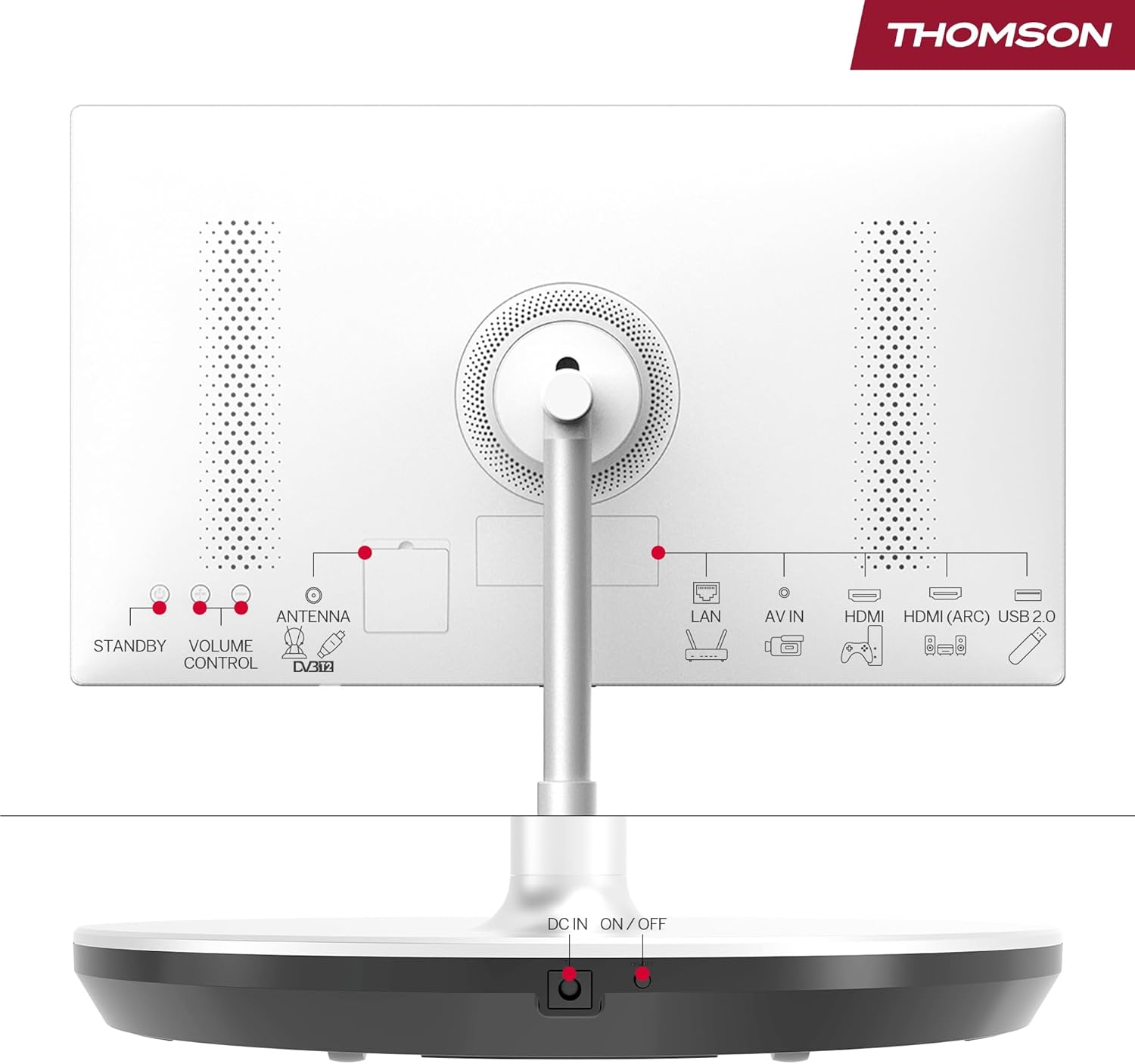
Image: Rear panel of the THOMSON Go TV, highlighting various input ports and controls.
The rear panel provides access to essential connectivity options:
- LAN: Port Ethernet untuk sambungan internet berwayar.
- AV DI: Audio/Video input for older devices.
- HDMI (ARC): High-Definition Multimedia Interface with Audio Return Channel support.
- USB 2.0: USB port for media playback or connecting peripherals.
- ANTENNA (DVB-T2): Antenna input for terrestrial digital TV.
- DC DALAM: Input kuasa untuk penyesuai.
- HIDUP/MATI: Suis kuasa utama.
- STANDBY / VOLUME CONTROL: Physical buttons for basic control.
4.3. Alat Kawalan Jauh

Image: The remote control for the THOMSON Go TV, showing numeric keys, Google Assistant button, illuminated keys, and direct access buttons for streaming services.
The remote control allows full navigation and control of your TV. It features:
- Kekunci angka: Untuk pemilihan saluran langsung.
- Butang Pembantu Google: Activate voice control.
- Kunci Bercahaya: For easy use in low-light conditions.
- Butang Akses Terus: Quick launch for popular streaming apps like Netflix, Prime Video, and YouTube.
5. Persediaan
5.1. Initial Placement and Power Connection
Place the TV on a stable, level surface. Thanks to its integrated wheels, you can easily move it to your desired location. Connect the power adapter to the DC IN port on the TV and then to a power outlet. Ensure the main ON/OFF switch is in the 'ON' position.
5.2. Persediaan Kali Pertama
Sebaik sahaja dihidupkan buat kali pertama, TV akan membimbing anda melalui proses persediaan awal:
- Pemilihan Bahasa: Pilih bahasa pilihan anda.
- Sambungan Rangkaian: Sambung ke rangkaian Wi-Fi anda atau gunakan kabel Ethernet untuk sambungan berwayar.
- Log Masuk Akaun Google: Sign in with your Google account to access Google TV features, personalized recommendations, and app downloads.
- Imbasan Saluran: If connecting an antenna, the TV will scan for available terrestrial channels.
- Tetapan Privasi: Configure your privacy preferences.
6. Arahan Operasi
6.1. Antara Muka Google TV
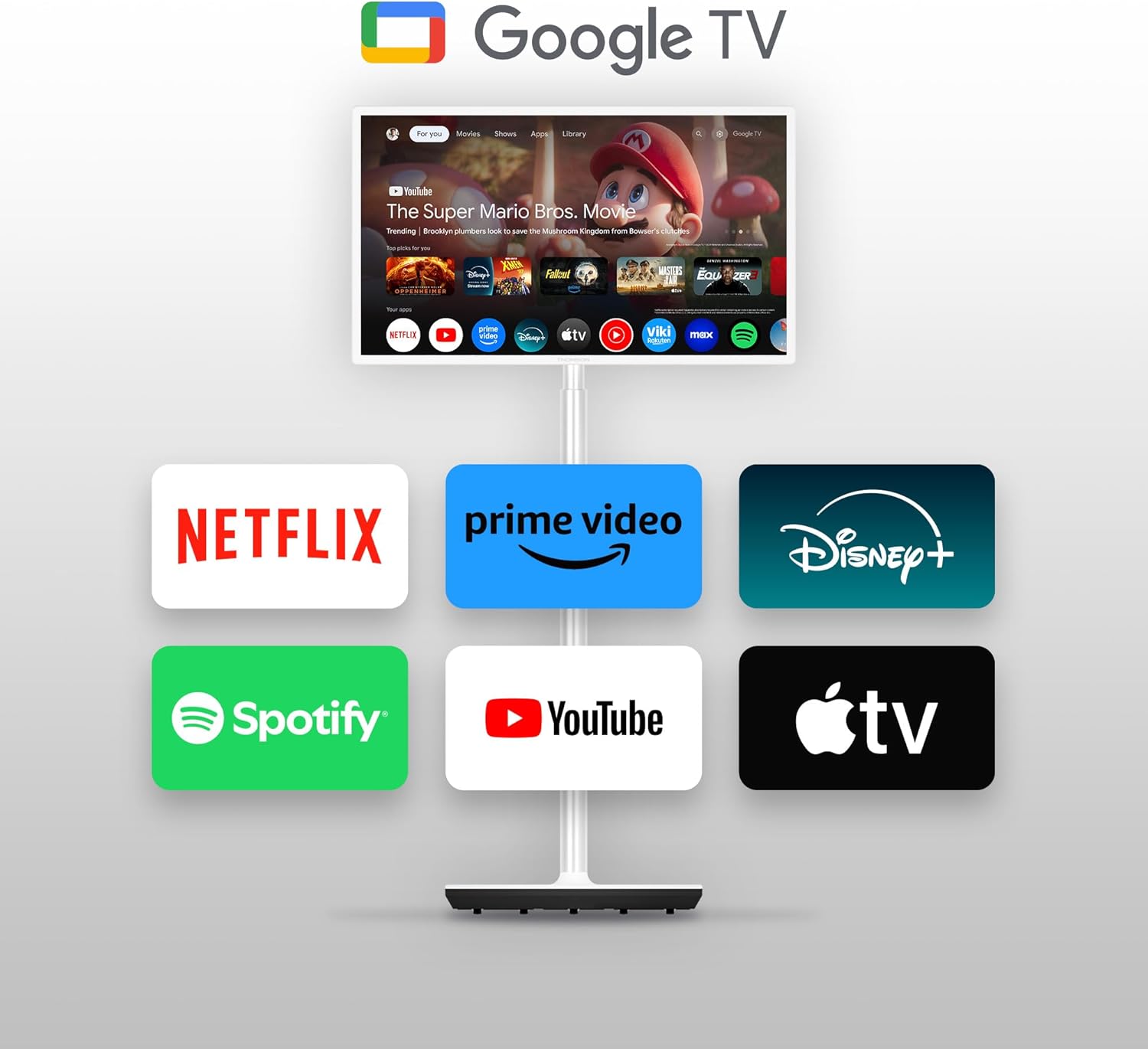
Image: The THOMSON Go TV screen showing the Google TV home screen with various streaming service icons like Netflix, Prime Video, Disney+, Spotify, YouTube, and Apple TV.
Google TV organizes content from your streaming services into a unified, personalized interface. You can create multiple user profiles, each with customized recommendations.
6.2. Kawalan Suara dengan Google Assistant
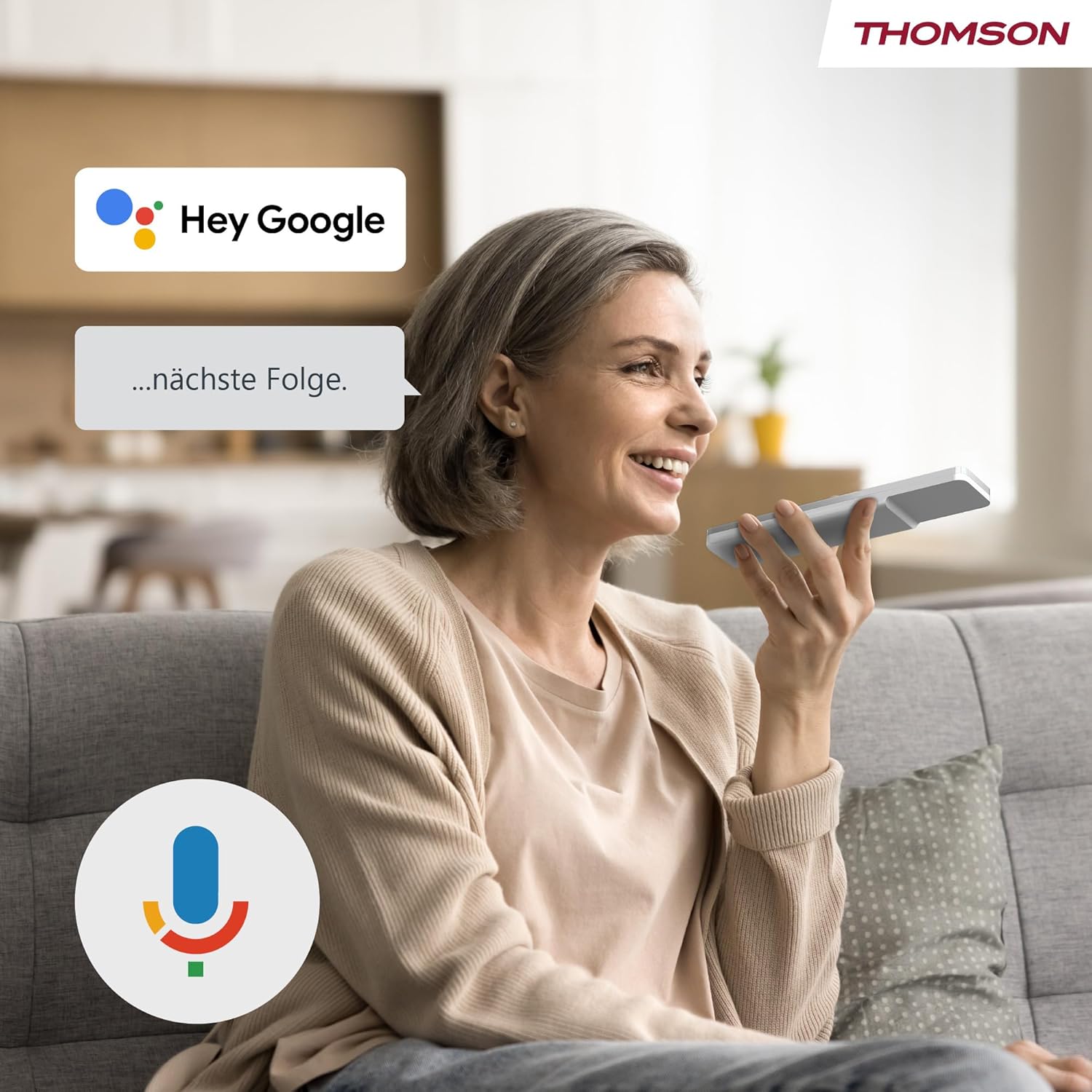
Image: A woman speaking into the remote control, with a 'Hey Google' speech bubble and the Google Assistant logo, demonstrating voice control functionality.
Press the Google Assistant button on your remote control and speak your commands. You can search for content, ask for recommendations, control smart home devices, and more.
6.3. Google Cast Functionality

Image: A smartphone screen showing content being cast to the THOMSON Go TV, with the Google Cast logo indicating the feature.
Use Google Cast to wirelessly stream content from compatible devices (smartphones, tablets, computers) directly to your TV screen.
6.4. Battery Usage and Mobility

Image: A woman performing yoga, with the THOMSON Go TV in the background displaying an exercise video. An overlay indicates '5000 mAh' and 'up to 4 hours life', highlighting the TV's portability and battery duration.
The integrated battery provides up to 4 hours of viewing time, allowing you to enjoy entertainment anywhere without a power outlet. The base wheels facilitate easy movement between rooms.
6.5. Ciri Audio

Image: The THOMSON Go TV displaying a beach scene, with the Dolby Audio logo and animated sound waves emanating from the screen, illustrating its audio capabilities.
Experience high-quality sound with integrated 16W speakers and Dolby Audio support.
7. Penyelenggaraan
7.1. Membersihkan Skrin
Lap skrin perlahan-lahan dengan kain lembut yang tidak berbulu. Untuk tanda degil, sedikit dampen kain dengan air atau pembersih skrin khusus. Jangan sembur cecair terus ke skrin.
7.2. Penjagaan Am
- Keep the TV free from dust by regularly wiping the casing dengan kain kering dan lembut.
- Elakkan meletakkan objek berat di TV.
- Pastikan bukaan pengudaraan tidak disekat.
8. Penyelesaian masalah
Jika anda menghadapi masalah, rujuk kepada masalah dan penyelesaian biasa berikut:
| Masalah | Kemungkinan Punca | Penyelesaian |
|---|---|---|
| Tiada kuasa | Power cable disconnected; Main switch off | Check power connections; Ensure main ON/OFF switch is on |
| Tiada gambar, tetapi bunyi hadir | Sumber input yang salah; Kabel HDMI longgar | Select correct input source; Reconnect HDMI cable securely |
| Tiada bunyi, tetapi ada gambar | Volume muted or too low; Audio settings incorrect | Increase volume; Check audio output settings |
| Alat kawalan jauh tidak berfungsi | Bateri berkurangan; Halangan antara alat kawalan jauh dan TV | Gantikan bateri; Keluarkan sebarang halangan |
| Tidak dapat menyambung ke Wi-Fi | Kata laluan salah; Isu penghala; TV terlalu jauh dari penghala | Verify password; Restart router; Move TV closer to router |
9. Spesifikasi
9.1. Umum
- Jenama: THOMSON
- Nombor Model: 32HG4M45
- Saiz Skrin: 32 Inci (80 cm)
- Teknologi Paparan: LED HD
- Resolusi: 1366 x 768 (768p)
- Kadar Segar Semula: 60 Hz
- Nisbah Aspek: 16:9
- Kontras: 3000:1
- Sistem pengendalian: Android (Google TV)
- Kapasiti Storan Memori: 1 GB
- Ciri Khas: Google TV, Voice Control, Bluetooth 5.1, Portable (up to 4 hours battery life)
- Product Dimensions (DxWxH): 22.7 x 73.4 x 132.3 cm
- Product Weight (without stand): 18.1 kg
- Sokongan VESA: Wall mount, Table stand
9.2. Ketersambungan
- Teknologi Ketersambungan: Bluetooth, Ethernet, USB, Wi-Fi
- Port HDMI: 2
- Port USB: 1 (Total USB 2.0: 1, Total USB 3.0: 1 - Note: JSON lists both 1 USB and 1 USB 2.0 and 1 USB 3.0, assuming 1 physical port supporting both standards or a typo.)
- Input Audio: HDMI, USB
- Teknologi Tanpa Wayar: Wi-Fi
- Internet Applications: Disney Plus, Netflix, Prime Video, YouTube
9.3.Audio
- Speaker Description: Integrated speakers with Dolby Audio and 16 W power
- Integrated Surround Sound Format: Audio Dolby
9.4. Power and Energy Efficiency

Image: EU Energy Label for the THOMSON 32HG4M45, showing energy efficiency class E and 26 kWh/1000h consumption.
- Kelas Kecekapan Tenaga: E
- Penggunaan Kuasa (SDR): 26.0 W
- Penggunaan Kuasa (HDR): 26.0 W
- Bateri: 1 Non-standard battery (type required)
Untuk maklumat tenaga yang lebih terperinci, sila rujuk kepada pangkalan data rasmi EU EPREL: https://eprel.ec.europa.eu/qr/2242286
10. Waranti dan Sokongan
10.1. Jaminan Produk
Produk ini disertakan dengan a Waranti Terhad 3 tahun. Please refer to the included Warranty Card for full terms and conditions.
10.2. Manufacturer and Support
For technical support or service inquiries, please contact the manufacturer:
- Pengeluar: StrimView GmbH
- Webtapak: www.streamview.com
- e-mel: hubungi@strimview.com
- telefon: +4318900066
- Alamat: Franz-Josefs-Kai 1, 1010 Vienna, Austria