
pengenalan
Terima kasih kerana membeliasing the boAt Aavante 2.1 1600D Dolby Soundbar. This manual provides essential information for setting up, operating, and maintaining your soundbar system. Please read this manual thoroughly before using the product to ensure proper operation and to prevent damage.
Maklumat Keselamatan
- Do not expose the soundbar or subwoofer to rain, moisture, or extreme temperatures.
- Pastikan pengudaraan yang betul di sekeliling unit untuk mengelakkan terlalu panas.
- Jangan sekat sebarang bukaan pengudaraan.
- Gunakan hanya penyesuai kuasa yang dibekalkan dengan unit.
- Jangan buka casing; tiada bahagian yang boleh diservis oleh pengguna di dalamnya. Rujuk semua servis kepada kakitangan yang berkelayakan.
- Jauhkan produk daripada medan magnet yang kuat.
Kandungan Pakej
Sahkan bahawa semua item terdapat dalam pakej:
- boAt Aavante 2.1 1600D Soundbar
- Subwufer Berwayar
- Alat Kawalan Jauh (dengan bateri)
- Penyesuai Kuasa
- Kabel Auxiliary
- Kit Pemasangan Dinding
- Manual Pengguna
Produk Selesaiview
The boAt Aavante 2.1 1600D system consists of a soundbar and a wired subwoofer, designed to enhance your audio experience with 160W boAt Signature Sound and Dolby Audio.
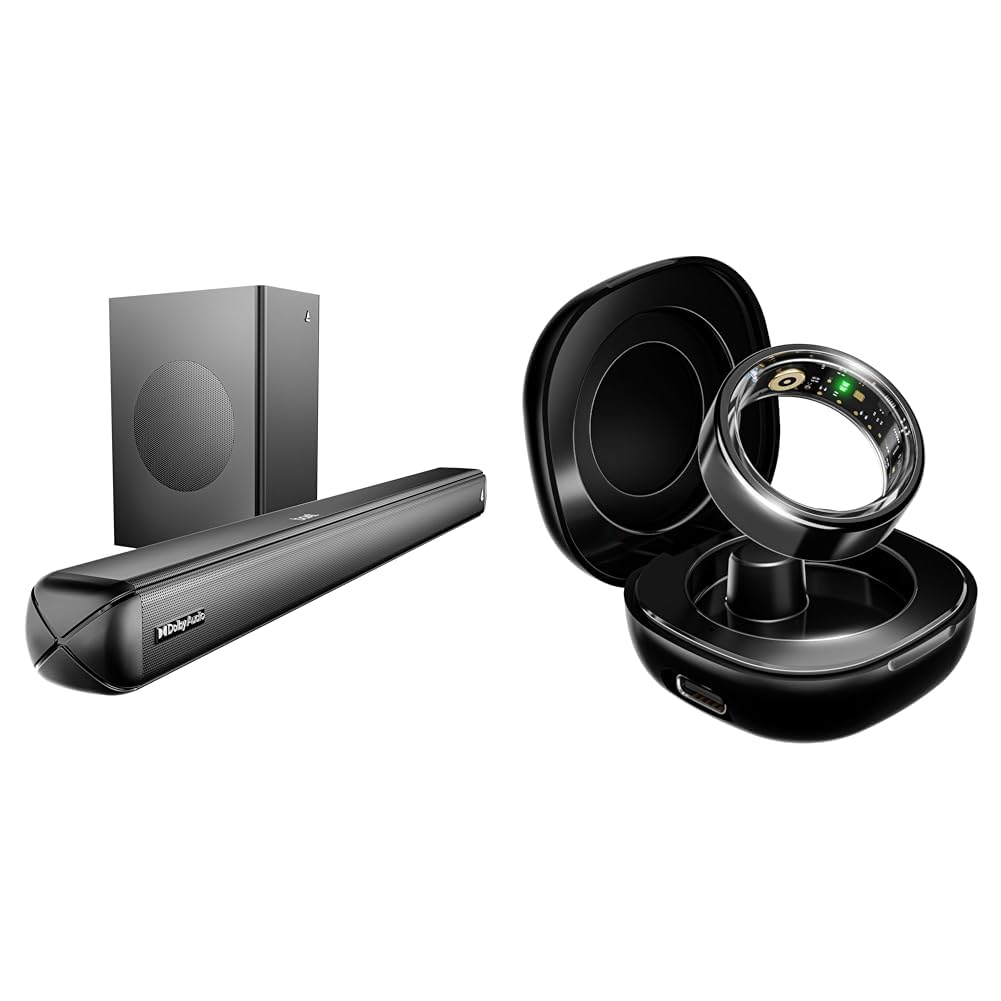
Image: The boAt Aavante 2.1 1600D Soundbar and its accompanying wired subwoofer. The soundbar is a long, rectangular unit, and the subwoofer is a cube-shaped unit, both in black finish.
Persediaan
1. penempatan
- Bar bunyi: Place the soundbar on a stable, flat surface directly in front of your television, or mount it on the wall below your TV using the provided wall mounting kit. Ensure it is centered for optimal sound distribution.
- subwufer: Position the wired subwoofer on the floor near the soundbar. For best bass response, experiment with different locations in the room.
2. Sambungan
Connect the soundbar to your audio source (TV, smartphone, tablet, laptop) using one of the following methods:
- HDMI (ARC): For the best audio quality and control, connect an HDMI cable from the HDMI ARC port on your TV to the HDMI ARC port on the soundbar. Ensure your TV's HDMI ARC function is enabled.
- Optik: Connect an optical cable from your TV's optical output to the OPTICAL input on the soundbar.
- AUX: Use the provided auxiliary cable to connect your device's audio output to the AUX input on the soundbar.
- USB: Masukkan pemacu USB yang mengandungi audio files ke dalam port USB pada bar bunyi.
- Bluetooth: For wireless connection, refer to the 'Bluetooth Pairing' section under Operating.
Connect the wired subwoofer to the dedicated subwoofer output port on the soundbar.
3. Hidupkan kuasa
Connect the power adapter to the soundbar's DC input and then plug it into a wall outlet. The soundbar will enter standby mode. Press the power button on the soundbar or remote control to turn it on.
Beroperasi
Kawalan Asas
- Kuasa: Press the power button on the soundbar or remote to turn the unit on or off.
- Kelantangan: Use the Volume Up (+) and Volume Down (-) buttons on the soundbar or remote to adjust the volume.
- Sumber Input: Press the 'Input' or 'Source' button on the soundbar or remote to cycle through available input modes (HDMI ARC, Optical, AUX, USB, Bluetooth).
Berpasangan Bluetooth
- Turn on the soundbar and switch to Bluetooth mode using the 'Input' button. The LED indicator will flash, indicating pairing mode.
- Pada peranti mudah alih anda, dayakan Bluetooth dan cari peranti yang tersedia.
- Select "boAt Aavante 1600D" from the list of devices.
- Once paired, the LED indicator on the soundbar will stop flashing and remain solid.
Audio Dolby
The soundbar supports Dolby Audio, providing an immersive sound experience. When playing content with Dolby Audio, the soundbar will automatically detect and process the audio for optimal output. Ensure your source device is configured to output Dolby Audio.
Penyelenggaraan
Pembersihan
- Sentiasa cabut palam bunyi daripada salur keluar kuasa sebelum membersihkan.
- Gunakan kain lembut dan kering untuk mengelap permukaan bar bunyi dan subwoofer.
- Do not use liquid cleaners, aerosols, or abrasive cleaning agents, as they may damage the finish.
Penyimpanan
Jika menyimpan unit untuk tempoh yang lama, cabut plagnya daripada sumber kuasa dan simpan di tempat yang sejuk dan kering, jauh daripada cahaya matahari langsung dan suhu yang melampau.
Menyelesaikan masalah
| Masalah | Kemungkinan Punca | Penyelesaian |
|---|---|---|
| Tiada kuasa | Kabel kuasa tidak disambungkan; Salur keluar kuasa tidak aktif | Pastikan kabel kuasa disambungkan dengan selamat; Cuba salur keluar kuasa yang berbeza |
| Tiada bunyi | Sumber input yang salah; Kelantangan terlalu rendah; Kabel tidak disambungkan dengan betul | Pilih sumber input yang betul; Tingkatkan kelantangan; Periksa semua sambungan kabel audio |
| Penggandingan Bluetooth gagal | Bar bunyi tidak dalam mod berpasangan; Peranti terlalu jauh; Gangguan | Ensure soundbar is in Bluetooth pairing mode; Move device closer; Restart both devices |
| Alat kawalan jauh tidak berfungsi | Bateri berkurangan; Halangan antara alat kawalan jauh dan bar bunyi | Replace batteries; Remove any obstructions; Ensure remote is pointed at the soundbar's sensor |
Spesifikasi
| Ciri | Spesifikasi |
|---|---|
| Nama Model | Aavante 2.1 1600D |
| Jenis Pembesar Suara | Bar bunyi |
| Penggunaan yang Disyorkan | Untuk Televisyen, Sistem hiburan rumah |
| Peranti Serasi | Komputer riba, Telefon Pintar, Tablet, Televisyen |
| Konfigurasi Saluran Bunyi Sekeliling | 2.1 |
| Kaedah Kawalan | Apl, Butang Tekan |
| Teknologi Komunikasi Tanpa Wayar | Bluetooth v5.4 |
| Saiz Pembesar Suara | 16 Inci |
| Jenis Pemacu Audio | Pemandu Dinamik |
| Kuasa Output Maksimum Pembesar Suara | 160 Watt |
| Teknologi Ketersambungan | Tambahan, Bluetooth, HDMI (ARC), Optik, USB |
| Mod Keluaran Audio | Stereo, Dolby Surround |
| Jenis Pemasangan | Pelekap Atas Meja, Pemasangan Dinding |
Waranti dan Sokongan
This product comes with a standard manufacturer's warranty. For detailed warranty terms and conditions, please refer to the warranty card included in your package or visit the official boAt website. For technical support or service inquiries, please contact boAt customer service through their official channels.