
1. Pengenalan
Thank you for choosing the Cooler Master ELITE Gold 1000W Power Supply Unit. This manual provides essential information for the safe and efficient installation, operation, and maintenance of your new power supply. The ELITE Gold 1000W is designed for daily gaming and PC building enthusiasts, fully supporting the latest ATX 3.1 standard and offering flexible compatibility with RTX 50 series GPUs and future upgrades.
2. Maklumat Keselamatan
Sila baca dan fahami semua arahan keselamatan sebelum memasang atau mengendalikan produk ini. Kegagalan berbuat demikian boleh mengakibatkan kecederaan peribadi atau kerosakan pada produk atau peranti yang disambungkan.
- Bahaya Kejutan Elektrik: Do not open the power supply unit casing. vol tinggitages are present inside, even when the unit is turned off. There are no user-serviceable parts inside.
- Pembumian yang betul: Ensure the power supply is properly grounded using the provided power cord.
- Pengudaraan: Do not block any ventilation openings of the power supply. Ensure adequate airflow around the unit to prevent overheating.
- Kelembapan: Jangan dedahkan bekalan kuasa kepada air atau kelembapan berlebihan.
- Sumber Kuasa: Connect the power supply only to a power source with the correct voltage and frequency as indicated on the unit's label.
- Pengurusan Kabel: Route cables carefully to avoid pinching or damage.
- Suhu: Operate the power supply within the specified temperature range (up to 40°C high-load environments).
3. Kandungan Pakej
Sahkan bahawa semua item terdapat dalam pakej anda:
- Cooler Master ELITE Gold 1000W Power Supply Unit
- Modular Cable Set (including 12+4 Pin, ATX24 Pin, EPS 4+4 Pin, EPS 8 Pin, SATA + Peripheral 4 Pin connectors)
- AC Power Cord (A/JP cord)
- Skru Pemasangan
- Manual Pengguna
4. Persediaan dan Pemasangan
Follow these steps to install your Cooler Master ELITE Gold 1000W Power Supply Unit:
- Sediakan Sistem Anda:
Before installation, ensure your computer is completely powered off and unplugged from the wall outlet. Discharge any residual power by pressing the power button a few times.
- Install the PSU into the PC Case:
Position the ELITE Gold 1000W PSU into the designated power supply bay in your PC case. The compact design (under 150mm) facilitates easy installation in various PC cases. Secure the PSU with the provided mounting screws.

Image: The Cooler Master ELITE Gold 1000W Power Supply Unit installed within a computer chassis, viewed from above, highlighting its compact form factor and top-mounted fan grill.
- Sambungkan Kabel Modular:
The ELITE Gold 1000W features a full modular design. Connect only the necessary cables to the power supply unit first. Refer to the labels on the PSU for correct connector types (e.g., 10P MB, 18P MB, 8P PCI-E/CPU, 12V-2x6, 6P SATA/HDD).

Imej: A terperinci view of the Cooler Master ELITE Gold 1000W Power Supply Unit's modular cable interface, clearly showing labeled ports for various component connections such as motherboard, CPU, PCIe, and SATA/HDD.

Image: The Cooler Master ELITE Gold 1000W Power Supply Unit with its full suite of modular cables securely connected and neatly routed, demonstrating the full modular design.
- Sambung ke Komponen:
- Papan induk: Sambungkan kabel ATX 24-pin ke papan induk anda.
- CPU: Connect the 4+4 pin or 8-pin EPS cable(s) to your motherboard's CPU power connector(s).
- Kad Grafik (GPU): Connect the appropriate PCIe power cables (e.g., 8-pin, 12+4 pin for ATX 3.1/PCIe Gen 5.1) to your graphics card(s). This unit is optimized for RTX 50 series GPUs.
- Peranti Storan: Sambungkan kabel kuasa SATA ke SSD, HDD dan pemacu optik anda.
- Peranti: Connect peripheral 4-pin cables to any other devices requiring power.
- Sambungkan Kuasa AC:
Connect the provided AC power cord to the power supply unit and then to a grounded wall outlet. Ensure the power switch on the PSU is in the OFF position before connecting to the wall outlet.
5. Arahan Operasi
Selepas pemasangan berjaya, ikuti langkah-langkah berikut untuk mengendalikan sistem anda:
- Hidupkan kuasa:
Flip the power switch on the back of the power supply unit to the ON (I) position.
- Permulaan Sistem:
Press the power button on your computer case to start your system. The ELITE Gold 1000W will provide stable and efficient power, thanks to its 80 Plus Gold certification and quiet, long-life rifle bearing fan.
- Matikan:
To power off your system, shut down your operating system normally. For complete power disconnection, flip the power switch on the back of the power supply unit to the OFF (O) position and unplug the AC power cord.
6. Penyelenggaraan
Proper maintenance ensures the longevity and optimal performance of your power supply unit.
- Pembersihan Habuk: Bersihkan habuk daripada kipas dan gril pengudaraan bekalan kuasa secara berkala menggunakan udara termampat. Pastikan sistem dimatikan dan dicabut plagnya sebelum membersihkan.
- Pengudaraan: Pastikan casing PC mempunyai aliran udara yang mencukupi dan saluran masuk dan keluar kipas bekalan kuasa tidak tersumbat.
- Pemeriksaan Kabel: Regularly check all modular cables for any signs of wear, fraying, or damage. Replace damaged cables immediately.
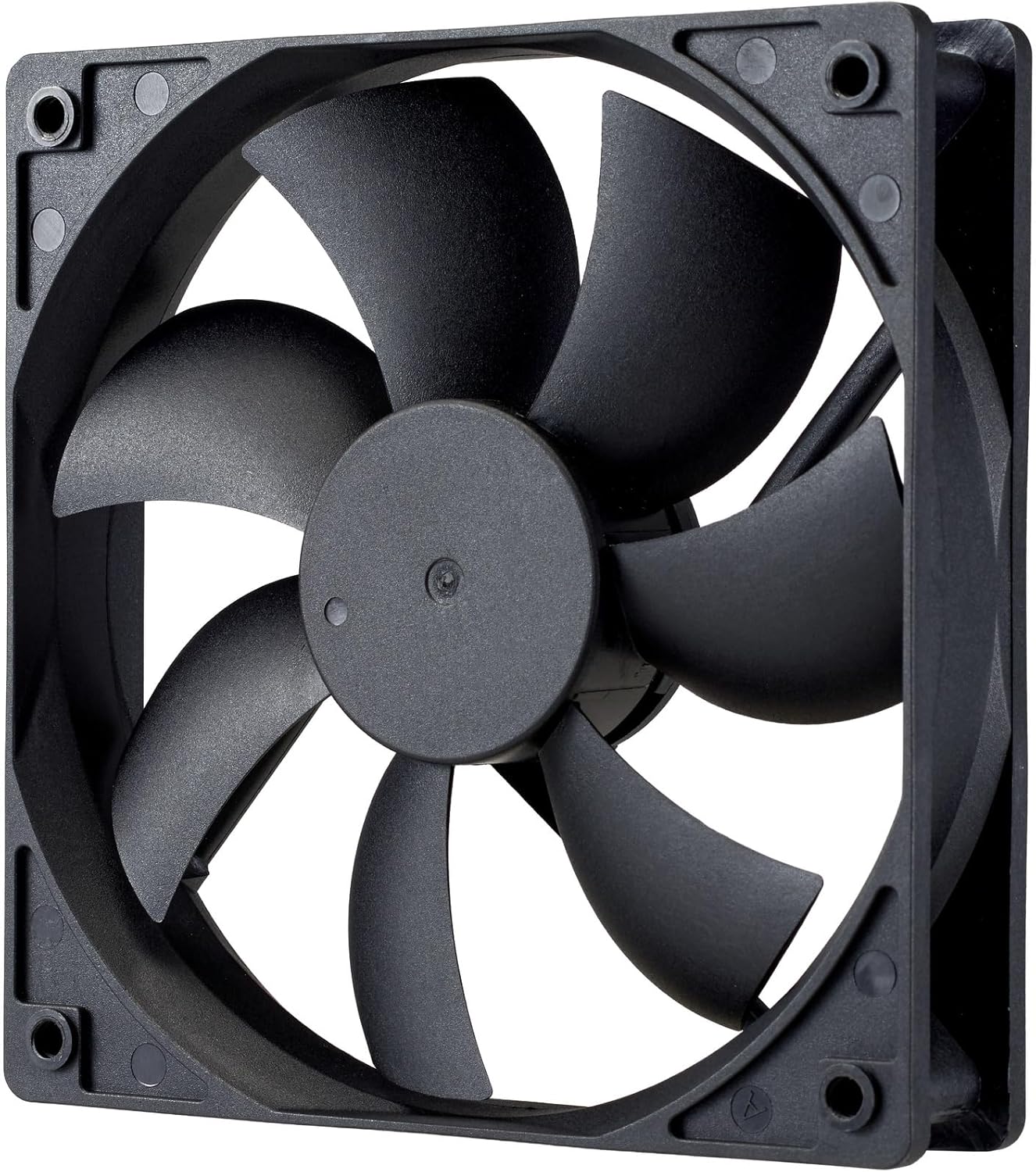
Imej: Dari dekat view of the power supply's cooling fan, featuring five blades designed for efficient airflow and quiet operation.
7. Penyelesaian masalah
If you encounter issues with your power supply, refer to the following troubleshooting steps:
- Tiada Kuasa:
- Ensure the AC power cord is securely connected to both the power supply and the wall outlet.
- Verify that the power switch on the back of the PSU is in the ON (I) position.
- Check all modular cables (24-pin ATX, EPS, PCIe) are firmly seated in both the PSU and the respective components.
- Uji alur keluar dinding dengan peranti lain untuk memastikan ia berfungsi.
- Ketidakstabilan Sistem/Penutupan Rawak:
- Pastikan pengudaraan yang mencukupi dalam bekas PC anda untuk mengelakkan terlalu panas.
- Verify that your system's power requirements do not exceed the 1000W capacity of the PSU.
- Periksa sebarang sambungan kabel yang longgar.
- Bunyi Luar Biasa:
- A quiet rifle bearing fan is designed for minimal noise. If you hear unusual grinding or rattling, ensure no cables are obstructing the fan.
- If the noise persists, contact Cooler Master support.
If these steps do not resolve the issue, please contact Cooler Master customer support for further assistance.
8. Spesifikasi
Detailed technical specifications for the Cooler Master ELITE Gold 1000W Power Supply Unit:
| Nama Model | ELITE Gold |
| Nombor Model Pengeluar | MPX-A005-AFAG-BJP |
| Jenama | Guru yang lebih sejuk |
| Output Wattage | 1000 Watt |
| Pensijilan 80 PLUS | emas |
| Versi ATX | ATX 3.1 |
| Versi PCIe | PCIe Gen 5.1 |
| Faktor Bentuk | ATX |
| Reka Bentuk Kuasa | Modular Penuh |
| Jenis Penyambung | 12+4 Pin, ATX24 Pin, EPS 4+4 Pin, EPS 8 Pin, SATA + Peripheral 4 Pin |
| Bilangan Peminat | 1 (Rifle Bearing Fan) |
| Input Maksimum Voltage | 240 Volt (AC) |
| Input Minimum Voltage | 100 Volt (AC) |
| Dimensi Produk (L x W x H) | 14 x 15 x 8.6 cm |
| Berat Produk | 2230 gram |
| Suhu Operasi | Sehingga 40°C |

Imej: Atas view of the Cooler Master ELITE Gold 1000W Power Supply Unit, showcasing its branding and honeycomb-patterned ventilation.

Image: The official 80 PLUS GOLD certification logo, indicating high power efficiency.
9. Waranti dan Sokongan
The Cooler Master ELITE Gold 1000W Power Supply Unit comes with a Waranti 5 tahun dari tarikh pembelian. Waranti ini melindungi kecacatan pada bahan dan mutu kerja di bawah penggunaan biasa.
For technical support, warranty claims, or further assistance, please visit the official Cooler Master website or contact your local Cooler Master distributor. Please have your product model number (MPX-A005-AFAG-BJP) and proof of purchase ready when contacting support.