
1. Produk Lebihview
The JETO H88 4K Mini Body Camera is a compact, wearable action camera designed for hands-free recording. It features 4K resolution, a 150° wide-angle lens, and WiFi connectivity for live viewing dan file management via a mobile application. The camera is built for various activities, including extreme sports, travel, and daily vlogging, and comes with a waterproof case for underwater use.

Depan view of the JETO H88 4K Mini Body Camera.

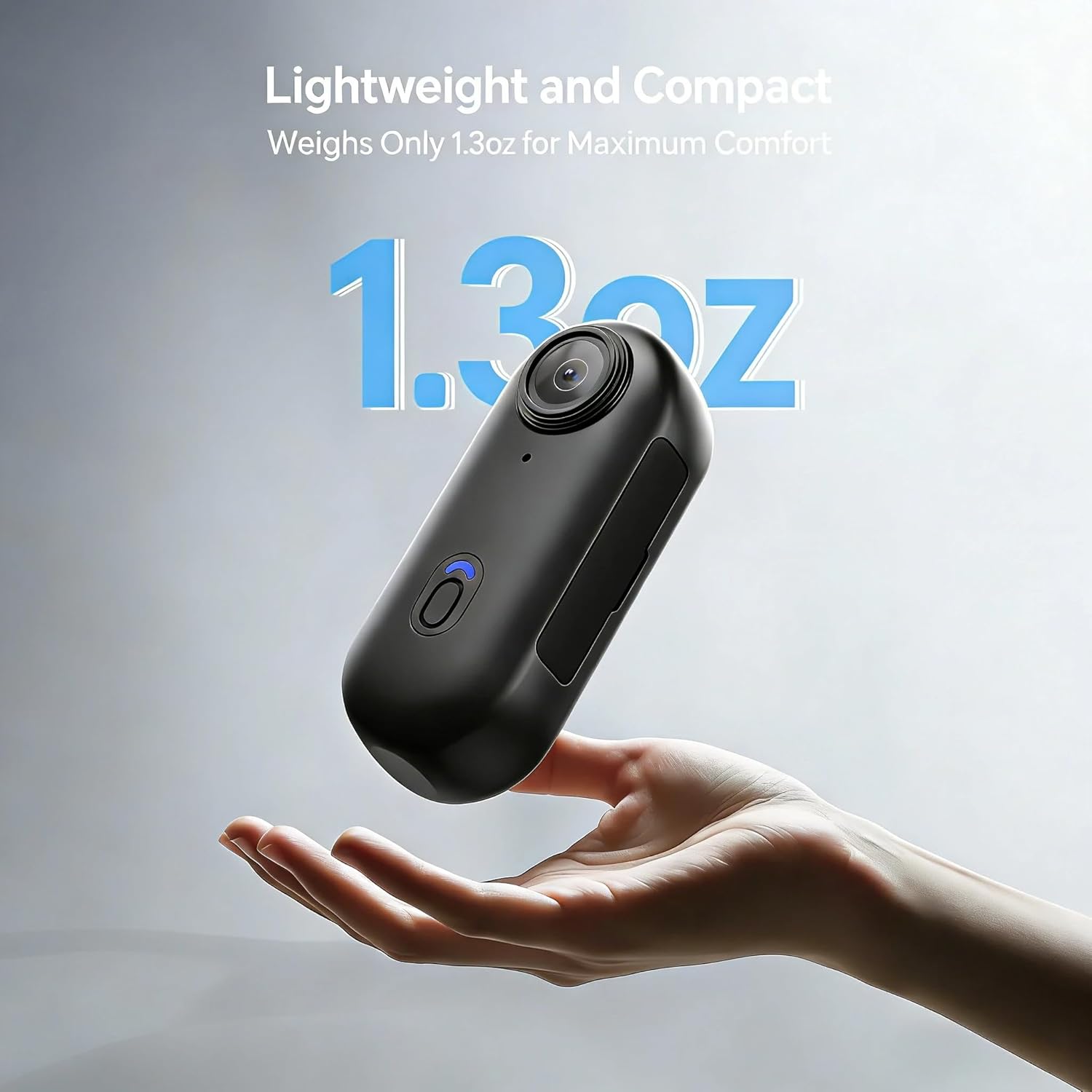
The JETO H88 4K Mini Body Camera is lightweight and compact, weighing only 1.3 ounces.
2. Apa yang ada di dalam Kotak
Your JETO H88 4K Mini Body Camera package includes the following items:
- H88 Thumb Camera X1
- Magnet Pendant X1
- Spring Back Clip X1
- Waterproof Case X1
- Camera Frame X1

The camera comes with various accessories for versatile mounting and use.
3. Persediaan
3.1 Mengecas Kamera
Before first use, fully charge the camera using the provided USB-C cable. Connect the cable to the camera's USB-C port and a power source. The indicator light will show charging status.
3.2 Memasukkan Kad SD Mikro
The camera requires a Micro SD card (up to 128GB, included with 128GB model) for storing footage. Locate the SD card slot on the side of the camera and gently insert the card until it clicks into place. Ensure the camera is powered off before inserting or removing the SD card.
3.3 Menghidupkan/Mematikan
Untuk menghidupkan kamera, tekan dan tahan butang kuasa sehingga lampu penunjuk menyala. Untuk mematikan, tekan dan tahan butang kuasa sekali lagi sehingga lampu penunjuk padam.

One-click recording for easy use, indicating the power/record button.
3.4 Connecting to the Mobile App (WiFi)
The JETO H88 camera can connect to a mobile app via WiFi for live preview, main balik dan file pengurusan.
- Hidupkan kamera.
- Enable WiFi on the camera by pressing the WiFi button (if available, or it may activate automatically). The WiFi indicator light will flash.
- On your smartphone, go to WiFi settings and connect to the camera's WiFi network (e.g., 'H88_XXXXXX'). The default password is usually '12345678'.
- Open the dedicated mobile app (refer to the quick start guide for app name) and select 'Connect Camera'.
- You should now see a live preview from the camera and be able to control its functions.
Video demonstrating the H88P Wi-Fi connection operation.
4. Arahan Operasi
4.1 Merakam Video
With the camera powered on, press the record button once to start recording. The indicator light will change to indicate recording is in progress. Press the button again to stop recording.
4.2 Mengambil Foto
While in standby mode, a quick press of the record button may take a photo. Refer to the quick start guide for specific photo mode activation.
4.3 Using the Waterproof Case
For underwater activities or protection in wet conditions, place the camera inside the provided waterproof case. Ensure the case is properly sealed before submersion. The camera can be used up to 30 meters deep with the case.
4.4 Pilihan Pemasangan
The JETO H88 offers versatile mounting options:
- Magnetic Clip-On: Use the magnetic pendant or spring back clip for easy attachment to clothing or metal surfaces.
- Helmet/Bike Mount: Utilize the included mounts to attach the camera securely to helmets or bicycle handlebars.
- Pelekat Pelekat: For fixed surfaces, use the adhesive mounts provided.

The camera offers versatile wearing options, including a back clip and magnetic neck strap.

The camera can be mounted on a helmet for hands-free recording during activities like skiing.

Mount the camera on bicycle handlebars to capture cycling adventures.

Capture first-person perspective footage during motorcycle rides.
Tayangan videocasing various use cases for the H88 Body Camera, including enforcement, security, and daily activities.
5. File Transfer and Management
5.1 Memindahkan Files to Phone/Computer
You can transfer recorded videos and images to your smartphone or computer using the provided cables or via the WiFi app.
- Melalui Kabel: Connect the camera to your computer using the provided USB-C cable. The camera will appear as a removable drive, allowing you to access and copy files. For smartphones, use a Lighting to Type-C or Type-C to Type-C cable.
- Via WiFi App: Connect the camera to the mobile app via WiFi. You can then preview, play back, and download files directly to your smartphone.
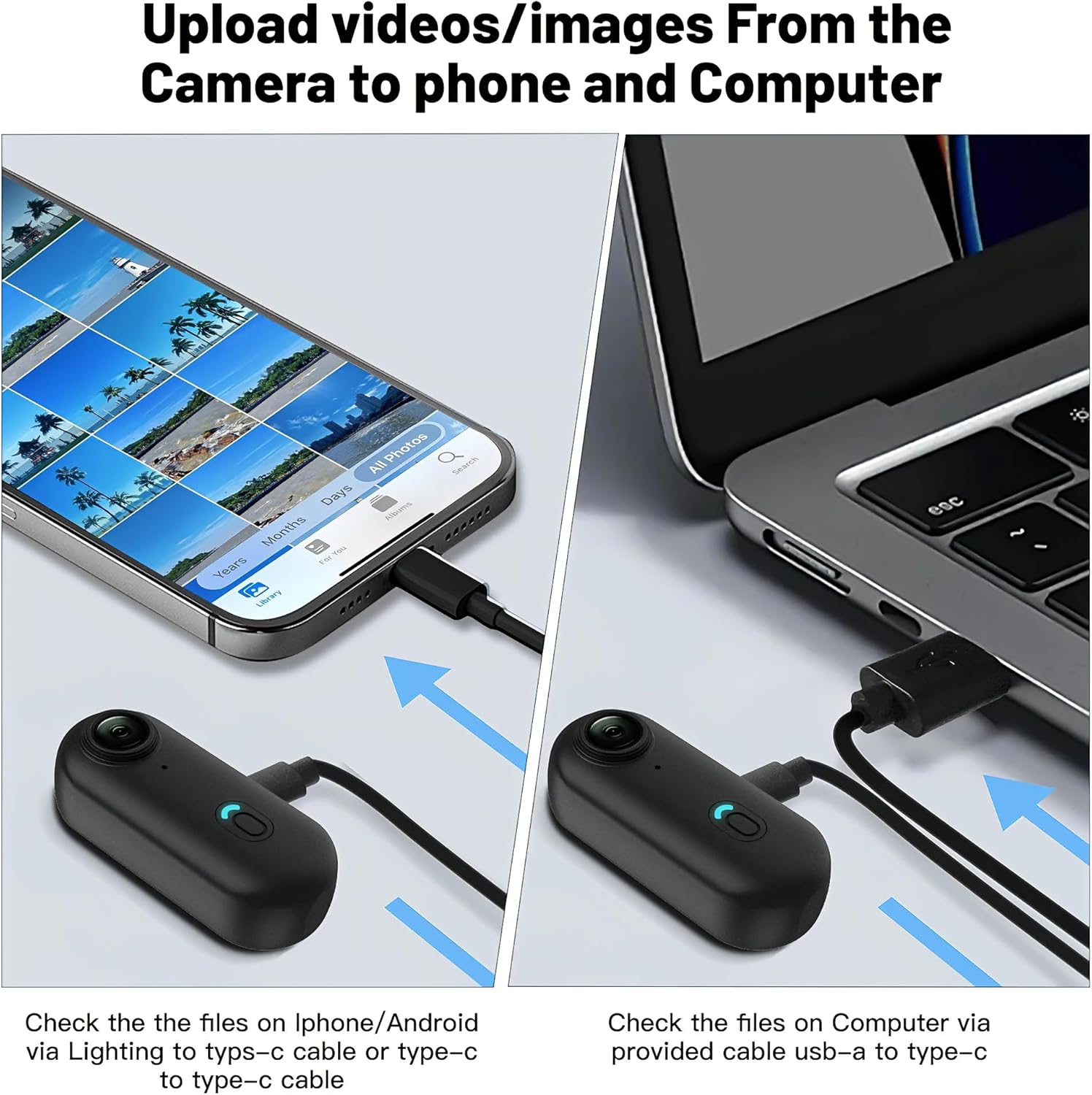
Connect the camera to your phone or computer to check and transfer files.
Upload videos and images from the camera to your phone or computer.
6. Penyelenggaraan
To ensure the longevity and optimal performance of your JETO H88 camera, follow these maintenance guidelines:
- Pastikan kamera dan aksesori bersih dan kering.
- Elakkan daripada mendedahkan kamera kepada suhu yang melampau atau cahaya matahari langsung untuk tempoh yang lama.
- Clean the lens with a soft, lint-free cloth. Do not use abrasive materials.
- Ensure the waterproof case is free of debris and properly sealed before use in water.
- Simpan kamera di tempat yang sejuk dan kering apabila tidak digunakan.
7. Penyelesaian masalah
7.1 Kamera Tidak Menghidupkan
- Ensure the battery is charged. Connect the camera to a power source and allow it to charge for at least 30 minutes.
- Press and hold the power button for several seconds to ensure it's not a brief press.
7.2 Recording Issues (No Video/Audio)
- Periksa sama ada kad Micro SD dimasukkan dengan betul dan mempunyai ruang kosong yang mencukupi.
- Ensure the SD card is formatted correctly (FAT32 or exFAT, depending on card size).
- Verify that the camera is in video recording mode.
7.3 WiFi Connection Problems
- Ensure the camera's WiFi is enabled and the indicator light is active.
- Double-check the WiFi password (default is '12345678').
- Move closer to the camera to ensure a strong signal (recommended within 32ft/10m).
- Mulakan semula kamera dan telefon pintar anda.

Use the mobile app for live preview and playback, recommended within 32ft (10m) for optimal connection.
8. Spesifikasi
| Ciri | Spesifikasi |
|---|---|
| Nama Jenama | JETO |
| Nombor Model | H88 |
| Berat Barang | 1.26 auns |
| Dimensi Pakej | 7.76 x 4.96 x 2.2 inci |
| Bateri | 1 bateri Lithium Ion diperlukan (termasuk) |
| warna | Hitam |
| Ciri Khas | Wireless, audio recording, compact, mobile-app |
| Teknologi Penderia Foto | CMOS |
| Resolusi Tangkapan Video | 4K |
| Panjang Fokus Maksimum | 1.0 |
| Apertur Maksimum | 2.8 f |
| Jenis Memori Denyar | SD mikro |
| Format Tangkapan Video | MP4 |
| Format Audio yang Disokong | AAC |
| Teknologi Ketersambungan | Wi-Fi |
9. Waranti dan Sokongan
JETO products come with a standard manufacturer's warranty. For detailed warranty information, product support, or technical assistance, please refer to the warranty card included in your package or visit the official JETO website. You can also contact customer service through the retailer where the product was purchased.