
pengenalan
The HiDock P1 is an advanced AI voice recorder designed to enhance productivity in various settings, including meetings, lectures, and personal notes. It features innovative BlueCatch technology for seamless integration with wireless earbuds, offering clear audio recording and high-precision transcription in multiple languages. This manual provides essential information for setting up, operating, and maintaining your HiDock P1 device.
Apa yang ada dalam Kotak
Sahkan bahawa semua item terdapat dalam pakej:
- HiDock P1 Device (Space Gray)
- USB-C Touch Control Cable
- Plat Pemasangan Logam
- Panduan Mula Pantas
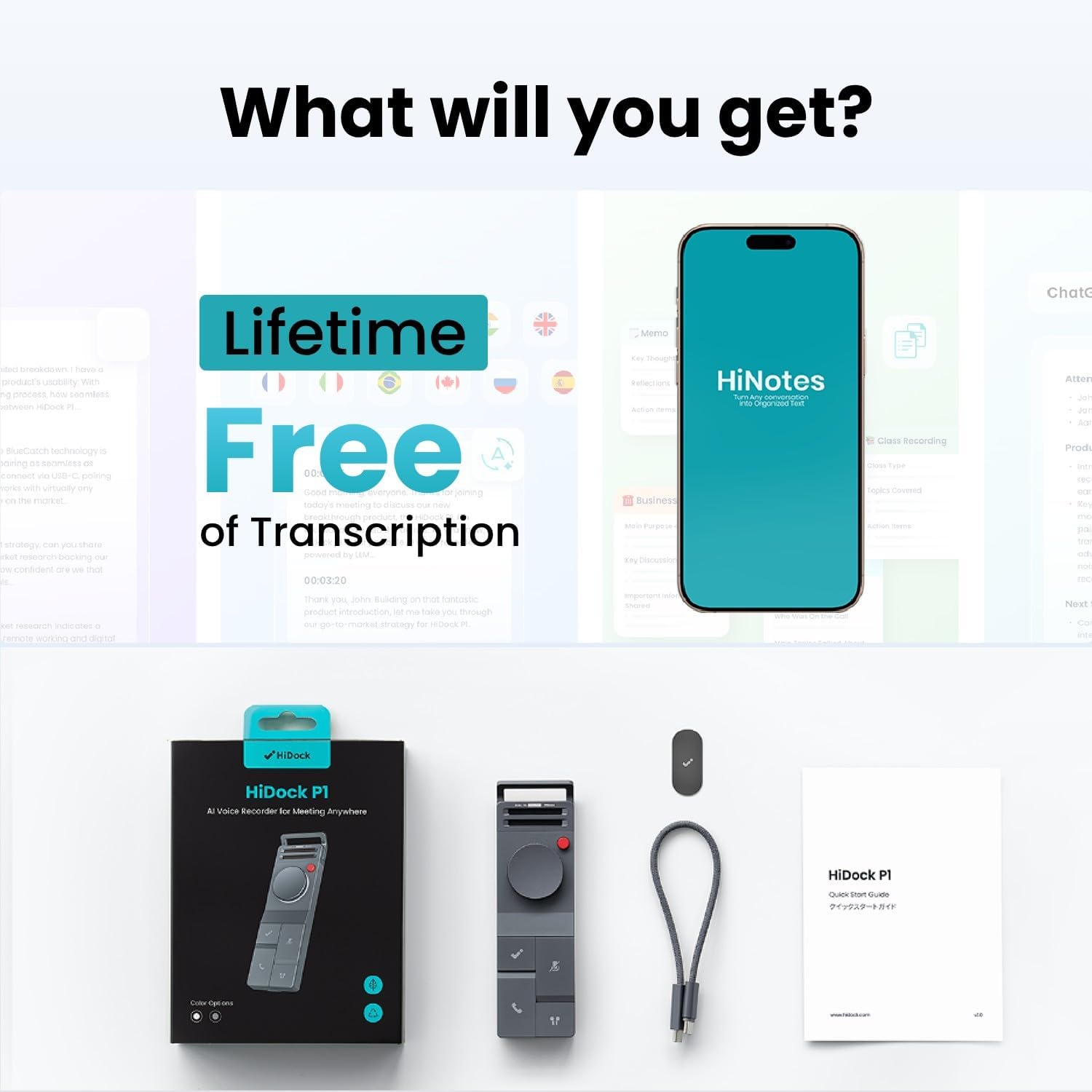
Image: HiDock P1 package contents, showing the device, USB-C cable, metal plate, and quick start guide.
Video: An unboxing of the HiDock P1, showcasing the device and its accessories.
Persediaan
Initial Power On/Off
To power on the HiDock P1, locate the ON/OFF switch on the side of the device and slide it to the 'ON' position. A blue indicator light will illuminate, signifying that the device is active. To power off, slide the switch to 'OFF'.
Menyambung ke Peranti
The HiDock P1 connects to your computer or smartphone via the included USB-C Touch Control Cable. Simply plug the USB-C end into the HiDock P1 and the other end into your device. For Bluetooth earbuds, utilize the exclusive BlueCatch technology for seamless pairing and recording.

Image: The HiDock P1 connected to a laptop via its USB-C cable, illustrating instant recording functionality.
Video: Demonstration of recording and playback using the HiDock P1.
Mod Pengendalian
The HiDock P1 offers three smart recording modes to suit different environments:
- Mod Panggilan: Designed for online meetings and phone calls. When used with Bluetooth earbuds, it records clear audio directly through your headphones, ensuring privacy and a smooth recording experience.
- Mod Bilik: Utilizes the device's dual high-performance ECM microphones to capture audio from interviews, conferences, and group discussions.
- Mod Bisikan: Ideal for capturing spontaneous ideas or personal memos discreetly.

Image: Visual representation of the three smart recording modes: Call Mode for earphone recording, Room Mode for group settings, and Whisper Mode for personal notes.
Video: Demonstrates the HiDock P1's functionality with wireless earbuds for recording.
Ciri-ciri Utama
BlueCatch Technology
The HiDock P1 is the first recorder to work seamlessly with your own Bluetooth earbuds using BlueCatch technology. This allows for clear audio recording directly through your headphones during calls or conversations, providing unparalleled privacy and a natural recording experience.

Image: A person using the HiDock P1 with wireless earbuds, demonstrating the BlueCatch technology for recording.
HiNotes App & AI Transcription
The companion HiNotes App serves as your command center for recordings. It provides high-precision transcription in 75 languages using top-tier AI models (including GPT-5, GPT-4, Gemini 3.0 Pro, Claude 4.1). The app can automatically generate meeting minutes, action lists, or custom summaries from multiple templates. Recordings are stored locally first, and transcriptions use secure API calls without training on your data. All data is encrypted end-to-end and stored on Microsoft Azure's SOC & ISO 27001 certified platform.
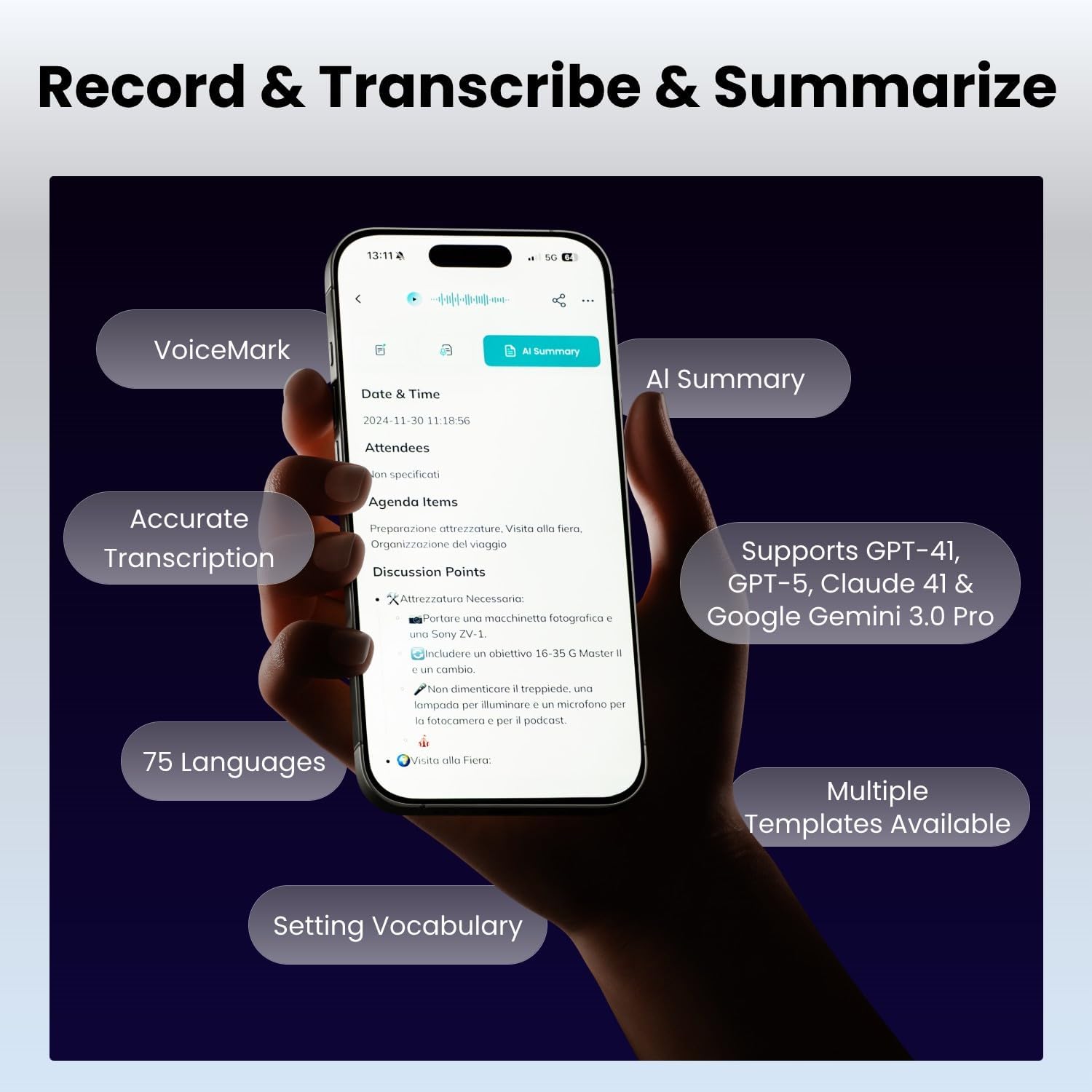
Image: A smartphone displaying the HiNotes app interface, highlighting features like AI summary, accurate transcription, and support for 75 languages.
Video: Tamatview of the HiDock P1 AI Voice Recorder's features and design.
Kawalan dan Antara Muka
The HiDock P1 is designed for effortless control through intuitive buttons and a touch-sensitive USB-C cable. Key controls include:
- Butang Kuasa: Untuk menghidupkan dan mematikan peranti.
- BNC Button: (Functionality not detailed in provided data, typically for noise cancellation or specific recording modes)
- Butang Roda: For navigation and selection within menus.
- HiDock Key: A dedicated button for specific HiDock functions.
- Answer Key: Supports Zoom call answering (sync with HiNotes calendar for Teams/Webex).
- Kekunci Bisu: To mute the microphone during calls or recordings.
- BlueCatch™ Key: For activating and managing Bluetooth earbud connections.
- Port USB-C: For charging, data transfer, and connecting the Touch Control Cable.

Image: A detailed diagram of the HiDock P1, labeling its various buttons and ports for user reference.
Ketersambungan
The HiDock P1 offers versatile connectivity options:
- Jenis USB C: For fast data transfer and charging. The touch-sensitive USB-C cable provides additional control.
- Bluetooth 5: For wireless earbud connectivity via BlueCatch technology, enabling private and clear call recording.

Image: A comparison showing the faster audio transfer speed of HiDock P1 via USB-C (0.5 min for 1-hour 60MB file) compared to Bluetooth (25 min).
Spesifikasi
| Ciri | Perincian |
|---|---|
| Jenama | HiDock |
| Model | P1 |
| Kapasiti Penyimpanan Memori | 64 GB |
| Masa Rakaman Digital | 360 jam |
| Faktor Bentuk Mikrofon | Terbina Dalam |
| Mod Operasi Mikrofon | Multiple (Call Mode, Room Mode, Whisper Mode) |
| Antara Muka Perkakasan | Bluetooth 5, USB Type C |
| Jack Fon Kepala | Fon Telinga Bluetooth |
| Peranti Serasi | Komputer Riba, Komputer Peribadi, Telefon Pintar, Tablet |
| Berat Barang | 7.4 auns |
| Dimensi Pakej | 7.13 x 4.88 x 1.14 inci |
Penyelenggaraan
To ensure the longevity and optimal performance of your HiDock P1, follow these maintenance guidelines:
- Pastikan peranti bersih dengan mengelapnya dengan kain lembut dan kering. Elakkan pembersih atau pelarut yang kasar.
- Simpan peranti di tempat yang sejuk dan kering jauh dari cahaya matahari langsung dan suhu yang melampau.
- Elakkan daripada menjatuhkan peranti atau mendedahkannya kepada hentaman kuat.
- Ensure the USB-C port is free of dust and debris to maintain proper connectivity.
Menyelesaikan masalah
If you encounter issues with your HiDock P1, consider the following:
- Peranti tidak dihidupkan: Pastikan bateri telah dicas. Sambungkan peranti ke sumber kuasa menggunakan kabel USB-C.
- Isu rakaman: Check that the device is in the correct recording mode (Call, Room, or Whisper). Ensure the microphone is not muted.
- Masalah ketersambungan: Verify that the USB-C cable is securely connected to both the HiDock P1 and your computer/smartphone. For Bluetooth, ensure your earbuds are in pairing mode and within range.
- Transcription accuracy: Ensure clear audio input. Background noise can affect transcription quality.
- Isu aplikasi: Ensure the HiNotes App is updated to the latest version. Restart the app or your device if necessary.
Waranti dan Sokongan
For warranty information, technical support, or any inquiries regarding your HiDock P1, please refer to the official HiDock website or contact the HiDock Official Store. The device receives future features via OTA updates, ensuring its AI capabilities remain cutting-edge.

Image: A customer support representative wearing a headset, symbolizing available assistance and support for HiDock products.