
pengenalan
This manual provides detailed instructions for the installation, operation, and maintenance of your Surakey Android 15 Car Stereo. Please read this manual thoroughly before using the product to ensure proper function and safety. This unit is designed for Dodge Grand Caravan models from 2008 to 2010.
Produk Selesaiview
The Surakey Android 15 Car Stereo is an advanced multimedia receiver featuring a 7-inch IPS touchscreen. It integrates modern connectivity and navigation capabilities to enhance your driving experience.
- Sistem pengendalian: Android 15 with 4GB RAM and 64GB ROM.
- paparan: 7-inch IPS HD touchscreen.
- Ketersambungan: Built-in WiFi, Bluetooth 4.0.
- Penyepaduan Telefon Pintar: Supports Apple CarPlay and Wireless Android Auto (via wired USB or Bluetooth/WiFi).
- Navigasi: Modul GPS bersepadu untuk navigasi luar talian dan dalam talian.
- Multimedia: Supports various audio and video formats, FM/RDS radio.
- Ciri-ciri tambahan: Mirror Link, Split Screen, Steering Wheel Control (SWC), Backup Camera support, external microphone.
Persediaan dan Pemasangan
Pemasangan profesional disyorkan. Pastikan kuasa kenderaan diputuskan sebelum memulakan pemasangan.
Semakan Keserasian Kenderaan
Before installation, verify that your vehicle model (Dodge Grand Caravan 2008-2010) is compatible. If unsure, provide a complete image of the plugs on the back of your vehicle's center console and main unit to customer support for confirmation.
Wiring Diagram Verification
Confirm the correct wiring diagram for your specific vehicle model. Incorrect wiring can damage the unit or vehicle electronics.
Pemasangan Kord Kuasa
Ensure you use the power cords and protocols specific to your vehicle model. Different vehicle models may require different power cords and protocols.
Persediaan Kamera Sandaran
This unit supports OEM CVBS 720P backup cameras. 360-degree panoramic cameras are not supported. If your OEM camera is incompatible, use the included backup camera. Follow the steps below to configure the backup camera resolution:
- Tap the settings icon to open the settings menu.
- Pilih Tetapan Kilang, then enter the password 8888.
- Navigasi ke Protocol Parameter Settings.
- Pilih Reverse video resolution settings.
- Choose the correct setting based on your camera type: for OEM cameras, select NTSC/PAL; for the included camera, keep the default AHD/25.

Image: Steps for configuring backup camera resolution settings.
Arahan Operasi
CarPlay dan Android Auto
Connect your iOS or Android smartphone via a wired USB cable or wirelessly via Bluetooth and WiFi. This allows access to phone functions like navigation, music, calls, and messages through the car stereo's interface, with voice control support.

Image: Display showing Apple CarPlay and Android Auto interfaces.
Fungsi Pautan Cermin
Mirror your smartphone screen (iOS or Android) to the car stereo display using a USB data cable or WiFi connection. This feature allows you to view kandungan telefon anda terus pada skrin yang lebih besar.

Image: Illustration of Mirror Link connecting a smartphone screen to the car stereo.
Sambungan WiFi
Connect the car stereo to a WiFi network for high-speed internet access. This enables application downloads, online video streaming, and music playback, providing rich entertainment options.

Image: Screen displaying WiFi connection status and available online applications.
Kesambungan Bluetooth
Utilize Bluetooth 4.0 for hands-free calling and wireless audio streaming. This feature enhances safety by allowing you to manage calls and music without diverting attention from the road.
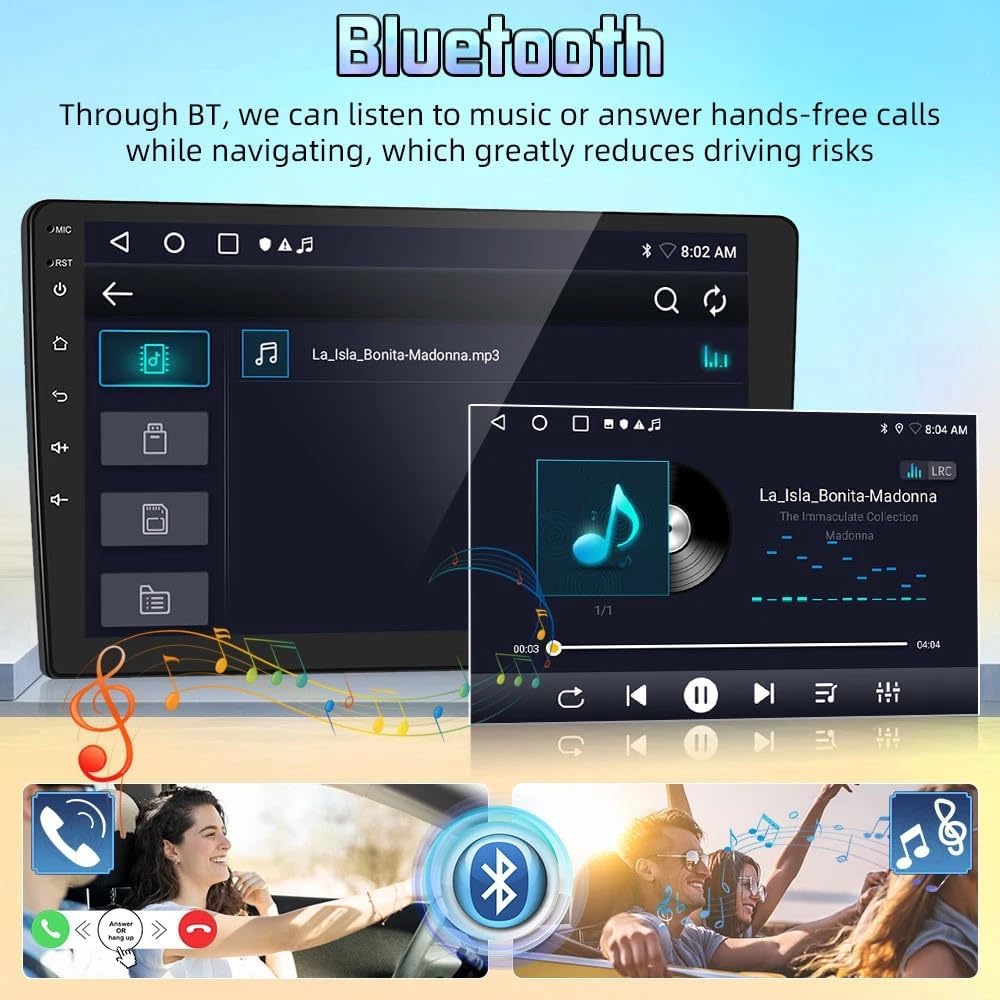
Image: Bluetooth interface showing music playback and call management.
Navigasi GPS
The integrated GPS module supports both offline and online navigation. Connect the included GPS module for offline use or download navigation apps via WiFi for online routing. This provides real-time road conditions and accurate positioning.

Image: GPS navigation screen displaying a map with route guidance.
Radio FM
The car stereo includes an FM radio tuner with 18 preset stations. Enjoy your favorite radio broadcasts with clear audio quality.

Image: FM radio interface showing frequency tuning and preset stations.
Antara Muka Pengguna Overview
Video ini memberikan penerangan ringkasview of the car stereo's user interface, demonstrating navigation through various menus and features.
Video: A short demonstration of the car stereo's main screen and navigation through its features.
Penyelenggaraan
Untuk memastikan jangka hayat dan prestasi optimum stereo kereta anda, ikut garis panduan penyelenggaraan ini:
- Pembersihan: Gunakan kain lembut dan kering untuk membersihkan skrin dan bahagian luar. Elakkan pembersih atau pelarut yang melelas.
- Kemas Kini Perisian: Periksa dan pasang kemas kini perisian secara berkala untuk memastikan sistem berjalan dengan cekap dan selamat.
- Keadaan Persekitaran: Elakkan daripada mendedahkan unit kepada suhu yang melampau, cahaya matahari langsung untuk tempoh yang lama, atau kelembapan yang berlebihan.
Menyelesaikan masalah
Jika anda menghadapi masalah dengan stereo kereta anda, rujuk kepada masalah dan penyelesaian biasa berikut:
- Backup Camera Not Working: Ensure your backup camera is an OEM CVBS 720P type. 360-degree panoramic cameras are not supported. If using the included camera, verify the resolution settings as described in the Setup section.
- Isu Pemasangan: Double-check all wiring connections against the correct diagram for your vehicle. Ensure power cords and protocols match your specific car model.
- Tiada Kuasa: Verify all power connections are secure and that the vehicle's fuse for the stereo is intact.
- Tiada Bunyi: Check speaker connections, volume levels, and audio source selection.
- Skrin sentuh Tidak Responsif: Try restarting the unit. If the issue persists, a factory reset may be necessary (consult customer support before performing a factory reset).
Spesifikasi
| Nama Produk | Car Navigation Player |
| bahan | Logam dan Plastik |
| Saiz Skrin | 7 inci |
| Ingatan | 4GB (RAM) + 64GB (ROM) |
| Sistem | Android 15 |
| CPU | 4 Teras |
| Voltage | DC12V |
| GPS | Sokongan |
| Internet | WIFI |
| Bluetooth | 4.0 |
| Format Audio | MP3/WMA/MP2/OGG/AAC/M4A/MA4/FLAC/APE/3GP/WAV |
| Format Video | Mpeg1/Mpeg2/Mpeg4/SP/ASP/GMC/XVID/H.263/H.264 |
| Format Gambar | BMP/JPG/GIF/PNG |
| Berat Barang | 1.6 auns |
| Dimensi Pakej | 1.97 x 1.18 x 1.18 inci |
Waranti dan Sokongan
For any product inquiries, technical assistance, or warranty claims, please contact Surakey customer support. Our team is available to provide assistance.
E-mel Sokongan Pelanggan: Fuyatongus@outlook.com

Image: Illustration of customer support representative with contact email.