
pengenalan
Welcome to the user manual for your new TABWEE T50 11-inch Android Tablet. This guide provides essential information on setting up, operating, maintaining, and troubleshooting your device. The TABWEE T50 combines the latest Android 16 system with Gemini AI for a fast, intelligent, and smooth user experience. It features an Unisoc T7250 Octa-Core processor, 24GB RAM, 128GB ROM (expandable to 2TB), an 8000mAh battery, a 90Hz HD+ display, and 13MP rear and 8MP front cameras.
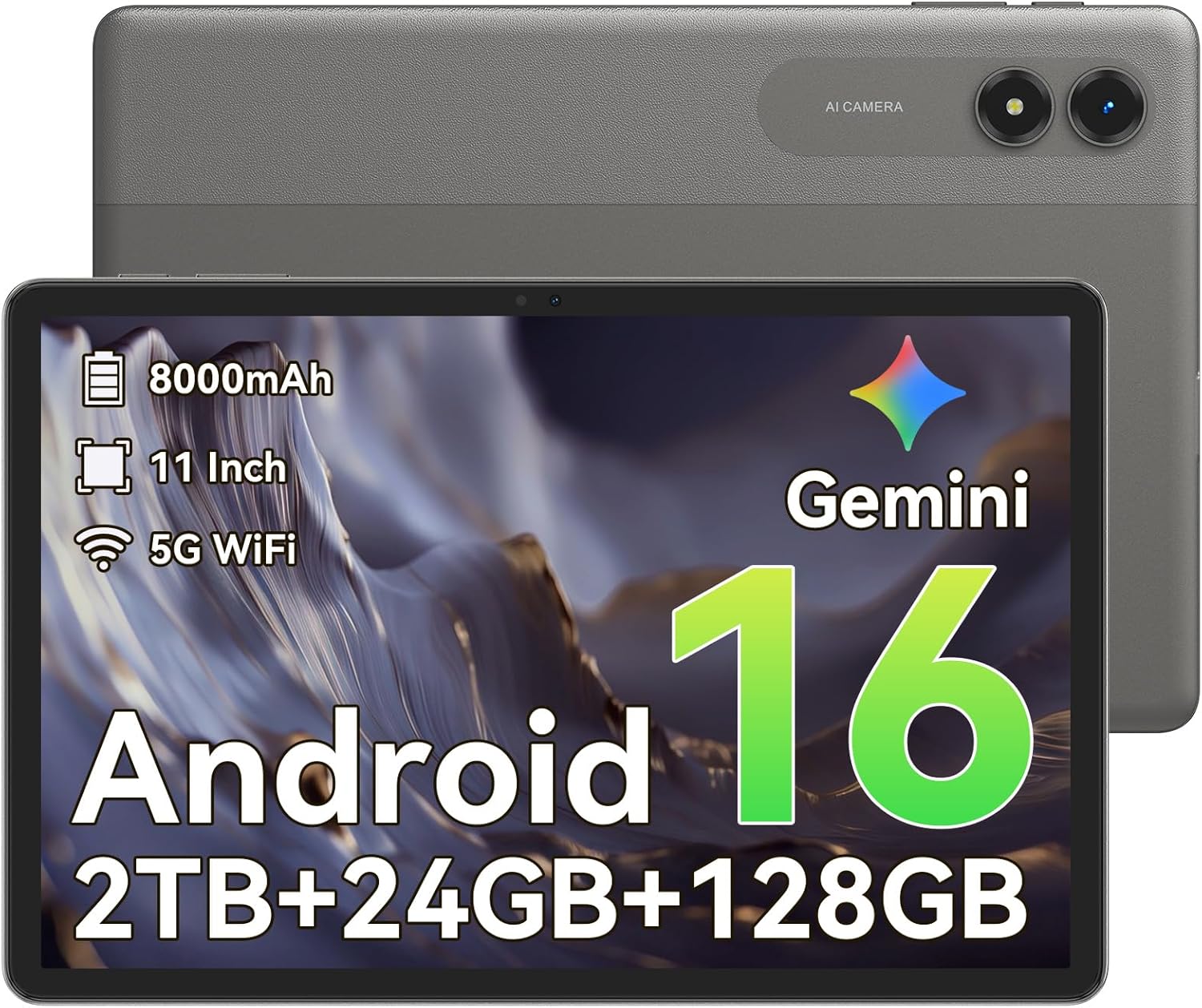
Imej: Depan view of the TABWEE T50 Tablet.
Kandungan Pakej
Setelah membuka bungkusan, pastikan semua barang ada:
- TABWEE T50 Tablet
- Kabel Pengecas USB
- Alat Ejector SIM
- Panduan Mula Pantas (manual ini)
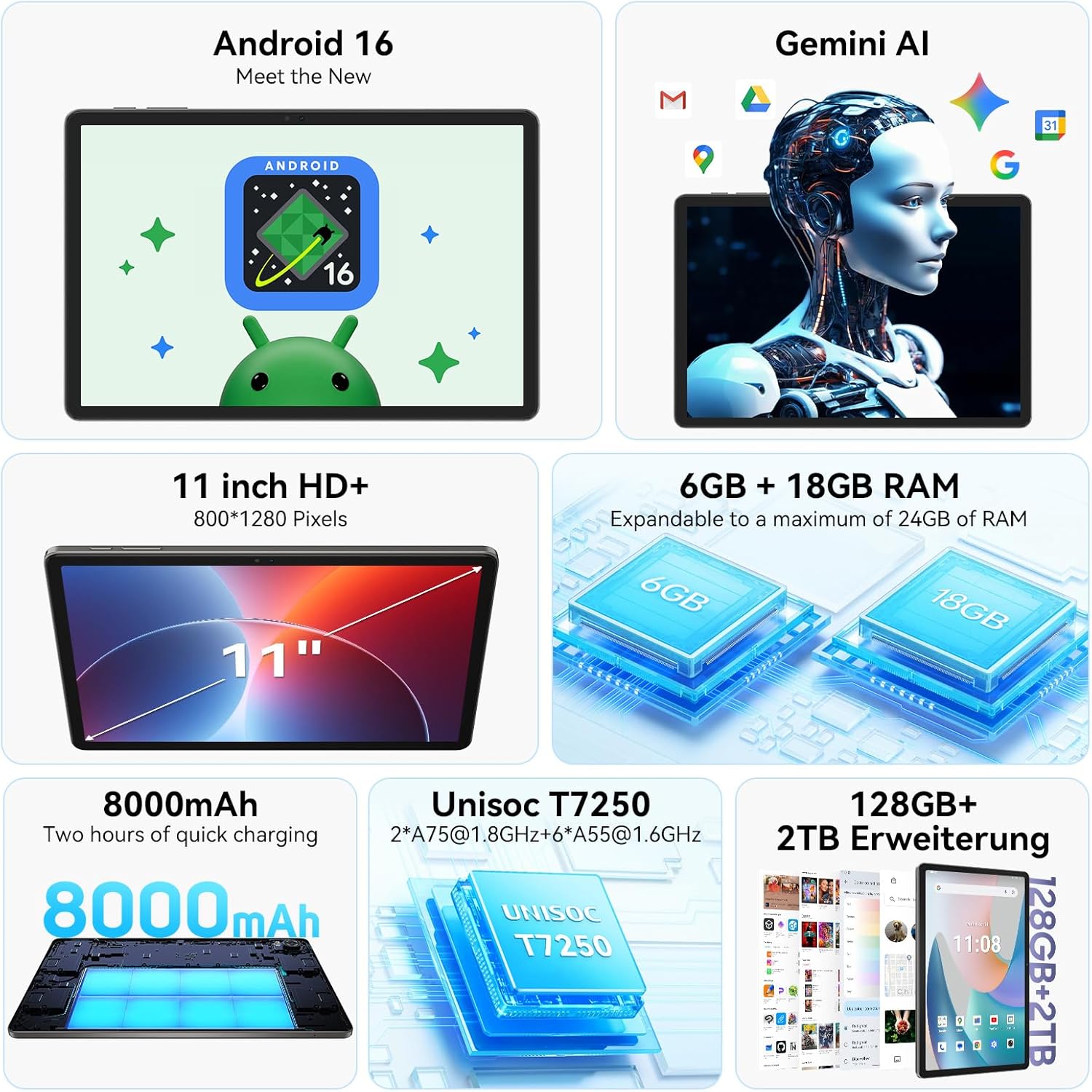
Image: The TABWEE T50 Tablet along with its standard accessories, including a charging cable and SIM ejector tool.
Persediaan
1. Pengecasan Awal
Before first use, fully charge your TABWEE T50 Tablet.
- Connect the USB charging cable to the tablet's charging port.
- Connect the other end of the cable to a compatible USB power adapter (not included) and plug it into a power outlet.
- Allow the tablet to charge until the battery indicator shows 100%. This may take approximately 5 hours for a full charge.

Image: Illustration of the tablet's 8000mAh battery and charging process.
2. Menghidupkan dan Konfigurasi Awal
Press and hold the power button until the TABWEE logo appears. Follow the on-screen prompts to complete the initial setup:
- Pilih bahasa anda.
- Sambung ke rangkaian Wi-Fi.
- Log masuk dengan akaun Google anda atau buat yang baharu.
- Review dan terima terma dan syarat.
- Set up screen lock (PIN, pattern, password, or facial unlock).
3. Memasukkan Kad MicroSD (Pilihan)
To expand storage up to 2TB, insert a microSDXC card.
- Locate the SIM/microSD card tray on the side of the tablet.
- Gunakan alat ejektor SIM yang disediakan untuk membuka dulang.
- Place the microSD card into the designated slot with the gold contacts facing down.
- Tolak dulang kembali ke dalam tablet dengan lembut sehingga ia terpasang dengan klik di tempatnya.
Arahan Operasi
Paparan dan Navigasi
The TABWEE T50 features an 11-inch HD+ IPS display with a 1280x800 resolution and a 90Hz refresh rate for smooth visuals. It includes eye protection features to reduce blue light and minimize eye strain.

Image: The tablet's 11-inch HD+ display showcasing a vibrant mountain landscape.
- Gerak isyarat skrin sentuh: Tap, swipe, pinch-to-zoom, and long-press for various interactions.
- Skrin Utama: Sesuaikan dengan widget, pintasan apl dan kertas dinding.
- Panel Pemberitahuan: Leret ke bawah dari bahagian atas skrin untuk mengakses tetapan dan pemberitahuan pantas.
Android 16 with Gemini AI
Your tablet runs on Android 16, offering enhanced privacy controls, adaptive battery optimization, and an intuitive user interface. Gemini AI provides intelligent assistance for tasks, content creation, and learning.

Image: The tablet displaying the Gemini AI interface with various AI-powered features.
- Berbilang tugas: Utilize split-screen mode for running multiple applications simultaneously.
- Kawalan Privasi: Manage app permissions and data access through system settings.
- Bateri Suai Suai: The AI-powered battery management optimizes power consumption based on your usage patterns.
Fungsi Kamera
The TABWEE T50 is equipped with an 8MP front camera and a 13MP rear camera.
- Buka apl Kamera daripada skrin utama atau laci apl.
- Bertukar antara kamera hadapan dan belakang menggunakan ikon kamera.
- Tap the shutter button to take photos or the video icon to record videos.
- Explore various camera modes and settings for optimal results.

Image: The tablet's screen displaying the camera interface, capturing a selfie.
Ketersambungan
The tablet supports WiFi 5G and Bluetooth 5.0 for seamless connectivity.
- Wi-Fi: Pergi ke Tetapan > Rangkaian & internet > Wi-Fi untuk bersambung ke rangkaian yang tersedia.
- Bluetooth: Go to Settings > Connected devices > Bluetooth to pair with Bluetooth accessories like headphones or keyboards.
- OTG (Semasa Bergerak): The tablet supports OTG for connecting USB devices or for reverse charging other devices.

Image: Visual representation of the tablet's Bluetooth 5.0 and 5G WiFi connectivity features.

Image: The tablet connected to a smartphone, illustrating its power-sharing capability via OTG.
Penyelenggaraan
- Pembersihan: Gunakan kain lembut dan tidak berbulu untuk membersihkan skrin dan badan. Elakkan bahan yang melelas atau bahan kimia yang keras.
- Kemas Kini Perisian: Semak kemas kini sistem secara berkala dalam Tetapan > Sistem > Kemas kini sistem untuk memastikan prestasi dan keselamatan yang optimum.
- Penjagaan Bateri: To prolong battery life, avoid extreme temperatures and do not let the battery drain completely frequently.
- Pengurusan Storan: Kosongkan secara berkala yang tidak perlu files and apps to maintain performance. Go to Settings > Storage to manage your storage.
Menyelesaikan masalah
- Tablet Tidak Dihidupkan: Ensure the tablet is sufficiently charged. If it doesn't respond, press and hold the power button for 10-15 seconds to force a restart.
- Apl Ranap/Pembekuan: Tutup dan buka semula aplikasi. Jika masalah berterusan, kosongkan cache aplikasi (Tetapan > Aplikasi > [Nama Aplikasi] > Storan & cache > Kosongkan cache).
- Isu Kesambungan Wi-Fi: Mulakan semula tablet dan penghala Wi-Fi anda. Lupakan rangkaian dan sambung semula.
- Prestasi Perlahan: Close background apps, clear cache, or consider a factory reset if issues persist (backup data first).
- Skrin Tidak Responsif: Restart the tablet. If the problem continues, contact customer support.
Spesifikasi
| Ciri | Perincian |
|---|---|
| Nama Model | TABWEE T50 |
| Sistem Operasi | Android 16 with Gemini AI |
| Pemproses | Unisoc T7250 Octa-Core |
| RAM | 24 GB (6GB fizikal + 18GB maya) |
| Storan Dalaman | 128 GB |
| Storan Boleh Dikembangkan | Up to 2 TB via microSDXC |
| Saiz Paparan | 11-inch HD+ IPS |
| Resolusi Paparan | 1280x800 piksel |
| Kadar Segar Semula | 90 Hz |
| Kamera Belakang | 13 MP |
| Kamera Depan | 8 MP |
| Kapasiti Bateri | 8000 mAh |
| Jenis Bateri | Polimer Litium |
| Purata Hayat Bateri | Up to 8 hours (video streaming) |
| Ketersambungan | WiFi 5G (802.11ac), Bluetooth 5.0, GPS, OTG |
| Berat badan | 640 Gram |
| warna | Kelabu |
| Tahun Model | 2026 |
| UPC | 721718099727 |

Image: Diagram illustrating the Unisoc T7250 Octa-Core processor architecture.

Image: The tablet displaying its storage and RAM specifications, including 24GB RAM and 128GB ROM with 2TB expansion.
Waranti dan Sokongan
The TABWEE T50 Tablet comes with a Waranti terhad 2 tahun. TABWEE also provides sokongan pelanggan seumur hidup to assist with any questions or issues you may encounter.
- Perlindungan Waranti: Meliputi kecacatan pembuatan selama dua tahun dari tarikh pembelian.
- Sokongan Pelanggan: For technical assistance, troubleshooting, or warranty claims, please contact TABWEE customer service. Refer to the official TABWEE weblaman web untuk maklumat hubungan.
- Alat Ganti: EU spare part availability is guaranteed for 2 years.

Image: A badge indicating TABWEE's warranty and lifetime support. Please note that the warranty duration is 2 years as per product specifications.