
1. Pengenalan
Terima kasih kerana membeliasing the Aiwa BST-130RD Bluetooth Speaker. This portable speaker features Bluetooth 5.3 connectivity, vibrant RGB lighting, FM radio, and multiple playback options including USB and TF card. This manual provides essential information for the safe and efficient use of your device. Please read it thoroughly before operation and retain it for future reference.
2. Kandungan Pakej
Pastikan semua item ada dalam pakej:
- Aiwa BST-130RD Bluetooth Speaker
- Kabel Pengecasan USB Jenis-C
- Manual Arahan
3. Produk Lebihview
Biasakan diri anda dengan kawalan dan port pembesar suara.
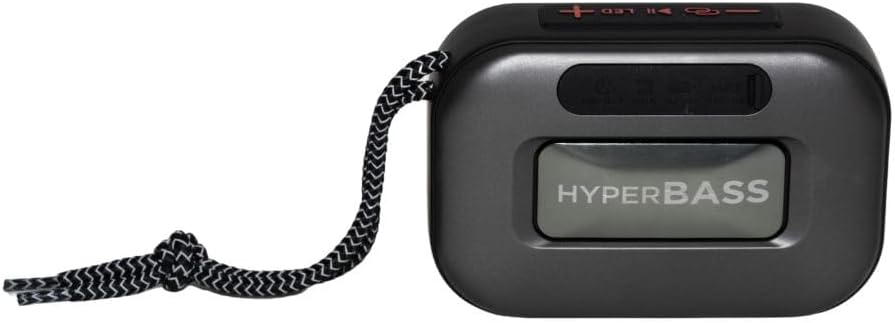
Rajah 3.1: Depan view of the Aiwa BST-130RD Bluetooth Speaker, showcasing the speaker grille and RGB light ring.

Rajah 3.2: Close-up of the tactile control buttons located on the top panel of the speaker. These include power, play/pause, volume, mode, and LED light controls.

Rajah 3.3: belakang view of the speaker, illustrating the USB-A port, Micro SD (TF) card slot, AUX-IN port, and USB Type-C charging port.
Kawalan:
- Butang Kuasa: Tekan dan tahan untuk menghidupkan/Mematikan pembesar suara.
- Butang Main/Jeda: Mainkan atau jeda audio. Jawab/tamatkan panggilan dalam mod Bluetooth.
- Kelantangan Naik (+): Increase volume. Long press for next track/FM station.
- Perlahankan suara (-): Decrease volume. Long press for previous track/FM station.
- Butang Mod (M): Switch between Bluetooth, FM Radio, USB, TF Card, and AUX-IN modes.
- Butang LED: Tukar mod pencahayaan RGB.
Pelabuhan:
- Port USB-A: Untuk main balik pemacu kilat USB.
- Slot Kad TF: Untuk main balik kad Mikro SD.
- AUX-IN Port (3.5mm): Untuk sambungan audio berwayar.
- Port Pengecasan USB Jenis-C: Untuk mengecas pembesar suara.
4. Persediaan
4.1 Mengecas Speaker
- Sambungkan kabel pengecas USB Jenis-C yang disediakan ke port pengecasan pembesar suara.
- Connect the other end of the cable to a 5V DC USB power adapter (not included).
- Lampu penunjuk pengecasan akan menyala semasa pengecasan dan padam setelah dicas sepenuhnya.
- Pengecasan penuh biasanya mengambil masa kira-kira 2-3 jam.
4.2 Hidupkan/Mati Kuasa
- Untuk Menghidupkan: Press and hold the Power button for 2-3 seconds until you hear an audible prompt and the RGB lights activate.
- Untuk Mematikan: Press and hold the Power button for 2-3 seconds until you hear an audible prompt and the RGB lights deactivate.
5. Arahan Operasi
5.1 Berpasangan Bluetooth
- Ensure the speaker is powered on and in Bluetooth mode (indicated by an audible prompt or LED status). If not, press the Mode button to switch to Bluetooth mode.
- Dayakan Bluetooth pada telefon pintar, tablet anda atau peranti lain yang didayakan Bluetooth.
- Cari untuk available devices and select "AIWA BST-130RD" from the list.
- Once paired, the speaker will emit an audible confirmation.
- Anda kini boleh memainkan audio daripada peranti anda melalui pembesar suara.
5.2 Penggandingan Stereo Tanpa Wayar Sebenar (TWS)
The TWS function allows you to connect two Aiwa BST-130RD speakers for a stereo sound experience.
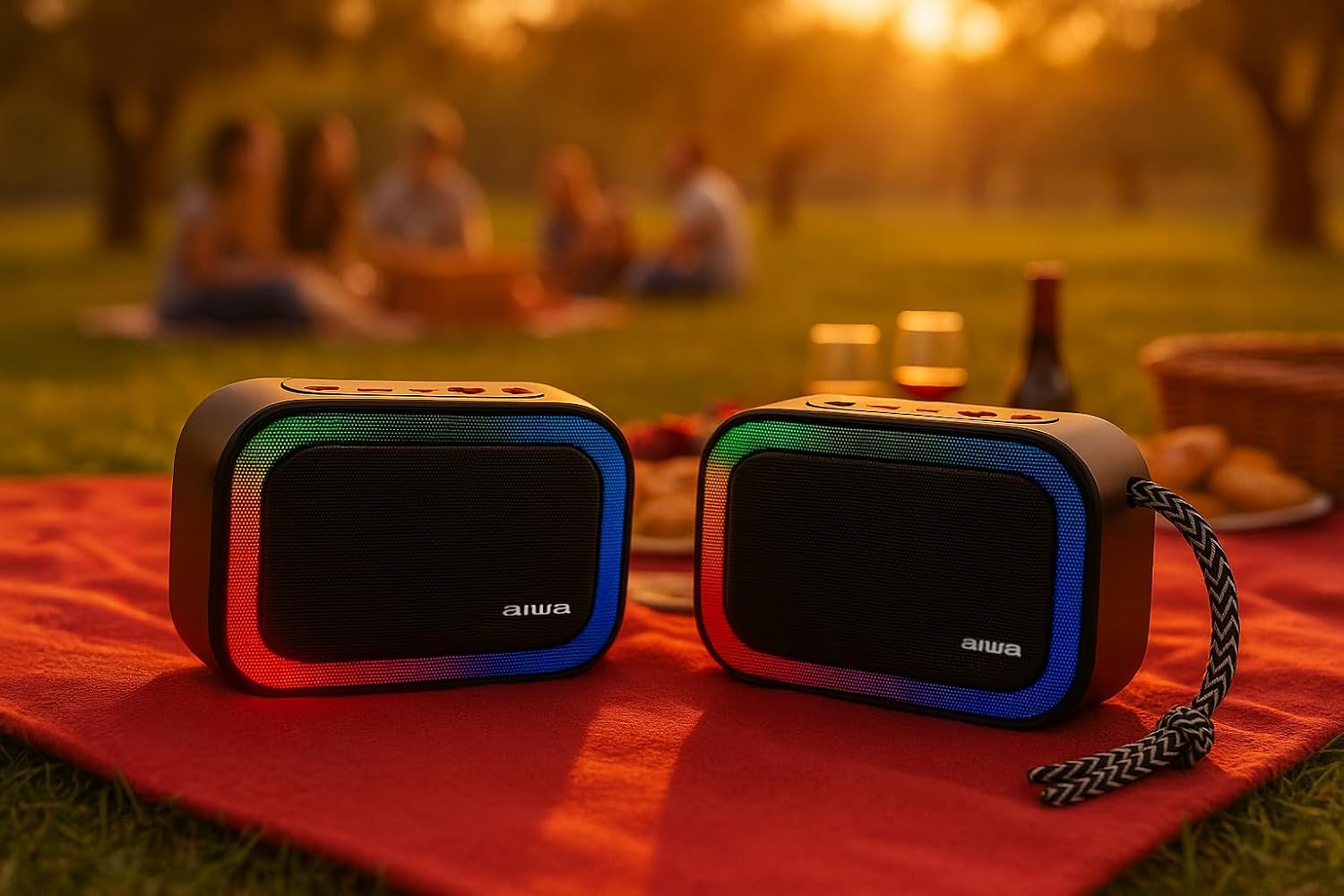
Rajah 5.1: Two Aiwa BST-130RD speakers operating in True Wireless Stereo (TWS) mode, providing a wider soundstage.
- Ensure both BST-130RD speakers are powered on and in Bluetooth mode, but not yet paired to any device.
- On one of the speakers (this will be the primary speaker), double-press the Play/Pause button. The speaker will search for another BST-130RD.
- Once connected, you will hear an audible confirmation. The primary speaker will act as the left channel, and the secondary speaker as the right channel.
- Now, pair your Bluetooth device to the primary speaker as described in Section 5.1.
5.3 Operasi Radio FM
- Press the Mode button repeatedly until you enter FM Radio mode.
- Tekan butang Main/Jeda sekali untuk memulakan imbasan stesen automatik. Pembesar suara akan mengimbas dan menyimpan stesen FM yang tersedia.
- Use the Volume Up (+) and Volume Down (-) buttons (long press) to navigate between saved stations.
5.4 Main Semula Kad USB / TF
- Insert a USB flash drive into the USB-A port or a TF (Micro SD) card into the TF card slot.
- The speaker will automatically switch to the corresponding mode and begin playing MP3 files. If not, press the Mode button to select USB or TF mode.
- Use the Play/Pause button to control playback. Use the Volume Up (+) and Volume Down (-) buttons (long press) to skip tracks.
5.5 Mod AUX-IN
- Connect one end of a 3.5mm audio cable (not included) to the speaker's AUX-IN port.
- Sambungkan hujung yang satu lagi ke output audio peranti luaran anda (cth., pemain MP3, komputer).
- Press the Mode button to switch to AUX-IN mode.
- Audio will now play through the speaker. Control playback from your external device.
5.6 Fungsi Bebas Tangan
Apabila disambungkan melalui Bluetooth ke telefon pintar, pembesar suara boleh digunakan untuk panggilan bebas tangan.
- Jawab Panggilan: Tekan butang Main/Jeda sekali.
- Tamatkan Panggilan: Tekan butang Main/Jeda sekali semasa panggilan.
- Tolak Panggilan: Tekan dan tahan butang Main/Jeda selama 2 saat.
5.7 Kawalan Pencahayaan RGB
The speaker features a dynamic RGB lighting system.

Rajah 5.2: The Aiwa BST-130RD speaker displaying its vibrant RGB lighting effects.
- Tekan butang LED untuk mengitar melalui mod pencahayaan RGB yang berbeza.
- Press and hold the LED button to turn the RGB lighting On/Off.
6. Penyelenggaraan
- Bersihkan pembesar suara dengan kain lembut dan kering. Jangan gunakan pembersih atau pelarut yang melelas.
- Elakkan mendedahkan pembesar suara kepada suhu yang melampau, cahaya matahari langsung atau kelembapan yang tinggi.
- Do not immerse the speaker in water. It is not waterproof.
- When not in use for extended periods, charge the battery at least once every three months to prolong its lifespan.
7. Penyelesaian masalah
| Masalah | Kemungkinan Punca | Penyelesaian |
|---|---|---|
| Speaker tidak dihidupkan. | Bateri lemah. | Cas pembesar suara menggunakan kabel USB Type-C yang disediakan. |
| Tiada bunyi. | Kelantangan terlalu rendah; mod salah; peranti tidak dipasangkan. | Increase volume on speaker and connected device. Ensure correct mode is selected. Re-pair Bluetooth device. |
| Gandingan Bluetooth gagal. | Pembesar suara tidak dalam mod berpasangan; peranti terlalu jauh; gangguan. | Ensure speaker is in Bluetooth pairing mode. Move device closer to speaker. Turn off other Bluetooth devices. |
| Penerimaan radio FM kurang baik. | Isyarat lemah; gangguan persekitaran. | Move the speaker to a different location. Perform an auto-scan again. |
8. Spesifikasi
- model: BST-130RD
- Versi Bluetooth: V5.3
- Kuasa Output: 5W RMS (10% THD)
- Pemandu Pembesar Suara: 5 cm (Full Range), 3 Ohm Impedance
- Respons Kekerapan: 80 Hz - 18 kHz
- Nisbah Signal-to-Noise: ≥ 85 dB
- Sensitiviti: 490 mV (1 kHz)
- Input: Bluetooth, USB MP3, TF MP3, FM Scanner, AUX-IN (3.5mm Stereo)
- Input Kuasa: 5V DC USB Type-C
- Bateri: 1200mAh, 3.7V Lithium (with protection circuit)
- Mengecas Voltage: 5V 1A
- ciri-ciri: TWS (True Wireless Stereo), RGB Lighting, Hands-free Function
- Dimensi: 133 x 89 x 47.5 mm
- Berat: 0.314 kg
9. Maklumat Keselamatan
- Jangan buka, baiki atau ubah suai peranti.
- Jauhkan peranti daripada air, kelembapan dan bahan mudah terbakar.
- Elakkan mendengar berpanjangan pada kelantangan tinggi untuk mengelakkan kerosakan pendengaran.
- Dispose of the battery and device responsibly according to local regulations.
10. Waranti dan Sokongan
Aiwa products are designed and manufactured to the highest quality standards. For warranty information and technical support, please refer to the warranty card included in your package or visit the official Aiwa webtapak untuk wilayah anda.