
1. Pengenalan
Terima kasih kerana membeliasing the DEPSTECH DS620-TL Triple Lens Endoscope Camera. This device is designed for visual inspection in hard-to-reach areas, featuring a 1080P triple-lens camera, a 5-inch IPS monitor, and an IP67 waterproof semi-rigid cable. This manual provides essential information for safe and effective use of your endoscope camera.
2. Produk Lebihview
2.1 Ciri-ciri Utama
- 1080P Triple Lens Camera: Equipped with three cameras (front, side B, side C) for multi-angle inspection.
- 5-inch IPS Monitor: Provides clear, real-time images with excellent color reproduction.
- Probe Kalis Air IP67: The 7.9mm diameter semi-rigid cable is waterproof, suitable for wet environments.
- Lampu LED boleh laras: Features 8+1+1 high-brightness LED chips with adjustable intensity for optimal illumination.
- 5M Semi-Rigid Cable: Offers flexibility and durability for navigating various spaces.
- Bateri boleh dicas semula: Built-in battery provides approximately 2-3 hours of continuous operation.
2.2 Kandungan Pakej
Pastikan semua item ada dalam pakej:
- DEPSTECH DS620-TL Endoscope Camera
- Kabel Pengecasan Jenis-C
- Hook and Magnet Attachments
- Storage Drawstring Bag
- Manual Pengguna

Rajah 2.2: Termasuk aksesori dan unit utama.
3. Maklumat Keselamatan
- Jangan gunakan peranti ini dalam persekitaran dengan gas mudah terbakar atau letupan.
- Jauhkan peranti daripada medan elektromagnet yang kuat.
- Avoid direct exposure of the camera lens to strong light sources.
- Jangan cuba membuka atau mengubah suai peranti. Pembaikan hendaklah hanya dilakukan oleh kakitangan yang diberi kuasa.
- Pastikan peranti dicas sepenuhnya sebelum digunakan untuk mengelakkan gangguan semasa pemeriksaan.
- Clean the probe and lens after each use, especially after contact with liquids or corrosive substances.
4. Persediaan
4.1 Mengecas Peranti
Connect the provided Type-C charging cable to the device's charging port and a suitable USB power adapter (not included). The charging indicator will show the charging status. A full charge typically takes 2-3 hours.
4.2 Memasukkan Kad SD Mikro
To save photos and videos, a Micro SD card (Class 10/Class 10 or higher, 8-32GB) is required (not included). Locate the Micro SD card slot on the side of the monitor unit and insert the card until it clicks into place.
4.3 Memasang Aksesori
The endoscope comes with hook and magnet attachments. These can be screwed onto the tip of the camera probe for retrieving small objects or maneuvering in tight spaces.

Figure 4.3: Magnet and hook attachments for the probe.
5. Arahan Operasi
5.1 Menghidupkan/Mematikan
Press and hold the power button (usually located on the side or front panel) for a few seconds to turn the device on. The screen will display the DEPSTECH logo. To power off, press and hold the power button again.

Figure 5.1: Monitor button layout and functions.
5.2 Switching Lenses
The DS620-TL features a triple-lens system. Press the lens switch button (often labeled with a camera icon or 'M') to cycle between Front Camera A, Side Camera B, and Side Camera C. This allows for comprehensive viewing without repositioning the probe.

Figure 5.2: Triple lens camera detail.
5.3 Melaraskan Kecerahan LED
Use the up/down arrow buttons on the monitor to adjust the brightness of the LED lights on the camera probe. There are multiple levels of brightness to suit different inspection environments.
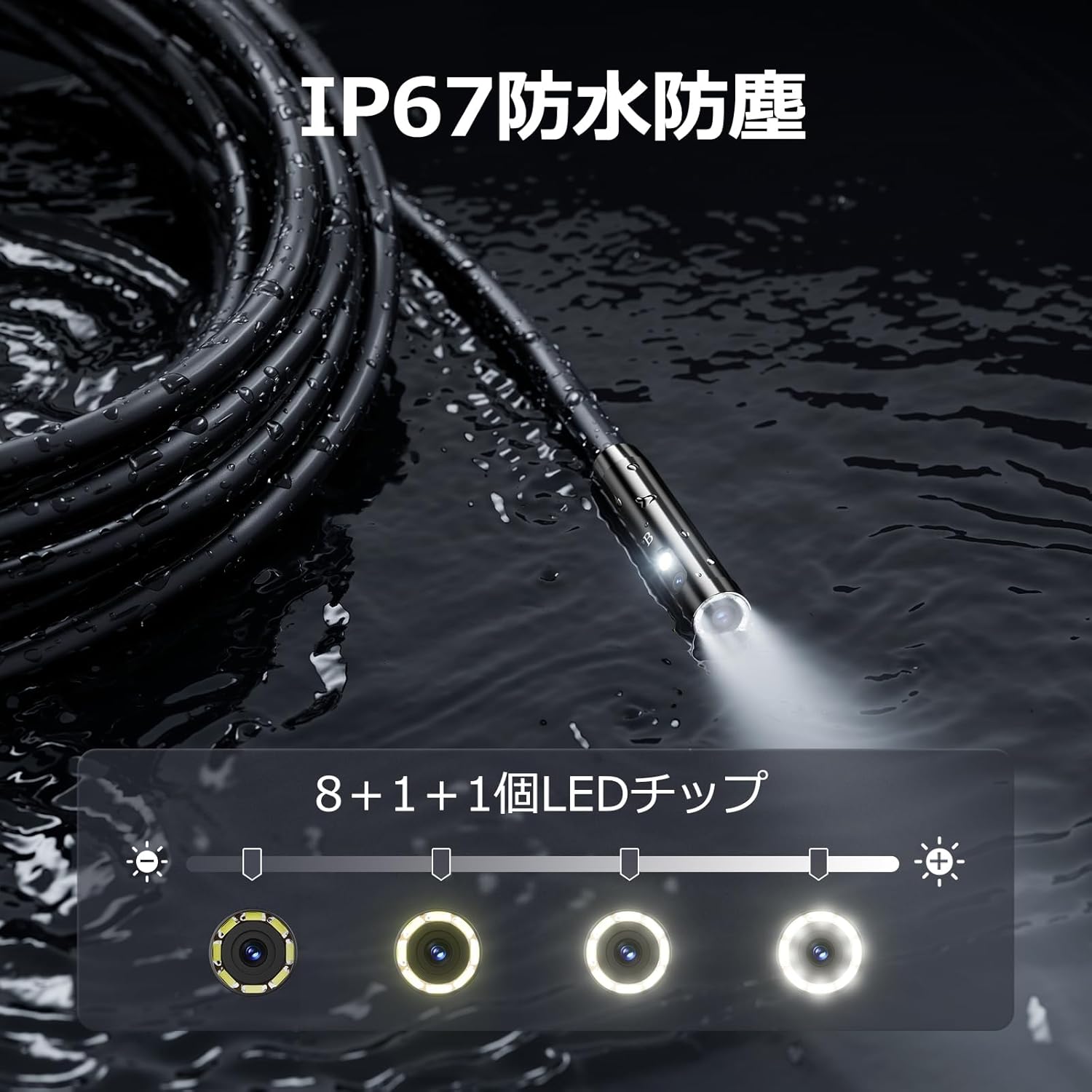
Figure 5.3: IP67 waterproof probe with adjustable LED illumination.
5.4 Mengambil Foto dan Merakam Video
Press the photo/video button (usually a camera icon) to capture a still image. To record video, press and hold the photo/video button; press again to stop recording. Ensure a Micro SD card is inserted to save your media.

Figure 5.4: Monitor interface for photo and video capture.
5.5 Putaran Skrin
Press the screen rotation button (often a circular arrow icon) to rotate the image on the monitor by 180 degrees. This is useful when the probe is in an inverted position.
5.6 Aplikasi Praktikal
The DS620-TL is suitable for various tasks including home appliance maintenance, pipe inspection, wall wiring checks, and automotive repairs.

Figure 5.6: Various inspection scenarios for the endoscope.
5.7 Video Demonstrasi Produk
Video 5.7: A demonstration of the DEPSTECH DS620-TL endoscope camera in use, showcasing ciri dan aplikasinya.
6. Penyelenggaraan
6.1 Membersihkan Probe dan Kanta
After each use, especially in dirty or wet conditions, gently wipe the camera probe and lens with a soft, dry cloth. For stubborn dirt, a slightly damp kain boleh digunakan, diikuti dengan pengeringan. Jangan gunakan pembersih atau pelarut yang kasar.
6.2 Penyimpanan
Store the endoscope camera in a cool, dry place, away from direct sunlight and extreme temperatures. Use the provided drawstring bag for protection. Ensure the cable is coiled neatly without sharp bends.
6.3 Penjagaan Bateri
To prolong battery life, avoid fully discharging the device frequently. If storing for an extended period, charge the battery to approximately 50% every three months.
7. Penyelesaian masalah
7.1 Tiada Imej pada Skrin
- Pastikan peranti dihidupkan dan dicas sepenuhnya.
- Check if the camera cable is securely connected to the monitor unit.
- Laraskan kecerahan LED untuk memastikan pencahayaan yang mencukupi di kawasan pemeriksaan.
7.2 Tidak Boleh Merakam Foto/Video
- Verify that a compatible Micro SD card (Class 10/Class 10 or higher, 8-32GB) is inserted correctly.
- Check if the Micro SD card has sufficient free space.
- Ensure the Micro SD card is not locked (read-only).
- Try formatting the Micro SD card (this will erase all data).
7.3 Peranti Tidak Mengecas
- Ensure the Type-C charging cable is properly connected to both the device and the power source.
- Try using a different USB power adapter or charging cable.
- Periksa port pengecasan untuk sebarang serpihan atau kerosakan.
If you encounter issues not listed here or if the problem persists, please contact DEPSTECH customer support.
8. Spesifikasi
| Ciri | Spesifikasi |
|---|---|
| Jenama | DEPSTECH |
| Nama Model | DS620TL-JP |
| warna | Hitam |
| Tahap Kalis Air | IP67 |
| Jenis Media | SD Memory Card (8-32GB, Class 10/Class 10 or higher recommended) |
| File Format | MP4, MOV, AVI, JPEG, RAW |
| Format Tangkapan Video | MP4 |
| ViewJenis pencari | IPS |
| Jenis Sensor | CMOS |
| Resolusi Penderia Foto | 2.1 MP |
| Fungsi Fokus | Fokus Tetap |
| Auto Fokus | Tidak |
| Purata Hayat Bateri | 2 Jam |
| Komponen yang Disertakan | Type-C Cable, Attachments, Storage Drawstring Bag |
| Waranti Pengeluar | 2 Tahun |
| Negara Asal | China |
9. Waranti dan Sokongan
9.1 Waranti Pengeluar
The DEPSTECH DS620-TL comes with a 24-month manufacturer warranty. Your order number serves as proof of purchase for warranty claims.
9.2 Sokongan Pelanggan
For any inquiries, technical assistance, or warranty claims, please contact our dedicated support team:
- e-mel: sokongan@depstech.com
- Masa Respons: We aim to respond to all inquiries within 24 hours. For requests submitted on weekends or holidays, a response will be provided on the next business day.

Figure 9.2: DEPSTECH support details.