
1. Pengenalan
This manual provides instructions for the assembly, operation, and maintenance of your Okin Overbed Bedside Table with Wheels, Model OKPM50502716WAS. This versatile table is designed for various uses, including reading, writing, eating, or using a laptop, and features adjustable height and a tilting desktop for ergonomic comfort.

Image 1.1: The Okin Overbed Table is suitable for various scenarios, including use over a bed, next to a couch, or with a chair.
2. Maklumat Keselamatan
- Kapasiti Beban Maksimum: Do not exceed the maximum static load capacity of 22 paun (10 kg) on the desktop. Overloading can cause instability and damage.
- Kestabilan: Ensure the table is placed on a flat, stable surface. Lock the wheels when the table is in a stationary position to prevent unintended movement.
- Tilting Section: When the desktop is tilted, ensure items placed on it are secure and will not slide off. Avoid placing heavy or fragile items on the tilting section when it is not flat.
- Cecair: Exercise caution when placing beverages on the table, especially near electronic devices. Use the integrated cup holder for added security.
- Perhimpunan: Ikuti semua arahan pemasangan dengan teliti. Pastikan semua skru dan pengikat diketatkan dengan kukuh sebelum digunakan.
- Kanak-kanak: Keep children away from the table during assembly and adjustment to prevent injury.

Image 2.1: The H-base design provides stability, supporting up to 22 lbs (10 kg) of weight. Always adhere to the maximum load capacity.
3. Kandungan Pakej
Sahkan bahawa semua komponen hadir sebelum memulakan pemasangan. Jika mana-mana bahagian yang hilang atau rosak, sila hubungi sokongan pelanggan.
- Desktop with tilting mechanism and cup holder
- Main Support Column (with pneumatic lifting system)
- Rangka Pangkalan
- Hidden Wheels (pre-installed or to be installed)
- Panduan Perhimpunan
- Installation Tool (Hex key/Wrench)
4. Arahan Perhimpunan
Pemasangan biasanya mengambil masa kira-kira 15 minit. Ikuti langkah-langkah ini dengan teliti:
- Buka Pembungkusan Komponen: Keluarkan semua bahagian dari bungkusan dengan berhati-hati dan letakkannya di atas permukaan yang bersih dan lembut untuk mengelakkan calar.
- Attach Main Support Column to Base: Secure the main support column to the base frame using the provided screws and installation tool. Ensure it is firmly attached.
- Attach Desktop to Main Support Column: Connect the desktop assembly to the top of the main support column. Align the mounting points and secure with the provided fasteners.
- Semak Kestabilan: Once assembled, gently shake the table to ensure all connections are secure and the table is stable.

Image 4.1: Visual guide illustrating the quick installation process, typically completed within 15 minutes.

Imej 4.2: Satu meletup view of the table components, demonstrating how they fit together for assembly.
5. Arahan Operasi
5.1. Pelarasan Ketinggian
The table features a gas spring pneumatic lifting system for smooth and quiet height adjustment. To adjust the height:
- Locate the height adjustment lever, typically found under the desktop.
- Tekan dan tahan tuil.
- Gently raise or lower the desktop to your desired height (range: 29.7 to 43.3 inches).
- Release the lever to lock the desktop in place.

Image 5.1: The pneumatic lift system allows for easy and smooth height adjustments, accommodating both sitting and standing postures.
5.2. Desktop Tilt Function
The desktop is designed with a split surface: a larger section that tilts and a smaller fixed section with a cup holder. The tilting section can be adjusted from 0° to 70°.
- To tilt the desktop, locate the adjustment mechanism (usually a lever or knob) underneath the tilting section.
- Engage the mechanism to unlock the tilt.
- Adjust the tilting section to your desired angle. An anti-slip edge is present to prevent items from sliding off.
- Release the mechanism to lock the tilt in place.
- The smaller, fixed section remains flat, providing a stable surface for drinks or other items.

Image 5.2: The desktop can be tilted to various angles (0-70 degrees) for comfortable reading or laptop use, with a fixed section for beverages.

Image 5.3: The table features a movable desktop that tilts and a fixed desktop section to keep items steady and secure.
5.3. Mobiliti
The table is equipped with hidden wheels for easy movement. The low-profile base (1.57 inches high) allows it to slide under most beds and furniture.
- To move the table, ensure the wheels are unlocked (if applicable).
- Gently push or pull the table to its desired location.
- Once positioned, lock the wheels to prevent accidental movement.
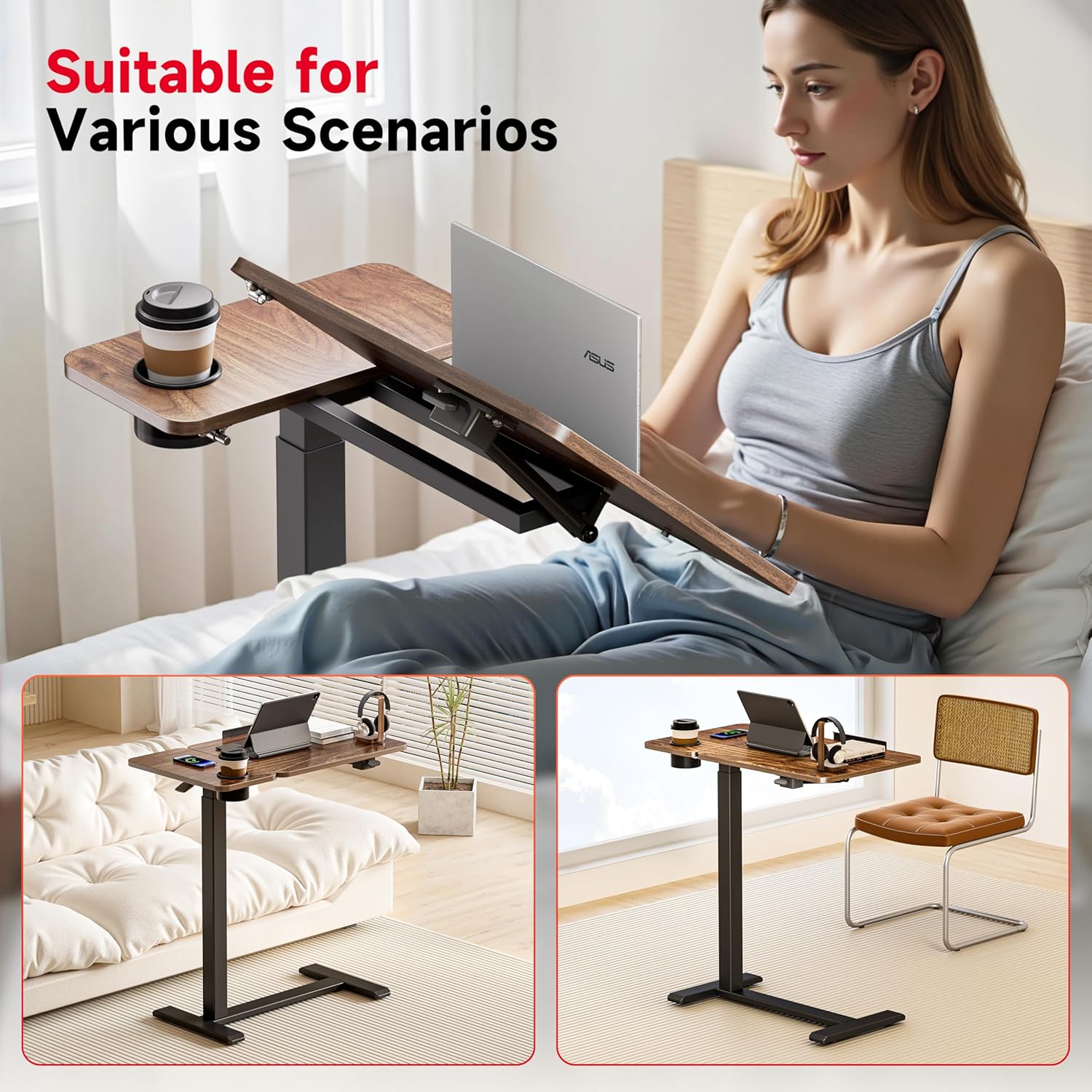
Image 5.4: The table features hidden casters for smooth movement, allowing it to easily slide under furniture.
6. Penyelenggaraan
- Pembersihan: Wipe the tabletop and frame with a dry cloth. For stubborn marks, a slightly damp kain boleh digunakan, diikuti dengan pengeringan segera. Elakkan pembersih yang kasar atau bahan kimia yang keras.
- Pemeriksaan biasa: Periksa semua skru dan pengikat secara berkala untuk memastikan ia kekal ketat. Ketatkan semula jika perlu untuk mengekalkan kestabilan.
- Penjagaan Roda: Keep the wheels free of dust and debris to ensure smooth movement.
7. Penyelesaian masalah
- Meja bergoyang:
Penyelesaian: Ensure all assembly screws are securely tightened. Verify the table is on a level surface. - Kesukaran Melaraskan Ketinggian:
Penyelesaian: Check if the height adjustment lever is fully engaged or disengaged. Ensure there are no obstructions in the pneumatic lifting mechanism. - Desktop Not Tilting Smoothly:
Penyelesaian: Inspect the tilting mechanism for any obstructions or debris. Ensure the locking mechanism is fully disengaged before attempting to tilt. - Wheels Not Rolling:
Penyelesaian: Check if the wheels are locked. Clean any hair or debris that may be caught in the wheel casters.
8. Spesifikasi

Image 8.1: Detailed dimensions and weight capacity of the Okin Overbed Table.
| Ciri | Perincian |
|---|---|
| Nombor Model | OKPM50502716WAS |
| Dimensi Produk (D x W x H) | 27.6" x 15.8" x 29.7" (tinggi minimum) |
| Julat Ketinggian Boleh Laras | 29.7" hingga 43.3" |
| Desktop Tilt Range | 0° hingga 70° |
| Kapasiti Beban Statik Maksimum | 22 paun (10 kg) |
| Berat Barang | 23.4 paun |
| Bahan Bingkai | Keluli Aloi |
| Bahan Atas | kayu |
| Ketinggian Pangkalan | 1.57 inci |
| Komponen yang Disertakan | Panduan Pemasangan, Alat Pemasangan |
| Arahan Penjagaan Produk | Lap dengan Kain Kering |
9. Waranti dan Sokongan
Okin is committed to customer satisfaction. While specific warranty details are not provided in this manual, we offer 24-hour customer service for any pre- or post-purchase issues.
For assistance, please contact us via the Amazon Message Center. Your satisfaction is our priority.