
1. Pengenalan
The Coleman Compact Panel Light is a versatile, multi-functional lighting solution designed for various outdoor and indoor applications. Its compact design and remote control capability offer convenience and adaptability. This manual provides essential information for the safe and effective use of your device.

Figure 1: Coleman Compact Panel Light in its closed, compact form.
2. Kandungan Pakej
Sahkan bahawa semua item yang disenaraikan di bawah disertakan dalam pakej anda:
- Coleman Compact Panel Light Unit
- Kabel Pengecasan USB Jenis-C
- Kawalan Jauh Tanpa Wayar
3. Persediaan dan Pengecasan Awal
3.1 Pengecasan Awal
Before first use, fully charge the Coleman Compact Panel Light. Use the provided USB Type-C cable to connect the light to a compatible USB power source (e.g., wall adapter, computer USB port, power bank).
- Locate the USB Type-C charging port on the light unit.
- Insert the USB Type-C cable into the light's port.
- Sambungkan hujung kabel yang satu lagi ke sumber kuasa USB.
- The charging indicator light will illuminate during charging and typically change color or turn off when fully charged. Refer to the indicator status for your specific model.
Cas penuh memastikan prestasi dan hayat bateri yang optimum.

Figure 2: The Coleman Compact Panel Light connected via USB Type-C cable for charging.
4. Arahan Operasi
4.1 Powering On/Off and Light Modes
The light can be operated using the integrated buttons on the unit or the wireless remote control.
- Butang Kuasa: Press and hold the power button on the unit or the remote to turn the light ON or OFF.
- Pelarasan Kecerahan: Short press the '+' or '-' buttons on the unit or remote to cycle through different brightness levels.
- Mod Cahaya: The light may feature multiple modes (e.g., full panel illumination, spotlight, ambient). Press the mode button (often indicated by a light bulb icon) on the unit or remote to switch between available modes.
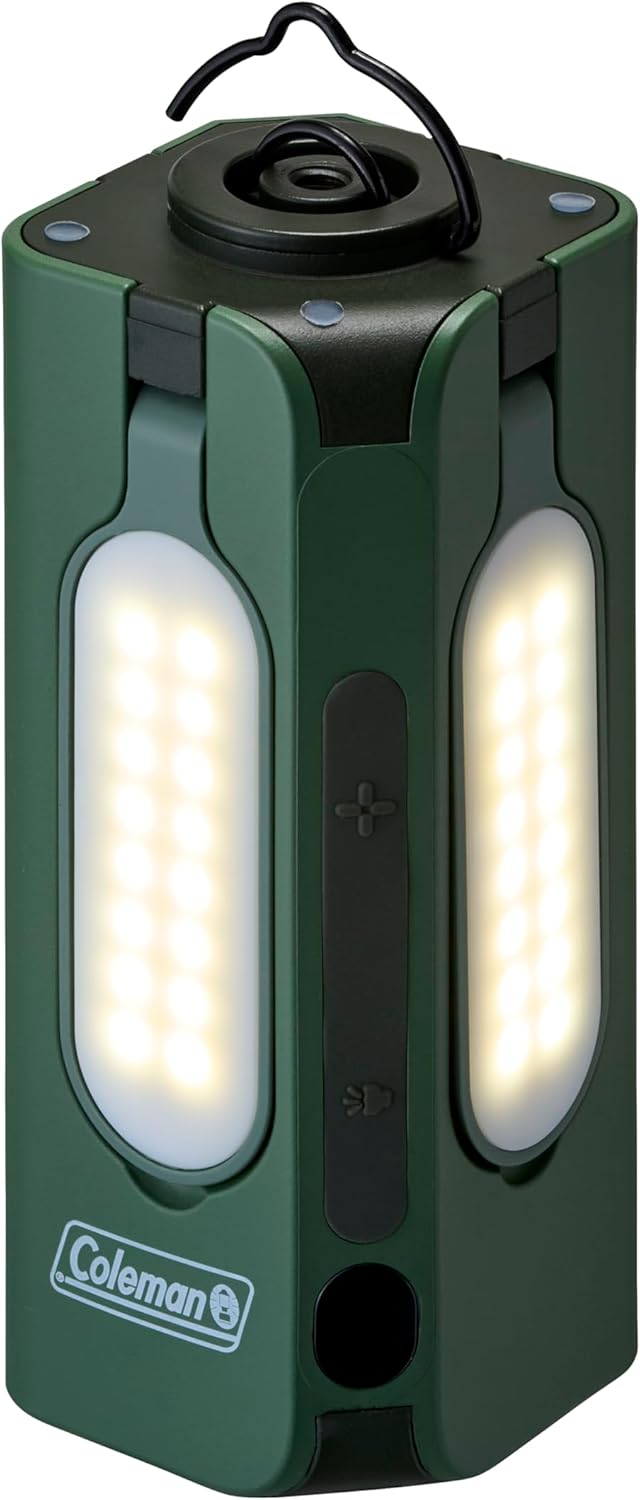
Figure 3: Closed panels with lights illuminated.

Figure 4: Focused spotlight function.
4.2 Deploying Light Panels
The Compact Panel Light features multiple adjustable panels for broader illumination.
- Gently pull each panel outwards from the main unit.
- Adjust the angle of each panel to direct light as needed.
- To retract, gently push each panel back into its original position until it clicks securely.

Figure 5: Panels extended for wide area lighting.

Figure 6: Illumination in a dark environment with panels extended.
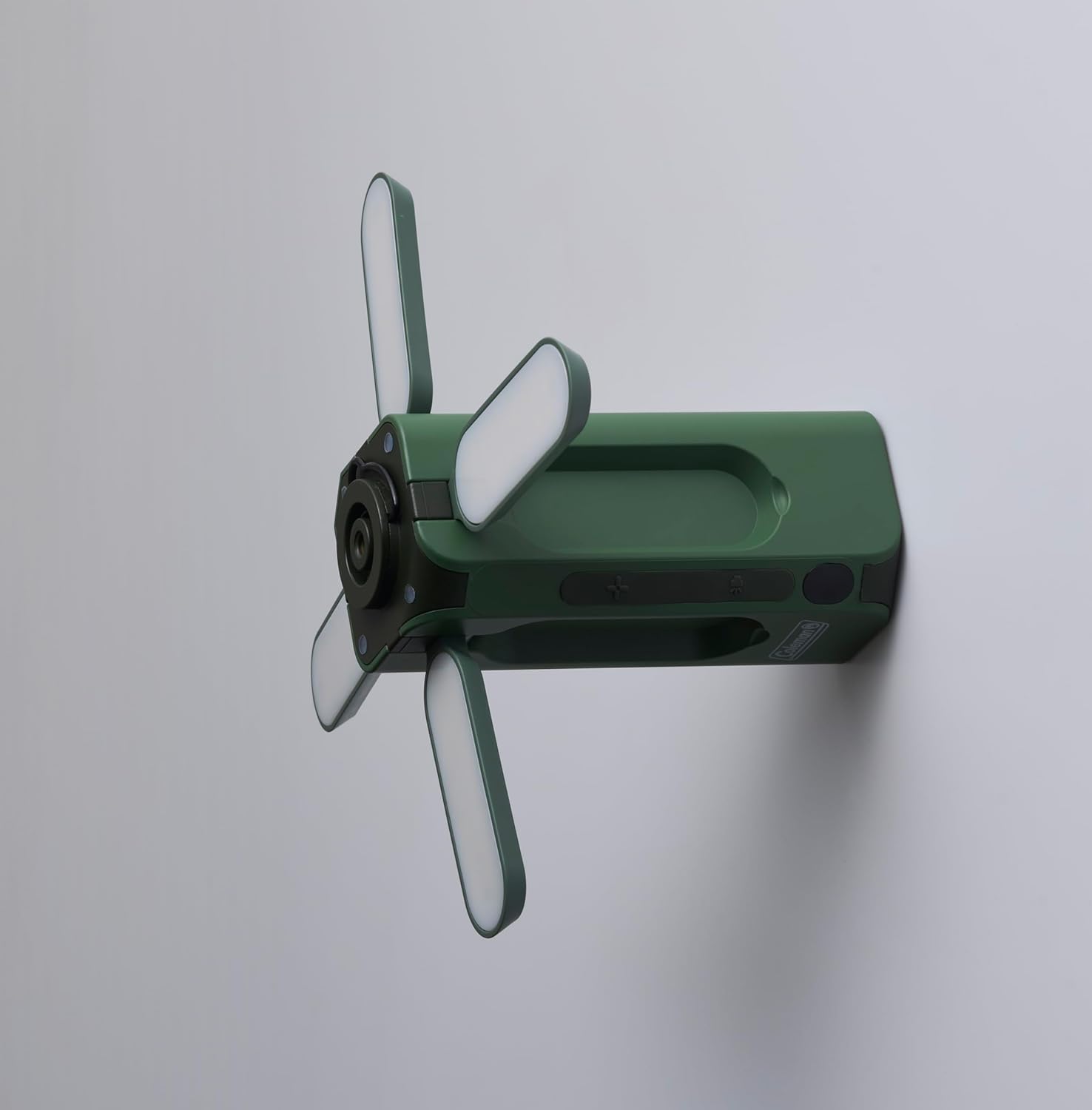
Rajah 7: Sisi view with panels extended, illustrating mounting versatility.
5. Menggunakan Alat Kawalan Jauh Tanpa Wayar
The included wireless remote control allows for convenient operation from a distance.
- Butang Kuasa: Press to turn the light ON or OFF.
- Brightness Buttons (+/-): Laraskan keamatan cahaya.
- Butang Mod: Cycle through different lighting modes (if applicable).
Ensure the remote control has working batteries (if applicable, check battery compartment for type) and is within operational range of the light unit.

Figure 8: Coleman Compact Panel Light with its wireless remote control.
6. Penyelenggaraan
6.1 Pembersihan
Untuk membersihkan cahaya, lap dengan lembut, damp cloth. Do not use abrasive cleaners or solvents, as these may damage the finish or electronic components. Ensure the charging port cover is securely closed before cleaning.
6.2 Penyimpanan
When storing the light for extended periods, ensure it is fully charged. Store in a cool, dry place away from direct sunlight and extreme temperatures. Recharge the unit every 3-6 months to maintain battery health.
7. Penyelesaian masalah
- Lampu tidak menyala:
- Pastikan unit dicas sepenuhnya.
- Sahkan butang kuasa ditekan dengan betul.
- Alat kawalan jauh tidak berfungsi:
- Check if the remote's batteries need replacement (if applicable).
- Pastikan tiada halangan antara alat kawalan jauh dan unit lampu.
- Confirm the remote is within operational range.
- Cahaya malap atau berkelip-kelip:
- The battery level may be low; recharge the unit.
- Ensure the light panels are fully extended and clean.
8. Spesifikasi
| Model | Compact Panel Light |
| Jenama | Coleman |
| Dimensi (Tertutup) | 5D x 5W x 12.5H sentimeter |
| Berat Barang | 700 Gram |
| warna | hijau |
| Sumber Kuasa | Boleh dicas semula (USB Jenis-C) |
| Komponen yang Disertakan | USB Type-C Cable, Wireless Remote Control |
| Perhimpunan Diperlukan | Tidak |
9. Maklumat Keselamatan
- Do not expose the light to extreme temperatures, direct sunlight for prolonged periods, or open flames.
- Elakkan menenggelamkan cahaya di dalam air.
- Do not attempt to disassemble or modify the light unit, as this may void the warranty and pose safety risks.
- Jauhkan daripada kanak-kanak.
- Use only the provided or a certified USB Type-C cable for charging.
10. Waranti dan Sokongan
For warranty information or technical support, please refer to the documentation provided with your purchase or visit the official Coleman webtapak. Simpan bukti pembelian anda untuk tuntutan waranti.