
pengenalan
Thank you for choosing the Elevon 4L Automatic Pet Feeder. This device is designed to provide scheduled meals for your pets, ensuring they are fed consistently even when you are away. It features programmable meal times, portion control, a voice recorder, and a desiccant bag to keep food fresh. Please read this manual thoroughly before use to ensure proper setup and operation.
Komponen Produk
Carefully unpack all items and ensure you have the following components:
- Elevon 4L Automatic Pet Feeder Body
- Dulang Makanan
- Penyesuai Kuasa
- Desiccant Bag (pre-installed or separate)
- Manual Pengguna (dokumen ini)

Image: The Elevon 4L Automatic Pet Feeder with its detachable food tray.
Persediaan
- penempatan: Place the feeder on a flat, stable surface in a dry area, away from direct sunlight or heat sources.
- Assemble Food Tray: Attach the food tray to the main body of the feeder. Ensure it is securely clicked into place.
- Install Desiccant Bag: If not pre-installed, open the lid of the food reservoir and locate the desiccant compartment. Insert the desiccant bag to help keep the pet food fresh. Replace the desiccant bag every 1-2 months for optimal freshness.
- Fill Food Reservoir: Open the top lid and pour dry pet food into the reservoir. The feeder has a 4-liter capacity. Ensure the food kibble size is appropriate for the dispenser mechanism (typically 0.2-0.6 inches in diameter). Close the lid securely.
- Sambungan Kuasa: Connect the power adapter to the feeder's power port and plug it into a standard electrical outlet. The feeder will power on, and the display will illuminate.
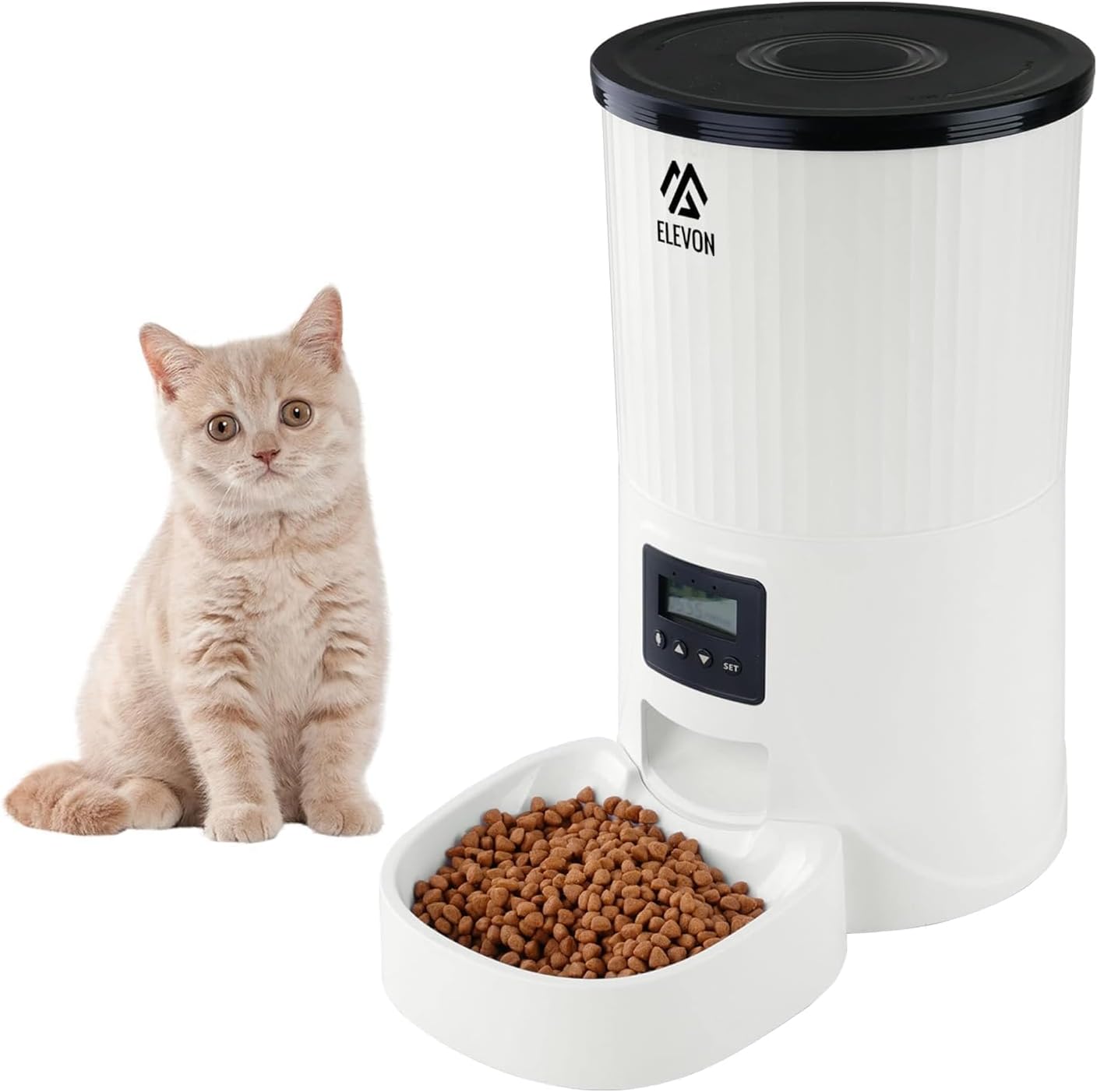
Image: The Elevon 4L Automatic Pet Feeder showing its dimensions (12.2 in. L x 7.2 in. W x 12.6 in. H).
Arahan Operasi
The control panel allows you to program feeding schedules, record voice messages, and adjust settings.

Imej: Jarak dekat view of the feeder's control panel, showing the display and control buttons.
Panel Kawalan Terlaluview:
- Skrin Paparan: Shows current time, meal settings, and other indicators.
- Butang SET: Used to enter programming mode and confirm settings.
- Anak Panah ATAS/BAWAH: Used to navigate menus and adjust values.
- Butang REKOD: Used to record and play voice messages.
1. Unlocking the Screen
To prevent accidental changes, the screen automatically locks. Long press the Anak panah ke bawah button for 3 seconds to unlock the screen.
2. Setting System Time
- Buka kunci skrin.
- Tekan lama SET button for 3 seconds until the hour digit flashes.
- Gunakan Anak panah ATAS/BAWAH untuk menyesuaikan jam. Tekan SET untuk mengesahkan dan beralih kepada minit.
- Adjust minutes using Anak panah ATAS/BAWAH. Tekan SET untuk mengesahkan dan keluar dari tetapan masa.
3. Programming Meal Times and Portions
The feeder allows you to schedule multiple meals per day with customizable portion sizes.
- Buka kunci skrin.
- Tekan pendek SET button to cycle through meal settings (Meal 1, Meal 2, etc.).
- When the desired meal number is displayed, the time will flash. Use Anak panah ATAS/BAWAH to set the feeding time (hour and minute). Press SET untuk mengesahkan.
- Next, the portion size will flash. Use Anak panah ATAS/BAWAH to select the number of portions (each portion is approximately 10-15g, depending on kibble size). Press SET untuk mengesahkan.
- Repeat for additional meals as needed. To disable a meal, set its portion size to '0'.
4. Custom Voice Recording
Record a 10-second voice message to call your pet at meal times.
- Buka kunci skrin.
- Tekan dan tahan butang REKOD button. The display may show a recording indicator.
- Speak clearly into the microphone (usually located near the control panel) for up to 10 seconds.
- Lepaskan REKOD button to save the message.
- To play back the recording, short press the REKOD button. The recording will automatically play during each scheduled feeding.
5. Pemakanan Manual
To dispense food immediately, long press the Anak panah KE ATAS button. Each long press will dispense one portion. This will not affect your programmed feeding schedule.
Penyelenggaraan
Regular cleaning and maintenance ensure the longevity and hygienic operation of your pet feeder.
- Pembersihan: The food tray and food reservoir are removable for cleaning. Basuh tangan sahaja with mild soap and water. Rinse thoroughly and dry completely before reassembling. Do not immerse the main feeder body in water.
- Beg Pengering: Replace the desiccant bag every 1-2 months to maintain food freshness and prevent moisture buildup.
- Food Refill: Monitor the food level in the reservoir and refill as needed to ensure continuous feeding.
- Pemeriksaan: Periodically check the feeder for any signs of damage or wear. Ensure the power cord is intact.
Menyelesaikan masalah
| Masalah | Kemungkinan Punca | Penyelesaian |
|---|---|---|
| Pengumpan tidak mengagihkan makanan. | Food jammed, low food level, incorrect programming. | Check food level. Clear any food blockages in the dispenser. Verify meal times and portion settings. Ensure kibble size is appropriate. |
| Skrin paparan dimatikan. | No power, power adapter issue. | Ensure power adapter is securely plugged into the feeder and a working outlet. Try a different outlet. |
| Voice recording not playing. | No recording saved, low volume. | Re-record the voice message. Ensure the volume is not set to minimum (if adjustable, refer to specific model features). |
| Food not fresh. | Desiccant bag expired, lid not sealed. | Replace the desiccant bag. Ensure the top lid is securely closed to maintain an airtight seal. |
Spesifikasi
| Ciri | Perincian |
|---|---|
| Nombor Model | QD740-ELV-SPF-2 |
| Kapasiti | 4 Liter |
| Dimensi Produk (L x W x H) | 12.2 x 7.2 x 12.6 inci |
| Berat Barang | 3.5 paun |
| bahan | Akrilonitril Butadiena Stirena (ABS) |
| Sumber Kuasa | Elektrik Bertali |
| Mod Operasi | Automatik |
| Ciri Khas | Durable, Feeding Schedule, Portable, Removable, Timer, Voice Recorder |
| Arahan Penjagaan Produk | Cuci Tangan Sahaja (bahagian boleh tanggal) |
| Spesies Sasaran | Cat, Dog (Small to Large) |
Waranti dan Sokongan
For warranty information, technical support, or service inquiries, please refer to the official Elevon webtapak atau hubungi perkhidmatan pelanggan mereka secara langsung. Simpan resit pembelian anda sebagai bukti pembelian.
Maklumat Hubungan: Please visit the official Elevon brand store or weblaman web untuk mendapatkan butiran hubungan sokongan terkini.