
1. Produk Lebihview
The XikeStor SKN-U310GT is a portable USB to 10 Gigabit Ethernet adapter designed to provide high-speed wired network connectivity to your devices. It features a USB 3.2 (Type-C) port and a 10GbE RJ45 port, utilizing a high-quality Realtek RTL8159 professional chip for stable data transfer. Its compact aluminum alloy body ensures efficient heat dissipation and portability.

Image 1: XikeStor SKN-U310GT Portable USB to 10 Gigabit Ethernet Adapter.
Kandungan Pakej:
- SKN-U310GT Adapter x1
- 10GbE Dual Type-C Cable x1
- Kad Waranti x1
- Manual Arahan x1
2. Arahan Persediaan
Follow these steps to set up your XikeStor SKN-U310GT adapter:
- Connect the Adapter to your Device: Use the included high-quality dual Type-C cable to connect the SKN-U310GT adapter to a compatible USB 3.2 (Type-C) or Thunderbolt 3/4/5 port on your laptop, desktop PC, smartphone, or tablet.
- Sambungkan ke Rangkaian: Connect a Cat6A or higher Ethernet cable from your router or network switch to the RJ45 port on the SKN-U310GT adapter.
- Pemasangan Pemandu:
- For Windows 10/11: Drivers are typically installed automatically via Windows Update.
- For Linux and MacOS: Drivers may also install automatically.
- If automatic installation does not occur or if speeds are not as expected, you may need to manually download and install the latest drivers from the official Realtek website. Refer to the troubleshooting section for more details.
- Sahkan Sambungan: Once connected, check the indicator lights on the adapter. A power indicator light and a port speed indicator light will confirm the connection status.

Image 2: Connection diagram showing the adapter connected to a device and a network.
3. Arahan Operasi
The SKN-U310GT adapter is designed for plug-and-play operation on most compatible systems. Once connected and drivers are installed, your device should automatically detect the wired network connection.
Understanding Data Transfer Rates:
The actual data transfer speed can vary based on the USB port standard of your host device. For optimal performance, connect to a USB 3.2 Gen2x2 port if available.
- USB 3.2 Gen1 (5Gbps bandwidth) connection: 10G speed is not achieved.
- USB 3.2 Gen2x1 (10Gbps bandwidth) connection: Approximately 7Gbps actual measurement.
- USB 3.2 Gen2x2 (20Gbps bandwidth) connection: Approximately 9.6Gbps actual measurement (recommended for optimal experience).

Image 3: Visual representation of 10Gbps high-speed data transfer.
4. Penyelenggaraan
To ensure the longevity and optimal performance of your SKN-U310GT adapter:
- Pembersihan: Gunakan kain lembut dan kering untuk membersihkan penyesuai. Elakkan pembersih cecair atau bahan kasar.
- Storan: Simpan penyesuai di tempat yang sejuk dan kering jauh dari cahaya matahari langsung dan suhu yang melampau.
- Pengendalian: Kendalikan penyesuai dengan berhati-hati. Elakkan daripada menjatuhkannya atau menyebabkannya terkena hentaman kuat.
- Penjagaan Kabel: Ensure the Type-C cable is not bent sharply or tangled, as this can damage the internal wires.
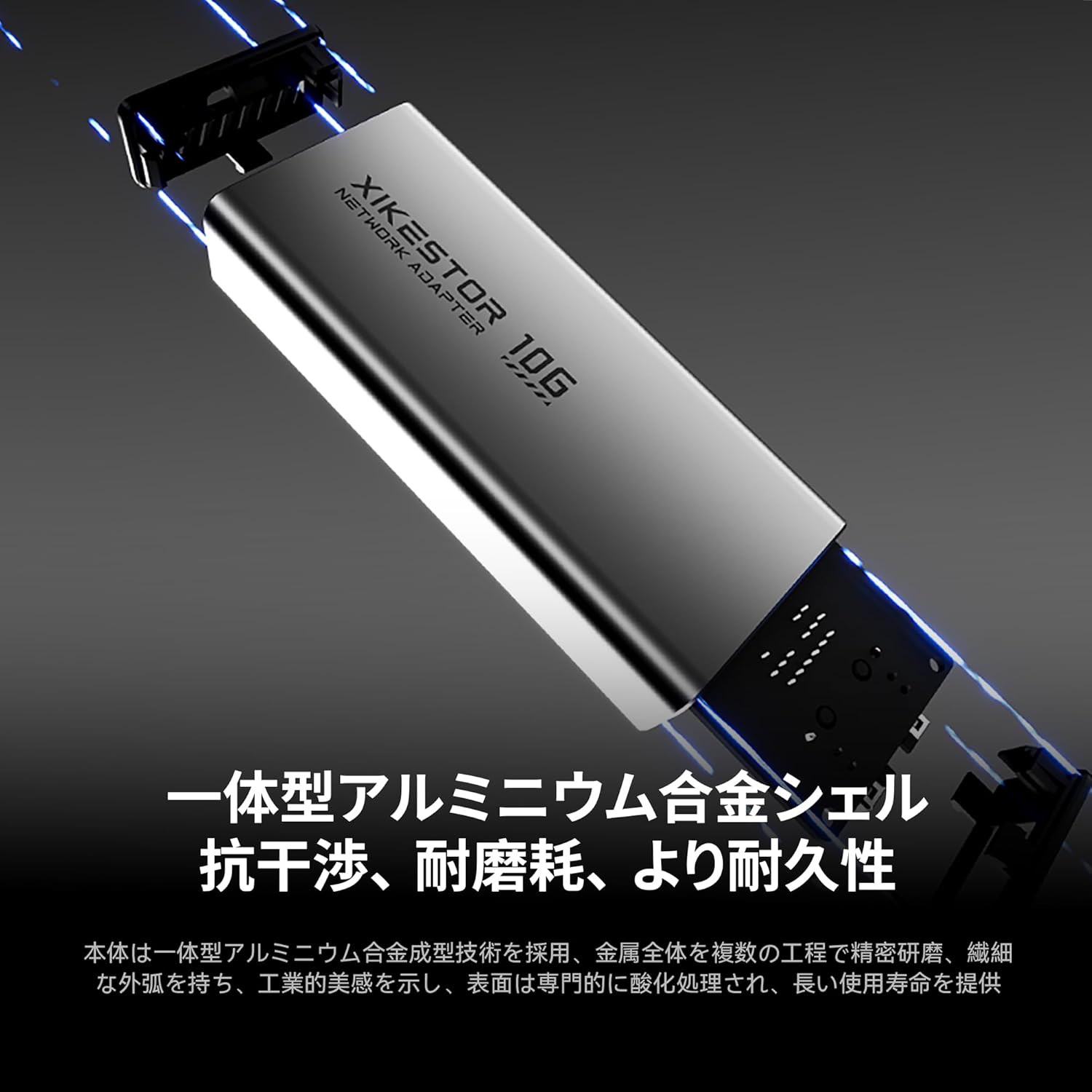
Image 4: The aluminum alloy body of the adapter, designed for durability and heat dissipation.
5. Penyelesaian masalah
If you encounter issues with your SKN-U310GT adapter, please refer to the following common solutions:
- Tiada Sambungan Rangkaian:
- Ensure the Type-C cable is securely connected to both the adapter and your device.
- Verify the Ethernet cable is properly connected to the adapter and your router/switch.
- Check your device's network settings to ensure the wired connection is enabled.
- Cuba sambungkan penyesuai ke port USB-C lain pada peranti anda.
- Slow Speeds / Not Reaching 10Gbps:
- Confirm your device's USB-C port supports USB 3.2 Gen2x2 (20Gbps bandwidth) for optimal performance. Speeds will be lower on Gen1 or Gen2x1 ports.
- Ensure your router/switch and Ethernet cable (Cat6A or higher) support 10 Gigabit Ethernet.
- Kemas Kini Pemandu: If speeds are not as expected, manually download and install the latest drivers for the Realtek RTL8159 chip from the Realtek official webtapak.
- Mac OS Specific Note: Due to current driver display limitations, your Mac OS may show "5G" even if the actual transfer speed exceeds 5Gbps. Realtek is working on a driver update to correct this display.
- Penyesuai Tidak Dikenali:
- Mulakan semula komputer atau peranti anda.
- Try connecting the adapter to a different USB-C port.
- Pastikan sistem pengendalian anda dikemas kini.
6. Spesifikasi

Image 5: Detailed product diagram including dimensions and port information.
| Ciri | Penerangan |
|---|---|
| Nombor Model | SKN-U310GT |
| Antara muka | USB 3.2 (Type-C) to 10GbE RJ45 |
| Chipset | Realtek RTL8159 Professional Chip |
| Kadar Pemindahan Data | Sehingga 10 Gigabit sesaat (Gbps) |
| Penggunaan Kuasa | Approx. 1.95W (typical value) |
| Bahan Badan | Aluminum Alloy + Plastic Components |
| Dimensi (L x W x H) | 99 x 42 x 22 mm |
| Berat badan | 180 g |
| Lampu Penunjuk | Power Indicator, Port Speed Indicator |
| Keserasian Sistem Pengendalian | Windows (10, 11), Linux, MacOS (14 Sonoma and above), Thunderbolt 3/4/5 interfaces |
7. Waranti dan Sokongan
Waranti:
This product comes with a warranty. Please refer to the included warranty card for specific terms and conditions, including the warranty period.
Sokongan Pelanggan:
If you have any questions, concerns, or require technical assistance, please do not hesitate to contact our customer support. We typically respond within 24 hours.
For driver downloads and further information, please visit the official Realtek webtapak.