
pengenalan
Congratulations on your new Singer sewing machine. You are about to begin an exciting adventure in creativity. From the moment you first use your machine, you will know you are sewing on one of the easiest to use sewing machines ever made.
We recommend that, before you start to use your sewing machine, you discover the many advantages and the ease of operation by going through this instruction book, step by step, detailed for your machine.
Untuk memastikan anda sentiasa dibekalkan dengan keupayaan jahitan yang paling moden, pengilang berhak menukar rupa, reka bentuk atau aksesori mesin jahit ini apabila dianggap perlu.
SINGER® is a registered trademark of The Singer Company Limited. Copyright © 2000. All rights reserved throughout the world.
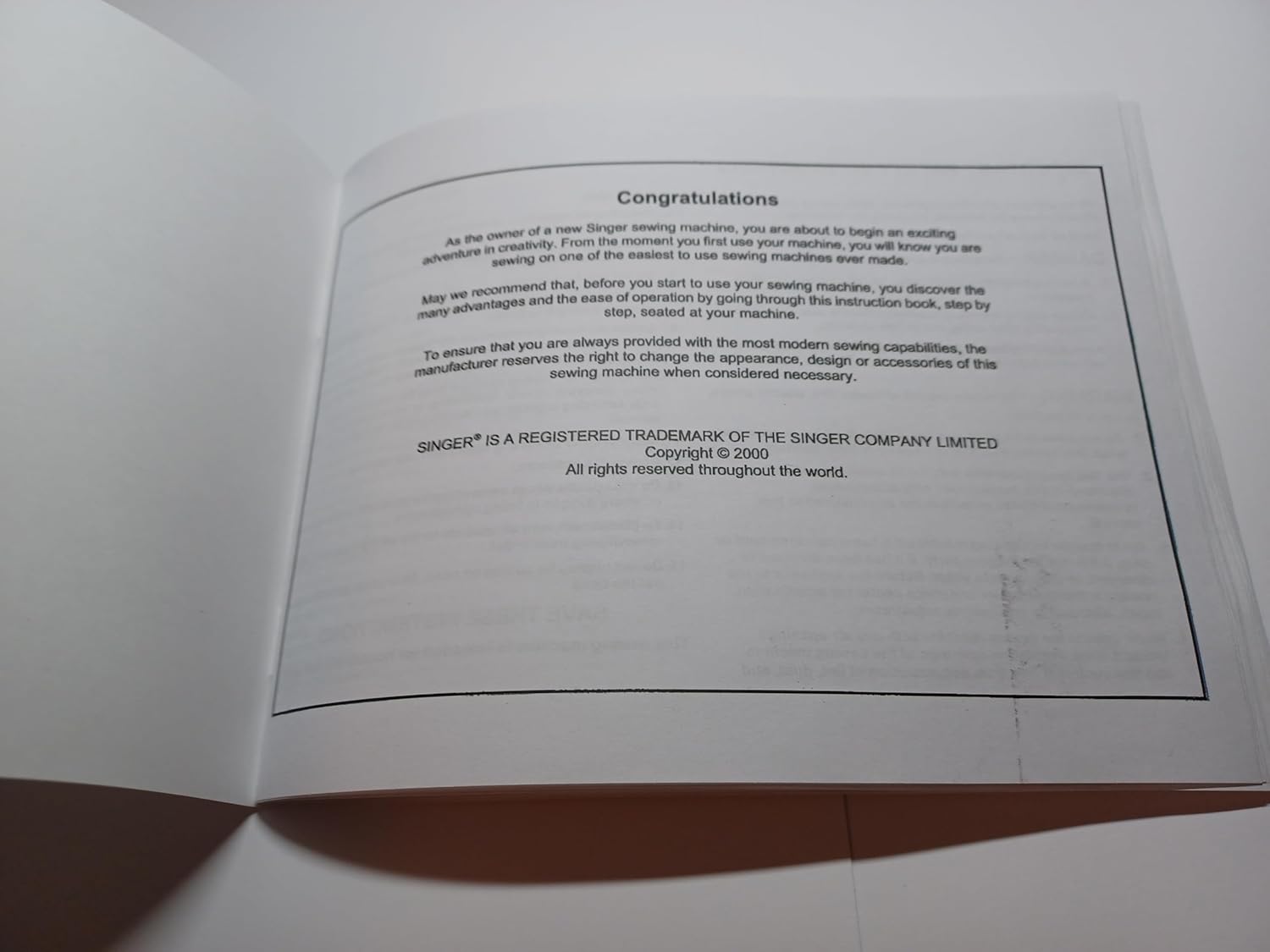
Image: Page from the Singer Model 1116 Instruction Manual displaying the 'Congratulations' message and copyright details.
Arahan Keselamatan Penting
Apabila menggunakan perkakas elektrik, langkah berjaga-jaga keselamatan asas hendaklah sentiasa dipatuhi, termasuk yang berikut:
- Baca semua arahan sebelum menggunakan mesin jahit ini.
- BAHAYA – Untuk mengurangkan risiko kejutan elektrik:
- Always unplug sewing machine from the electric outlet immediately after using and before cleaning.
- Always unplug before changing the light bulb. (Replace bulb with same type rated 15 watts).
- AMARAN – Untuk mengurangkan risiko melecur, kebakaran, kejutan elektrik atau kecederaan kepada orang:
- Jangan biarkan digunakan sebagai mainan. Perhatian perlu dilakukan semasa mesin jahit ini digunakan oleh atau kanak-kanak berhampiran.
- Gunakan mesin jahit ini hanya untuk tujuan penggunaannya seperti yang dijelaskan dalam manual ini. Gunakan hanya alat tambahan yang disyorkan oleh pengeluar seperti yang terdapat dalam manual ini.
- Never operate this sewing machine if it has a damaged cord or plug, if it is not working properly, if it has been dropped or damaged, or dropped into water. Return the appliance to the nearest authorized service center for examination, repair, electrical or mechanical adjustment.
- Never operate the sewing machine with any air openings blocked. Keep ventilation openings of the sewing machine and foot controller free from accumulation of lint, dust, and loose cloth.
- Jauhkan jari dari semua bahagian yang bergerak. Penjagaan khas diperlukan di sekitar jarum mesin jahit.
- Sentiasa gunakan plat jarum yang betul. Plat yang salah boleh menyebabkan jarum patah.
- Jangan gunakan jarum bengkok.
- Jangan tarik atau tolak kain semasa menjahit. Ia mungkin memesongkan jarum menyebabkan ia patah.
- Switch the sewing machine off ("0") when making any adjustments in the needle area such as threading the needle, changing the needle, threading the bobbin, or changing the presser foot.
- Always unplug sewing machine from the electrical outlet when removing covers, lubricating, or making any other user servicing adjustments mentioned in the instruction manual.
- Jangan sekali-kali menjatuhkan atau memasukkan sebarang objek ke dalam mana-mana bukaan.
- Jangan gunakan di luar rumah.
- Jangan beroperasi di tempat produk aerosol (semburan) digunakan atau di mana oksigen diberikan.
- To disconnect, turn all controls to the off ("0") position, then remove plug from outlet.
- Jangan cabut plag dengan menarik kord. Untuk mencabut palam, pegang palam, bukan kordnya.
SIMPAN ARAHAN INI
Mesin jahit ini hanya bertujuan untuk keperluan rumah tangga.

Image: Page from the Singer Model 1116 Instruction Manual detailing important safety guidelines.
Understanding Your Sewing Machine: Principal Parts
Familiarize yourself with the main components of your Singer Model 1116 sewing machine. Refer to the diagrams below for identification.
Komponen Sebelah Kiri
- Pin kili mendatar
- Dail ketegangan benang
- Tuas pengambilan benang
- Plat jarum
- Kaki penekan
- Free arm sewing table/accessory storage
- Penggulung gelendong
- Dail panjang jahitan
- Stitch indicator window
- Tuas jahit terbalik
- Pelarasan tekanan kaki penekan
- Pemotong benang
Komponen Sebelah Kanan
- pegang
- Penutup gelendong
- Vertical spool pin
- Roda Tangan
- Dail pemilih corak
- Suis kuasa dan lampu
- Soket palam utama
- Panduan benang sapu
- Jarum clamp skru
- Panduan benang atas
- Soket pengawal kaki
- Kord kuasa
- Plat muka

Image: Diagrams illustrating the principal parts of the Singer Model 1116 sewing machine, with corresponding numbers for identification.
Setup: Threading and Tension
Melambaikan Benang Atas
This is a simple operation but it is important to carry out correctly to avoid needle problems. If you have difficulty, start by raising the needle to its highest point (1), and also the take-up lever (2) to release the tension discs. To hold the safety, it is strongly suggested you turn off the main project to confirm machine setting.
- Lift up spool pin. Place the spool of thread on the holder and push the spool pin off the spool as shown. (3)
- Lead thread spool, place the thread under the thread guide to the left of the upper spool holder.
- Guide thread through the upper thread guide. (4)
- Guide thread around thread guide (5) pulling thread through pre-tension spring (6) as shown.
- Guide thread through the thread guide down, right, thread and up left channel (8). Bring the thread into the hook of the thread take-up lever (9) down and thread through (10) and gently pull up on the thread.
- At the top of the needle, guide the thread from right to left into the eye of the take-up lever and then downwards again. (7)
- Guide thread behind the thin wire needle clamp guide (11) and then down to the needle which should be threaded from front to back. Pull about 6-8 inches of thread to the back of the needle eye. Trim thread to length with built-in thread cutter.
Ketegangan Benang
Proper thread tension is crucial for balanced stitches.
Ketegangan Benang Atas
Basic thread tension setting: 4.
- Untuk meningkatkan ketegangan, putar dail ke nombor seterusnya ke atas.
- Untuk mengurangkan ketegangan, putar dail ke nombor seterusnya ke bawah.
- Correct thread tension for straight stitching (A): Thread tension too loose for straight stitch sewing. Turn dial to a higher number (B).
- Correct thread tension for straight stitch sewing: Turn dial to lower number (C).
- Correct thread tension for zig zag and decorative sewing (D): Correct thread tension is where a small amount of the upper thread appears in the bottom side of fabric.
Lower Thread Tension
To test bobbin thread tension, remove the bobbin case and hold it by suspending it by the thread. Jerk it once or twice. If the tension is correct, the thread will unwind by about an inch or two. If the tension is too tight, it will not unwind at all. If the tension is too loose, it will drop too much. To adjust, gently turn the small screw on the side of the bobbin case. This should only be needed for specialty threads.

Image: Diagrams illustrating the step-by-step process for threading the upper thread and guidelines for adjusting both upper and lower thread tension on the Singer Model 1116.
Arahan Operasi
Function of Stitch Length Dial: Straight, Fine, Triple Straight Stitch
The stitch length dial selects the length of your stitches. For most stitches, this dial will be set between 1 and 4. The settings in this manual are suggestions. It is best for you to practice on a scrap piece of fabric and thread you intend to use for your project to confirm machine settings.
- Kaki serba guna
- Jahitan Lurus: General construction, topstitching
- Stitch length: 2 - 4, dependent on thickness of fabric and thread
- Select stitch: A
- Jahitan Tiga Lurus: Quilting, topstitching
- Stitch length: 2 - 4, dependent on thickness of fabric and thread
- Select stitch: A
- Fine Stitch: High stress angles and curves, reinforcement
- Panjang jahitan: 1
- Select stitch: A
- Triple Straight (stretch) Stitch: Reinforcement of high stress
- Panjang jahitan: 1
- Select stitch: A
Note: Only change the stitch selection or needle position when the needle is in the highest position.
Zig Zag and the Function of the Stitch Length Dial
The density of zig zag stitches increases as the setting of the stitch length dial approaches "0". Next zig zag stitches are usually achieved at "2.5" or below. Different widths can be set up in the stitch window. Each dial is a different width of zig zag within the C stitch.
- Kaki serba guna
- Zig Zag: General construction, overedge and reinforcement, insertion of elastic or ribbon
- Select stitch: C
- Stitch length: 1 - 4
- Rib Rac: General construction on knit fabric, decorative, high stress area, heavy fabric
- Select stitch: C
- Stitch length: 1 - 3

Image: Pages from the Singer Model 1116 Instruction Manual detailing the function of the stitch length dial for various straight and zig-zag stitches, with illustrative diagrams.
Overedge, Slant Overedge Stitches
- Kaki serba guna
- Overedge stitch: For finished seams on woven or knit fabric
- Select stitch: F
- Stitch length: 1 - 4
- Slant overedge stitch (same as above)
- Select stitch: G
- Stitch length: 1 - 4
- Slant stretch overedge stitch (same as above)
- Select stitch: H
- Stitch length: 1 - 4
Note: An overcasting foot is an optional accessory not supplied with this machine.
Menjahit Butang
To sew on buttons, follow these steps:
- Install the darning plate (1). Place the button on the fabric under the presser foot. Turn the handwheel to check that the needle goes cleanly into the left and right holes of the button (adjust the needle position according to the button by turning the stitch selector dial to the appropriate stitch width), and slowly sew on the button with about 6-8 stitches (2).
- It is recommended to take a few locking stitches at the beginning and end of sewing. To do this – set the select needle position to a few stationary stitches on one side of the button. Sew on the button as described and repeat the locking stitch on the other side of the button.
- If a shank is required, place a darning needle on top of the button and sew. For buttons with 4 holes, sew through the front two holes first (2), push work forward and then sew through the back two holes as described (3).

Image: Pages from the Singer Model 1116 Instruction Manual detailing how to perform overedge stitches and the procedure for sewing buttons, with accompanying diagrams.
Penyelenggaraan
Regular maintenance ensures the longevity and optimal performance of your Singer Model 1116 sewing machine. Always unplug the machine before performing any maintenance.
- Pembersihan: Regularly clean lint and dust from the bobbin area, feed dogs, and tension discs using a small brush or lint remover.
- meminyaki: Refer to your original machine's service manual for specific oiling points and frequency. Use only high-quality sewing machine oil.
- Penggantian jarum: Change needles frequently, especially when starting a new project or if the needle shows signs of dullness or bending. Use the correct needle type and size for your fabric and thread.
- Storan: When not in use, cover your sewing machine to protect it from dust and store it in a dry, stable environment.
Menyelesaikan Masalah Isu Biasa
This section addresses common problems you might encounter during operation. For more detailed troubleshooting, consult a qualified service technician.
| Masalah | Kemungkinan Punca | Penyelesaian |
|---|---|---|
| Jahitan Terlangkau | Pemasukan jarum salah, jarum bengkok, jenis jarum untuk fabrik yang salah, pemasangan benang yang tidak betul. | Re-insert needle correctly, replace bent needle, use appropriate needle, re-thread machine. |
| Pecah Benang | Incorrect thread tension, poor quality thread, needle too small, burr on needle plate or bobbin case. | Adjust tension, use good quality thread, change needle, check for burrs and smooth if possible. |
| Kedutan Fabrik | Thread tension too tight, stitch length too short, wrong presser foot pressure. | Loosen thread tension, increase stitch length, adjust presser foot pressure. |
| Mesin Tidak Memakan Fabrik | Feed dogs lowered, lint accumulation, presser foot not down. | Raise feed dogs, clean feed dog area, lower presser foot. |
Manual Specifications (Reproduction)
This section details the physical specifications of this reproduction instruction manual for the Singer Model 1116 sewing machine.
- Dimensi Produk: 8.5 x 5.5 x 0.1 inci
- Berat Barang: 3 auns
- halaman: 40 muka surat
- Bahasa: Inggeris
- Reproduction Manufacturer: TabSynth Design
- Date First Available (Reproduction): 1 November 2025
Maklumat Waranti dan Sokongan
This document is a reproduction of the original Singer Model 1116 sewing machine instruction manual. As such, it does not include any warranty information for the sewing machine itself. Any warranty or support for the sewing machine would have been provided with the original purchase of the machine.
For support regarding the operation of your Singer Model 1116, please refer to the instructions provided within this manual. For service or parts related to the sewing machine, please contact a certified Singer service center or a reputable sewing machine repair specialist.
For inquiries regarding this specific manual reproduction, please contact TabSynth Design Works LLC.