
pengenalan
This manual provides detailed instructions for the setup, operation, maintenance, and troubleshooting of your Bowers & Wilkins Px8 S2 McLaren Edition Wireless Over-Ear Headphones. Please read this manual thoroughly to ensure optimal performance and longevity of your device.

Image: Bowers & Wilkins Px8 S2 McLaren Edition Wireless Over-Ear Headphones in McLaren Grey.
Produk Selesaiview
The Bowers & Wilkins Px8 S2 McLaren Edition headphones combine premium audio technology with a distinctive design. They feature custom 40mm drive units and advanced Digital Signal Processing (DSP) for high-resolution audio. Active Noise Cancellation (ANC) is integrated to minimize external distractions, while next-generation voice technology ensures clear call quality. The headphones are designed for comfort with memory foam Nappa leather ear cushions and a refined silhouette.
Video: Tamatview of the Bowers & Wilkins Px8 S2 McLaren Edition headphones, highlighting their design and features.
Apa yang ada dalam Kotak
- Kabel audio bicu stereo 1.2m USB-C hingga 3.5mm
- Kabel USB-C ke USB-C 1.2m
- Kes Pelindung
- Literature pack (this manual and other documentation)
Persediaan
1. Mengecas Fon Kepala
Before initial use, fully charge your Px8 S2 headphones. Connect the supplied USB-C to USB-C cable to the headphone's USB-C port and a compatible USB power source. A full charge provides approximately 30 hours of playback with ANC enabled. A 15-minute fast charge can provide up to 7 hours of listening time.
2. Berpasangan Bluetooth
- Pastikan fon kepala dihidupkan.
- Aktifkan Bluetooth pada peranti anda (telefon pintar, tablet, komputer).
- Press and hold the Bluetooth pairing button on the headphones until the LED indicator flashes blue.
- Select "Bowers & Wilkins Px8 S2" from the list of available Bluetooth devices on your device.
- Setelah disambungkan, penunjuk LED akan bertukar menjadi biru padu.
The Px8 S2 supports Bluetooth 5.3 with aptX Lossless and Adaptive codecs for high-fidelity audio. Multipoint connectivity allows seamless switching between two paired devices. The headphones also support Apple MFi and Google Fast Pair for quick and easy pairing with compatible devices.
3. Sambungan Berwayar
For a wired connection, use the supplied 1.2m USB-C to 3.5mm stereo jack audio cable or the 1.2m USB-C to USB-C cable. Connect the appropriate cable to the headphone's USB-C port and your audio source. This allows for 24-bit audio playback with zero latency.

Image: The Bowers & Wilkins Px8 S2 headphones shown with their included USB-C to USB-C and USB-C to 3.5mm audio cables, illustrating connectivity options.
Mengendalikan Fon Kepala
Kawalan
The Px8 S2 headphones feature tactile buttons for intuitive control:
- Butang Kuasa/Bluetooth: Digunakan untuk menghidupkan/mematikan kuasa dan memulakan pasangan Bluetooth.
- Kelantangan Naik/Turun: Melaraskan kelantangan pendengaran.
- Multi-function Button (textured): Controls playback (play/pause), track skipping, and call management.
- ANC/Transparency Button: Toggles between Active Noise Cancellation and Transparency modes.
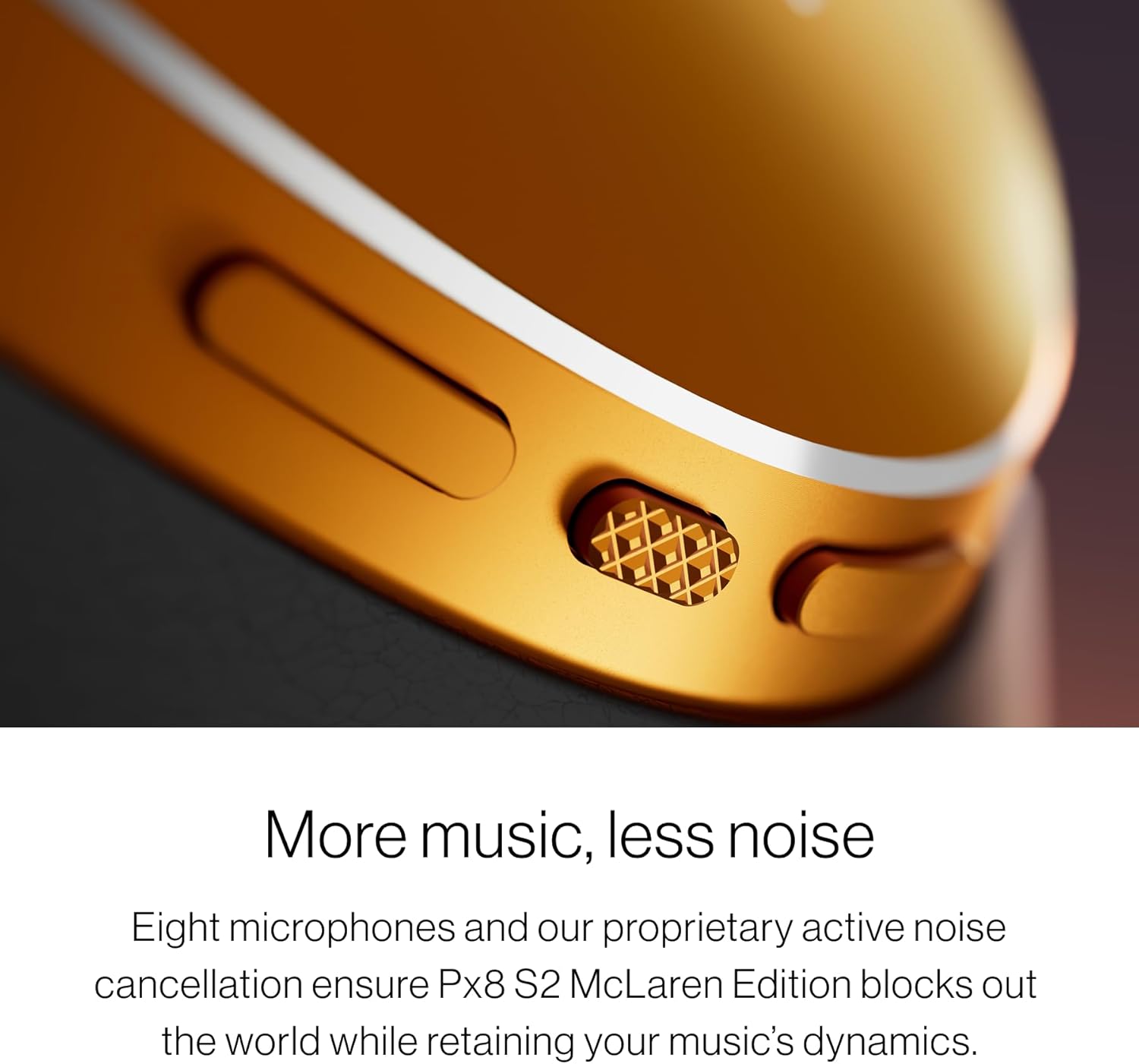
Imej: A terperinci view of the tactile control buttons on the Bowers & Wilkins Px8 S2 headphones, including the textured play/pause button.
Pembatalan Bunyi Aktif (ANC) dan Mod Ketelusan
The headphones utilize eight precision microphones for advanced Active Noise Cancellation, effectively blocking out ambient noise while preserving audio dynamics. Transparency Mode allows you to hear your surroundings without removing the headphones, ideal for situational awareness.

Image: The Bowers & Wilkins Px8 S2 headphones, illustrating their noise-cancelling capabilities in various environments.
Kualiti Panggilan
Next-generation voice technology and precisely positioned microphones ensure crystal-clear call quality, even in noisy environments.

Image: A close-up of the Bowers & Wilkins Px8 S2 headphones, emphasizing their microphone system for clear communication.
Apl Muzik Bowers & Wilkins
The dedicated Bowers & Wilkins Music app provides full control over your listening experience. You can fine-tune EQ settings with a five-band equalizer, activate TrueSound mode, and integrate voice assistants for hands-free operation.

Image: The Bowers & Wilkins Music app interface displayed on multiple smartphones, showing control over Px8 S2 headphones and music selection.
Video: Semula terperinciview of the Bowers & Wilkins Px8 S2 headphones, covering sound quality, features, and user experience.
Keselesaan dan Reka Bentuk
The Px8 S2 McLaren Edition headphones are crafted for all-day comfort and durability. They feature luxurious memory foam Nappa leather ear cushions and a refined, ergonomic silhouette. The design incorporates slim aluminum arms and exposed cable detailing, reflecting McLaren's aesthetic.

Image: A close-up of the soft memory foam Nappa leather ear cushions on the Bowers & Wilkins Px8 S2 headphones, highlighting comfort.

Image: The headband of the Bowers & Wilkins Px8 S2 headphones, showcasing its comfortable padding and adjustable design.

Image: A close-up of the embossed McLaren logo on the headband of the Bowers & Wilkins Px8 S2 McLaren Edition headphones.
Penyelenggaraan
To maintain the performance and appearance of your headphones:
- Lap penutup telinga dan ikat kepala dengan kain lembut dan kering.
- Elakkan menggunakan pembersih yang melelas, alkohol atau pelarut kimia.
- Store the headphones in their protective case when not in use to prevent damage.
- Keep the charging port clean and free of debris.
Menyelesaikan masalah
Tiada Kuasa
- Pastikan fon kepala dicas. Sambungkannya ke sumber kuasa menggunakan kabel USB-C.
- Press and hold the Power/Bluetooth button for a few seconds to ensure they are powered on.
Tidak Dapat Berpasangan melalui Bluetooth
- Pastikan fon kepala berada dalam mod berpasangan (LED berkelip biru).
- Pastikan Bluetooth didayakan pada peranti anda dan ia berada dalam julat (biasanya 10 meter).
- Try forgetting the device from your device's Bluetooth settings and re-pairing.
- Mulakan semula kedua-dua fon kepala dan peranti anda.
Kualiti Bunyi Lemah
- Check the audio source and ensure the volume is not too low or too high, causing distortion.
- Ensure the headphones are within Bluetooth range and there are no obstructions.
- If using a wired connection, ensure the cables are securely connected and undamaged.
- Adjust EQ settings in the Bowers & Wilkins Music app.
Spesifikasi
| Ciri | Perincian |
|---|---|
| Jenama | Bowers & Wilkins |
| Nama Model | Px8 S2 |
| Nombor Model | 301165-06-00-308 |
| warna | McLaren Grey |
| Penempatan Telinga | Atas Telinga |
| Kawalan Bunyi | Pembatalan Bunyi Aktif |
| Teknologi Ketersambungan | Wayarles (Bluetooth 5.3) |
| Jenis Pemacu Audio | Dynamic Driver (40mm custom drive units) |
| Julat Kekerapan | 20Hz - 40,000Hz |
| Purata Hayat Bateri | 30 Jam |
| Masa Pengecasan Bateri | 15 minutes (for 7 hours playback) |
| Kaedah Kawalan | App, Voice, Tactile Buttons |
| Bicu Fon Kepala | 3.5 mm Jack, USB-C |
| Berat Barang | 0.31 Kilogram |
| bahan | Leather, Foam, Metal |
| UPC | 714346351763 |
Maklumat Waranti
Your Bowers & Wilkins Px8 S2 McLaren Edition Wireless Over-Ear Headphones come with a 2-year limited warranty. This warranty covers manufacturing defects and workmanship under normal use. Please retain your proof of purchase for warranty claims. For full terms and conditions, please refer to the warranty card included in your literature pack or visit the official Bowers & Wilkins webtapak.
Sokongan
For further assistance, product registration, or to download the latest version of the Bowers & Wilkins Music app, please visit the official Bowers & Wilkins support webtapak. Anda juga boleh mencari Soalan Lazim dan menghubungi perkhidmatan pelanggan di sana.