
1. Pengenalan
Terima kasih kerana membeliasing the Yolanda 1080P Action Camera H88-1080. This compact and lightweight action camera is designed for capturing high-quality video and photos in various environments, from daily activities to outdoor adventures. Featuring a 120-degree wide-angle lens, WiFi connectivity for smartphone integration, and a durable design, it offers a versatile recording experience. Please read this manual carefully to ensure proper use and optimal performance of your device.
2. Ciri-ciri Produk
- 1080P High Definition & 120° Ultra Wide Angle: Rakam gambar yang jelas dan terperincitage with 1920x1080 resolution and a 120-degree wide-angle field of view. Ideal for recording expansive landscapes and dynamic scenes.
- Reka Bentuk Ultra Ringan: Weighing approximately 37g, this camera is designed for comfortable wear, minimizing burden during use.
- Versatile Scene Adaptability: Enjoy hands-free recording from a first-person perspective. The camera comes with various mounting brackets and accessories, allowing for flexible placement on helmets, bicycles, surfboards, pets, or chest mounts.
- WiFi Connectivity & Remote Operation: Connect to the camera's Wi-Fi hotspot (no internet connection required) and use the dedicated smartphone app to view foo masa nyatatage, control recording, take photos, and adjust settings remotely.
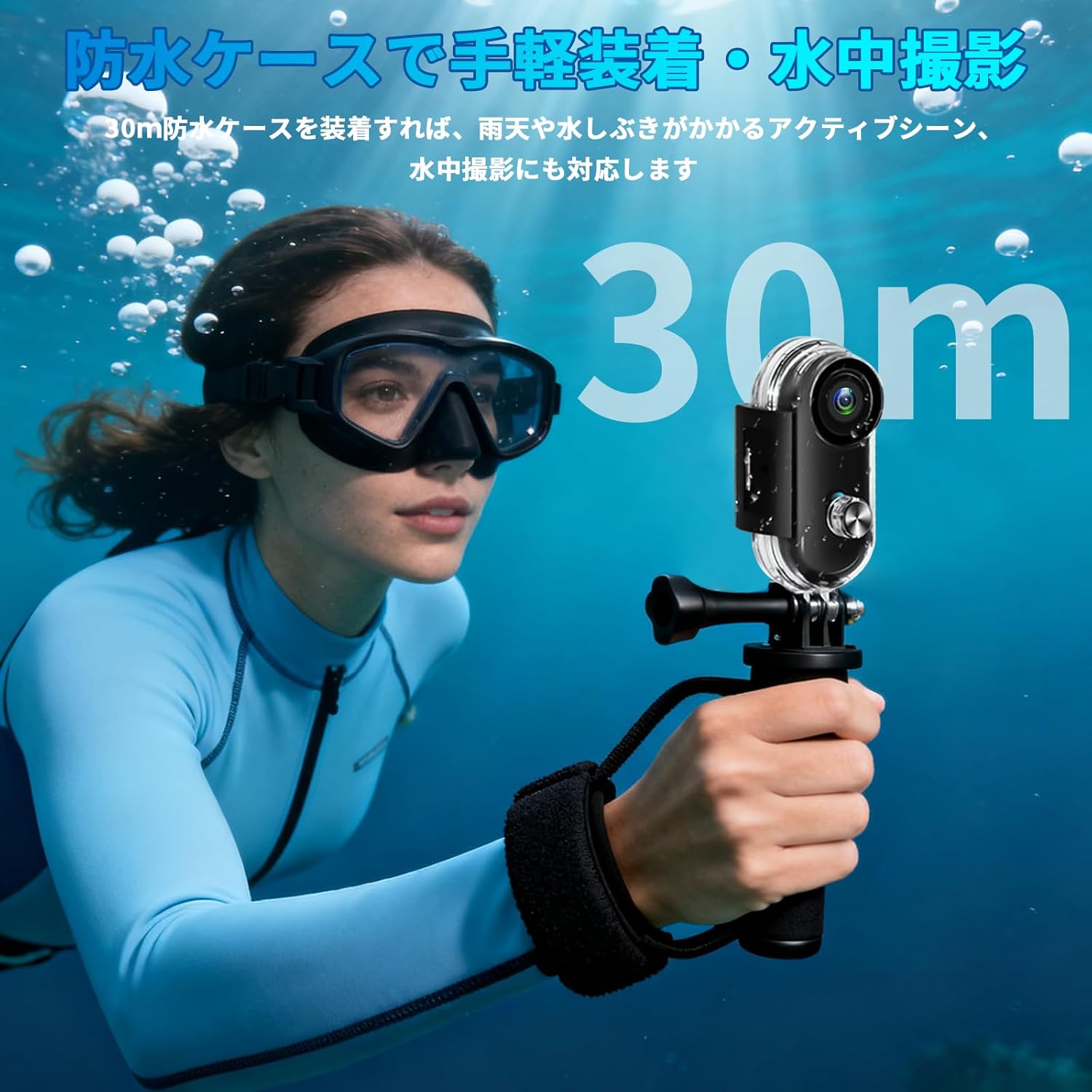
- Magnetic Adsorption & 30m Waterproof: Equipped with a strong magnetic neck strap for easy attachment to clothing. With the dedicated waterproof case (included), the camera is resistant to rain, splashes, and moisture, and can be used for underwater shooting up to 30 meters.
- Jangka Hayat Bateri: The compact body offers approximately 150 minutes of continuous recording on a full charge, ensuring you capture all important moments.



3. Kandungan Pakej
Sila pastikan semua item berikut disertakan dalam pakej anda:
- Yolanda H88-1080 Action Camera Body
- Sarung Kalis Air
- Magnetic Neck Strap
- Various Mounting Brackets and Accessories (e.g., adhesive mounts, pipe clamps)
- Kabel Pengecas USB
- Manual Pengguna (dokumen ini)
4. Persediaan
4.1 Mengecas Kamera
- Connect the camera to a USB power adapter (not included) or a computer using the provided USB charging cable.
- Lampu penunjuk pengecasan akan menyala. Setelah dicas sepenuhnya (kira-kira 2-3 jam), lampu akan bertukar atau padam.
- Ensure the camera is fully charged before first use for optimal battery performance.
4.2 Memasukkan Kad MicroSD
- Cari slot kad microSD pada kamera.
- Gently insert a compatible microSD card (Class 10 or higher, up to 128GB recommended) into the slot until it clicks into place.
- Untuk mengalih keluar, tolak kad masuk sekali lagi sehingga ia keluar.
- Nota: If the camera vibrates continuously when charging without an SD card, press and hold the power button to turn it off. This vibration indicates that no storage media is detected.
4.3 Menghidupkan/Mematikan
- Untuk Menghidupkan: Press and hold the power button for a few seconds until the indicator light illuminates.
- Untuk Mematikan: Press and hold the power button for a few seconds until the indicator light turns off.
4.4 Connecting to the Smartphone App (Sports DV)
- Download the "Sports DV" app from your smartphone's app store (Android/iOS compatible).
- Turn on the camera's Wi-Fi by quickly pressing the Wi-Fi button twice (refer to the manual for exact button location if not obvious). The Wi-Fi indicator light will flash.
- On your smartphone, go to Wi-Fi settings and connect to the camera's Wi-Fi network (SSID and password can be found in the camera's manual or on the device itself).
- Open the "Sports DV" app. You should now see a live preview from the camera and be able to control its functions.
5. Arahan Operasi
5.1 Merakam Video
- Ensure a microSD card is inserted and the camera is powered on.
- Press the record button once to start video recording. The recording indicator light will flash.
- Press the record button again to stop recording. The indicator light will stop flashing.
- Alternatively, use the "Sports DV" app to start and stop recording remotely.
5.2 Mengambil Foto
- Ensure a microSD card is inserted and the camera is powered on.
- Press the photo button (if separate from record, otherwise use the app) once to take a photo. The indicator light may flash briefly.
- Use the "Sports DV" app for easier photo capture and framing.
5.3 Using the Waterproof Case
- Open the waterproof case latch and carefully place the camera inside, ensuring it is seated correctly.
- Close the latch securely. Before submerging, always perform a dry test with the case empty to ensure it is sealed properly.
- The waterproof case allows for underwater use up to 30 meters.
5.4 Pilihan Pemasangan
- Magnetic Neck Strap: Attach the camera to the magnetic neck strap and wear it under or over clothing for a stable, hands-free recording experience.
- Pelekat Pelekat: Use the adhesive mounts to attach the camera to flat or curved surfaces like helmets or vehicles. Ensure the surface is clean and dry before application.
- Paip Clamps: Secure the camera to handlebars, poles, or other cylindrical objects using the provided pipe clamps.
- Explore various accessories to find the best mounting solution for your activity.
6. Penyelenggaraan
- Pembersihan: Use a soft, dry cloth to clean the camera body. For the lens, use a specialized lens cleaning cloth and solution. Do not use harsh chemicals.
- Penjagaan Sarung Kalis Air: After using the waterproof case in saltwater, rinse it thoroughly with fresh water and let it air dry. Inspect the O-ring seal regularly for any damage or debris.
- Storan: Store the camera in a cool, dry place away from direct sunlight and extreme temperatures. Remove the microSD card if storing for extended periods.
- Penjagaan Bateri: Untuk memanjangkan hayat bateri, elakkan daripada kerap mencas sepenuhnya bateri. Jika menyimpan untuk jangka masa yang lama, cas bateri sehingga kira-kira 50% setiap beberapa bulan.
7. Penyelesaian masalah
| Masalah | Kemungkinan Punca | Penyelesaian |
|---|---|---|
| Kamera tidak dihidupkan. | Bateri lemah; bateri rosak; masalah butang kuasa. | Charge the camera fully. If the issue persists, contact support. |
| Tidak boleh merakam video/mengambil gambar. | No microSD card inserted; microSD card full or corrupted; camera malfunction. | Insert a compatible microSD card. Format or replace the microSD card. Ensure sufficient storage space. |
| Sambungan WiFi gagal. | WiFi not enabled on camera; incorrect password; too far from camera. | Ensure camera WiFi is on. Re-enter the correct password. Stay within 5 meters of the camera. Restart both camera and smartphone. |
| Camera vibrates continuously when charging. | No microSD card detected. | Insert a microSD card. If you intend to charge without recording, press and hold the power button to turn off the camera. |
| Kualiti imej/video yang lemah. | Dirty lens; low light conditions; camera shake (no image stabilization). | Clean the lens. Ensure adequate lighting. Minimize camera movement during recording. Note that this model does not feature image stabilization. |
8. Spesifikasi
| Ciri | Perincian |
|---|---|
| Jenama | Yolanda |
| Nombor Model | H88-1080 |
| Resolusi Tangkapan Video | 1080p |
| Teknologi Penderia Foto | CMOS |
| Konfigurasi Lensa | Sudut lebar (120 darjah) |
| Teknologi Ketersambungan | Wi-Fi |
| Jenis Memori Denyar | Micro SD Card, SDHC Card (up to 128GB) |
| Format Tangkapan Video | MP4 |
| Format Audio yang Disokong | MP3, AAC |
| Battery Life (Continuous Recording) | lebih kurang 150 minit |
| Penilaian Kalis Air | 30m (with dedicated waterproof case) |
| Berat badan | lebih kurang 37g |
| warna | Hitam |
| Dimensi Pakej | 19.9 x 12.6 x 5.8 cm |
9. Waranti dan Sokongan
Produk ini disertakan dengan a Waranti 6 bulan from the date of purchase. In case of initial defects or other issues, free exchange or repair services are available without conditions.
For any inquiries or support, please contact us through your Amazon account:
- Go to "Your Orders" in your Amazon account.
- Find the purchased product.
- Click on the "Seller" link.
- Select "Ask a question" to send a message to our support team.
We are committed to providing sincere support to meet your needs.