
pengenalan
Thank you for choosing the Avantree SP851 Portable DAB+/FM Radio. This versatile device offers multiple listening options including DAB+, FM radio, Bluetooth streaming, and playback from TF cards or USB drives. It features a clear LCD screen, simple controls, and a long-lasting rechargeable battery, making it ideal for various environments. Please read this manual carefully to ensure proper use and optimal performance.
Apa yang ada dalam Kotak
- Avantree SP851 Radio
- Kabel Pengecas USB-C
- Lanyard
Produk Selesaiview
Familiarize yourself with the layout and components of your Avantree SP851 radio.
Rajah 1: Depan view of the Avantree SP851 radio, showing the speaker grille and LCD display.

Rajah 2: sebelah view of the Avantree SP851 radio, highlighting the USB-A port, 3.5mm headphone jack, and USB-C charging port.

Rajah 3: Atas view of the Avantree SP851 radio, showing the numbered preset buttons (0-9) and the extendable antenna.
Ciri-ciri Utama
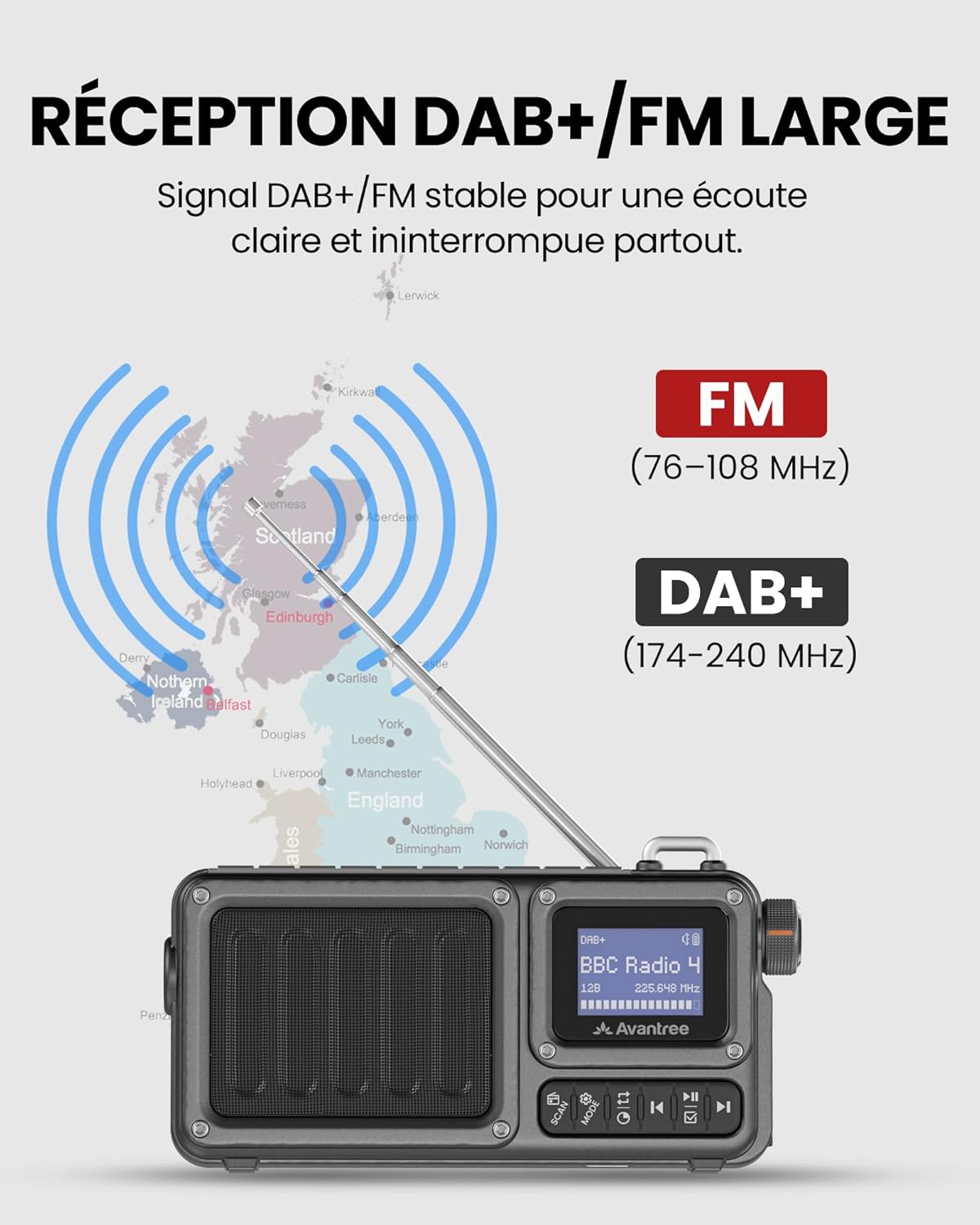
- Wide DAB+/FM Radio Reception: Enjoy clear and stable DAB+ and FM reception at home or outdoors. For best results, fully extend the antenna and place the radio near a window. Reception may vary by location.
- 5-in-1 Radio with Bluetooth 6.0: Listen as you wish: DAB+/FM radio, Bluetooth streaming, or music from a TF card/USB stick – all in a compact format.
- Simple Controls & Clear LCD Screen: Intuitive button layout with quick access to tuning, presets, and playback. The bright LCD screen clearly displays channels and settings.
- Long Battery Life & Dual Power Supply: Up to 10 hours of listening thanks to the integrated rechargeable battery. Enjoy true portability on the go, or plug it in via USB-C for continuous use at home.
- Compact & Travel-Friendly Design: Lightweight and durable, ideal for travel, camping, or emergencies, with an integrated flashlight for added convenience.

Rajah 4: Berakhirview of the Avantree SP851's multi-functional capabilities, including DAB+/FM radio, Bluetooth, and TF/USB playback.
Persediaan
1. Mengecas Radio
Before first use, fully charge the Avantree SP851. Connect the provided USB-C cable to the charging port on the side of the radio and plug the other end into a standard USB power adapter (not included) or a computer's USB port. The charging indicator on the screen will show charging status.
2. Antenna Placement
For optimal radio reception (DAB+ and FM), fully extend the telescopic antenna. Position the radio near a window or in an open area to minimize interference. Reception quality can vary based on your geographical location and surrounding environment.
Arahan Operasi
1. Hidupkan/Mati Kuasa
Untuk menghidupkan radio, putar tombol kelantangan mengikut arah jam. Untuk mematikan, putarkannya lawan arah jam sehingga ia berbunyi klik.
2. Pemilihan Mod
Press the 'MODE' button repeatedly to switch between DAB+, FM, Bluetooth, and TF/USB playback modes. The current mode will be displayed on the LCD screen.
3. Operasi Radio DAB+
- Tukar kepada mod DAB+.
- Press the 'SCAN' button to perform an automatic scan for available DAB+ stations. The radio will store all found stations.
- Use the 'Previous' and 'Next' buttons (left and right arrows) to navigate through the list of stations.
- To save a station as a preset, press and hold one of the numbered buttons (0-9) until the screen confirms the preset is saved. To recall a preset, simply press the corresponding numbered button.

Rajah 5: Illustration of DAB+ (174-240 MHz) and FM (76-108 MHz) reception capabilities.
4. Operasi Radio FM
- Tukar kepada mod FM.
- Press the 'SCAN' button to automatically scan and store available FM stations.
- Use the 'Previous' and 'Next' buttons to browse through the stored stations.
- To manually tune, briefly press the 'SCAN' button to stop auto-scan, then use the 'Previous' and 'Next' buttons for fine-tuning.
- Save and recall presets using the numbered buttons (0-9) as described for DAB+ mode.
5. Berpasangan Bluetooth
- Switch to Bluetooth mode. The radio will enter pairing mode, indicated by a flashing Bluetooth icon on the screen.
- On your smartphone or other Bluetooth device, search for 'Avantree SP851' in the Bluetooth settings and select it to pair.
- Once paired, the Bluetooth icon will become solid, and you can stream audio from your device to the radio.
6. TF/USB Playback
- Insert a TF card into the Micro SD Card slot or a USB flash drive into the USB-A port.
- Switch to TF/USB mode. The radio will automatically detect and begin playing audio files daripada peranti storan yang dimasukkan.
- Use the 'Previous', 'Next', and 'Play/Pause' buttons to control playback.

Rajah 6: Visual representation of the radio's multiple functions: DAB+/FM radio, flashlight, USB playback, Bluetooth 6.0, and SD card reader.
7. Fungsi Lampu Suluh
The Avantree SP851 includes an integrated flashlight. To activate or deactivate the flashlight, locate the dedicated flashlight button, usually on the side or top of the device, and press it.
Pengecasan dan Hayat Bateri
The Avantree SP851 features a built-in rechargeable lithium-ion battery, providing up to 10 hours of continuous listening on a full charge. When the battery is low, the battery indicator on the LCD screen will show a low level. Connect the radio to a power source using the USB-C cable to recharge. The radio can be used while charging.

Rajah 7: The Avantree SP851 offers up to 10 hours of continuous playback, suitable for extended use.
Penyelenggaraan
- Bersihkan radio dengan kain lembut dan kering. Jangan gunakan pembersih atau pelarut yang melelas.
- Elakkan daripada mendedahkan peranti kepada suhu yang melampau, cahaya matahari langsung atau lembapan.
- Do not attempt to disassemble or repair the radio yourself, as this will void the warranty.
Menyelesaikan masalah
| Masalah | Kemungkinan Punca | Penyelesaian |
|---|---|---|
| Tiada kuasa | Bateri habis | Cas radio menggunakan kabel USB-C. |
| Penerimaan radio yang lemah | Antenna not extended, weak signal | Fully extend the antenna. Move the radio closer to a window or to an open area. Perform a new scan. |
| Bluetooth tidak bersambung | Radio not in pairing mode, device too far | Ensure the radio is in Bluetooth mode and flashing. Make sure your device's Bluetooth is on and within range. Forget previous pairings on your device and try again. |
| TF/USB playback not working | tak betul file format, card/drive not inserted correctly | Pastikan audio files are in a supported format (e.g., MP3). Reinsert the TF card or USB drive. Check if the radio is in TF/USB mode. |
Spesifikasi
| Ciri | Perincian |
|---|---|
| Jenama | Avantree |
| Nombor Model | SP851 |
| warna | Hitam |
| Ciri Khas | DAB+/FM Radio, Bluetooth 6.0, TF/USB Player, Flashlight |
| Peranti Serasi | Smartphone, Laptop, MP3 Player, Tablet |
| Jenis Bateri | Litium-ion |
| Bateri boleh dicas semula | ya |
| Dimensi Produk | 33L x 72W x 153H millimeters |
| Teknologi Penalaan | DAB+, FM |
| Sumber Kuasa | Battery Powered and Corded Electric |
| Kumpulan Radio yang Disokong | 2 jalur |
| Penggunaan yang Disyorkan | Kitchen, Bedroom, Garden, Travel |

Rajah 8: Dimensions of the Avantree SP851 radio, illustrating its compact and portable design.
Waranti dan Sokongan
Avantree offers a 24-month manufacturer warranty. Defective products can be returned at Avantree's expense within the first 12 months after product registration. Extended support is available via Chat, Email, Phone, Online Help, Video Tutorials, and FAQ sections. Please visit the official Avantree website for more details and to register your product.