
1. Pengenalan
Thank you for choosing the FLEXISPOT Electric Standing Desk. This manual provides detailed instructions for the assembly, operation, and maintenance of your new adjustable height desk. Designed to promote a healthier work environment, this desk allows you to easily switch between sitting and standing positions, reducing the negative effects of prolonged sitting. Please read this manual thoroughly before assembly and use to ensure proper function and safety.
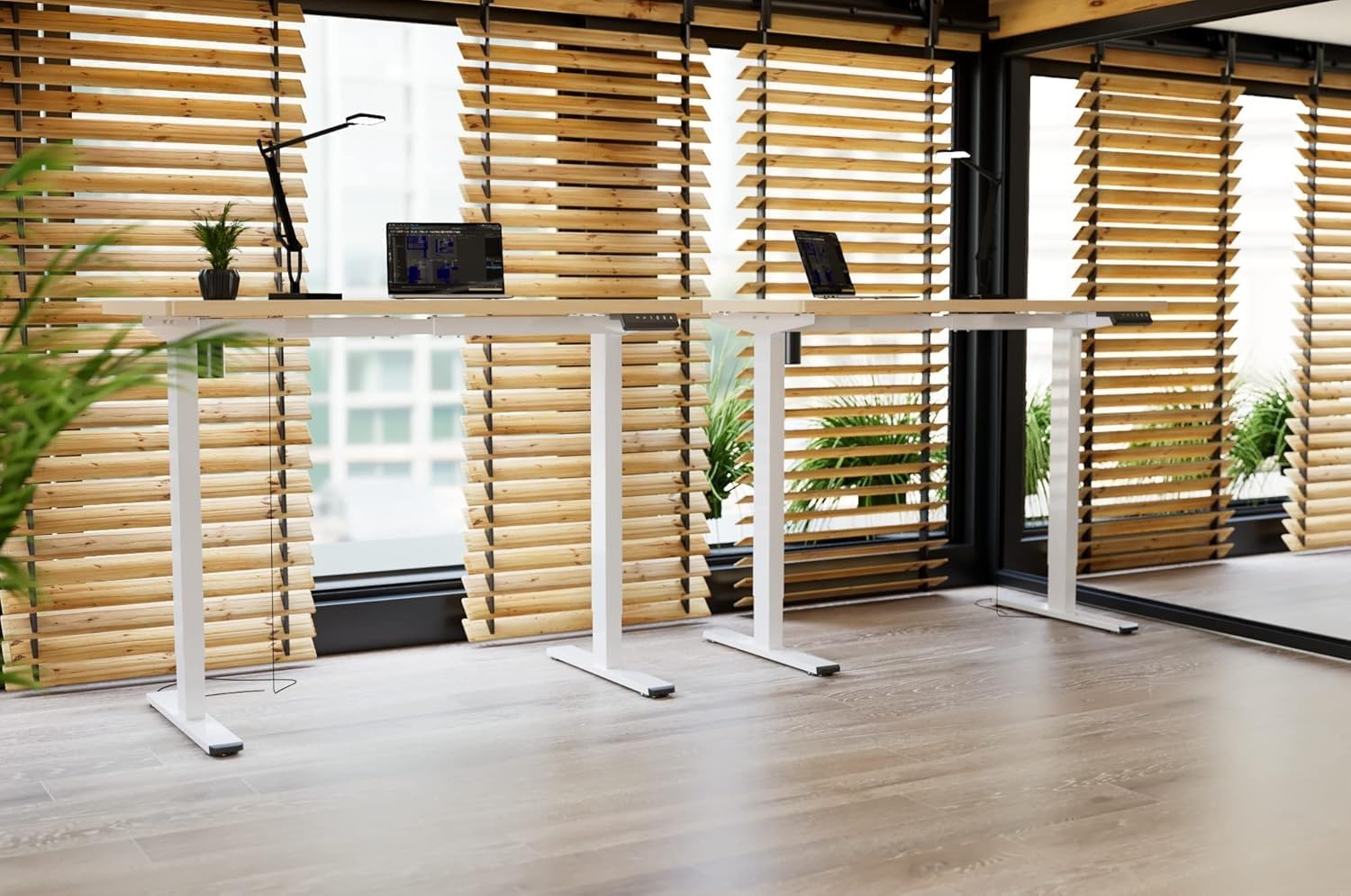
Image: Two FLEXISPOT electric standing desks with maple tops and white frames, set up in an office environment.
2. Maklumat Keselamatan
- Pastikan semua komponen ada dan tidak rosak sebelum dipasang.
- Jauhkan kanak-kanak dan haiwan peliharaan dari meja semasa operasi.
- Do not place hands or other body parts near moving parts of the desk frame.
- Avoid overloading the desk beyond its specified weight capacity.
- Only use the provided power adapter and ensure it is connected to a grounded outlet.
- Do not disassemble or modify the desk's motor or control system.
- If any unusual noise or movement occurs, immediately stop operation and unplug the desk.
- Meja ini direka untuk kegunaan dalaman sahaja.
3. Kandungan Pakej
Sila sahkan bahawa semua komponen berikut disertakan dalam pakej anda:
- Desktop (Maple, 140x60cm)
- Electric Lifting Columns (2x)
- Desk Feet (2x)
- Crossbar/Frame Components
- Kotak Kawalan
- Papan kekunci Berbilang Fungsi
- Penyesuai Kuasa dan Kabel
- Backpack Hook (2x)
- Perkakasan Pemasangan (skru, sepana Allen)
- Manual Arahan
4. Persediaan dan Pemasangan
Follow these steps to assemble your FLEXISPOT Electric Standing Desk. It is recommended to have two people for assembly.
- Buka Pembungkusan Komponen: Keluarkan semua bahagian dari bungkusan dengan berhati-hati dan letakkannya di atas permukaan yang bersih dan lembut untuk mengelakkan calar.
- Assemble Desk Feet: Attach the desk feet to the bottom of the lifting columns using the provided screws.
- Sambungkan Palang Palang: Secure the crossbar components between the two lifting columns.
- Lampirkan Desktop: Place the desktop upside down on a soft surface. Carefully position the assembled frame onto the desktop, aligning the pre-drilled holes. Secure the frame to the desktop with the appropriate screws.
- Install Control Box and Keypad: Mount the control box and multi-function keypad to the underside of the desktop using the provided hardware.
- Sambungkan Kabel: Connect the motor cables from the lifting columns to the control box. Connect the keypad cable to the control box. Finally, connect the power adapter to the control box and then to a power outlet.
- Pasang Aksesori: Attach the backpack hooks to the desired location on the desk frame or desktop edge.
- Pengurusan Kabel: Organize all cables using cable ties or management trays (not included) to prevent tangles and ensure safe operation.
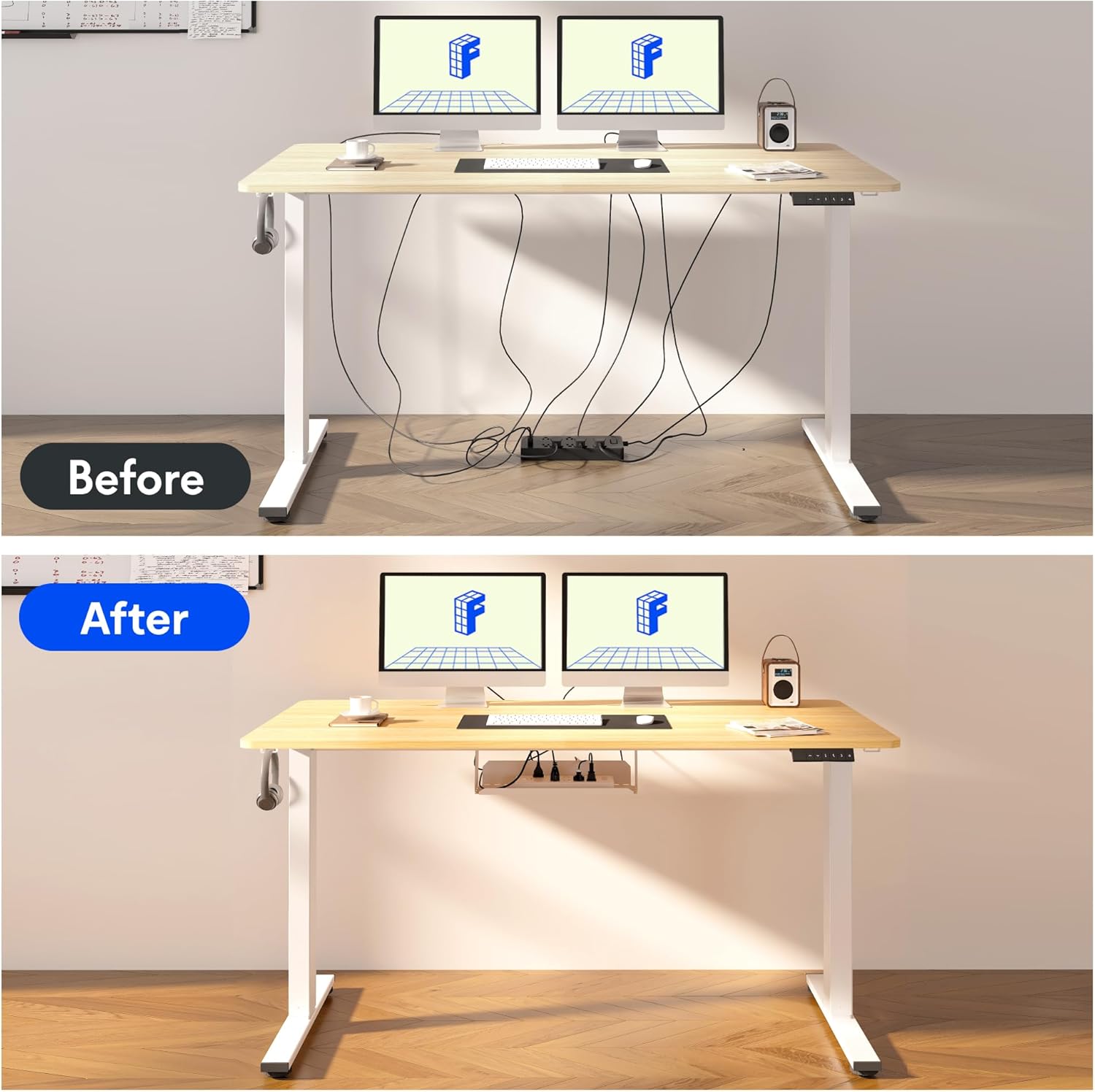
Image: Illustration of effective cable management for the desk, showing a 'before' state with loose cables and an 'after' state with cables neatly secured.

Imej: Jarak dekat view of the optional cup holder and backpack hooks, demonstrating their attachment to the desk.
5. Arahan Operasi
Your FLEXISPOT desk features an intuitive multi-function keypad for easy height adjustment and memory presets.

Imej: Terperinci view of the multi-function keypad, highlighting the LED display, up and down adjustment keys, and four memory preset buttons.
- Menyelaraskan Tinggi: Gunakan Up (▲) dan Bawah (▼) keys to raise or lower the desk to your desired height. The current height will be displayed on the LED screen.
- Menetapkan Pratetap Memori:
- Adjust the desk to your preferred sitting or standing height using the Up/Down keys.
- Tekan ke "M" button (or similar memory set button, if present, otherwise directly press a number).
- Tekan segera salah satu butang memori bernombor (1, 2, 3, atau 4) to save the current height to that preset. The LED display will confirm the setting.
- Mengingat Semula Pratetap Memori: Press any of the numbered memory buttons (1, 2, 3, atau 4) untuk menggerakkan meja secara automatik ke ketinggian yang disimpan.
- Tetapkan Semula Fungsi: If the desk encounters an error or needs to be reset, press and hold the Bawah (▼) button until the desk reaches its lowest position and then slightly rises, indicating a successful reset.
6. Penyelenggaraan
- Pembersihan: Lap permukaan meja dan bingkai dengan lembut, damp kain. Elakkan bahan kimia yang keras atau pembersih yang kasar.
- Pengurusan Kabel: Regularly check and organize cables to prevent damage and ensure smooth operation.
- Pelinciran: The lifting mechanism is designed to be maintenance-free. Do not apply lubricants to the columns.
- Pemeriksaan: Periksa semua skru dan sambungan secara berkala untuk memastikan ia ketat. Ketatkan semula jika perlu.
7. Penyelesaian masalah
| Masalah | Kemungkinan Punca | Penyelesaian |
|---|---|---|
| Meja tidak bergerak. | Power cable disconnected, control box cable loose, overload. | Check all cable connections. Reduce weight on the desk. Perform a reset (see Operating Instructions). |
| Meja bergerak tidak sekata atau mengeluarkan bunyi yang luar biasa. | Loose screws, obstruction, uneven load. | Check all assembly screws. Ensure no obstructions are in the path of the lifting columns. Distribute weight evenly. |
| Pratetap memori tidak berfungsi. | Pratetap tidak disimpan dengan betul. | Re-save the memory presets following the steps in the Operating Instructions. |
| Paparan LED menunjukkan kod ralat. | Ralat sistem. | Perform a reset. If the error persists, contact customer support. |
8. Spesifikasi
- Dimensi Desktop: 140 cm (Panjang) x 60 cm (Lebar)
- Julat Ketinggian Boleh Laras: 73.5 cm hingga 118 cm
- Bahan: Maple wood desktop, Metal frame (White)
- Motor: Single motor, quiet operation (below 50 dB)
- Ciri Khas: Electric height adjustment, Smart memory panel (4 presets), Backpack hook (2x)
- Kestabilan: Enhanced frame design with wider feet and thicker columns for improved stability.

Image: Technical drawing illustrating the desktop dimensions (140x60cm) and the adjustable height range of the desk frame (73.5-118cm).

Imej: Dalaman view of the desk's powerful and quiet motor, emphasizing its smooth and stable operation.
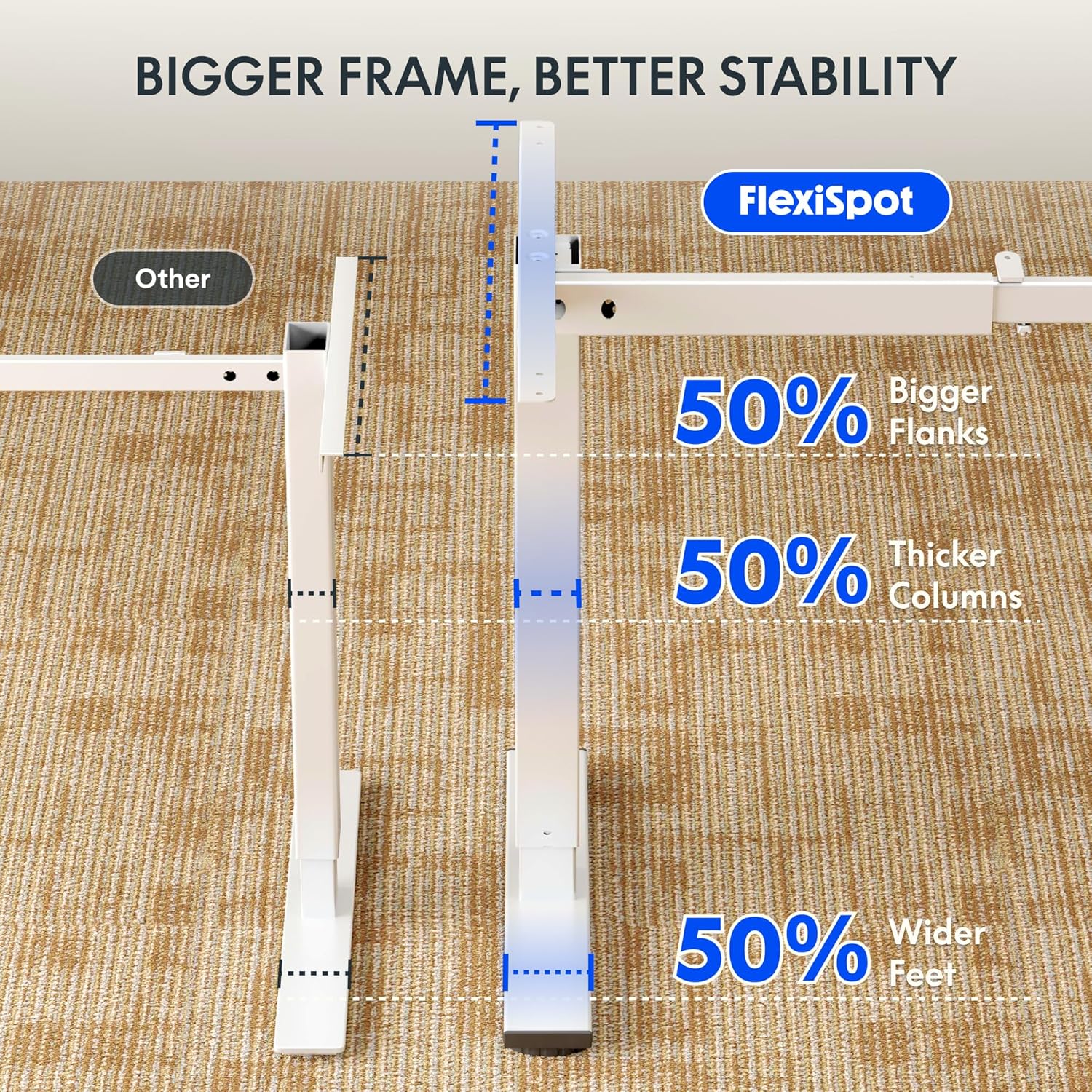
Image: Comparative diagram illustrating the superior stability of the FlexiSpot desk frame, featuring 50% bigger flanks, thicker columns, and wider feet compared to standard designs.
9. Maklumat Waranti
This FLEXISPOT Electric Standing Desk is covered by a limited manufacturer's warranty. Please refer to the warranty card included in your package or visit the official FLEXISPOT website for detailed terms and conditions regarding coverage, duration, and claims process. Keep your proof of purchase for warranty service.
10. Sokongan Pelanggan
If you have any questions, require assistance with assembly, or encounter issues not covered in this manual, please contact FLEXISPOT customer support. You can find contact information on the official FLEXISPOT webtapak atau melalui peruncit anda.
Untuk maklumat lanjut, layari: www.flexispot.com