
1. Pengenalan
Thank you for choosing the Auxmir M4-WiFi Smart Bedside Lamp. This intelligent night light offers a wide range of customizable colors and brightness levels, controllable via touch, a dedicated mobile application, or voice commands through Alexa and Google Home. Please read this manual carefully to ensure proper setup, operation, and maintenance of your device.
2. Arahan Keselamatan
- Sumber Kuasa: l iniamp does not have a built-in battery. It must remain connected to a power source via the provided USB-C cable for continuous operation. An AC adapter is not included.
- Penggunaan Dalaman Sahaja: This product is designed for indoor use. Do not expose it to water or high humidity.
- Pembersihan: Putuskan sambungan kuasa sebelum membersihkan. Gunakan kain lembut dan kering. Jangan gunakan pembersih cecair atau semburan aerosol.
- Kanak-kanak: Keep out of reach of small children unless under adult supervision. The lamp is designed to be child-friendly but is not a toy.
- Pembongkaran: Jangan cuba membuka atau membaiki lamp yourself. This will void the warranty and may cause damage or injury.
- Suhu Operasi: Avoid extreme temperatures. Operate the lamp within a normal room temperature range.
3. Kandungan Pakej
Sila semak pakej untuk item berikut:
- Auxmir M4-WiFi Smart Bedside Lamp (1 unit)
- USB-C Power Cable (1 unit)
- Manual Pengguna (1 unit)
4. Produk Lebihview
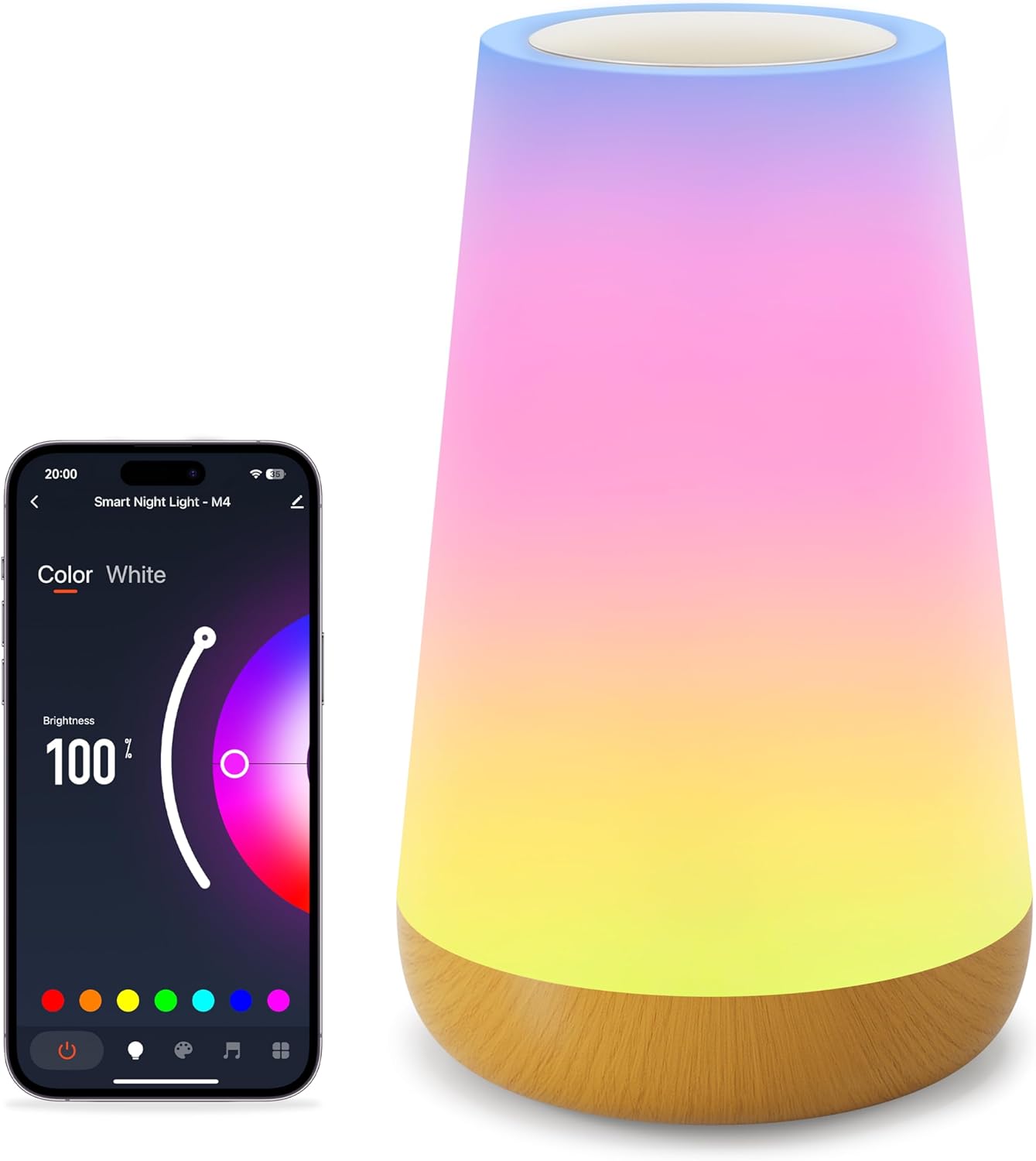
The Auxmir M4-WiFi Smart Bedside Lamp features a sleek, conical design with a touch-sensitive top panel and a wooden-look base. It provides 256 adjustable RGB colors and warm white light, suitable for various environments.
5. Persediaan
5.1 Sambungan Kuasa
- Sambungkan kabel USB-C yang disediakan ke lamp's power port.
- Plug the other end of the USB-C cable into a compatible USB power adapter (not included) or a USB port on another device.
- Ensure the power source is stable. The lamp will illuminate briefly to indicate it has power.
5.2 App Installation and Wi-Fi Pairing
To unlock all smart features, download the dedicated mobile application and connect the lamp ke rangkaian Wi-Fi anda.

- Muat turun Apl: Cari untuk the recommended app (e.g., 'Smart Life' or 'Tuya Smart') in your smartphone's app store (iOS or Android) and install it.
- Daftar/Log Masuk: Buka apl dan buat akaun atau log masuk jika anda sudah memilikinya.
- Tambah Peranti: In the app, tap '+' or 'Add Device'. Select 'Lighting' or 'Smart Lamp'.
- Masukkan Mod Berpasangan: Dengan lamp powered on, long-press the touch panel for 5 seconds until the light starts blinking rapidly. This indicates it is in network configuration mode.
- Sambung ke Wi-Fi: Follow the on-screen instructions in the app. Ensure your phone is connected to a 2.4GHz Wi-Fi network (5GHz networks are not supported). Enter your Wi-Fi password when prompted.
- penyiapan: Setelah disambungkan, lamp will stop blinking and the app will confirm successful pairing. You can now rename your lamp for easier control.
6. Arahan Operasi
6.1 Sentuhan Kawalan
Lamp features a touch-sensitive panel on its top for basic control.
- Hidupkan: Short press the touch panel.
- Matikan: Long press the touch panel for 2 seconds.
- Switch Color and Mode: Short touch the panel after turning on the light to cycle through colors and modes.
- Laraskan Kecerahan: Slide your finger across the touch panel to adjust brightness.
6.2 Kawalan Apl
The mobile application provides comprehensive control over the lampciri-ciri.

- Pelarasan Warna dan Kecerahan: Use the app's interface to select from 256 RGB colors and adjust brightness from 1% to 100%.
- Mod Pemandangan: Choose from over 32 built-in lighting modes, including holiday, nature, and festive scenes.
- DIY Lighting: Create and save your own custom lighting effects and color sequences.
6.3 Kawalan Suara (Alexa & Google Home)
Integrate your lamp with Amazon Alexa or Google Home Assistant for hands-free control.

- Pautkan Akaun: In the Alexa or Google Home app, enable the skill for your smart lamp's app (e.g., 'Smart Life' or 'Tuya Smart') and link your accounts.
- Cari Peranti: Minta pembantu suara anda untuk menemui peranti baharu.
- Perintah Suara: Gunakan arahan seperti:
- "Alexa/Hey Google, turn on [Lamp Nama].
- "Alexa/Hei Google, tetapkan [Lamp Nama] kepada biru."
- "Alexa/Hey Google, dim [Lamp Nama] hingga 50%.
6.4 Timer & Scheduling
Tetapkan jadual untuk lamp to automatically turn on or off.

- Open the app and navigate to the lamptetapan.
- Select 'Timer' or 'Schedule' option.
- Set desired on/off times and repeat days.
6.5 Mod Muzik
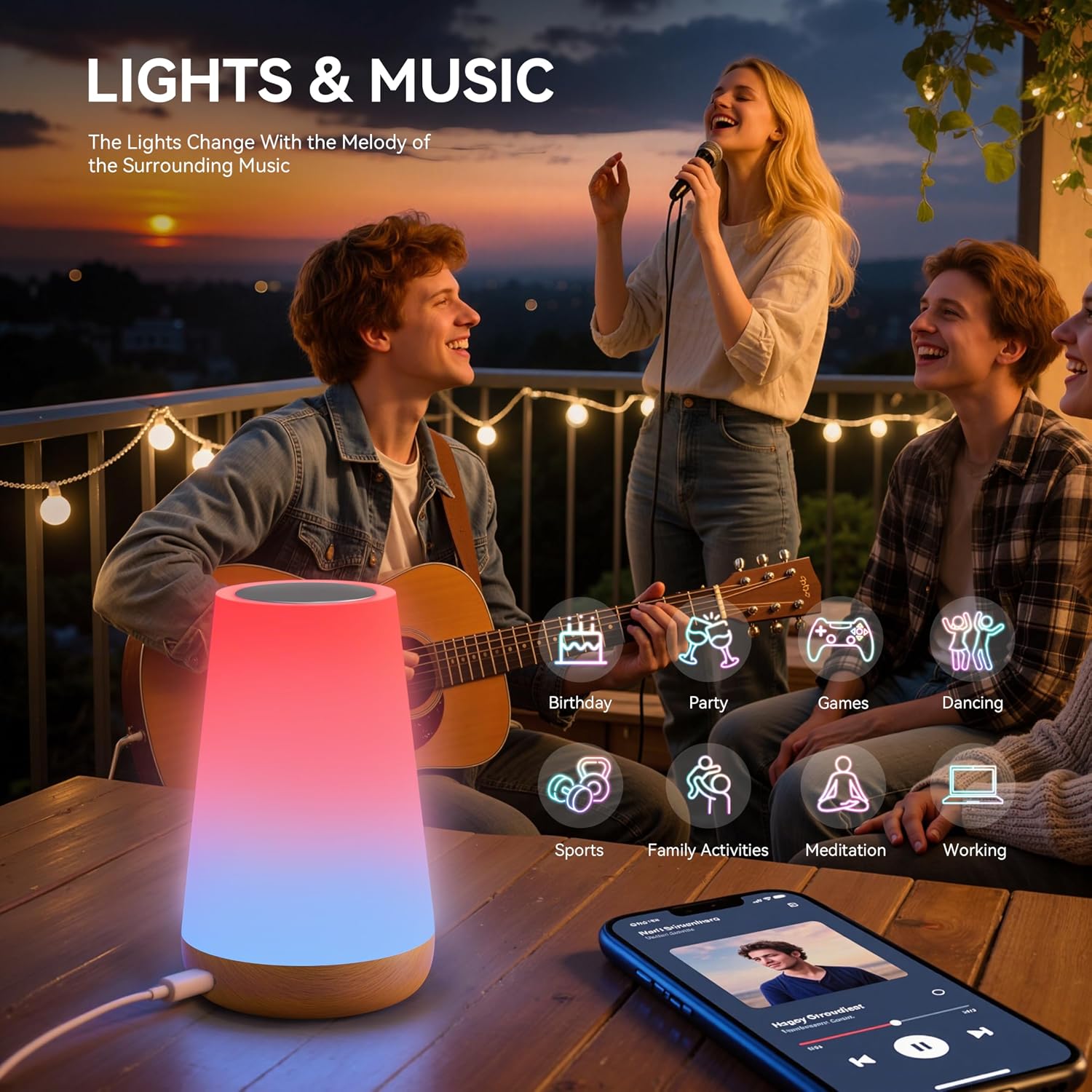
Lamp can synchronize its lighting effects with music, creating an immersive atmosphere.

- Activate 'Music Mode' within the mobile application.
- Lamp will use its built-in microphone to detect ambient music and adjust its lighting patterns accordingly.
7. Penyelenggaraan
- Pembersihan: Pastikan lamp is unplugged before cleaning. Wipe the exterior with a soft, dry, lint-free cloth. Do not use abrasive cleaners or solvents.
- Storan: Apabila tidak digunakan untuk tempoh yang lama, simpan lamp di tempat yang sejuk dan kering, jauh daripada cahaya matahari langsung dan suhu yang melampau.
- Pengendalian: Mengendalikan lamp with care to avoid dropping or physical damage.
8. Penyelesaian masalah
| Masalah | Kemungkinan Punca | Penyelesaian |
|---|---|---|
| Lamp tidak menyala. | Tiada sambungan kuasa. | Pastikan kabel USB-C disambungkan dengan selamat ke kedua-dua lamp dan sumber kuasa yang berfungsi. |
| Tidak dapat menyambung ke Wi-Fi. | Jalur Wi-Fi (5GHz) salah. Kata laluan salah. Lamp bukan dalam mod berpasangan. | Ensure your router is broadcasting a 2.4GHz Wi-Fi signal. Verify the Wi-Fi password. Long-press the touch panel for 5 seconds to enter pairing mode (rapid blinking). |
| Kawalan suara tidak berfungsi. | Account not linked. Nama peranti salah. Internet connectivity issues. | Ensure your smart lamp app account is linked to Alexa/Google Home. Check the device name in the app and use it in commands. Verify internet connection. |
| Lamp randomly changes color/mode. | Accidental touch. Gangguan. | Ensure nothing is touching the touch panel. If issues persist, try resetting the lamp and re-pairing. |
| Music mode not responsive. | Low music volume. Halangan mikrofon. | Increase music volume. Ensure the lamp's microphone (if applicable) is not covered. |
9. Spesifikasi
| Ciri | Perincian |
|---|---|
| Nombor Model | M4-WiFi Night Light |
| Dimensi (L x W x H) | 6.5 x 9.3 x 15.2 cm |
| Berat badan | 240 gram |
| Pengeluar | Auxmir |
| Bahan Asas | plastik |
| Bahan Teduh | Kapas |
| Lamp taip | Night Light / Bedside Lamp |
| Sumber Cahaya | LED (256 RGB colors + Warm White) |
| Kaedah Kawalan | Touch, Mobile App (Wi-Fi), Voice (Alexa, Google Home) |
| Protokol Ketersambungan | Wi-Fi (2.4GHz sahaja) |
| Bekalan Kuasa | USB-C Cable (constant power required, no built-in battery) |
| Kalis air | Tidak |
| Persekitaran Penggunaan | Dalaman |
| Ciri Khas | Dimmable, 100+ Scene Modes, DIY Lighting, Timer Function, Music Mode |
10. Waranti dan Sokongan
Auxmir products come with a Waranti 3 Tahun from the date of purchase, covering manufacturing defects. Additionally, we offer Sokongan Pelanggan Sepanjang Hayat untuk membantu anda dengan sebarang soalan atau masalah yang mungkin anda hadapi.
For warranty claims or technical assistance, please contact our customer service team via the contact information provided on our official website or through your purchase platform. Please have your order number and product model (M4-WiFi Night Light) ready when contacting support.