
Produk Selesaiview
The LEAGOO C570 Reclining Office Chair is designed for comfort and versatility in various settings, including home offices, executive offices, and study rooms. It features an ergonomic high back, durable PU leather upholstery, and a range of adjustable functions to support extended periods of sitting, relaxation, or rest.
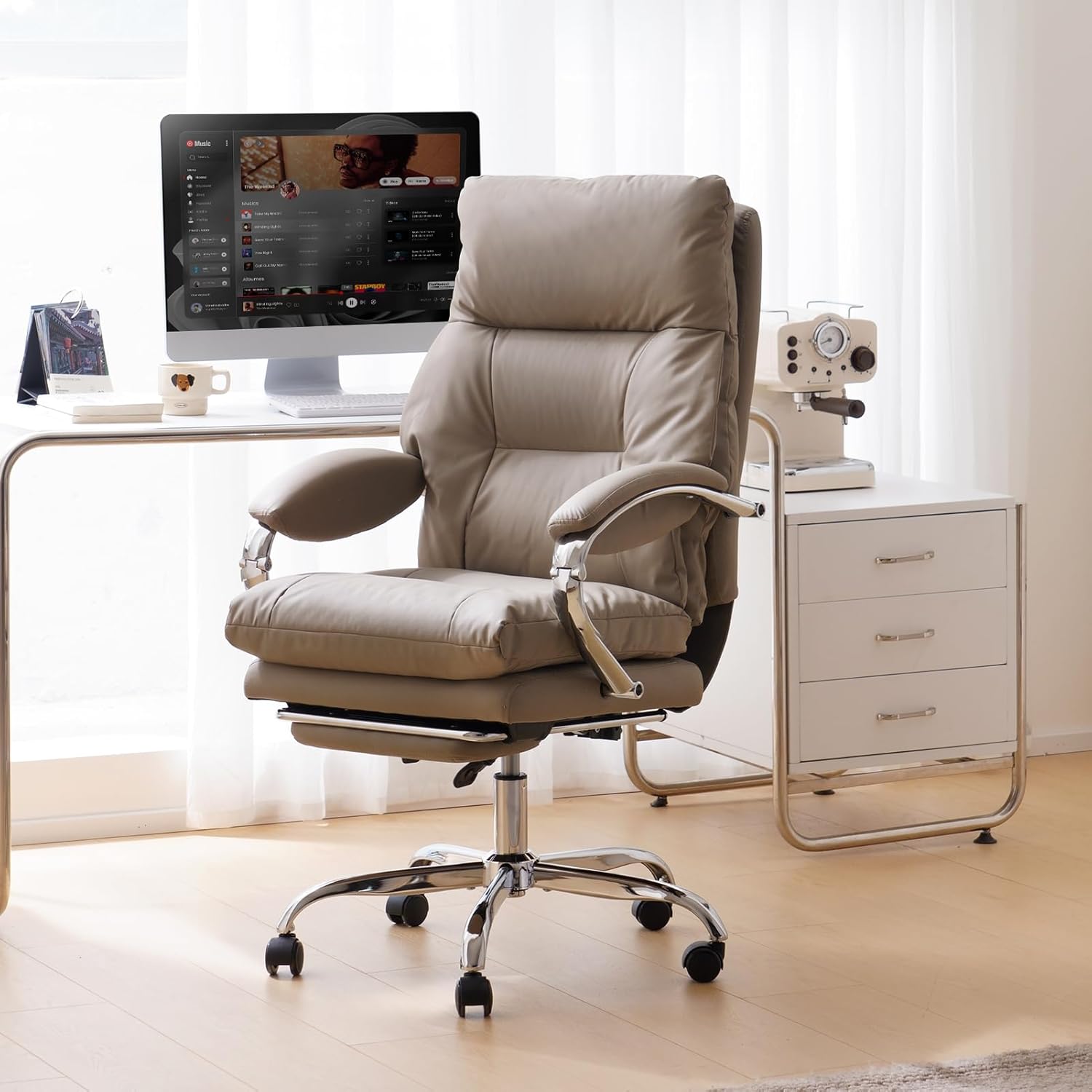
Image: LEAGOO C570 Reclining Office Chair in Khaki, showcasing reka bentuk dan ciri-cirinya.
Ciri-ciri Utama
- 155° Reclining Function: The backrest can recline between 90° (upright working position) and 155° (fully reclined for rest), with a 3-inch adjustable seat height range.
- Tempat Letak Kaki Boleh Ditarik Balik: A built-in footrest can be extended for leg support during relaxation or retracted when not in use.
- Reka bentuk ergonomik: Features a high back with integrated neck, back, lumbar, and hip support for optimal comfort. Includes a separate lumbar support pillow.
- Bahan Premium: Upholstered in high-quality, skin-friendly, soft, and easy-to-clean PU leather. The seat cushion includes ventilation holes for breathability.
- Pembinaan Tahan Lama: Equipped with SGS certified gas lift and a BIFMA certified heavy-duty base, supporting up to 300 lbs. Mute nylon casters ensure smooth and silent movement.
- Customized Armrests: Mold-customized metal armrests provide sturdy support and adjust with the reclining angle.
- Pusing 360°: Allows for unrestricted movement and easy access to different areas of your workspace.
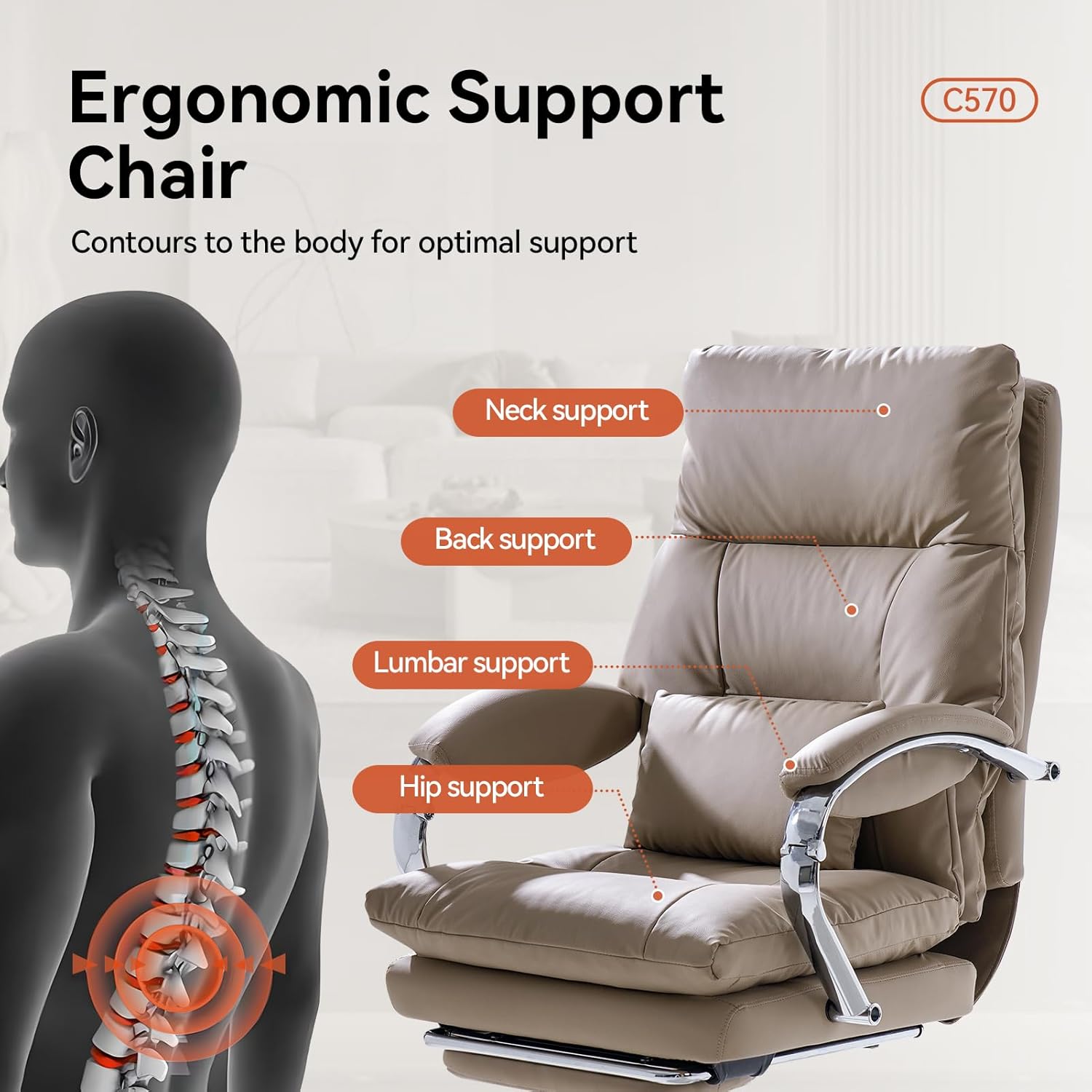
Image: Illustration of the ergonomic support points including neck, back, lumbar, and hip.
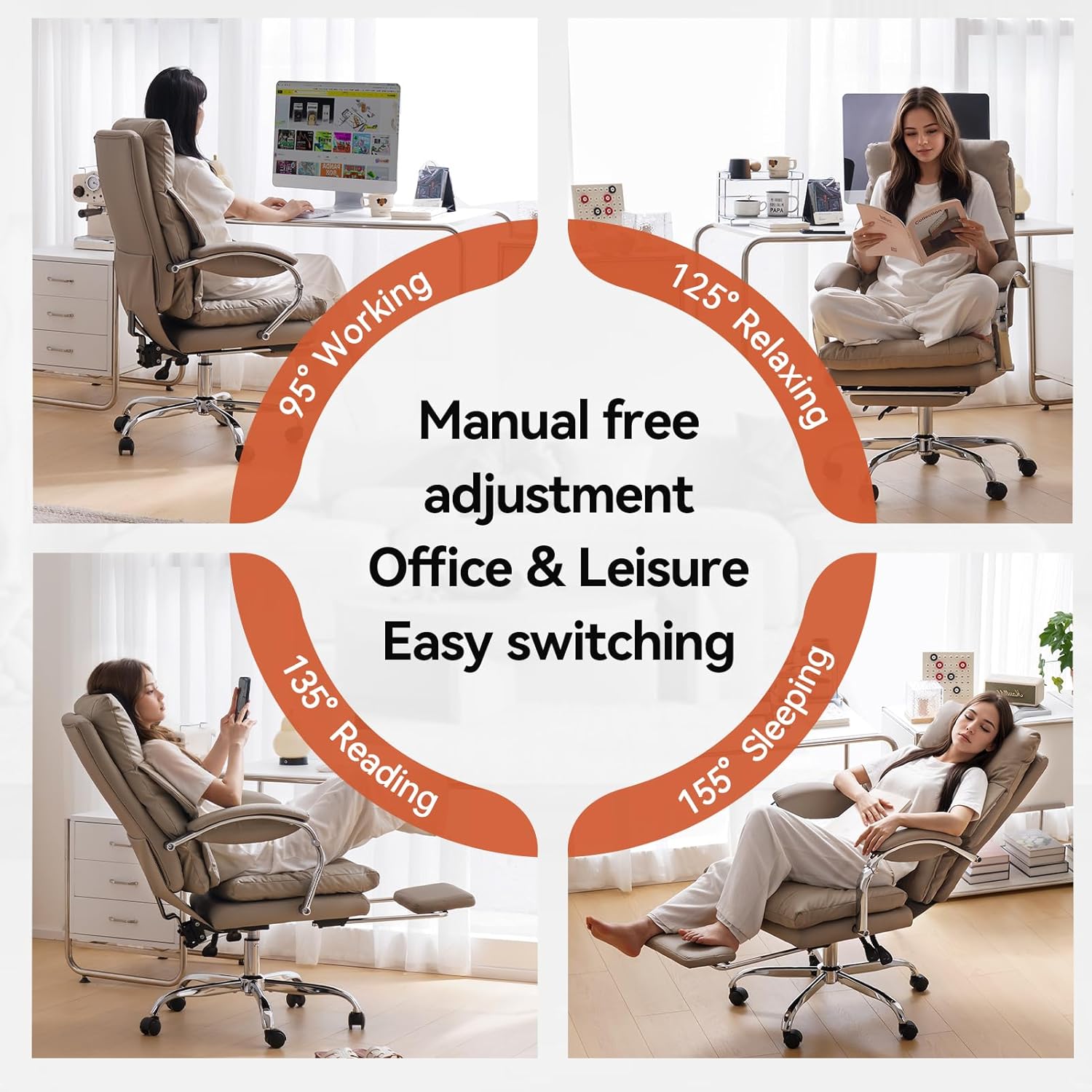
Image: The chair shown in 95° working, 125° relaxing, 135° reading, and 155° sleeping positions.
Persediaan dan Perhimpunan
The LEAGOO C570 office chair is designed for straightforward assembly. All necessary accessories, installation tools, and instructions are included in the package. Assembly typically takes less than 1 hour.
Panduan Video Perhimpunan
Video: A detailed installation guide for the C570 Series Office Chair, demonstrating each step of the assembly process.
Arahan Operasi
- Melaraskan Ketinggian Tempat Duduk: Locate the 'LIFT' lever under the seat. Pull the lever up to raise the seat; release to lock at the desired height. To lower, sit on the chair and pull the lever up.
- Baringkan Sandaran: Locate the 'LOCK' lever under the seat. Pull the lever out to unlock the recline function. Lean back to the desired angle (between 90° and 155°) and push the lever in to lock the backrest in place.
- Extending/Retracting Footrest: The footrest is located beneath the seat. Pull it out when needed for leg support and push it back in to store it.
- Fungsi Pusing: The chair features a 360° swivel base, allowing for free rotation.

Imej: Jarak dekat view of the lifting and reclining levers located under the seat.
Penyelenggaraan
To maintain the appearance and longevity of your LEAGOO C570 office chair, wipe it clean with a soft, damp cloth. Avoid using harsh chemicals or abrasive cleaners, as these may damage the PU leather upholstery.
Spesifikasi
| Jenama | LEAGOO |
| Nama Model | YMX-C570-17 Khaki |
| warna | Khaki |
| bahan | Faux Leather (PU Leather), Foam, Sponge |
| Dimensi Produk | 25.6"D x 13"W x 22.8"H |
| Cadangan Berat Maksimum | 300 paun |
| Sudut Berbaring | 90° hingga 155° |
| Ciri Khas | Adjustable Backrest, Arm Rest, Back Support, Foot Rest, Reclining, Swivel |
| Komponen yang Disertakan | Arm Pad, Lumbar Pillow |
| Arahan Perhimpunan | Termasuk |
Maklumat Keselamatan Penting
This product is not a toy. Children are prohibited from climbing, hanging, or playing with this product to prevent accidental injury.
Waranti dan Sokongan
LEAGOO provides one year of after-sales support for customers who purchase this computer desk chair from the LEAGOO furniture store. Our customer service team is available to assist with any pre-sales or after-sales inquiries. Please do not hesitate to send an email to us for assistance.