1. Pengenalan
The ARPHA D289C WiFi Video Smart Lock offers a comprehensive 5-in-1 keyless entry solution for enhanced home security and convenience. This device integrates a smart lock, 150° wide-angle camera, doorbell, fingerprint scanner, and keyless keypad into a single unit. It provides real-time monitoring, two-way audio communication, and multiple secure unlocking methods, all manageable via a dedicated mobile application.
2. Apa yang ada di dalam Kotak
Sahkan bahawa semua komponen hadir sebelum memulakan pemasangan:
- Front and rear lock mechanism
- All necessary mounting screws
- Panduan pemasangan langkah demi langkah
- 2 Kekunci Sandaran
- Door lock function setting introduction card
Video: D289C Unboxing Video. This video provides a visual guide to the contents of the product packaging, demonstrating each component included with the ARPHA D289C Smart Lock.
3. Panduan Pemasangan
3.1 Pemeriksaan Pra-Pemasangan
- Ensure your door is compatible with standard door sizes.
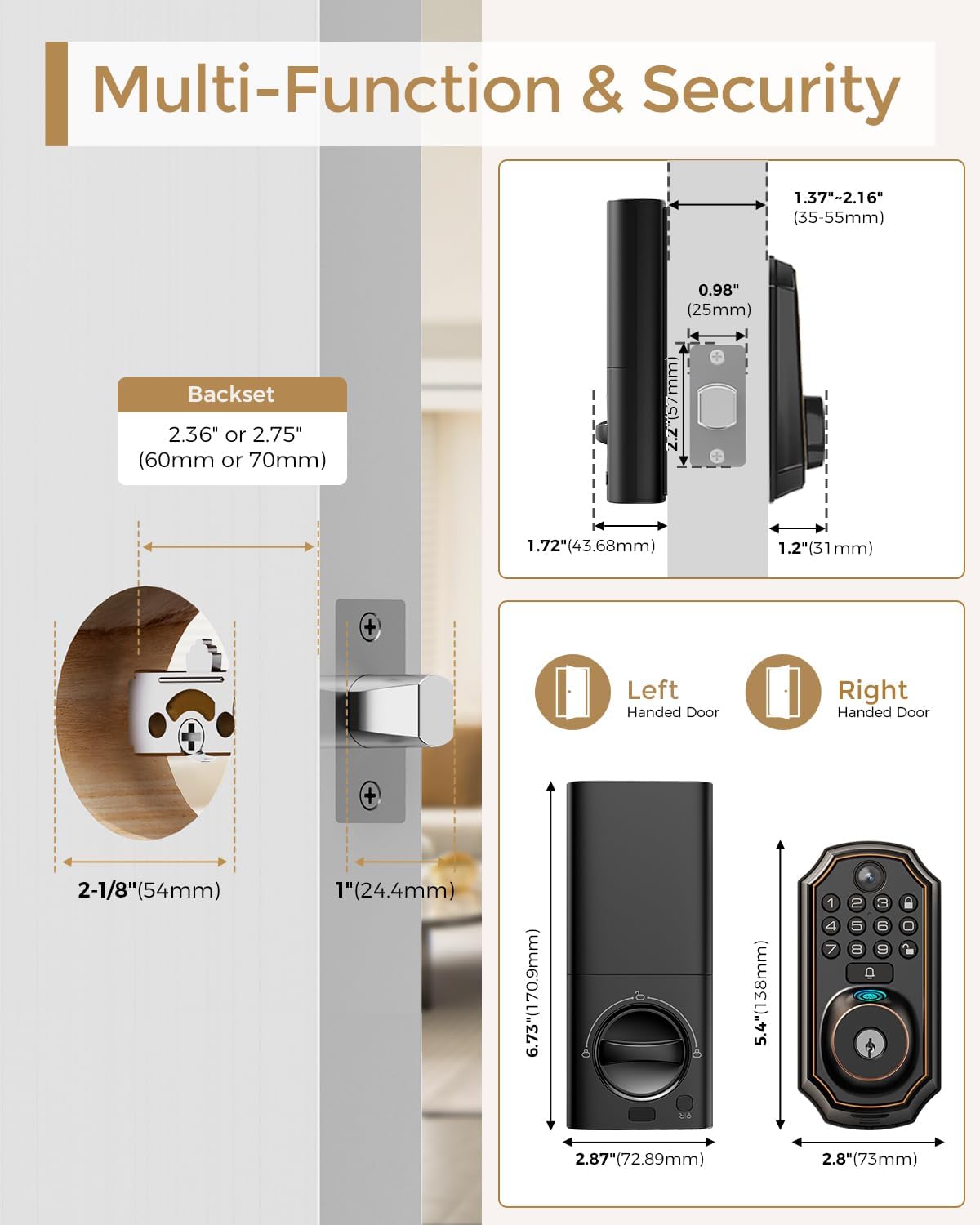
- Verify the backset is 2.36" or 2.75" (60mm or 70mm).
- Confirm the door thickness is between 1.37"-2.16" (35-55mm).
- The lock is designed for single cylinder deadbolts and is not compatible with integrated or rim cylinder locks.

Imej: Multi-Function & Security. This image illustrates the dimensions of the ARPHA D289C Smart Lock and provides guidance on door compatibility, including backset and door thickness requirements.

Imej: Specially Designed for America's Door. This image provides detailed dimensions and highlights the lock's suitability for common American door standards, emphasizing the importance of confirming installation size.
3.2 Pemasangan Langkah demi Langkah
The ARPHA D289C Smart Lock is designed for easy installation without the need for complex wiring or professional assistance. Follow the included step-by-step guide and refer to the video tutorial for visual aid.
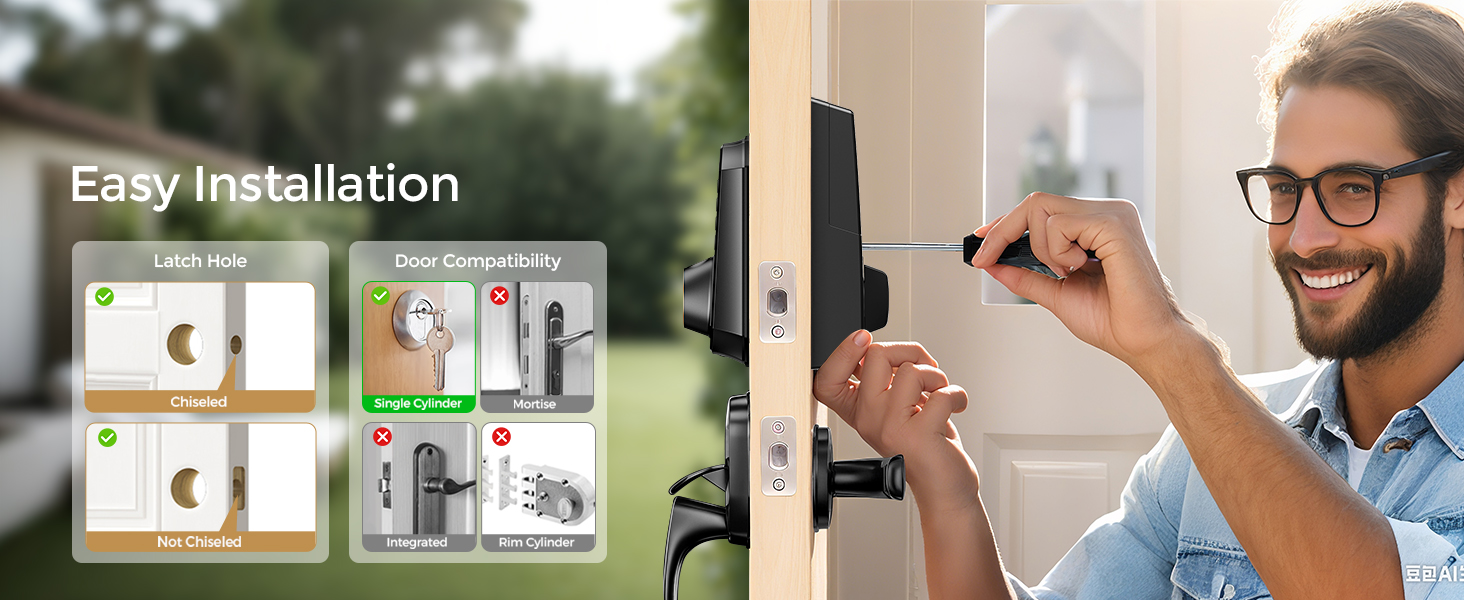
Imej: Easy Installation. This image demonstrates the straightforward installation process of the ARPHA D289C Smart Lock, highlighting that no drilling is required for standard setups.
Video: Installation Video Guide. This video provides a detailed visual walkthrough of the ARPHA D289C Smart Lock installation process, ensuring correct setup.
4. Persediaan & Konfigurasi
4.1 Pemasangan Bateri
The lock requires 8x AA batteries (not included). Ensure batteries are inserted with correct polarity. The lock is designed for battery efficiency, providing over 6 months of life.
4.2 App Connection (Cldbus App)
Download the Cldbus App from your smartphone's app store. For optimal performance, ensure your router supports a 2.4GHz WiFi band (5GHz is not compatible). Camera and remote unlock features require the doorbell to be pressed to activate WiFi each time.

Imej: Direct Connect with Router. This image highlights the direct Wi-Fi pairing capability of the ARPHA D289C Smart Lock for remote access and connectivity.
Video: Connect APP video tutorial. This video guides users through the process of connecting the ARPHA D289C Smart Lock to the mobile application for remote control and monitoring.
4.3 Registering Users (Fingerprint & Passwords)
The lock supports up to 50 fingerprints and multiple keypad PINs. You can register new users and manage existing ones through the lock's interface or the Cldbus App.

Imej: Your Finger is the Key. This image highlights the AI fingerprint recognition feature of the ARPHA D289C Smart Lock, emphasizing its speed and accuracy for unlocking.
Video: Register User Password. This video demonstrates how to register new user passwords on the ARPHA D289C Smart Lock.
Video: Delete user passwords and fingerprints. This video provides instructions on how to remove existing user passwords and fingerprints from the ARPHA D289C Smart Lock.
5. Arahan Operasi
5.1 Kaedah Membuka Kunci
The ARPHA D289C offers four secure ways to unlock your door:
- Pengecaman Cap Jari AI: Fast 0.3s identification with 99.9% accuracy.
- Keypad PIN: Use a personalized code, with an anti-peeping feature to prevent shoulder surfing. One-time codes can be generated for guests.
- Kawalan Jauh Apl: Unlock the door remotely via the Cldbus App from anywhere.
- Kunci Sandaran: Traditional keys are provided for manual override in emergencies.
Imej: Multiple Ways to Unlock. This image visually demonstrates the various methods available to unlock the ARPHA D289C Smart Lock, including app control, password, fingerprint, and physical keys.
5.2 Auto-Lock & One-Touch Lock
Set an auto-lock timer from 10 seconds to 30 minutes for automatic security. A one-touch lock feature is also available to quickly secure your door, preventing accidental oversight.
5.3 Two-Way Audio & Doorbell Notifications
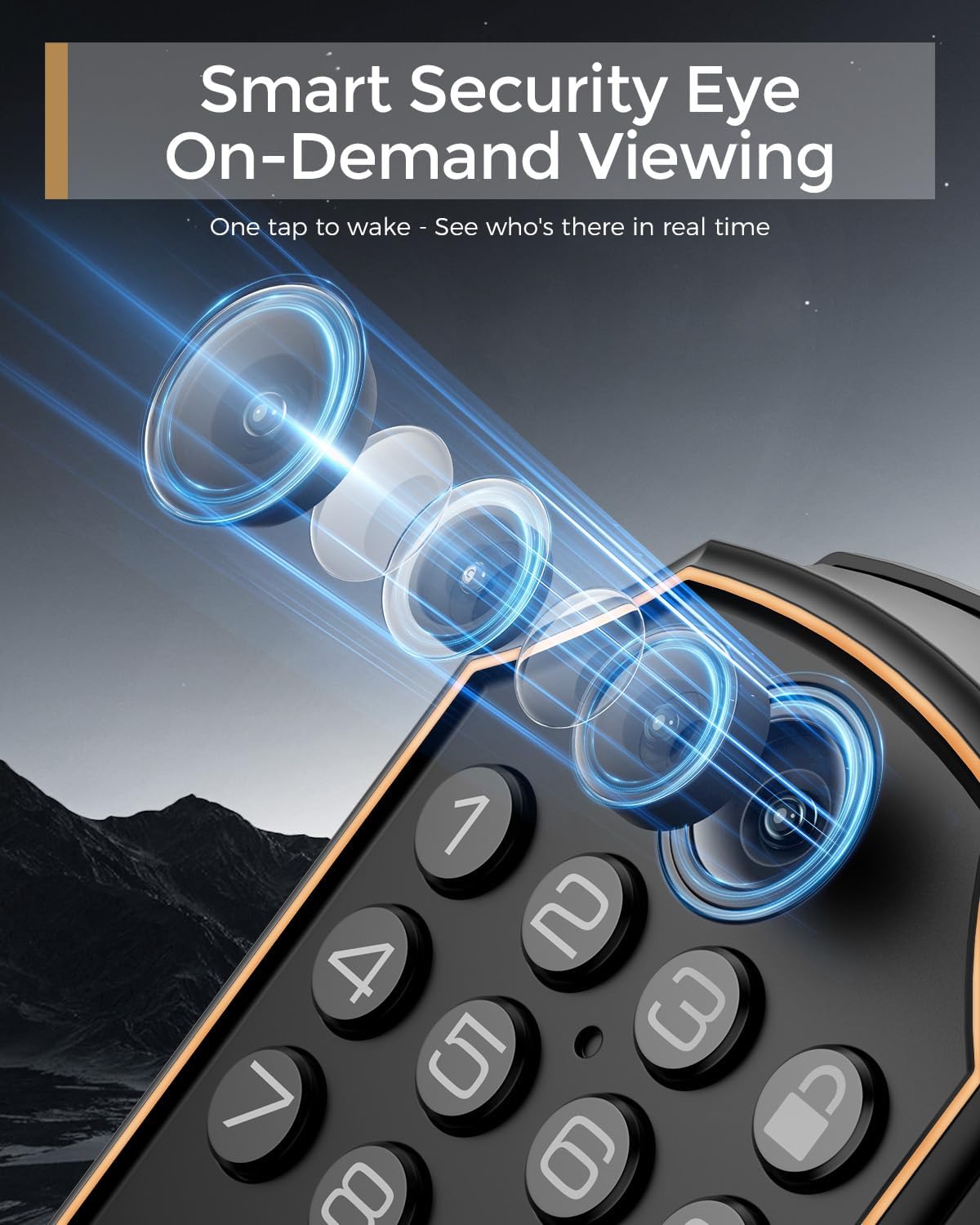
The integrated doorbell triggers instant app alerts and live video feeds to your smartphone. Engage in two-way audio communication with visitors directly through the app, even when you're not home. The camera activates only after the doorbell button is pressed.

Imej: Real-Time Doorbell Notification. This image illustrates how the ARPHA D289C Smart Lock sends instant doorbell notifications and live video feeds to your smartphone, noting that the camera activates upon button press.

Imej: Convenient Two-Way Audio. This image demonstrates the two-way audio feature, allowing users to communicate with visitors at their door via the mobile app.
Imej: Smart Security Eye On-Demand Viewing. This image highlights the smart lock's camera for on-demand viewing, allowing users to see who is at their door in real-time with a single tap.
5.4 Remote Access & Access Logs
Manage your lock from anywhere with the Cldbus App. You can unlock doors remotely, check access logs to see who entered and when, and receive instant alerts. This is ideal for managing deliveries or granting access to guests.
5.5 Anti-Peeping Feature
When using the keypad, you can input random digits before or after your actual PIN to prevent others from guessing your code, enhancing security against shoulder surfing.
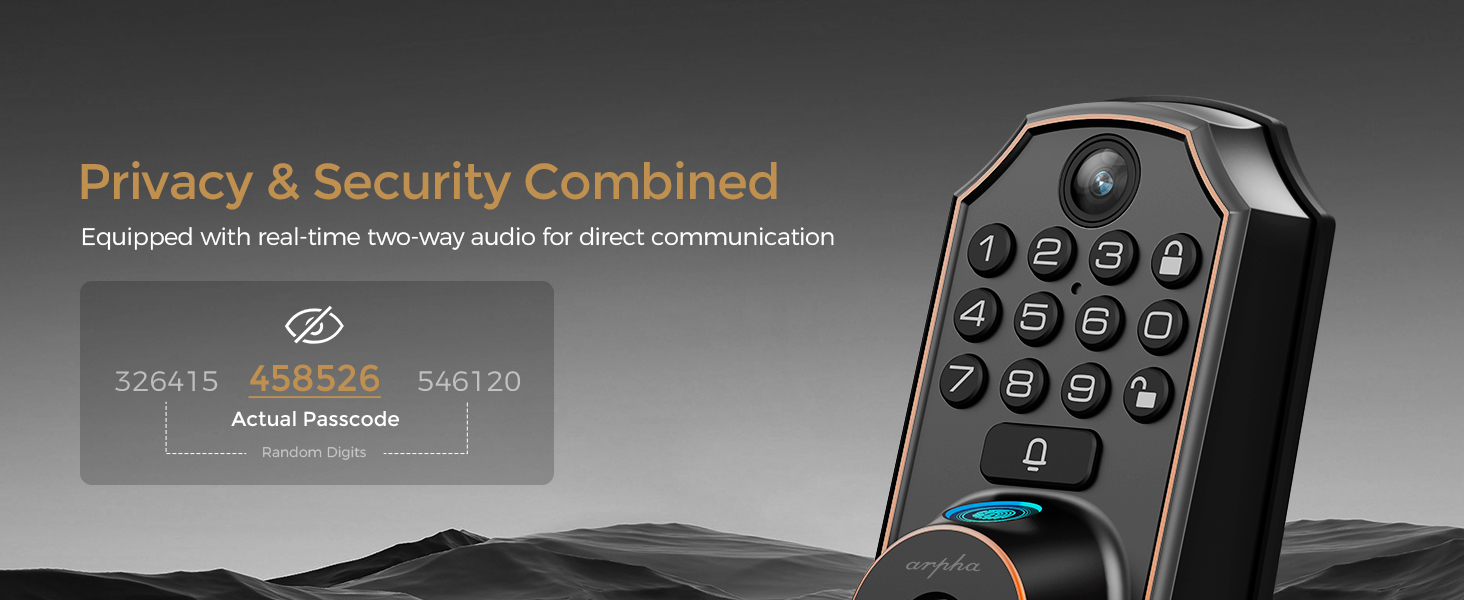
Imej: Privacy & Security Combined. This image illustrates the anti-peeping password function, allowing users to enter random digits before or after their actual passcode to enhance security.
5.6 Tetapan Kelantangan
Video: D289C Volume Settings. This video demonstrates how to adjust the volume settings on the ARPHA D289C Smart Lock.
6. Penyelenggaraan
6.1 Penggantian Bateri
The lock will provide a low battery alert when power is running low. Replace all 8x AA batteries promptly to ensure continuous operation. For emergency power supply, a USB port is available, but it cannot be used to charge the battery or transfer data.
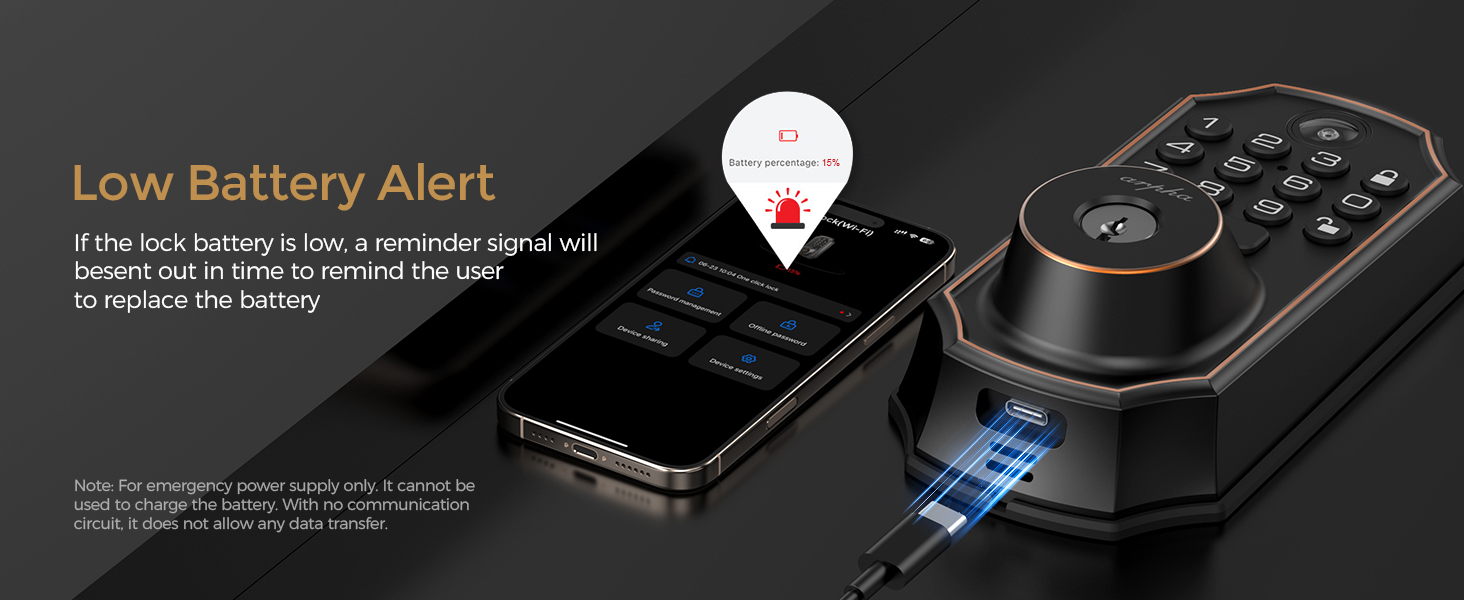
Imej: Low Battery Alert. This image shows the low battery alert feature of the ARPHA D289C Smart Lock and illustrates the emergency power supply option via USB.
6.2 Reka Bentuk Tahan Lama
The ARPHA D289C is built with a heavy-duty zinc material and features an IP65 waterproof rating. It is designed to withstand various weather conditions, operating effectively in temperatures from -31°F to 158°F (-35°C to 70°C).

Imej: Durable Design, Built to Last. This image emphasizes the robust construction and weather resistance of the ARPHA D289C Smart Lock, showcasing its ability to operate in extreme temperatures and wet conditions.
7. Penyelesaian masalah
If you encounter issues with your ARPHA D289C Smart Lock, consider the following:
- Ketersambungan: Ensure your WiFi router is set to 2.4GHz. The lock is not compatible with 5GHz networks.
- Akses Jauh: Remember that the camera and remote unlock features activate only after the doorbell button is pressed.
- Hayat Bateri: If the lock is unresponsive, check the battery level and replace batteries if necessary.
- Unlocking Issues: Verify correct PIN entry, ensure fingerprint is clean and properly scanned, or use backup keys.
- Fungsi Apl: Ensure the Cldbus App is updated to the latest version and your smartphone has a stable internet connection.
8. Spesifikasi
| Ciri | Perincian |
|---|---|
| Jenama | ARPHA |
| Nama Model | D289C |
| Jenis Kunci | Biometric, WiFi Deadbolt |
| Ciri Khas | App Unlock, Camera, Fingerprint, WiFi, Doorbell, Keypad |
| Protokol Ketersambungan | BLE, Wi-Fi (2.4GHz only) |
| bahan | Zink |
| warna | Hitam |
| Dimensi Item (L x W x H) | 5.7 x 2.3 x 1.57 inci |
| Berat Barang | 2.35 paun |
| Sumber Kuasa | 8x Bateri AA (tidak termasuk) |
| Hayat Bateri | 6+ bulan |
| Penilaian Kalis Air | IP65 |
| Suhu Operasi | -31°F hingga 158°F (-35°C hingga 70°C) |
9. Waranti & Sokongan
The ARPHA D289C WiFi Video Smart Lock comes with an 18-month warranty. For technical support or warranty claims, please refer to the contact information provided in your product packaging or visit the official ARPHA webtapak.