
pengenalan
Welcome to the user manual for your new Hammer H Energy X2 5G Rugged Smartphone. This device is engineered for durability and performance, designed to withstand challenging environments while providing advanced smartphone functionalities. This manual will guide you through the setup, operation, maintenance, and troubleshooting of your device to ensure optimal use.
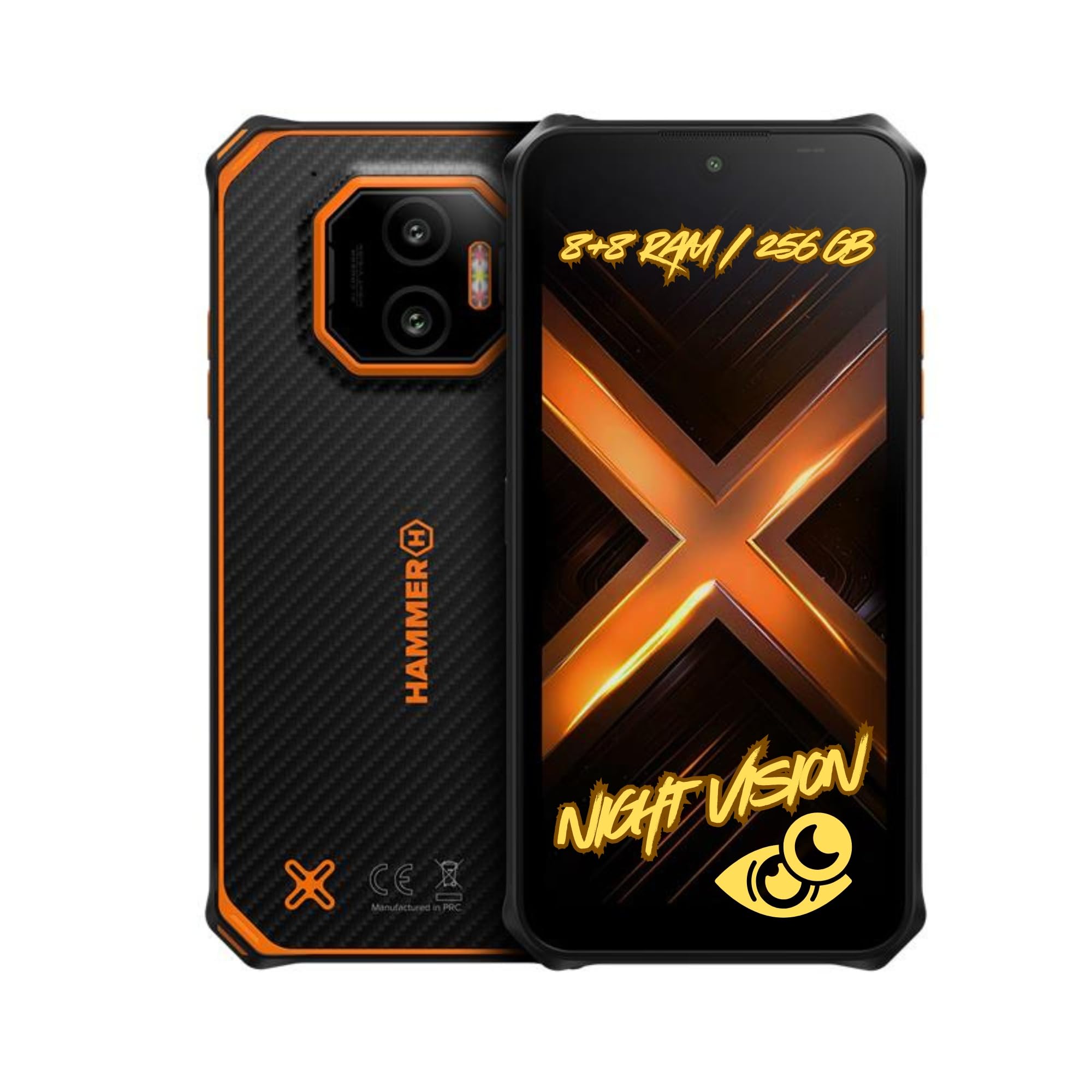
Imej: Depan dan belakang view of the Hammer H Energy X2 5G Rugged Smartphone, showcasing reka bentuknya yang mantap.
Persediaan
1. Membuka Kotak dan Caj Permulaan
Carefully unbox your Hammer H Energy X2 5G. The package typically includes the smartphone and a USB cable. Before first use, it is recommended to fully charge the device using the provided USB cable and a compatible power adapter (not included).
2. SIM Card and eSIM Installation
The Hammer H Energy X2 5G supports Dual SIM (Nano-SIM) and eSIM functionality. To install a physical Nano-SIM card, locate the SIM tray on the side of the device. Use the SIM ejector tool (if provided) or a small pin to open the tray. Insert your Nano-SIM card(s) into the designated slots. For eSIM activation, follow the instructions provided by your mobile carrier.

Image: A graphic representation of the eSIM feature, highlighting its digital convenience.
3. Menghidupkan dan Konfigurasi Awal
Press and hold the power button located on the side of the device until the Hammer H logo appears. Follow the on-screen prompts to select your language, connect to a Wi-Fi network, and set up your Google account. You can also configure security features like fingerprint unlock during this process.
Mengendalikan Peranti Anda
1. Basic Navigation and Features
Your Hammer H Energy X2 5G runs on Android 15, offering an intuitive user interface. Navigate through apps and settings using touch gestures. The 6.1-inch IPS display features protective glass and a glove mode for enhanced usability in various conditions.

Image: The Hammer H Energy X2 5G display, emphasizing its rugged clarity, protective glass, and glove mode for outdoor use.
2. Fungsi Kamera
The device is equipped with a 50MP main camera and a 20MP night vision camera. Open the camera application to capture photos and videos. Switch between modes, including night vision, for optimal results in different lighting conditions. The night vision camera is particularly useful for low-light environments.

Imej: Terperinci view of the Hammer H Energy X2 5G's rear camera setup, highlighting the 50MP main camera and 20MP night vision camera.

Image: A demonstration of the night vision camera in a dark environment, showing its capability to capture details in low light.
3. Battery Management and Charging
The 5000mAh battery provides extended usage time. To charge, connect the USB Type-C cable to the phone's port and a power source. The device also supports reverse wireless charging, allowing you to charge other compatible devices by placing them on the back of your smartphone.

Image: The Hammer H Energy X2 5G on a bedside table, symbolizing its reliable battery life for daily use.
4. Ketersambungan dan Keselamatan
Benefit from 5G network speeds, Bluetooth, and NFC for seamless connectivity. The integrated fingerprint sensor provides quick and secure access to your device. NFC allows for contactless payments and quick pairing with other NFC-enabled devices.

Image: A close-up of the fingerprint sensor on the Hammer H Energy X2 5G, demonstrating its biometric security feature.

Image: A user performing a contactless payment with the Hammer H Energy X2 5G, illustrating the NFC functionality.
Penyelenggaraan
1. Membersihkan Peranti Anda
To clean your Hammer H Energy X2 5G, use a soft, damp cloth. Avoid harsh chemicals or abrasive materials that could damage the screen or casing. Given its IP69 rating, the device can be rinsed under tap water if it gets dirty, but ensure all ports are securely closed before doing so.
2. Tahan Air dan Debu
The Hammer H Energy X2 5G is IP69 certified, meaning it is highly resistant to dust and water ingress. It also meets the MIL-STD-810H military standard for shock resistance. While designed to be rugged, avoid intentional submersion in deep water or exposure to high-pressure water jets for prolonged periods. Always ensure the USB port cover is properly sealed.

Image: The Hammer H Energy X2 5G being held underwater, showcasing its robust water resistance.
3. Penjagaan Bateri
To prolong battery life, avoid exposing the device to extreme temperatures. It is recommended to keep the battery charge between 20% and 80% for optimal long-term health. If the device will not be used for an extended period, store it with approximately 50% charge.
Menyelesaikan masalah
1. Peranti Tidak Dihidupkan
- Ensure the battery is sufficiently charged. Connect the device to a charger for at least 30 minutes.
- Tekan dan tahan butang kuasa selama 10-15 saat untuk melakukan mula semula secara paksa.
- Jika masalah berterusan, hubungi sokongan pelanggan.
2. Ketersambungan Rangkaian yang Lemah
- Check if your SIM card is properly inserted or if your eSIM is activated.
- Hidupkan dan matikan Mod Pesawat.
- Mulakan semula peranti.
- Verify your mobile data settings with your carrier.
3. Skrin Sentuh Tidak Responsif
- Mulakan semula peranti.
- Pastikan skrin bersih dan kering.
- Jika menggunakan pelindung skrin, pastikan ia digunakan dengan betul dan tidak mengganggu sensitiviti sentuhan.
4. Apl Ranap atau Membeku
- Kosongkan cache dan data untuk aplikasi yang bermasalah dalam Tetapan > Aplikasi.
- Update the app to its latest version.
- Nyahpasang dan pasang semula apl.
- Pastikan perisian peranti anda dikemas kini.
Spesifikasi
| Ciri | Spesifikasi |
|---|---|
| Jenama | Hammer H |
| Nama Model | Energy X2 5G 8/256 |
| Sistem Operasi | Android 15 |
| Saiz Skrin | 6.1 Inci |
| Jenis Paparan | LCD |
| Resolusi Skrin Maks | 1560x720 Piksel |
| Kadar Segar Semula | 60 Hz |
| RAM yang dipasang | 16 GB (8GB + 8GB maya) |
| Kapasiti Storan Dalaman | 256 GB |
| Max Flash Memory Supported | 1024 GB (1TB) |
| Kapasiti Bateri | 5000 mAh |
| Masa Bual Telefon | 24 Jam |
| Mobile Technology | 5G |
| Teknologi Ketersambungan | Bluetooth, NFC |
| Kiraan Slot Kad SIM | Dual SIM (Nano-SIM + eSIM) |
| Jenis Port Pengecasan | USB Jenis-C |
| GPS and Geotagging | ya |
| Peringkat Perlindungan Ingress (IP). | IP69 |
| Standard Tentera | MIL-STD-810H |
| Isi Kotak | Kabel USB |
| Tahun Model | 2025 |
Waranti dan Sokongan
1. Jaminan Produk
Your Hammer H Energy X2 5G smartphone comes with a 2-year manufacturer's warranty. This warranty covers defects in materials and workmanship under normal use. Please retain your proof of purchase for warranty claims. For specific terms and conditions, refer to the warranty card included in your product packaging or visit the official Hammer H webtapak.
2. Sokongan Pelanggan
For technical assistance, troubleshooting, or service inquiries, please contact Hammer H customer support. You can usually find contact information on the manufacturer's website or in the documentation provided with your device. Online resources, FAQs, and software updates may also be available on the official support portal.