Produk Selesaiview
The LEICKE DAB+ Radio Tube (Model EP19035) is a versatile portable audio device combining a DAB+/FM radio with a powerful Bluetooth speaker. It features a robust 4500 mAh battery for extended playtime, dynamic RGB LED lighting, and multiple connectivity options including Micro SD and AUX-In. This manual provides essential information for setup, operation, and maintenance.
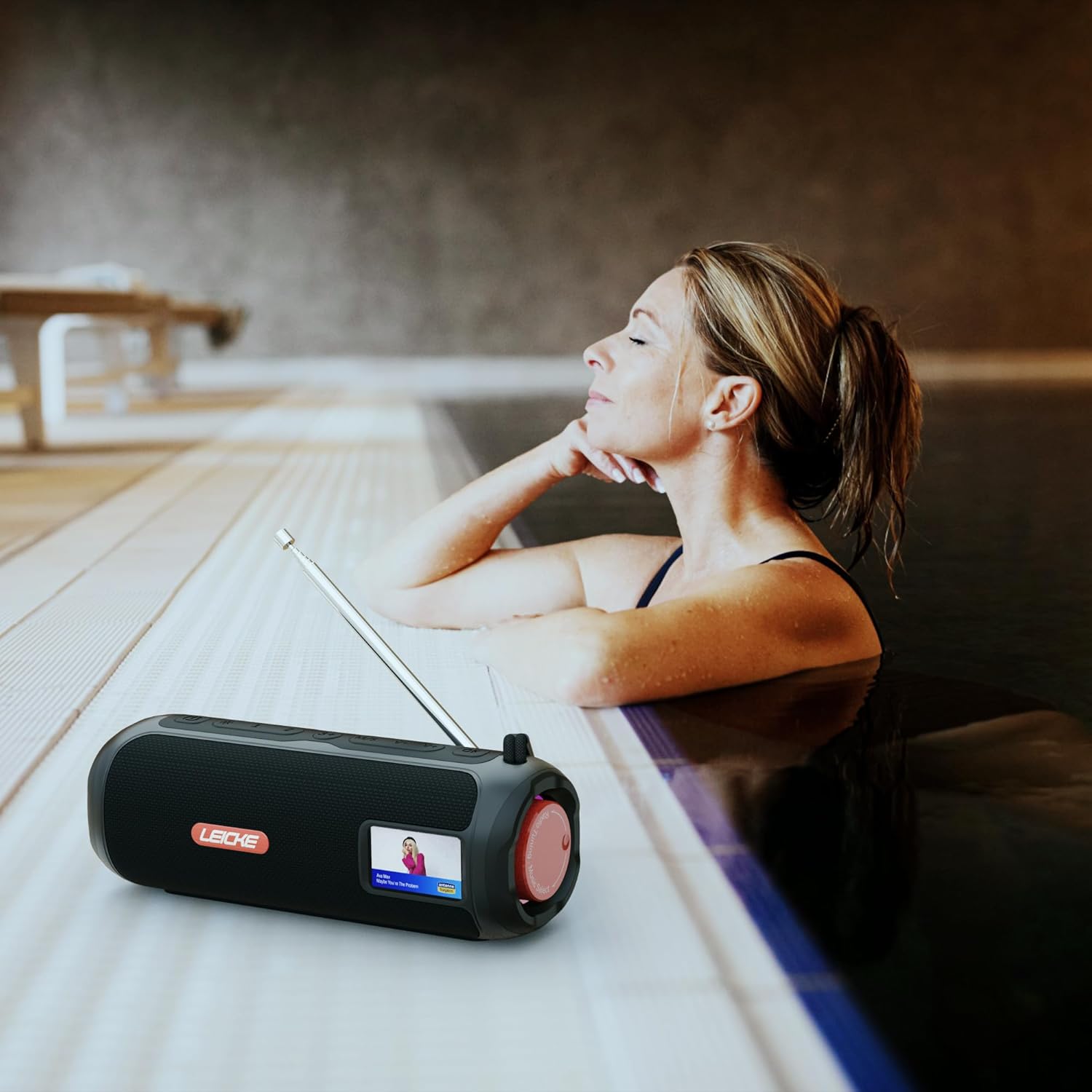
Image: The LEICKE DAB+ Radio Tube, showcasing its portable design, suitable for various environments like a poolside.
Ciri-ciri Utama:
- Bunyi Stereo yang Berkuasa: Two 5W speakers deliver rich, clear audio with dynamic effects and powerful bass.
- Jangka Hayat Bateri: Integrated 4500 mAh rechargeable battery provides up to 12 hours of playtime.
- DAB+ & FM Radio: Enjoy noise-free digital DAB+ and traditional FM radio with 30 station presets.
- Atmospheric RGB Lighting: Features cool color-changing LED lights for enhanced ambiance.
- Ketersambungan Serbaguna: Bluetooth 5.3 for wireless streaming, Micro SD card slot, and 3.5 mm AUX-In.
- Pengecasan yang Mudah: USB-C port for quick and easy charging.
- Fungsi Tambahan: Includes an integrated alarm clock, sleep timer, and equalizer settings.
Kandungan Pakej
Sila semak pakej untuk item berikut:
- LEICKE DAB+ Radio Tube (Model EP19035)
- Kabel Pengecas USB-C
- Manual Pemilik
- (Note: Specific accessories like AUX cable may vary by region or package. Please refer to your product packaging.)
Kawalan dan Sambungan
Familiarize yourself with the various buttons, ports, and indicators on your LEICKE DAB+ Radio Tube.

Imej: Depan view of the LEICKE DAB+ Radio Tube, highlighting the display, SD card slot, AUX input, and USB-C port.

Imej: Belakang view of the LEICKE DAB+ Radio Tube, showing the extendable antenna, AUX port, USB-C port, and Micro SD slot.
Perihalan Pelabuhan:
- Slot Micro SD: Insert a Micro SD card for playing stored audio files.
- AUX-In (3.5mm): Sambungkan peranti audio luaran menggunakan kabel audio 3.5mm.
- Port USB-C: Digunakan untuk mengecas peranti.
- Antena: Extend for optimal DAB+ and FM radio reception.
(Note: Specific button functions will be detailed in the 'Operating' section.)
Persediaan
1. Pengecasan Awal
- Sebelum penggunaan pertama, cas peranti sepenuhnya.
- Connect the provided USB-C cable to the USB-C port on the speaker and the other end to a compatible USB power adapter (not included) or a computer's USB port.
- The charging indicator on the display will show the charging status. Once fully charged, the indicator will change.
2. Menghidupkan/Mematikan
- Untuk Menghidupkan: Tekan dan tahan butang Kuasa (biasanya ditanda dengan ⏻ or KUASA) for a few seconds until the display lights up.
- Untuk Mematikan: Press and hold the Power button again for a few seconds until the display turns off.
Arahan Operasi
Pemilihan Mod
Tekan ke MODE button to cycle through available modes: DAB+ Radio, FM Radio, Bluetooth, Micro SD, and AUX-In.
1. Operasi Radio DAB+
- Panjangkan antena sepenuhnya untuk penerimaan terbaik.
- Pilih mod DAB+ menggunakan MODE butang.
- The radio will automatically scan for available DAB+ stations on first use or if no stations are found.
- Gunakan PREV / SETERUSNYA buttons to navigate through the list of available stations.
- Tekan ke ENTER/PLAY button to select a station.
- Menyimpan Pratetap: While listening to a station, press and hold the PRESET butang. guna PREV / SETERUSNYA untuk memilih nombor pratetap (1-30), kemudian tekan ENTER/PLAY untuk menyimpan.
- Pratetap Mengingat: Tekan sebentar PRESET butang, kemudian gunakan PREV / SETERUSNYA to select a saved station and press ENTER/PLAY.
2. Operasi Radio FM
- Panjangkan antena sepenuhnya untuk penerimaan terbaik.
- Pilih mod FM menggunakan MODE butang.
- Imbasan Auto: Tekan dan tahan butang MAIN/JEDA butang untuk mengimbas dan menyimpan stesen FM yang tersedia secara automatik.
- Penalaan Manual: Tekan sebentar PREV / SETERUSNYA untuk memperhalusi frekuensi.
- Menyimpan Pratetap: Similar to DAB+ mode, press and hold PRESET to save, and briefly press to recall.
3. Berpasangan Bluetooth
- Pilih mod Bluetooth menggunakan MODE button. The display will show "Bluetooth" and an icon will flash, indicating it's in pairing mode.
- On your smartphone, tablet, or laptop, enable Bluetooth and search for new devices.
- Select "LEICKE DAB+ Tube" from the list of available devices.
- Setelah dipasangkan, pembesar suara akan mengeluarkan bunyi pengesahan dan ikon Bluetooth pada paparan akan berhenti berkelip.
- Anda kini boleh memainkan audio daripada peranti anda yang disambungkan melalui pembesar suara.
4. Micro SD Playback
- Masukkan kad Mikro SD (dengan audio yang disokong files) ke dalam slot Micro SD.
- Select Micro SD mode using the MODE button. The device will automatically start playing music from the card.
- guna MAIN/JEDA to control playback, and PREV / SETERUSNYA untuk melangkau trek.
5. AUX-In Connection
- Sambungkan satu hujung kabel audio 3.5mm (tidak disertakan) ke port AUX-In pada pembesar suara.
- Sambungkan hujung satu lagi ke bicu fon kepala atau output audio peranti luaran anda.
- Pilih mod AUX-In menggunakan MODE butang.
- Kawal main balik dan kelantangan daripada peranti luaran anda.
6. Kawalan Kelantangan
Use the dedicated Volume Up (+) dan Kelantangan Turun (-) buttons to adjust the audio level.
7. Tetapan Penyama
Tekan ke EQ button (if available) to cycle through preset equalizer modes such as Pop, Rock, Classic, Jazz, etc. There is no manual equalizer adjustment.
8. Lampu LED RGB
The RGB LED lights will automatically activate when the device is powered on. There may be a dedicated button to change light modes or turn them off (refer to device specific button layout if available).
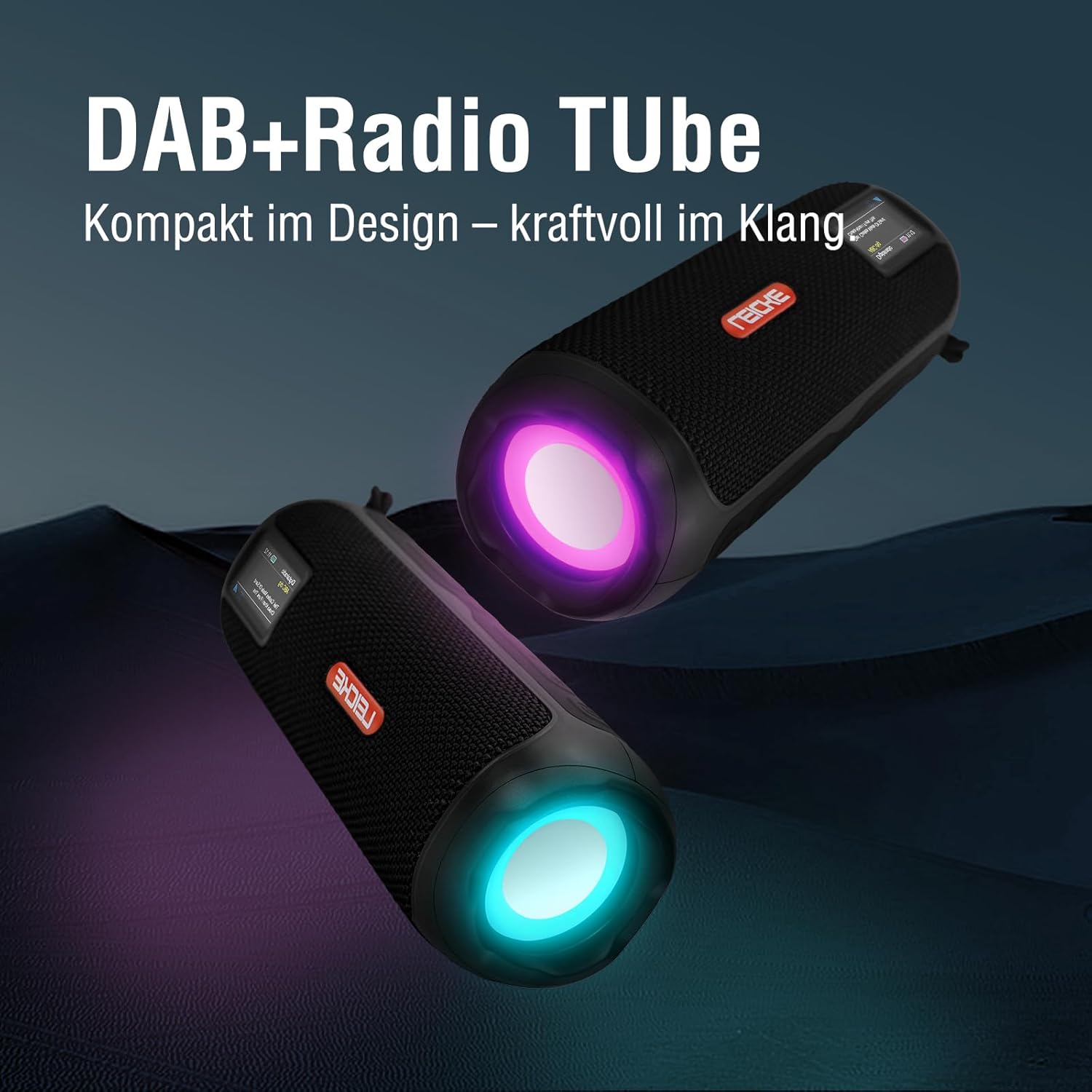
Image: Two LEICKE DAB+ Radio Tubes displaying their vibrant RGB LED lighting feature.
9. Alarm Clock and Sleep Timer
Access the menu settings (usually by pressing a MENU or SET button) to configure the alarm clock and sleep timer functions. Follow the on-screen prompts to set times and preferences.
Penyelenggaraan
Pembersihan
- Ensure the device is powered off and disconnected from any power source before cleaning.
- Gunakan kain lembut, kering dan tidak berbulu untuk mengelap permukaan luar.
- Jangan gunakan pembersih, lilin atau pelarut yang melelas kerana ia boleh merosakkan kemasan.
- Elakkan mendapatkan kelembapan ke dalam mana-mana bukaan.
Penjagaan Bateri
- Untuk memanjangkan hayat bateri, elakkan daripada menyahcas sepenuhnya bateri dengan kerap.
- Cas peranti secara berkala, walaupun tidak digunakan, untuk mengekalkan kesihatan bateri.
- Simpan peranti di tempat yang sejuk dan kering apabila tidak digunakan untuk tempoh yang lama.
Penyimpanan
- When storing the device for a long time, ensure it is charged to about 50-70% to prevent deep discharge.
- Jauhkan peranti daripada suhu ekstrem, cahaya matahari langsung dan kelembapan yang tinggi.
Menyelesaikan masalah
| Masalah | Kemungkinan Punca | Penyelesaian |
|---|---|---|
| Peranti tidak dihidupkan. | Bateri lemah; Butang kuasa tidak ditekan dengan betul. | Cas peranti sepenuhnya. Tekan dan tahan butang Kuasa selama beberapa saat. |
| Tiada bunyi. | Volume too low; Incorrect mode selected; Device not paired (Bluetooth). | Increase volume. Ensure correct mode (DAB+, FM, BT, SD, AUX) is selected. Re-pair Bluetooth device. |
| Penerimaan radio yang lemah. | Antena tidak dipanjangkan; Kawasan isyarat lemah. | Fully extend the antenna. Try moving the device to a different location. |
| Peranti Bluetooth tidak akan berpasangan. | Speaker not in pairing mode; Device too far; Already connected to another device. | Ensure speaker is in Bluetooth pairing mode. Move devices closer. Disconnect from other devices. |
| Kad SD mikro tidak dikenali. | Kad dimasukkan dengan salah; Tidak disokong file format; Kad rosak. | Reinsert the card correctly. Ensure files are in a supported format. Try a different Micro SD card. |
Spesifikasi
| Ciri | Perincian |
|---|---|
| Jenama | LEICKE |
| Nombor Model | EP19035 |
| Teknologi Penala | DAB Plus, FM |
| Ketersambungan | Bluetooth 5.3, Micro SD, 3.5mm AUX-In, USB-C (charging) |
| Output Audio | 10W Stereo Sound (2 x 5W speakers) |
| Kapasiti Bateri | 4500 mAh Litium Ion |
| Masa bermain | Sehingga 12 jam (berbeza mengikut penggunaan) |
| Ciri Khas | RGB LED Lights, Equalizer, Alarm Clock, Sleep Timer, 30 DAB+/FM Presets |
| Sumber Kuasa | Battery Operated, Wired (USB-C) |
| Dimensi Produk | 3.2 x 3.2 x 12cm; 660g |
Maklumat Waranti
LEICKE products are designed and manufactured to the highest quality standards. This product is covered by a standard manufacturer's warranty. Please refer to the warranty card included in your package or visit the official LEICKE webtapak untuk terma dan syarat waranti terperinci khusus untuk wilayah anda.
Simpan resit pembelian anda sebagai bukti pembelian untuk sebarang tuntutan waranti.
Sokongan Pelanggan
If you encounter any issues or have questions regarding your LEICKE DAB+ Radio Tube that are not covered in this manual, please contact LEICKE customer support.
- Sokongan dalam talian: Visit the official LEICKE webtapak untuk Soalan Lazim, sumber sokongan dan borang hubungan.
- Sokongan E-mel: Refer to your product packaging or the LEICKE weblaman web untuk alamat e-mel sokongan yang sesuai.
Please have your product model number (EP19035) and purchase details ready when contacting support.