1. Pengenalan
This manual provides detailed instructions for the installation, operation, and maintenance of your GNCC GT1Pro-W-1P Outdoor Security Camera. This product is designed to enhance your home security with features such as 2K resolution, motion detection, color night vision, and two-way audio. Please read this manual thoroughly before use to ensure proper functionality and safety.
2. Kandungan Pakej
Sahkan bahawa semua barang ada di dalam bungkusan anda. Jika terdapat barang yang hilang atau rosak, sila hubungi khidmat pelanggan.
- GNCC GT1Pro-W-1P Outdoor Security Camera (2 units)
- Manual Arahan
- Skru Pemasangan dan Palam Dinding
- Penyesuai Kuasa (2 unit)
- Mounting Stands (2 units)
3. Persediaan dan Pemasangan
3.1 Pemasangan Fizikal
The GNCC GT1Pro-W-1P camera is designed for wall mounting. Choose a location that provides the desired viewing angle and is within reach of a power outlet. Ensure the camera is positioned to cover the area you wish to monitor.
- Tandakan Titik Penggerudian: Use the included mounting stand as a template to mark the screw holes on the wall.
- Lubang gerudi: Drill pilot holes at the marked positions. Insert the wall plugs if mounting on masonry.
- Selamatkan Pendirian: Attach the mounting stand to the wall using the provided screws.
- Lampirkan Kamera: Securely attach the camera to the mounting stand. Adjust the camera angle as needed.
- Sambungkan Kuasa: Connect the power adapter to the camera and plug it into a suitable outdoor-rated power outlet.

Image: The GNCC GT1Pro-W-1P camera mounted on a wall, highlighting its IP65 waterproof rating, suitable for outdoor use.
3.2 Muat Turun Apl dan Pembuatan Akaun
The GNCC camera operates with the Osaio app. Download the app to your smartphone to manage your camera settings and view suapan langsung.
- Download Osaio App: Cari untuk "Osaio" in your smartphone's app store (Apple App Store or Google Play Store) and download the application.
- Buat Akaun: Open the Osaio app and follow the on-screen instructions to create a new user account.
3.3 Menyambung ke Wi-Fi
Ensure your Wi-Fi network is 2.4 GHz, as the camera is compatible only with this frequency band. If your router uses both 2.4 GHz and 5 GHz, ensure the 2.4 GHz band is enabled and accessible.
- Hidupkan Kamera: Plug in the camera. Wait for the indicator light to flash, indicating it's ready for pairing.
- Tambahkan Peranti dalam Apl: Open the Osaio app, tap the "+" icon to add a new device. Select your camera model from the list.
- Ikut Arahan Dalam Apl: The app will guide you through connecting the camera to your 2.4 GHz Wi-Fi network. This typically involves scanning a QR code generated by the app with the camera lens.
- Pengesahan: Sebaik sahaja disambungkan, lampu penunjuk kamera akan berubah dan aplikasi akan mengesahkan pasangan yang berjaya.
4. Operasi
4.1 Langsung View and 2K Resolution
Access the live video feed from your camera through the Osaio app. The camera provides 2K Ultra HD resolution, offering clear and detailed images of your monitored area.

Imej: Cthample of 2K HDR video quality, showcasing the camera's ability to capture clear details.
4.2 Audio Dua Hala
The camera features built-in two-way audio, allowing you to communicate with individuals near the camera through the Osaio app. This is useful for speaking to visitors or deterring unwanted guests.
- Aktifkan Mikrofon: Dalam siaran langsung view interface of the Osaio app, tap the microphone icon to speak.
- Dengar: The camera's speaker will transmit your voice, and you can hear responses through your phone's speaker.

Image: Illustration of the camera's two-way audio feature, enabling communication with people near the camera.
4.3 Pengesanan Gerakan dan Makluman
The camera is equipped with advanced motion detection. When motion is detected, the camera can record footage and send instant notifications to your smartphone via the Osaio app.
- Dayakan Pengesanan Gerakan: Navigate to the camera settings in the Osaio app to enable motion detection.
- Laraskan Kepekaan: Laraskan kepekaan pengesanan gerakan untuk meminimumkan penggera palsu.
- Terima Pemberitahuan: Ensure app notifications are enabled on your smartphone to receive alerts.
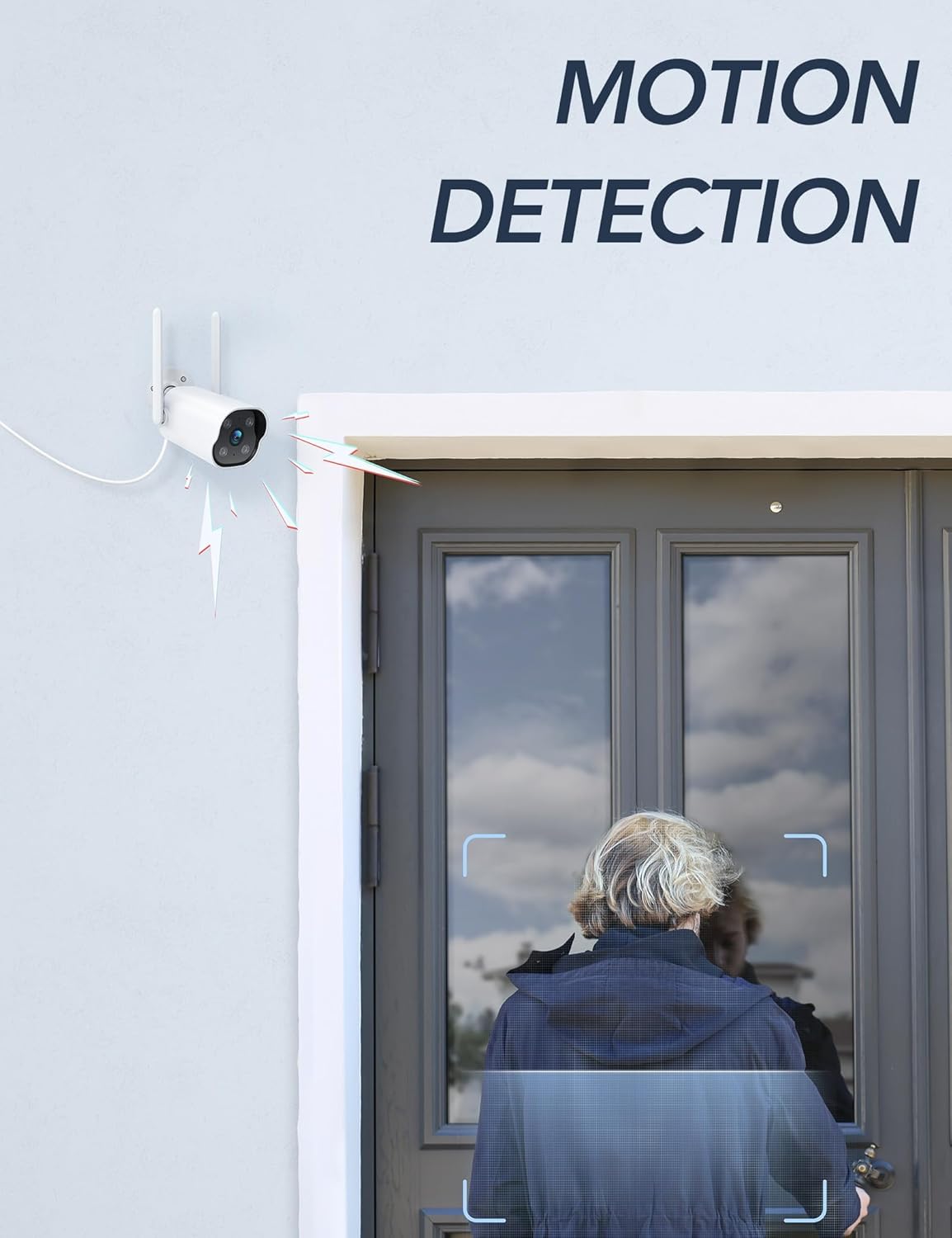
Image: The camera's motion detection feature, showing it identifying a person at a doorway.

Imej: Cthample of push notifications received on a smartphone when motion or sound is detected by the camera.
4.4 Penglihatan Malam
The camera provides enhanced night vision, allowing clear visibility up to 50 feet (15 meters) in low-light conditions. It supports color night vision for improved detail.
4.5 24/7 Recording
The camera supports continuous 24/7 recording, ensuring constant surveillance of your property. Recorded footage can be accessed via the Osaio app.

Image: The Osaio app interface displaying a timeline of continuous 24/7 video recording, with thumbnails of captured events.
5. Video Storage Options
Your GNCC camera offers flexible options for storing recorded video footage.
- Storan Tempatan (Kad SD): The camera supports local storage via a Micro SD card (not included). Insert an SD card (up to 128 GB) into the designated slot on the camera for continuous recording or event-triggered footage.
- Storan Awan: Optional cloud storage services are available through the Osaio app. This provides off-site backup of your recordings. A free trial period may be offered.

Image: Visual representation of the camera's dual storage options: cloud storage and local SD card storage (up to 128GB).
6. Penyelenggaraan
- Pembersihan: Periodically clean the camera lens with a soft, dry cloth to ensure clear image quality. Do not use harsh chemicals.
- Kemas kini Firmware: Check the Osaio app regularly for available firmware updates. Keeping your camera's firmware updated ensures optimal performance and security.
- Sambungan Kuasa: Ensure the power connection remains secure and free from damage.
7. Penyelesaian masalah
| Masalah | Penyelesaian |
|---|---|
| Kamera gagal menyambung ke Wi-Fi. | Ensure your Wi-Fi network is 2.4 GHz. The camera does not support 5 GHz Wi-Fi. Check Wi-Fi password and signal strength. Restart your router and camera. |
| Tiada pemberitahuan diterima. | Verify that motion detection is enabled in the Osaio app. Check your smartphone's notification settings to ensure the Osaio app has permission to send alerts. |
| Kualiti gambar yang buruk. | Bersihkan lensa kamera. Pastikan tiada halangan dalam bidang kamera viewPeriksa kelajuan sambungan internet anda. |
| Audio dua hala tidak berfungsi. | Ensure your smartphone's microphone and speaker are enabled and not muted. Check the volume settings in the Osaio app. |
| Kad SD tidak merakam. | Ensure the SD card is correctly inserted and formatted within the Osaio app. Check if the SD card has sufficient free space. The camera supports up to 128 GB. |
8. Spesifikasi
| Ciri | Perincian |
|---|---|
| Nombor Model | GT1Pro-W-1P |
| Resolusi Video | 2K Ultra HD |
| Ketersambungan | 2.4 GHz Wi-Fi, Wired (Power) |
| Ciri Khas | 2-Way Audio, Motion Sensor, Night Vision (Color), Weather Proof (IP65) |
| Pilihan Storan | Kad Mikro SD (sehingga 128GB, tidak disertakan), Storan Awan (pilihan) |
| Penggunaan Dalaman/Luar | Luar |
| Sumber Kuasa | Elektrik Bertali |
| Peranti Serasi | Smartphone (via Osaio App) |
| Dimensi (L x W x H) | 11 x 7.6 x 5 cm |
| Berat badan | 608 g |
| Komponen yang Disertakan | Instruction Manual, Mounting Screws, Power Adapter, Stand |
9. Waranti dan Sokongan
For warranty information or technical support, please refer to the warranty card included with your product or visit the official GNCC website. You can also contact GNCC customer service through the Osaio app or their website for assistance with product inquiries, troubleshooting, or service requests.
Sokongan dalam talian: www.gncc.com/support