
1. Pengenalan
This manual provides instructions for the Adesso WKB-7010 Bluetooth Keyboard Case, designed for use with iPad Pro 11-inch and iPad Air 10.9-inch models. This product combines a protective case with a detachable wireless keyboard and integrated touchpad, transforming your tablet into a portable workstation.

Image 1.1: The Adesso WKB-7010 Bluetooth Keyboard Case with an iPad in use.
2. Kandungan Pakej
Sila sahkan bahawa semua item terdapat dalam pakej anda:
- Adesso WKB-7010 Bluetooth Keyboard Case
- Kabel Pengecas USB-C
- Manual Pengguna (dokumen ini)
3. Keserasian
The Adesso WKB-7010 Bluetooth Keyboard Case is compatible with the following Apple iPad models:
- iPad Pro 11-inch: 1st generation (2018), 2nd generation (2020), 3rd generation (2021), 4th generation (2022)
- iPad Air 10.9-inch: 4th generation (2020), 5th generation (2022), 6th generation (2024 M2 models)
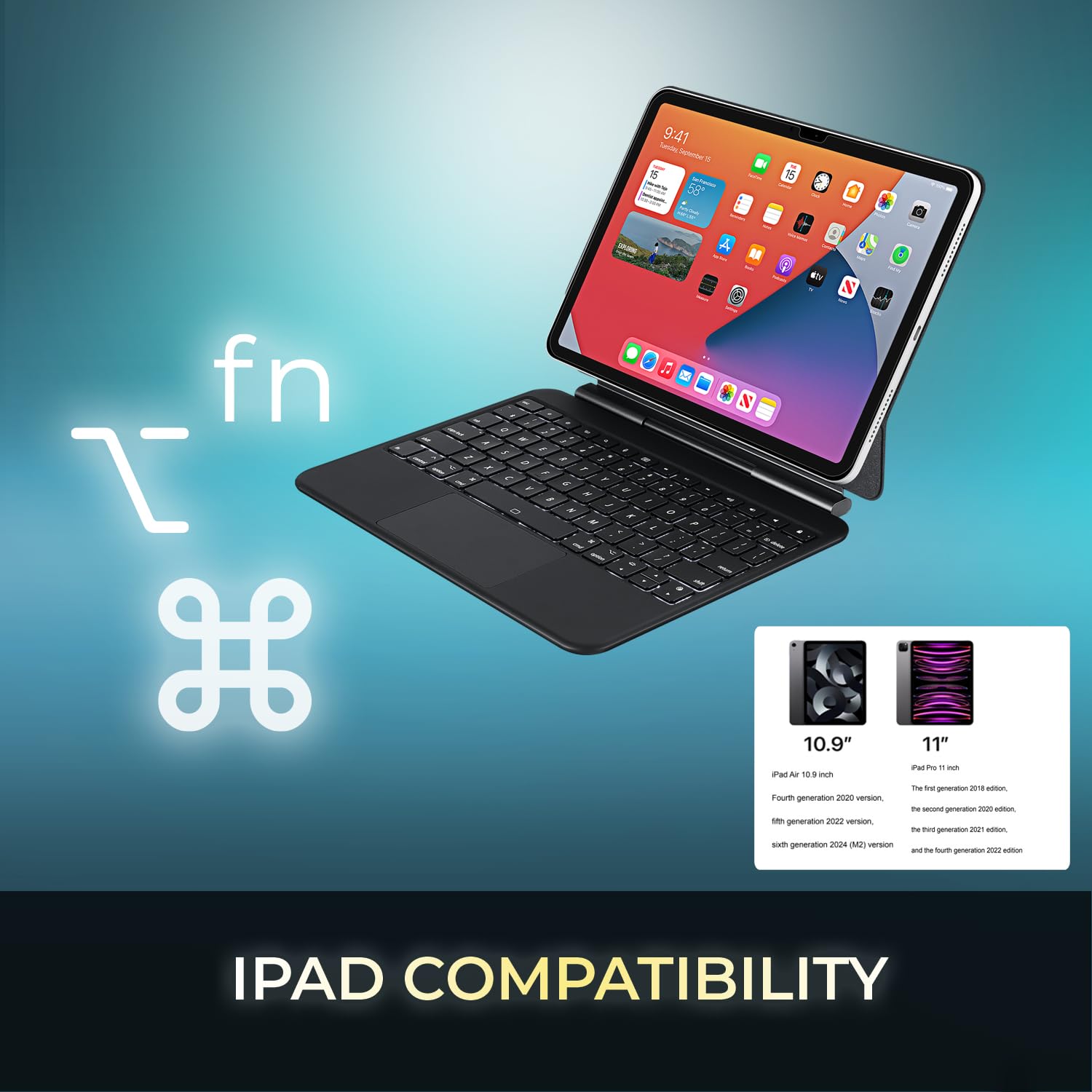
Image 3.1: Visual representation of compatible iPad models (10.9" and 11").
4. Ciri-ciri
- Reka bentuk boleh tanggal: The keyboard can be separated from the case for flexible use.
- Pendirian boleh laras: The case converts into a stand with multiple viewsudut-sudut.
- Pad Sentuh Bersepadu: Provides precise navigation and multi-touch gesture support.
- Kesambungan Bluetooth 5.1: Offers stable wireless connection up to 30 feet with low power consumption.
- Bateri boleh dicas semula: Built-in 450 mAh lithium polymer battery for extended use.
- Kekunci Suis Gunting: Pro rendahfile keys designed for comfortable and responsive typing.
- Pembinaan Tahan Lama: Ultra-slim aluminum design for portability and protection.

Image 4.1: The case allows for various adjustable viewing angles for the iPad.

Image 4.2: The keyboard case features an ultra-slim and compact design, as shown with a ruler for scale.
5. Persediaan
5.1. Mengecas Papan Kekunci
Before initial use, fully charge the keyboard. Connect the included USB-C cable to the keyboard's charging port and the other end to a USB power source (e.g., computer, wall adapter). The charging indicator light will illuminate during charging and turn off when fully charged.

Image 5.1: The keyboard features a built-in rechargeable battery and charges via USB-C.
5.2. Memasukkan iPad Anda
Carefully place your iPad into the protective case, ensuring it is securely seated. The magnetic closure will help secure the tablet and keyboard when closed.
5.3. Berpasangan Bluetooth
- Pastikan papan kekunci dihidupkan dan dicas sepenuhnya.
- Turn on the keyboard by sliding the power switch to the "ON" position.
- Tekan ke Fn + C keys simultaneously to activate Bluetooth pairing mode. The Bluetooth indicator light will flash.
- Pada iPad anda, pergi ke Tetapan > Bluetooth.
- Hidupkan Bluetooth.
- Locate "Adesso WKB-7010" (or similar) in the list of available devices and tap to connect.
- Setelah disambungkan, lampu penunjuk Bluetooth pada papan kekunci akan berhenti berkelip.

Image 5.2: The keyboard utilizes Bluetooth 5.1 wireless technology for connection.
6. Arahan Operasi
6.1. Fungsi Papan Kekunci
The keyboard features standard QWERTY layout keys and dedicated function keys for iPad control. Use the Fn key in combination with other keys for special functions (e.g., media control, volume, screen brightness).
6.2. Penggunaan Pad Sentuh
The integrated touchpad supports various gestures for navigation and interaction with your iPad. Ensure that "AssistiveTouch" or "Trackpad & Mouse" settings are configured on your iPad for optimal performance.
- Ketik Satu Jari: Klik kiri.
- Ketik Dua Jari: Klik kanan (menu konteks).
- Tatal Dua Jari: Tatal ke atas/bawah atau kiri/kanan.
- Cubit untuk Zum: Gunakan dua jari untuk mengezum masuk atau keluar.
- Leret Tiga Jari ke atas: Pergi ke Skrin utama.
- Three Finger Swipe Left/Right: Tukar antara aplikasi terbuka.
7. Mengecas Papan Kekunci
The keyboard is equipped with a 450 mAh rechargeable lithium polymer battery. A full charge takes approximately 3 hours using the provided USB-C cable.
- Continuous Use (backlight off): Sehingga 150 jam
- Continuous Use (backlight on): Sehingga 2.5 jam
- Masa Siap sedia: Sehingga 90 hari
When the battery is low, the power indicator light may flash or turn red. Connect the keyboard to a power source to recharge.
8. Penyelenggaraan
- Pastikan papan kekunci dan bekasnya bersih dengan mengelapnya dengan kain lembut dan kering.
- Elakkan daripada mendedahkan peranti kepada suhu yang melampau, kelembapan atau cahaya matahari langsung.
- Jangan gunakan bahan kimia atau pembersih kasar.
- Simpan peranti di tempat yang sejuk dan kering apabila tidak digunakan untuk tempoh yang lama.
9. Penyelesaian masalah
9.1. Papan Kekunci Tidak Bersambung
- Pastikan papan kekunci dihidupkan dan dicas sepenuhnya.
- Sahkan Bluetooth telah diaktifkan pada iPad anda.
- Put the keyboard into pairing mode (Fn + C).
- Forget the device on your iPad's Bluetooth settings and attempt to re-pair.
- Mulakan semula iPad dan papan kekunci anda.
9.2. Pad Sentuh Tidak Memberi Respons
- Pastikan papan kekunci disambungkan melalui Bluetooth.
- Check iPad settings for "Trackpad & Mouse" or "AssistiveTouch" to ensure external input devices are enabled.
- Mulakan semula papan kekunci dan iPad.
9.3. Keys Not Working
- Pastikan papan kekunci dicas sepenuhnya.
- Verify a stable Bluetooth connection.
- Bersihkan sekeliling kunci yang terjejas untuk mengeluarkan sebarang serpihan.
10. Spesifikasi
| Nombor Model | WKB-7010 |
| Teknologi Ketersambungan | Bluetooth 5.1 |
| Peranti Serasi | iPad Pro 11-inch, iPad Air 10.9-inch |
| Jenis Bateri | Polimer Lithium yang boleh dicas semula |
| Kapasiti Bateri | 450 mAh |
| Port Pengecasan | USB-C |
| Jarak Operasi | Sehingga 30 kaki (10 meter) |
| Jenis suis utama | Suis Gunting |
| bahan | Aluminum, Leather (case exterior) |
| Dimensi (L x W x H) | 10 x 7.8 x 0.55 inci |
| Berat badan | 1.2 paun |
11. Waranti dan Sokongan
This Adesso product comes with a Waranti Pengeluar Terhad 1 Tahun. For warranty claims or technical support, please contact Adesso customer service. You can find contact information on the official Adesso webtapak: www.adesso.com
Sila simpan bukti pembelian anda untuk perkhidmatan waranti.