
pengenalan
This manual provides essential information for setting up, operating, maintaining, and troubleshooting your Apple iPad Pro 11-inch (M5). Please read this guide thoroughly to ensure optimal performance and longevity of your device. For the most up-to-date information and support, visit the official Apple Support webtapak.
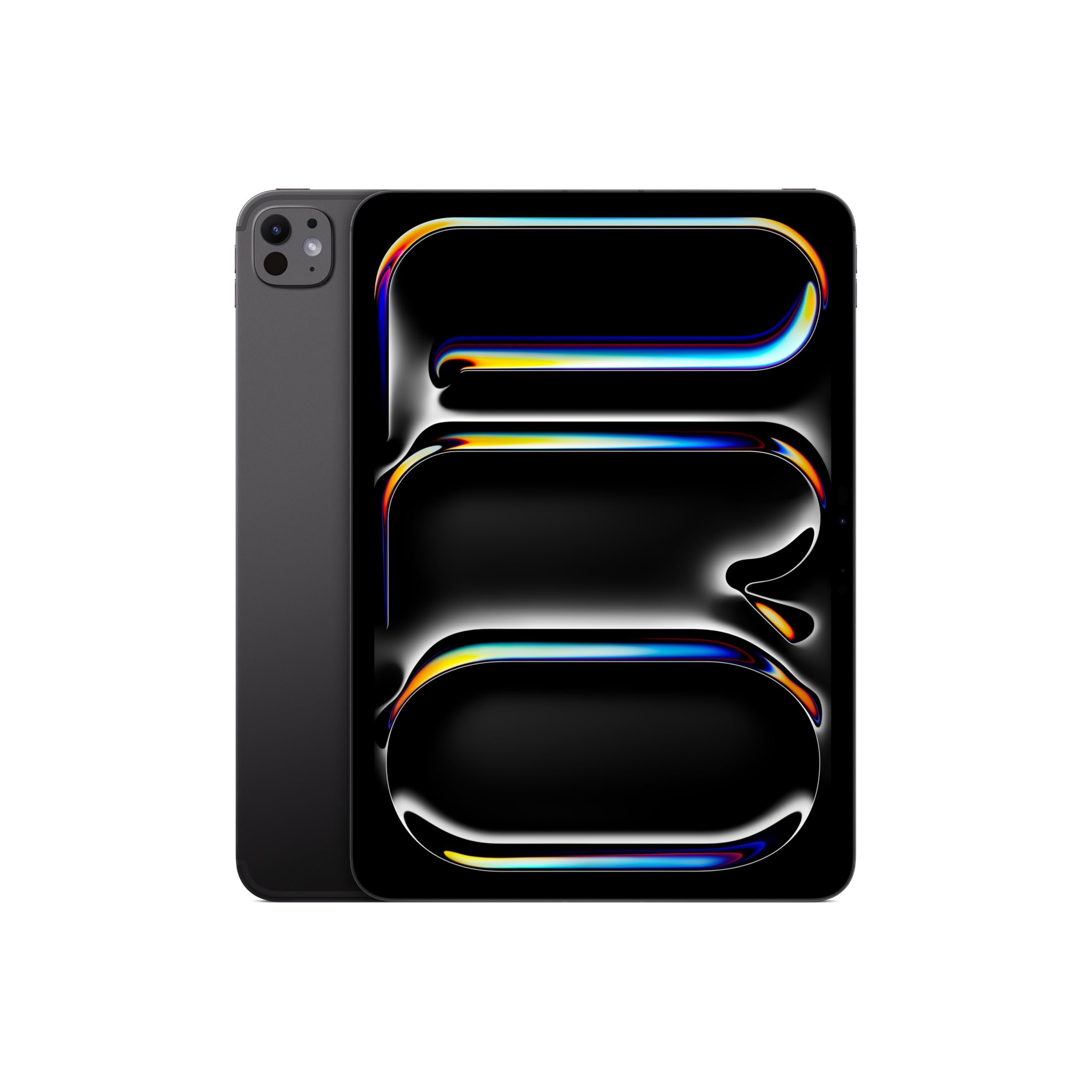
Image: The Apple iPad Pro 11-inch (M5) in Space Black, showcasing reka bentuknya yang anggun.
Apa yang ada dalam Kotak
Verify that all items are present in your iPad Pro packaging:
- iPad Pro 11-inci (M5)
- Kabel Caj USB-C
- Penyesuai Kuasa USB-C 20W

Image: The contents of the Apple iPad Pro box, displaying the iPad, USB-C charge cable, and 20W USB-C power adapter.
Persediaan
1. Kuasa Awal Hidup
- Tekan dan tahan butang atas sehingga logo Apple muncul.
- Ikut arahan pada skrin untuk memilih bahasa dan wilayah anda.
2. Connect to Wi-Fi or Cellular
- Wi-Fi: Pilih rangkaian Wi-Fi anda daripada senarai dan masukkan kata laluan.
- Cellular (Wi-Fi + Cellular models): Insert a nano-SIM card or activate an eSIM plan.
3. Set Up Face ID
Face ID allows you to securely unlock your iPad, authenticate purchases, and sign in to apps using facial recognition.
- During setup, follow the prompts to enroll your face.
- Ensure your face is well-lit and positioned correctly within the frame.
4. Apple ID
Sign in with your existing Apple ID or create a new one. Your Apple ID is used for iCloud, App Store, iTunes Store, and other Apple services.
Mengendalikan iPad Pro Anda
Paparan dan Interaksi
The iPad Pro features an Ultra Retina XDR Display with ProMotion technology, offering adaptive refresh rates for smooth scrolling and responsiveness. It supports P3 wide color and True Tone for accurate color representation.
Prestasi Cip M5
Powered by the Apple M5 chip, your iPad Pro delivers exceptional performance for demanding tasks, including professional workflows, advanced gaming, and AI-driven applications. The integrated Neural Accelerators enhance on-device AI capabilities.

Image: The Apple iPad Pro 11-inch (M5) attached to a Magic Keyboard, showcasing its powerful M5 chip and multitasking capabilities with various applications open.
iPadOS and Apple Intelligence
iPadOS 26 provides a flexible windowing system for efficient multitasking. Kepintaran Apple is integrated to assist with communication, expression, and task completion, prioritizing user privacy.
Cameras and LiDAR Scanner
The iPad Pro includes a landscape Pusat S 12MPtage kamera for video calls and a Kamera Lebar 12MP with an adaptive True Tone flash for high-quality photos and videos. The Pengimbas LiDAR enhances augmented reality experiences and improves low-light photography.
Ketersambungan
Enjoy fast wireless connections with Wi-Fi 7 (Apple N1) for quick data transfers. 5G cellular (Apple C1X) models offer robust connectivity in more locations.
Apple Pencil and Magic Keyboard (Sold Separately)
For enhanced creativity and productivity, the iPad Pro is compatible with Apple Pencil Pro dan Pensil Apple (USB-C) for drawing, note-taking, and precise control. The Papan Kekunci Ajaib offers a comfortable typing experience and a trackpad with haptic feedback.

Image: A user interacting with the Apple iPad Pro using an Apple Pencil, highlighting its utility for creative tasks.

Imej: Dari dekat view of the Apple Pencil Pro in use on the iPad Pro screen, illustrating its precision for digital artistry.
Penyelenggaraan
Cleaning Your iPad Pro
- Gunakan kain lembut dan tidak berbulu untuk membersihkan skrin dan bahagian luar.
- Elakkan bahan kasar, aerosol, pelarut atau pembersih berasaskan ammonia.
- Jangan sembur pembersih terus ke peranti.
Penjagaan Bateri
- Untuk jangka hayat bateri yang optimum, elakkan suhu yang melampau.
- Charge your iPad Pro using the provided USB-C charge cable and power adapter.
- Kemas kini iPadOS secara berkala untuk memanfaatkan ciri pengoptimuman bateri.
Kemas Kini Perisian
Keep your iPadOS updated to the latest version to ensure access to new features, security enhancements, and performance improvements. Go to Tetapan > Umum > Kemas Kini Perisian.
Menyelesaikan masalah
Device Unresponsive
If your iPad Pro is unresponsive, try a force restart:
- Tekan dan lepaskan butang Kelantangan Naik dengan cepat.
- Tekan dan lepaskan butang Kelantangan Turun dengan cepat.
- Tekan dan tahan butang Atas sehingga logo Apple muncul.
Isu Ketersambungan Rangkaian
- Wi-Fi: Ensure your router is on and within range. Try forgetting the network (Settings > Wi-Fi > [Network Name] > Forget This Network) and reconnecting.
- Selular: Check your cellular plan status and ensure cellular data is enabled in Settings > Cellular Data.
Isu Apl
If an app is not functioning correctly, try closing and reopening it. If the issue persists, check the App Store for updates or reinstall the app.
Spesifikasi
| Ciri | Perincian |
|---|---|
| Nama Model | iPad Pro 11-inci (M5) |
| Nombor Model Item | ME2Q4LL/A |
| Dimensi Produk | 6.99 x 9.83 x 0.21 inci |
| Berat Barang | 15.7 auns |
| Paparan | 11-inch Ultra Retina XDR Display, Tandem OLED, 2420-by-1668-pixel resolution at 264 ppi, ProMotion, P3 Wide Color, True Tone |
| Cip | Apple M5 chip (9-core CPU, 10-core GPU, Neural Accelerators) |
| Kapasiti Penyimpanan Memori | 512 GB |
| Kamera | 12MP Wide camera, 12MP TrueDepth (Center Stage) camera, LiDAR Scanner |
| Rakaman Video | Up to 4K at 60 fps, ProRes video recording |
| Ketersambungan | Wi-Fi 7 (802.11be), Bluetooth 6, 5G (sub-6 GHz) on Cellular models |
| Pelabuhan | Thunderbolt / USB 4 port (Charging, DisplayPort, Thunderbolt 3, USB 4, USB 3) |
| Keselamatan | ID Wajah |
| Bateri | Built-in 31.29-watt-hour rechargeable lithium-polymer battery (Up to 10 hours Wi-Fi, 9 hours Cellular) |
| Sistem Operasi | iPadOS |
Waranti dan Sokongan
Your Apple iPad Pro 11-inch (M5) is covered by a limited warranty. For detailed warranty information, please refer to the documentation included with your product or visit the official Apple website. Apple also offers various support resources, including online knowledge bases, community forums, and direct customer support.
For technical assistance, service, and support, please visit support.apple.com/ipad atau hubungi Sokongan Apple secara terus.