
pengenalan
The pTron TagNet X1 is an MFi certified item finder designed to help you locate your personal belongings using the Apple Find My network on your iOS devices. This manual provides essential information on setting up, operating, and maintaining your TagNet X1 to ensure optimal performance and security for your valuables.
Kandungan Pakej
- 1 x pTron TagNet X1 Item Finder
- 1 x Manual Pengguna
Produk Selesaiview
The pTron TagNet X1 is a compact and lightweight item finder equipped with several features to help you keep track of your belongings:
- MFi Diperakui: Ensures seamless compatibility and performance with iOS devices.
- Apple Find My Network: Utilizes Apple's extensive network for accurate location tracking.
- 80dB Buzzer: Emits a loud sound to help locate items within close proximity.
- Anti-Lost Alerts: Notifies you if you leave an item behind.
- Hayat Bateri 1 Tahun: Features a replaceable coin battery for extended use.
- Bahan Tahan Lama: Constructed from Acrylonitrile Butadiene Styrene (ABS) for resilience.

Image: The pTron TagNet X1 is lightweight, compact, made of durable material, and features a replaceable coin battery with a 1-year life.

Image: The pTron TagNet X1 can be used for various items such as keychains, bags, pets, and suitcases.
Persediaan
Follow these steps to connect your pTron TagNet X1 to your iOS device:
- Aktifkan TagNet X1: Tekan butang pada TagNet X1 device. The locator will beep, indicating it is ready for pairing.
- Buka Aplikasi Cari Saya: On your iOS device, open the pre-installed 'Find My' app and ensure Bluetooth is turned on.
- Tambah Item Baharu: In the 'Find My' app, tap the '+' icon and select 'Add Item'.
- Select Other Item: Choose the 'Other Item' option from the list.
- Connect to PBX Finder: Your device will detect the 'PBX Finder'. Tap 'Connect'.
- Persediaan Lengkap: Rename your TagNet X1 device as desired and tap 'Agree' to link it to your Apple ID and finish the setup process.

Image: Step-by-step guide for connecting the pTron TagNet X1 to your iOS device via the Find My app.
Arahan Operasi
Mencari Item Anda
Once connected, you can locate your item using the 'Find My' app:
- Memainkan bunyi: Open the 'Find My' app, select your TagNet X1, and tap 'Play Sound'. The device will emit an 80dB buzzer sound, helping you find it if it's nearby.
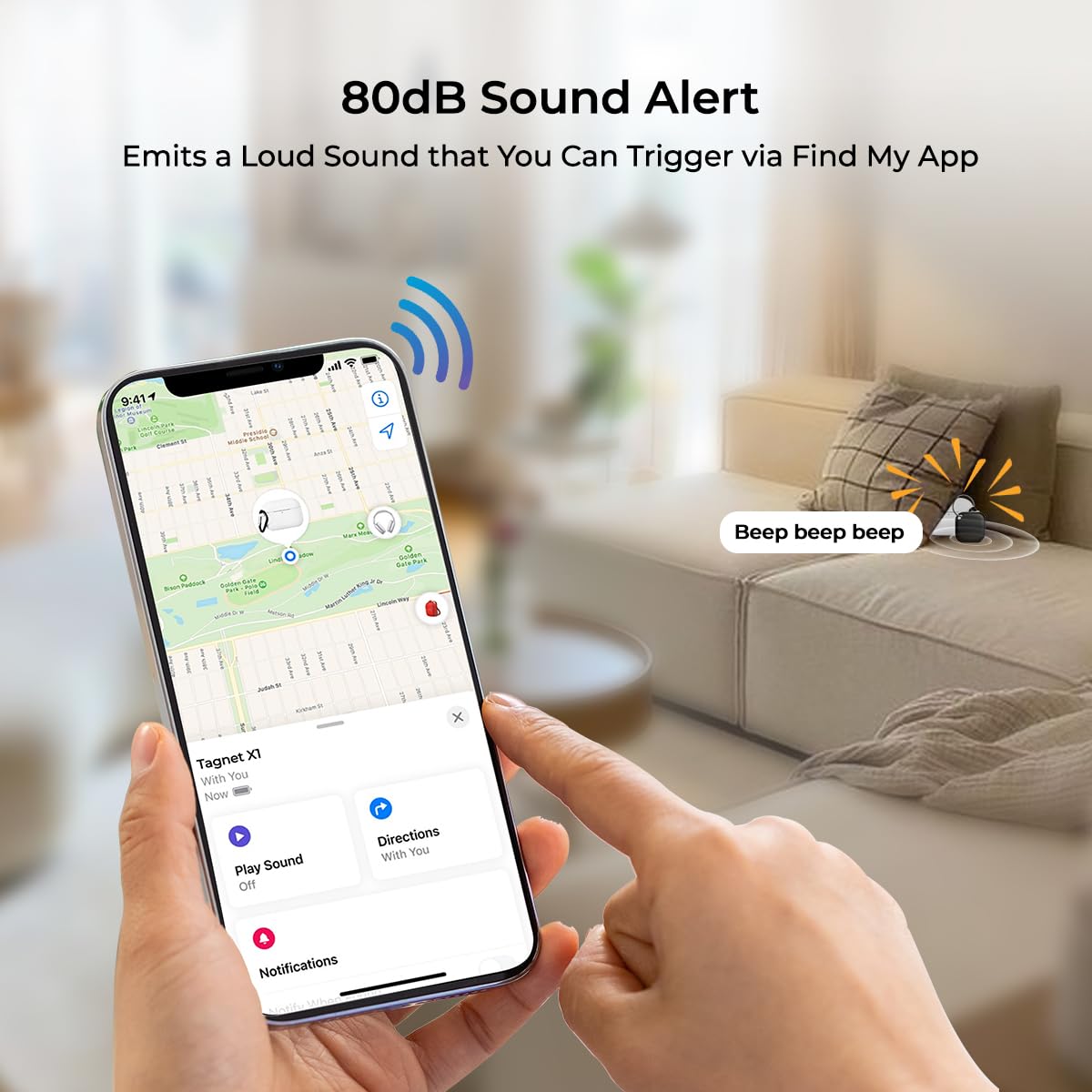
Image: The 80dB sound alert feature of the pTron TagNet X1, triggered via the Find My app.
Tertinggal Peringatan
Receive instant notifications if you accidentally leave your item behind:
- The 'Find My' app will alert you on your iPhone whenever your TagNet X1 disconnects from Bluetooth range, indicating the item has been left behind.

Image: The 'Left Behind Reminder' feature notifies you when your item disconnects from your iPhone's Bluetooth range.
Mod Hilang
If your item is lost, activate Lost Mode in the 'Find My' app to:
- Receive notifications when your item is detected by another device on the Find My network.
- View your item's last known location on a map.
Shared Tracking
The TagNet X1 supports shared tracking, allowing multiple users to locate an item:
- Group members can view the item's location, play a sound, and use precise tracking to find it easily.

Image: Shared tracking allows multiple users to locate an item and use precise tracking.
Penyelenggaraan
Penggantian Bateri
The pTron TagNet X1 uses a replaceable coin battery with an average life of 1 year. When the battery is low, you will receive a notification on your iOS device. To replace the battery:
- Carefully open the TagNet X1 casing.
- Keluarkan bateri syiling lama.
- Insert a new compatible coin battery, ensuring correct polarity.
- Tutup casing dengan selamat.
Pembersihan
Wipe the device with a soft, dry cloth. Avoid using harsh chemicals or abrasive materials, as these can damage the device.
Menyelesaikan masalah
| Masalah | Penyelesaian yang Mungkin |
|---|---|
| Device not pairing with iPhone |
|
| Buzzer not sounding |
|
| Location not updating or inaccurate |
|
| Peranti sering terputus sambungan |
|
Spesifikasi
| Ciri | Perincian |
|---|---|
| Jenama | pTron |
| Model | TagBersih X1 |
| Dimensi Produk | 3 x 3 x 1 cm |
| Berat Barang | 20 g |
| Teknologi Ketersambungan | Bluetooth |
| Aplikasi yang Disokong | Apple Cari Saya |
| Ciri Khas | Alert Notification, Anti-Theft, Real Time Tracking, Shock Resistant, Weather Resistant |
| Peranti Serasi | iOS devices (iPhone, iPad, etc.) |
| Jenis Bateri | Replaceable Coin Battery |
| Purata Hayat Bateri | 1 Tahun |
| bahan | Akrilonitril Butadiena Stirena (ABS) |
Maklumat Waranti
The pTron TagNet X1 typically comes with a standard manufacturer's warranty. Please refer to your purchase documentation or contact customer support for specific warranty terms and duration. Extended warranty options may also be available from third-party providers.
Sokongan
For technical assistance, product inquiries, or warranty claims, please contact pTron customer support:
- e-mel: support@ptron.in
- telefon: 040-67138888
Manufacturer Address: Palred Electronics Pvt. Ltd., SY.NO. 56, 1ST FLOOR, GUNDLAPOCHAMPKAMPUNG ALLY, TAMAN TEKNOLOGI MTP, TSIIC-IALA NACHARAM, HYDERABAD - 500076, TELANGANA, INDIA.