
1. Pengenalan
Thank you for choosing the INIU P41 10000mAh 45W Ultra Slim Portable Charger. This manual provides essential information for the safe and efficient use of your new power bank. Please read it thoroughly before use and retain it for future reference.
Apa yang Termasuk:
- INIU 10000mAh Portable Charger (P41) x1
- 0.12M/0.4ft Lanyard USB-C to USB-C Cable x1
- Manual Pengguna x1
2. Ciri-ciri Produk
The INIU P41 portable charger is designed for convenience and high performance, featuring advanced technology for fast and safe charging.
- Reka bentuk Ultra-Slim: Utilizes high-density TinyCell technology, making it 30% smaller and 15% lighter than other 10000mAh power banks.
- Pengecasan Pantas PD 45W: Equipped with a powerful 45W chip, capable of charging compatible devices rapidly.
- Dual USB-C Input/Output: Features two USB-C ports that support both input and output, allowing versatile charging and recharging.
- Triple Device Charging: Includes two USB-C ports and one USB-A port, enabling simultaneous charging of up to three devices.
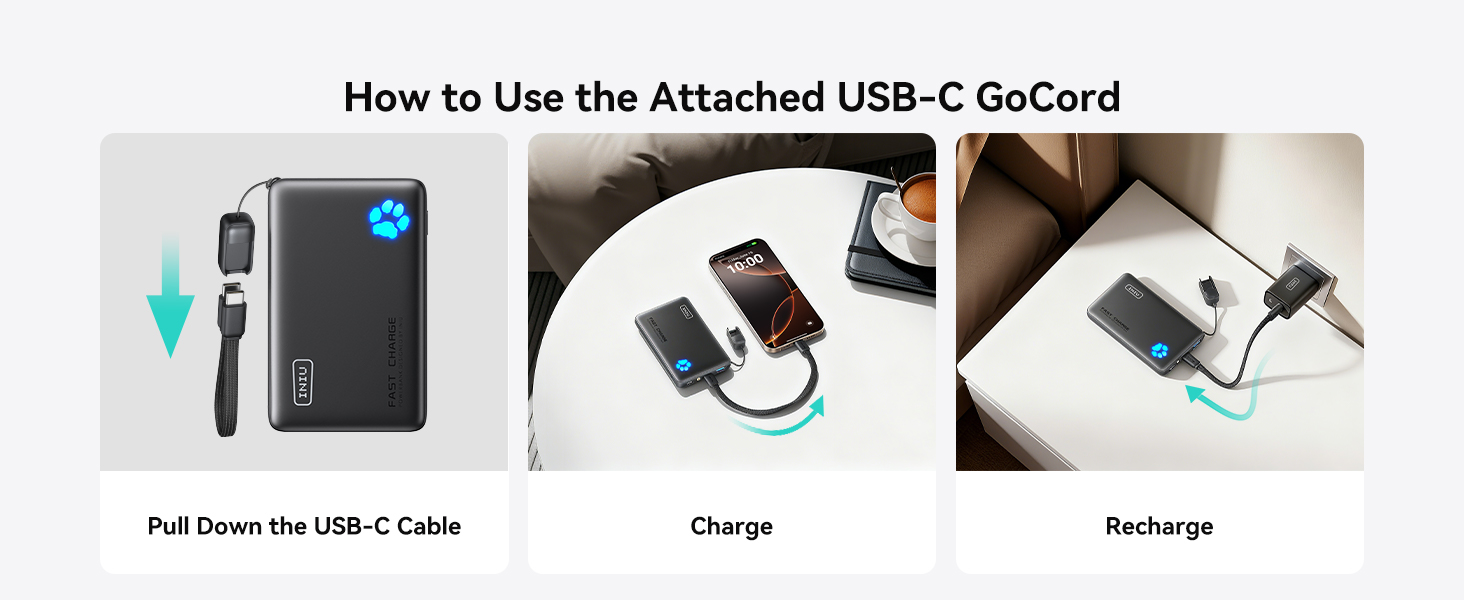
- Integrated GoCord Cable: A detachable braided USB-C to USB-C cable serves as a convenient lanyard and charging cable.
- Paw Print Indicator: An intuitive paw print LED indicator displays the remaining battery level.
- Lampu suluh terbina dalam: A small integrated flashlight provides illumination when needed.
The INIU P41's ultra-slim design, achieved through TinyCell technology, makes it highly portable.

The power bank features dual USB-C ports for flexible charging and recharging, alongside a USB-A port.
3. Bermula (Persediaan)
Caj Permulaan:
Before first use, fully charge your INIU P41 portable charger. Connect it to a power adapter using the included USB-C GoCord cable or another compatible USB-C cable. The paw print indicator will illuminate to show charging progress.
Using the GoCord Cable:
The integrated USB-C GoCord cable can be detached from its storage slot to be used for charging devices or recharging the power bank itself. When not in use, it conveniently stores back into the slot, acting as a lanyard.

Instructions for using the detachable USB-C GoCord cable for charging and recharging.
The power bank can be directly recharged using its handy USB-C cable. Full recharge takes approximately 2 hours with a 27W charger (not included).
4. Arahan Operasi
Mengecas Peranti Anda:
Connect your device to one of the power bank's output ports (USB-C or USB-A) using a compatible charging cable. The power bank will automatically begin charging. The 45W Power Delivery (PD) ensures fast charging for compatible smartphones, tablets, and even some laptops.
- Pengecasan Cepat: Charges an iPhone 15 to 60% in approximately 25 minutes.
- Berbilang Peranti: Charge up to three devices simultaneously using the available ports.
- Pengecasan Laluan: The power bank supports pass-through charging, allowing it to be recharged while simultaneously charging other devices.

Experience 45W full-speed charging for compatible devices like iPhone and Samsung phones.

The 10000mAh capacity provides multiple charges for various devices.
Keserasian:
The INIU P41 is widely compatible with a range of electronic devices:
- Komputer riba: MacBook Air Series, Dell XPS 13, HP Spectre x360.
- telefon: iPhone Series (17, 16, 15, 14 Pro Air), Samsung Galaxy Series (S25, S24), Google Pixel Series.
- Tablet: iPad Air/Mini Series, Galaxy Tab Series.
- Lain-lain: Smartwatches, Wireless Headphones, Nintendo Switch.

The INIU P41 offers wide compatibility for charging a variety of personal electronic devices.
5. Keselamatan dan Perlindungan
Your INIU P41 portable charger incorporates advanced safety features to protect both the device and your connected electronics.
- Sistem Keselamatan 18 Lapisan: Comprehensive protection against various electrical hazards.
- 15-Layer SmartProtect System: Includes features like charge low/high temperature protection, discharge low/high temperature protection, battery short-circuit protection, output overvoltage protection, charging undervoltage protection, battery temperature protection, battery overdischarge protection, output overcurrent protection, charging overvoltage protection, USB-C overcharge protection, charging overcurrent protection, discharge overcurrent protection, output short-circuit protection, and USB-A overcharge protection.
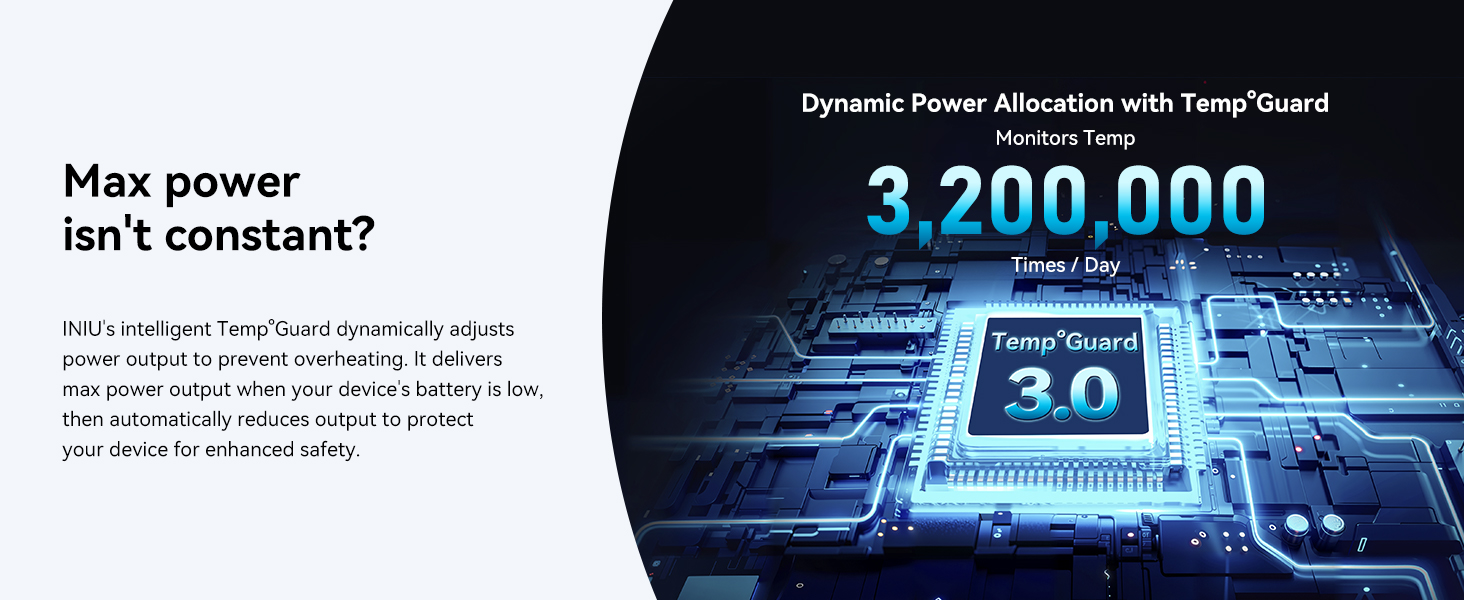
- Dynamic Power Allocation with Temp°Guard 3.0: Monitors temperature 3,200,000 times per day, dynamically adjusting power output to prevent overheating and protect your device.
- TSA-Compliant: Safe for air travel.

The 18-layer safety system ensures secure operation and is TSA-compliant.

The 15-Layer SmartProtect System provides comprehensive protection for your devices.
6. Penyelenggaraan
- Jauhkan bank kuasa daripada suhu yang melampau, cahaya matahari langsung dan cecair.
- Bersihkan peranti dengan kain lembut dan kering. Jangan gunakan bahan kimia yang keras atau bahan yang melelas.
- Simpan di tempat yang sejuk dan kering apabila tidak digunakan untuk tempoh yang lama.
- Elakkan daripada menjatuhkan atau meletakkan bank kuasa kepada kesan yang kuat.
7. Penyelesaian masalah
- Peranti tidak dicas: Ensure the power bank is charged. Check that the charging cable is securely connected to both the power bank and your device. Try a different cable or port.
- Bank kuasa tidak mengecas: Ensure the charging cable is securely connected to a power adapter and the power bank. Try a different cable or power adapter.
- Pengecasan perlahan: Verify that your device and cable support fast charging. Ensure the power bank has sufficient charge.
- Lampu suluh tidak berfungsi: Double-press the power button to activate/deactivate the flashlight.
8. Spesifikasi
| Ciri | Perincian |
|---|---|
| Nombor Model | P41 |
| Kapasiti Bateri | 10000 Miliamp jam |
| Dimensi Produk | 4.3 x 2.6 x 0.7 inci |
| Berat Barang | 6.4 auns |
| Connector Type (Output) | USB-C*2 + USB-A*1 |
| Kuasa Output Maks | 45W (USB-C) |
| Jenis Bateri | Polimer Litium (termasuk) |
9. Waranti dan Sokongan
INIU provides an Industry-Leading 3-Year INIU Care warranty for this product, along with Lifetime Technical Support. For any quality issues within 3 years, a new replacement will be provided.
For support, please refer to the contact information provided in your product packaging or visit the official INIU webtapak.

The INIU P41 comes with a 3-year warranty for peace of mind.
10. Video Produk
Watch a demonstration of the INIU P41 portable charger in action, highlighting its features and ease of use.
This video showcases the fast charging capabilities and convenient, slim design of the INIU P41.
Semula yang mendalamview of the INIU P41 Power Bank, discussing its value and performance.
An unboxing video of the INIU P41 10000mAh power bank, showing its contents and initial impressions.