
1. Pengenalan
This manual provides essential information and instructions for the LAXASFIT H9 Pro Max Smart Watch. Please read this manual thoroughly before using your device to ensure proper operation and to maximize its features. Keep this manual for future reference.
2. Produk Lebihview
The LAXASFIT H9 Pro Max Smart Watch is designed to integrate seamlessly into your daily life, offering health monitoring, sports tracking, and smart notifications. It features a 2.01-inch TFT display and a durable silicone strap.
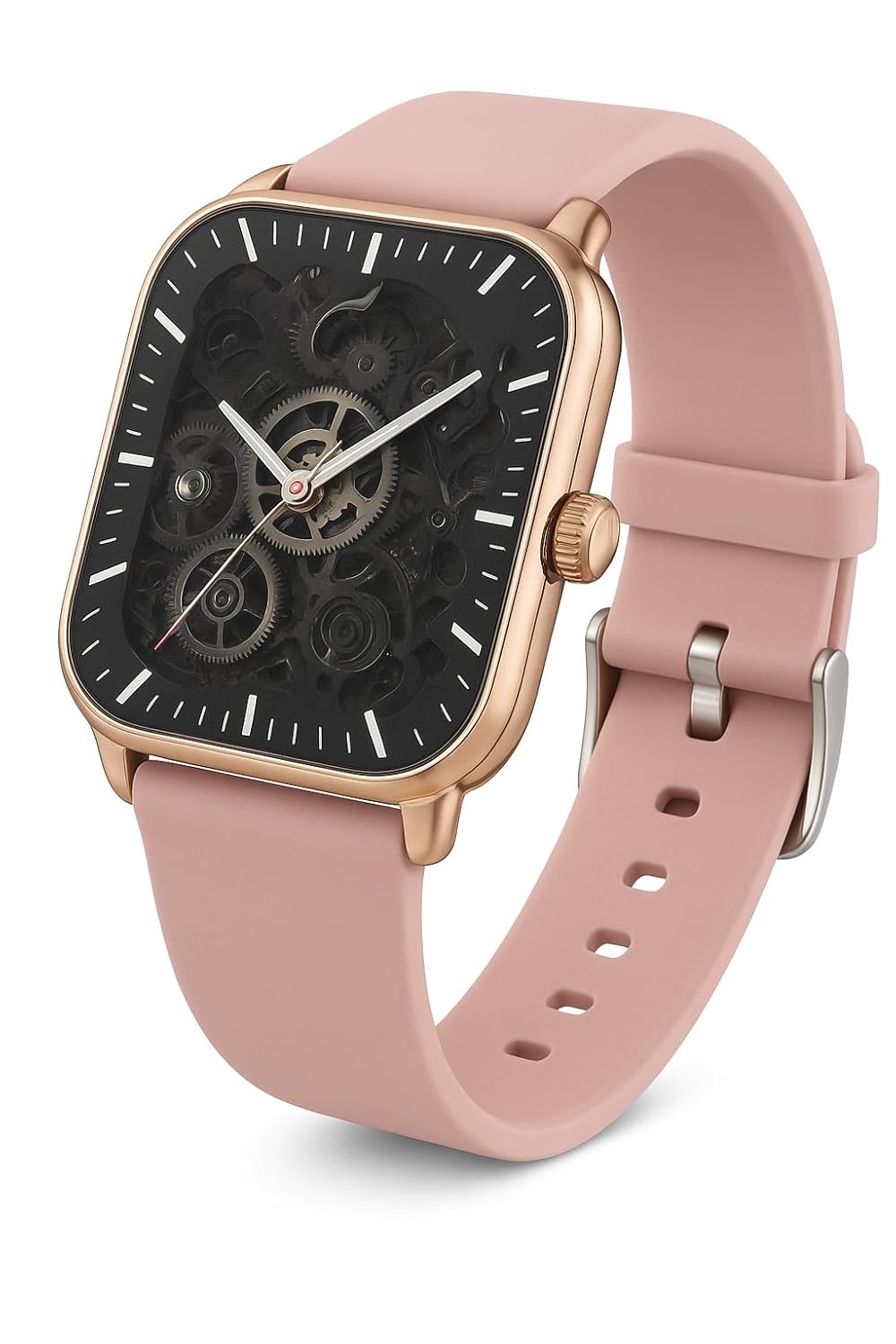
Imej 2.1: LAXASFIT H9 Pro Max Smart Watch. This image shows the watch's square face with a rose gold-toned case and a pink silicone band. The display features a skeleton dial design, revealing internal mechanical elements, with white hour markers and sleek hands for time reading.
Ciri-ciri Utama:
- paparan: 2.01" TFT Display for clear visuals.
- Ketersambungan: Bluetooth 5.0 for stable connection with smartphones.
- Pemantauan Kesihatan: Integrated Heart Rate and Blood Oxygen Monitor.
- Mod Sukan: Over 100 sports modes for comprehensive activity tracking.
- Pemberitahuan: Compatible with Android & iOS for call and message alerts.
- Ketahanan: Penarafan kalis air IP67.
3. Persediaan
3.1. Mengecas Jam Tangan Pintar
Before first use, fully charge your LAXASFIT H9 Pro Max Smart Watch. Connect the charging cable to the watch's charging port and a USB power adapter. A full charge typically takes approximately 2 hours.
- Masa Pengecasan: Kira-kira 2 jam untuk cas penuh.
- Hayat Bateri: Up to 7 days under typical usage; approximately 1 day with heavy calling.

Imej 3.1: Watch features including enhanced health sensor, IP68 waterproof rating, and battery life details. The image shows the watch face displaying health metrics and a visual representation of its water resistance.
3.2. Pemasangan Apl
To unlock the full potential of your smart watch, download and install the companion application on your smartphone. The app allows for data synchronization, watch face customization, and advanced settings management.
- Scan the QR code provided below or search for "Laxasfit" in your smartphone's app store (Google Play Store for Android or Apple App Store for iOS).
- Ikut arahan pada skrin untuk memasang aplikasi.

Imej 3.2: Smart Sync feature with a QR code for downloading the companion application. This image illustrates the watch's ability to synchronize with a smartphone app for comprehensive health monitoring, customizable experiences, and fitness tracking.
Scan this QR code to download the app: https://me-qr.com/W37v4fPq

Imej 3.3: Laxasfit App Preview on iOS. This image displays screenshots of the Laxasfit application interface on an iPhone, showing features like device search, bracelet settings, target steps, and historical data for health and movement tracking.

Imej 3.4: Laxasfit App Preview on Android. This image shows the Laxasfit application's Google Play Store page, including app ratings, download size, and screenshots of the app's interface for health, data, and sports tracking.
3.3. Berpasangan dengan Telefon Pintar Anda
- Pastikan Bluetooth didayakan pada telefon pintar anda.
- Open the Laxasfit application.
- Navigasi ke bahagian "Peranti" atau "Tambah Peranti" dalam aplikasi.
- The app will search for available devices. Select "H9 Pro Max" from the list.
- Sahkan permintaan pasangan pada jam tangan dan telefon pintar anda jika digesa.
- Setelah digandingkan, jam tangan akan menyegerakkan data dengan apl.
4. Mengendalikan Jam Tangan Pintar
4.1. Navigasi Asas
The LAXASFIT H9 Pro Max Smart Watch features a responsive touchscreen interface. Swipe across the screen to navigate through menus and tap to select options. The side button typically serves as a power button or a return-to-home function.
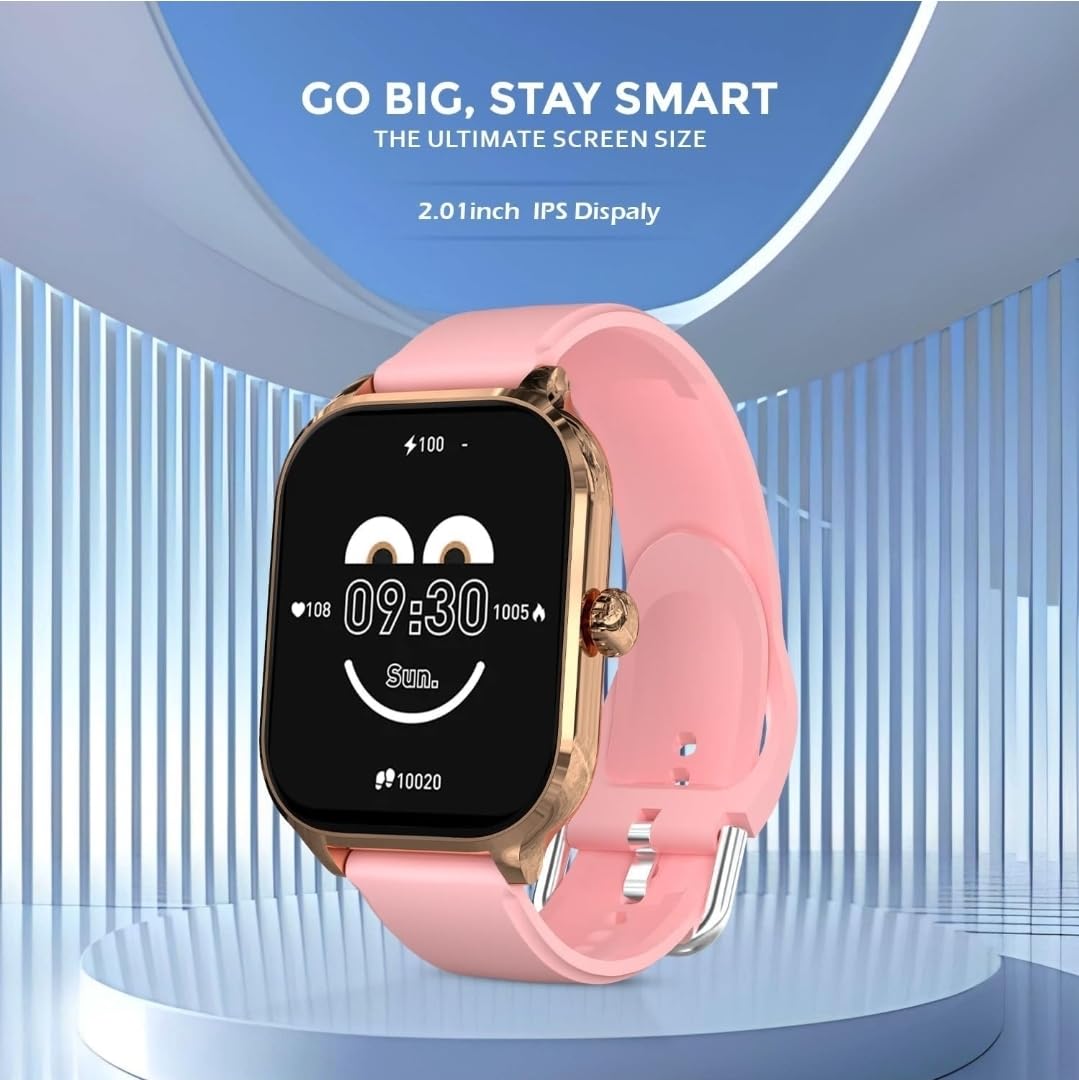
Imej 4.1: Watch face displaying time, battery level, and health data. This image highlights the 2.01-inch IPS display, showing a customizable watch face with current time, heart rate, and step count.
4.2. Pemantauan Kesihatan
The watch continuously monitors your heart rate and blood oxygen levels. Access these features through the health menu on the watch or view detailed historical data in the Laxasfit app.
- Pemantau Kadar Jantung: Menyediakan data kadar denyutan jantung masa nyata.
- Pemantau Oksigen Darah: Measures blood oxygen saturation (SpO2).
4.3. Mod Sukan
Engage in various physical activities with over 100 built-in sports modes. Select your activity to track duration, calories burned, distance, and other relevant metrics.

Imej 4.2: Watch displaying "100+ Sports Mode" with icons for various activities. This image emphasizes the extensive range of sports tracking capabilities, showing icons for running, cycling, weightlifting, and more.
4.4. Pemberitahuan Panggilan dan Mesej
Once paired with your smartphone, the watch will display incoming call alerts and message notifications directly on your wrist. You can manage these settings within the Laxasfit app.
5. Penyelenggaraan
5.1. Tahan Air
The LAXASFIT H9 Pro Max Smart Watch has an IP67 waterproof rating. This means it is protected against dust ingress and can withstand immersion in water up to 1 meter for up to 30 minutes. It is suitable for daily use, such as hand washing or light rain. Avoid prolonged immersion, hot water, or steam.
5.2. Pembersihan
To maintain your watch, regularly clean the device and strap with a soft, dry cloth. If necessary, use a slightly damp cloth with mild soap, then wipe dry. Avoid using harsh chemicals or abrasive materials.
6. Penyelesaian masalah
- Tonton tidak dihidupkan: Pastikan jam tangan dicas sepenuhnya. Sambungkannya ke pengecas selama sekurang-kurangnya 30 minit.
- Tidak boleh berpasangan dengan telefon pintar:
- Pastikan Bluetooth didayakan pada telefon anda.
- Pastikan jam tangan berada dalam julat telefon anda.
- Mulakan semula kedua-dua jam tangan dan telefon anda.
- Try unpairing and re-pairing through the Laxasfit app.
- Data kesihatan tidak tepat: Pastikan jam tangan dipakai dengan kemas pada pergelangan tangan anda, tidak terlalu ketat atau terlalu longgar. Bersihkan penderia di belakang jam tangan.
- Pemberitahuan tidak muncul: Check app permissions on your smartphone to ensure the Laxasfit app has access to notifications. Verify notification settings within the Laxasfit app.
7. Spesifikasi
| Ciri | Spesifikasi |
|---|---|
| Jenama | LAXASFIT |
| Model | H9 Pro Max (H9proMaxPink) |
| Saiz Paparan | 2.01 Inches (TFT/IPS) |
| Ketersambungan | Bluetooth 5.0 |
| Sistem Operasi | WatchOS (as per provided data, likely a custom OS) |
| Tahan Air | IP67 |
| Kapasiti Bateri | 220 mAh |
| Masa Mengecas | 2 Jam |
| Purata Hayat Bateri | 1 Day (up to 7 days with light use) |
| Peranti Serasi | Android, iOS |
| bahan | Silicone (Strap) |
| Berat Barang | 200 g |
8. Waranti dan Sokongan
For warranty information and customer support, please refer to the official LAXASFIT webtapak atau hubungi peruncit anda. Simpan resit pembelian anda sebagai bukti pembelian.

Imej 8.1: LAXASFIT brand logo, featuring colorful stylized letters and the tagline "LIVE IN A SMART LIFE".