1. Pengenalan
This manual provides detailed instructions for the LAXASFIT GT1 Smart Watch. Please read this manual thoroughly before using your device to ensure proper operation and to maximize its features. Keep this manual for future reference.
2. Produk Lebihview
2.1 Kandungan Pakej
Selepas membuka pakej, sahkan bahawa semua item ada:
- LAXASFIT GT1 Smart Watch
- Kabel Pengecas USB
- Manual Pengguna (dokumen ini)
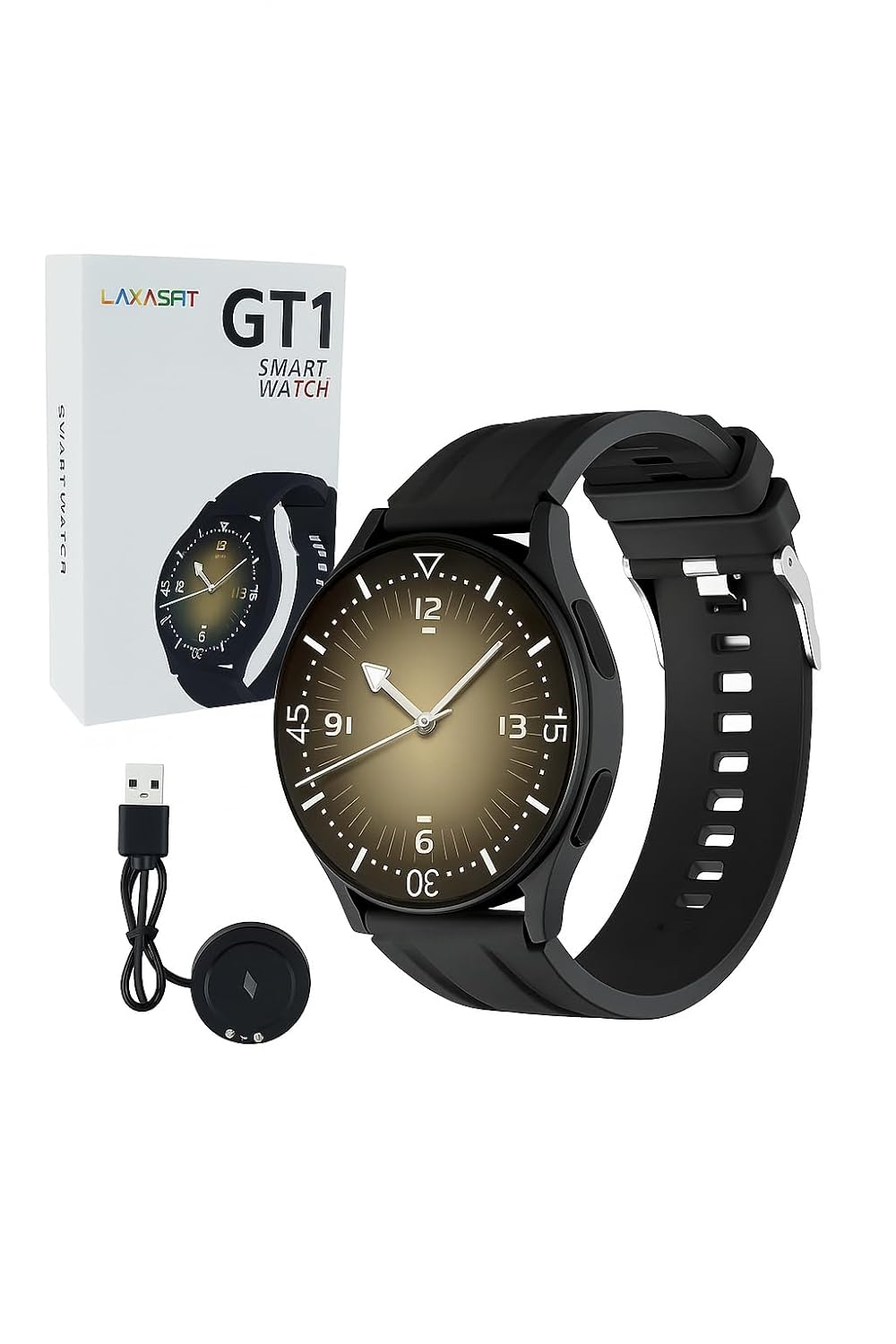
Image: The LAXASFIT GT1 Smart Watch, its retail packaging, and the included USB charging cable.
2.2 Ciri-ciri Utama
The LAXASFIT GT1 Smart Watch offers a range of functionalities designed to enhance your daily life:
- 1.32" IPS Pure Round Full Touch Screen: Vibrant and responsive display for clear interaction.
- Fungsi Panggilan Bluetooth: Make and receive calls directly from your wrist.
- Pemantauan Tidur: Tracks sleep patterns to help assess sleep quality.
- Pelbagai Mod Sukan: Records data for various physical activities.
- Penilaian Kalis Air IP67: Resistant to splashes and brief immersion.
- Pemantau SpO2: Mengukur tahap ketepuan oksigen darah.
- Pemantauan Denyut Jantung: Penjejakan kadar jantung berterusan.
- Pembilang Langkah: Menjejaki langkah dan aktiviti harian.
- Pemberitahuan: Receives alerts for calls, messages, and app notifications.
- Reka bentuk tahan lasak: Features a black silicone strap with ventilation for comfort.
3. Panduan Persediaan
3.1 Mengecas Jam Tangan Pintar
Before initial use, fully charge your LAXASFIT GT1 Smart Watch.
- Connect the USB charging cable to a standard USB power adapter (not included) or a computer's USB port.
- Attach the magnetic charging pins to the charging contacts on the back of the watch. Ensure a secure connection.
- Paparan jam tangan akan menunjukkan status pengecasan. Cas penuh biasanya mengambil masa kira-kira 2 jam.
3.2 Hidupkan/Mati Kuasa
- Untuk Menghidupkan: Press and hold the side button until the LAXASFIT logo appears on the screen.
- Untuk Mematikan: From the watch face, swipe down to access the quick settings, then tap the power icon, or navigate to Tetapan > Sistem > Matikan KuasaSahkan pilihan anda.
3.3 Pemasangan Aplikasi dan Penggandingan Peranti
To unlock the full potential of your LAXASFIT GT1 Smart Watch, install the companion application on your smartphone.
- Muat turun Apl: Cari untuk "Laxasfit" in the Google Play Store (for Android devices) or the Apple App Store (for iOS devices).
- Pasang Apl: Ikut arahan pada skrin untuk memasang aplikasi.

Image: Screenshot of the Laxasfit app listing on the Google Play Store.

Image: Screenshot of the Laxasfit app listing on the Apple App Store.
- Dayakan Bluetooth: Pastikan Bluetooth didayakan pada telefon pintar anda.
- Buka Apl: Launch the Laxasfit app and follow the on-screen prompts to create an account or log in.
- Pasangkan Peranti: Within the app, navigate to the device section and select "Add Device" or "Search Device." The app will scan for available smartwatches. Select "GT1" or the corresponding device name when it appears.
- Sahkan Gandingan: Permintaan pasangan mungkin muncul pada telefon dan jam tangan anda. Sahkan pasangan pada kedua-dua peranti.
4. Arahan Operasi
4.1 Navigasi Asas
- Skrin Sentuh: Leret ke kiri, kanan, atas atau bawah untuk menavigasi menu dan ciri. Ketik untuk memilih item.
- Butang Sisi: Press the side button to return to the watch face or to wake the screen. A long press may access power options or other functions depending on context.
4.2 Fungsi Panggilan Bluetooth
After successful pairing with your smartphone, you can use the watch for Bluetooth calls:
- Pastikan jam tangan disambungkan ke telefon anda melalui Bluetooth.
- To make a call, access the dialer on the watch or select a contact from your synced phonebook.
- To answer an incoming call, tap the green answer icon on the watch screen.
- To reject a call, tap the red reject icon.
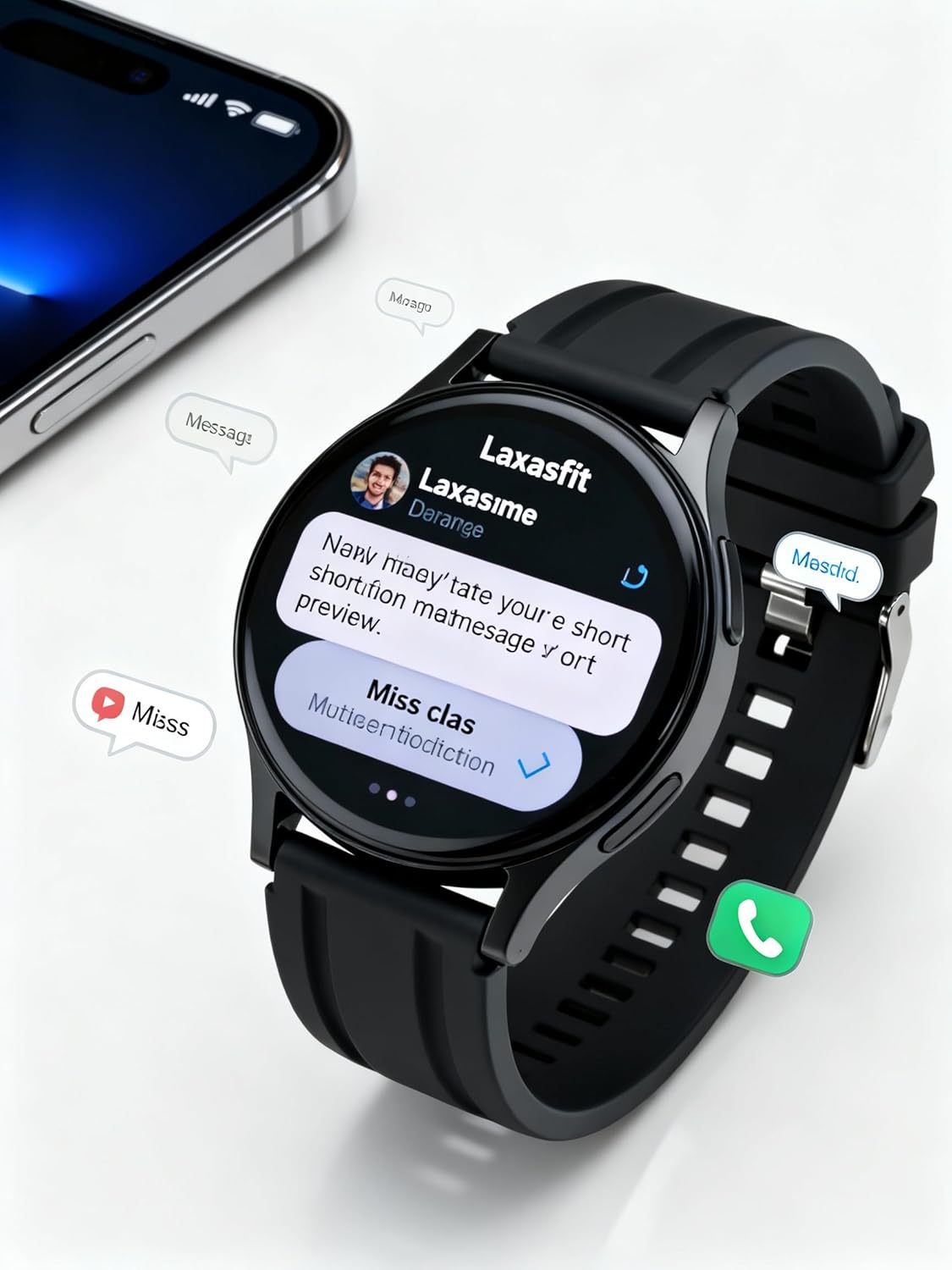
Image: The smart watch screen showing incoming message notifications and an icon for a phone call, indicating its communication features.
4.3 Pemantauan Kesihatan
The GT1 Smart Watch provides various health tracking features:
- Kadar Jantung: Access the heart rate monitor from the main menu. The watch will automatically measure and display your current heart rate. Continuous monitoring can be enabled via the app.
- SpO2 (Oksigen Darah): Navigate to the SpO2 function. Keep your arm still during measurement for accurate results.
- Pemantauan Tidur: Wear the watch to bed. It will automatically track your sleep duration and quality. View detailed sleep data in the Laxasfit app.
- Pembilang Langkah: Jam tangan ini sentiasa menjejaki langkah, jarak dan kalori yang dibakar sepanjang hari.

Image: The smart watch on a user's wrist, displaying sleep duration and quality metrics, with a person sleeping in the background.

Image: The smart watch screen showing a heart rate reading in BPM and the total number of steps taken.
4.4 Mod Sukan
The watch supports various sports modes to track your workouts:
- Navigate to the "Sports" or "Workout" menu on your watch.
- Pilih aktiviti yang anda inginkan (cth., berlari, berjalan, berbasikal).
- The watch will begin recording data such as duration, distance, calories burned, and heart rate.
- End the workout by following the on-screen prompts. Data will sync to the Laxasfit app.
4.5 Pemberitahuan
Receive notifications from your smartphone directly on your watch:
- Ensure notification permissions are granted to the Laxasfit app on your smartphone.
- Enable specific app notifications within the Laxasfit app settings.
- Apabila pemberitahuan tiba, jam tangan akan bergetar dan memaparkan kandungan mesej.
5. Penyelenggaraan
5.1 Membersihkan Jam Tangan Pintar Anda
- Regularly clean the watch screen and strap with a soft, damp kain.
- Elakkan menggunakan bahan kimia yang keras, pembersih yang kasar atau pelarut, kerana ini boleh merosakkan peranti.
- Pastikan sentuhan pengecas bersih dan kering sebelum mengecas untuk mengelakkan kakisan.
5.2 Rintangan Air (IP67)
The LAXASFIT GT1 Smart Watch is rated IP67, meaning it is resistant to dust and can withstand immersion in water up to 1 meter for 30 minutes. However, it is not suitable for swimming, diving, or high-pressure water activities. Avoid exposure to hot water or steam.
5.3 Amalan Terbaik Mengecas
- Gunakan hanya kabel pengecasan yang disediakan.
- Avoid overcharging the device; disconnect once fully charged.
- Jangan cas jam tangan dalam keadaan basah.
6. Penyelesaian masalah
If you encounter issues with your LAXASFIT GT1 Smart Watch, refer to the following common solutions:
- Tonton tidak dihidupkan: Pastikan jam tangan dicas sepenuhnya. Sambungkannya ke pengecas selama sekurang-kurangnya 10 minit.
- Tidak boleh berpasangan dengan telefon:
- Pastikan Bluetooth didayakan pada telefon dan jam tangan anda.
- Pastikan jam tangan berada dalam julat telefon anda.
- Mulakan semula telefon dan jam tangan anda.
- Kosongkan cache Bluetooth pada telefon anda (Android) atau lupakan peranti tersebut dan pasangkan semula (iOS/Android).
- Data kesihatan tidak tepat: Ensure the watch is worn snugly on your wrist, not too tight or too loose. Keep the sensor clean.
- Pemberitahuan tidak diterima:
- Semak kebenaran pemberitahuan apl pada telefon anda.
- Verify that notifications are enabled within the Laxasfit app.
- Pastikan jam tangan disambungkan ke telefon anda.
- Skrin tidak bertindak balas: Try restarting the watch by long-pressing the side button. If unresponsive, allow the battery to drain completely and then recharge.
Jika masalah berterusan, hubungi sokongan pelanggan untuk bantuan lanjut.
7. Spesifikasi
| Ciri | Perincian |
|---|---|
| Jenama | LAXASFIT |
| Nama Model | GT1 (Zt1) |
| Nombor Model Item | H9proMax |
| Jenis Paparan | AMOLED |
| Saiz Paparan Skrin Berdiri | 1.9 Inci (Note: Product title states 1.32" IPS, specifications state 1.9" AMOLED. Using 1.9" from specifications for consistency in this section.) |
| Sistem Operasi | WatchOS (Note: This is likely a generic term or placeholder, as WatchOS is Apple's OS. The actual OS is typically proprietary for such devices.) |
| Kapasiti Penyimpanan Memori | 500 MB |
| Saiz Terpasang Memori RAM | 0.13 MB |
| Ciri Khas | GPS |
| Peranti Serasi | iPhone (Note: Also compatible with Android via the Laxasfit app.) |
| Purata Hayat Bateri | 1 Hari |
| Masa Mengecas | 2 Jam |
| Kapasiti Bateri | 100 Amp jam (Note: This unit is unusual for smartwatches, typically mAh. Assuming it refers to 100mAh or similar capacity.) |
| Jenis Wayarles | Bluetooth |
| Jenis Penyambung | Bluetooth |
| Antara Muka Peranti - Utama | Skrin sentuh |
| bahan | silikon |
| Berat Barang | 200 g |
| Penilaian Ketahanan Air | IP67 |
8. Waranti dan Sokongan
For warranty information and customer support, please refer to the documentation provided with your purchase or contact LAXASFIT customer service through their official website or the Laxasfit application. Keep your proof of purchase for warranty claims.