
1. Pengenalan
This manual provides essential information for the safe and efficient operation of your Coocaa 55Y74 Pro QLED Ultra Smart Google TV. Please read this manual thoroughly before using the product and retain it for future reference. Your Coocaa TV features a durable A+ Grade QLED panel and an ultra-bright screen designed for optimal picture quality.
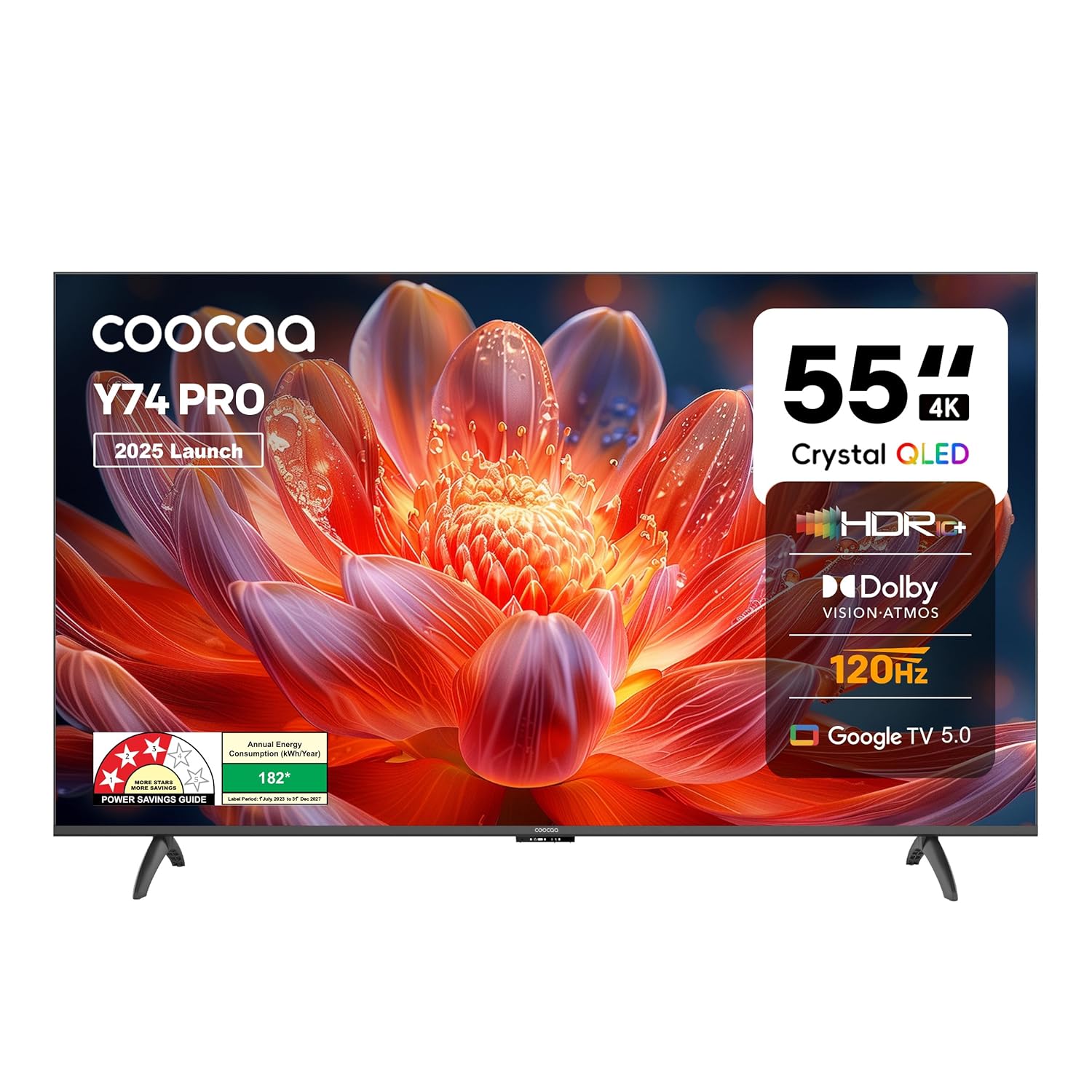
Rajah 1.1: Depan view of the Coocaa 55Y74 Pro QLED Ultra Smart Google TV.
2. Maklumat Keselamatan
Patuhi langkah keselamatan berikut untuk mengelakkan kerosakan dan memastikan operasi selamat:
- Jangan dedahkan TV kepada hujan atau lembapan.
- Jangan menyekat bukaan pengudaraan.
- Pastikan pembumian yang betul untuk kord kuasa.
- Elakkan meletakkan TV pada permukaan yang tidak stabil.
- Putuskan sambungan kord kuasa semasa ribut petir atau apabila tidak digunakan untuk tempoh yang lama.
- Rujuk semua servis kepada kakitangan perkhidmatan yang berkelayakan.
3. Apa yang ada di dalam Kotak
Sahkan bahawa semua komponen terdapat dalam pembungkusan:
- TV Unit (1N)
- Stand Bases (2N)
- Quick Start Guide (1N)
- Kad Jaminan (1N)
- Alat Kawalan Jauh (1N)
- AAA Batteries (2N)
- Power Cord (1N)
- Screws (4N)
- AV Converting Cable (1N)

Figure 3.1: Contents included with your Coocaa 55Y74 Pro TV.
4. Persediaan
4.1 Membongkar
Carefully remove the TV and all accessories from the packaging. It is recommended to retain the packaging for future transport or service needs.
4.2 Pemasangan Stand
If placing the TV on a table, attach the two stand bases to the bottom of the TV using the provided screws. Ensure the stands are securely fastened.
4.3 Pemasangan Dinding
The Coocaa 55Y74 Pro supports wall mounting. A compatible VESA wall mount kit (not included) is required. Follow the instructions provided with your wall mount kit and ensure professional installation for safety.
4.4 Menyambung Peranti
Sambungkan peranti anda ke TV menggunakan port yang tersedia:
- Port HDMI: Connect set-top boxes, Blu-ray players, gaming consoles, or other HDMI-enabled devices. The TV features 3 HDMI ports, including HDMI 2.1 with eARC support.
- Port USB: Sambungkan peranti storan USB untuk main balik media. TV mempunyai 2 port USB 2.0.
- Audio Digital Keluar: Untuk menyambung ke sistem audio luaran.
- Port LAN: Untuk sambungan internet berwayar.
- Input AV: Untuk peranti lama yang menggunakan video komposit dan audio stereo.
- Satellite Port: For satellite signal input.

Figure 4.1: Available connectivity ports on the Coocaa 55Y74 Pro TV.
4.5 Sambungan Kuasa
Sambungkan kord kuasa ke input kuasa TV dan kemudian ke soket elektrik yang sesuai. TV ini beroperasi pada voltan AC 240 Volt.
5. Beroperasi
5.1 Persediaan Kali Pertama
Upon first power-on, the TV will guide you through the initial setup process, including language selection, network connection (Wi-Fi or Ethernet), and Google account sign-in for Google TV features.
5.2 Alat Kawalan Jauh
Insert the two AAA batteries into the remote control. The remote features dedicated buttons for popular streaming services like Netflix and Prime Video, a navigation key, and a voice assistant button for Google Assistant.

Figure 5.1: The Coocaa TV remote control.
5.3 Fungsi Asas
- Kuasa: Tekan butang kuasa pada alat kawalan jauh untuk menghidupkan atau mematikan TV.
- Kelantangan: Use the volume up/down buttons to adjust audio levels.
- Pemilihan Input: Use the input button to switch between connected devices (HDMI, AV, etc.).
5.4 Ciri TV Pintar (TV Google)
Your Coocaa TV runs on Google TV, providing access to a wide range of applications and features:
- Akses Apl: Download and use apps like Netflix, YouTube, Prime Video, Zee5, and Sony LIV from the Google Play Store.
- Pembantu Google: Use voice commands via the remote control for search, control, and information.
- Chromecast Terbina dalam: Cast content from compatible mobile devices directly to your TV.
- Display Mirroring: Mirror the screen of compatible devices to the TV.
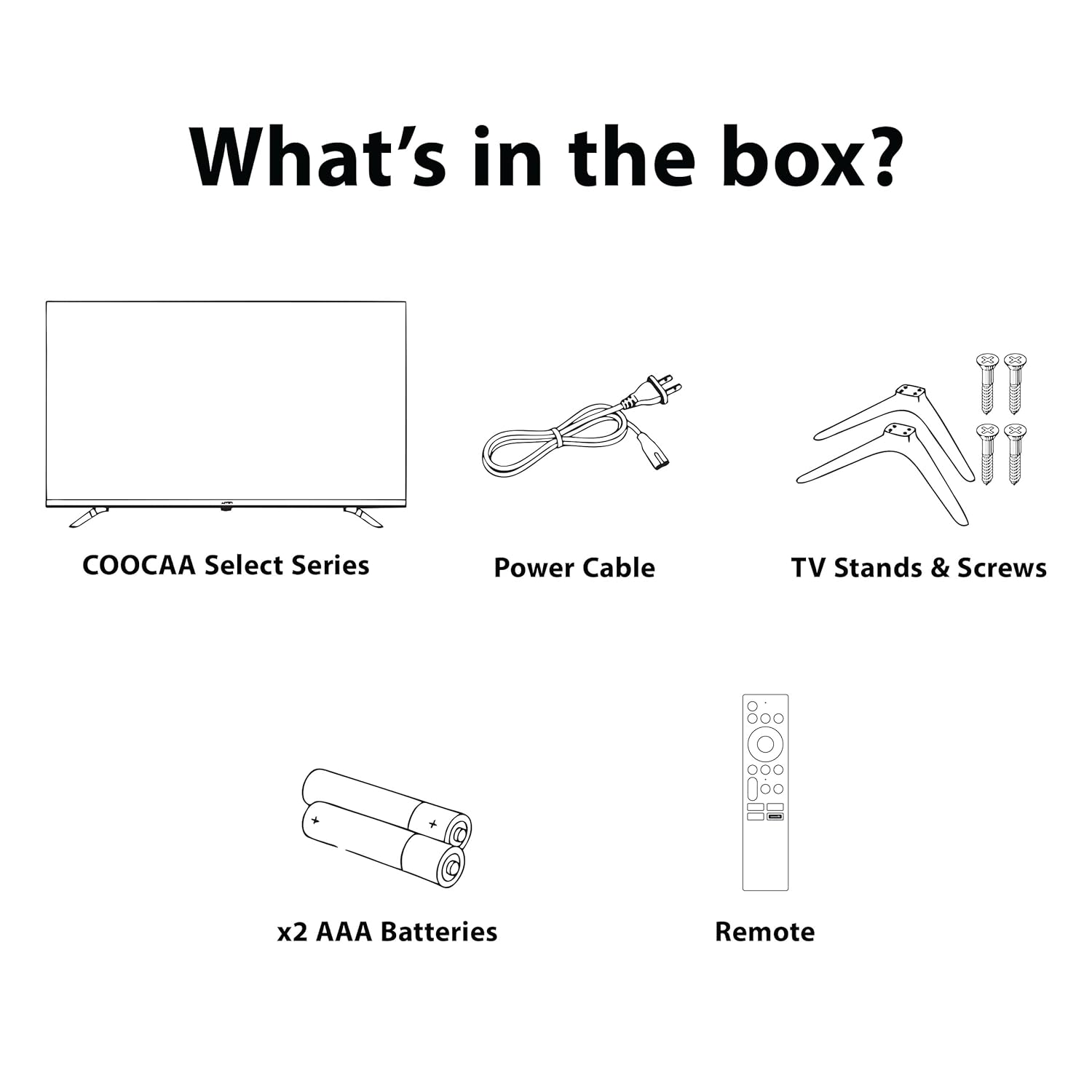
Figure 5.2: Key smart features of the Coocaa 55Y74 Pro TV.
6. Penyelenggaraan
6.1 Pembersihan
- Skrin: Lap skrin perlahan-lahan dengan kain lembut yang tidak berbulu. Untuk kesan degil, gunakan pembersih skrin yang direka khusus untuk TV, digunakan pada kain, bukan terus ke skrin.
- Badan TV: Wipe the TV frame and back panel with a soft, dry cloth. Avoid abrasive cleaners or solvents.
6.2 Kemas Kini Perisian
Your TV may receive software updates to improve performance and add new features. Ensure your TV is connected to the internet. You can usually check for updates in the TV's settings menu under 'System' or 'About'.
6.3 Penyimpanan
If storing the TV for an extended period, disconnect it from power, remove batteries from the remote, and store it in a cool, dry place, preferably in its original packaging.
7. Penyelesaian masalah
Rujuk jadual berikut untuk isu biasa dan penyelesaiannya:
| Masalah | Kemungkinan Punca | Penyelesaian |
|---|---|---|
| Tiada kuasa | Kord kuasa diputuskan; Isu salur keluar kuasa | Check power cord connection; Test power outlet with another device. |
| Tiada gambar, tetapi bunyi hadir | Incorrect input source; Loose HDMI/AV cable | Pilih sumber input yang betul; Sambung semula kabel dengan selamat. |
| Tiada bunyi, tetapi ada gambar | Kelantangan diredam atau terlalu rendah; Isu sistem audio luaran | Unmute volume or increase level; Check external audio connections. |
| Alat kawalan jauh tidak berfungsi | Bateri mati; Halangan; Alat kawalan jauh tidak dipasangkan | Replace batteries; Remove obstructions; Re-pair Bluetooth remote (refer to TV settings). |
| Isu sambungan Wi-Fi | Kata laluan salah; Isu penghala; Gangguan isyarat | Verify Wi-Fi password; Restart router; Move TV closer to router or use wired connection. |
Jika masalah berterusan selepas mencuba penyelesaian ini, sila hubungi sokongan pelanggan.
8. Spesifikasi
Key technical specifications for the Coocaa 55Y74 Pro QLED Ultra Smart Google TV:
| Ciri | Spesifikasi |
|---|---|
| Model | 55Y74 Pro |
| Saiz Skrin | 55 Inci (138 cm) |
| Teknologi Paparan | QLED, A+ Display Type |
| Resolusi | 4K UHD (3840 x 2160 Piksel) |
| Kadar Segar Semula | HSR 120 Hz |
| Sistem Operasi | Google TV |
| Pemproses | A55 Chip |
| Pemproses bersama Grafik | Mali G52 MC1 |
| Memori RAM | 2 GB |
| Kapasiti Storan | 32 GB |
| Output Audio | 30 Watts, Dolby Atmos, 2.0 Sound Channel |
| Ketersambungan | 3 HDMI ports (1x HDMI 2.1 eARC), 2 USB 2.0 ports, Ethernet, Wi-Fi (Dual band), Bluetooth |
| Ciri Khas | Chromecast, Google Voice Assistant, Display Mirroring, Eye Care (Flicker Free, Night Mode, Automatic Brightness) |
| Dimensi Produk (LxWxH) | 122.6 x 7.9 x 72 cm |
| Berat Barang | 9.4 kg |
| Sumber Kuasa | AC 240 Volt |
| Wattage | 120 Watt |

Figure 8.1: Dimensions of the Coocaa 55Y74 Pro TV.
9. Waranti dan Sokongan
9.1 Maklumat Waranti
Your Coocaa 55Y74 Pro QLED Ultra Smart Google TV comes with a Waranti 1 tahun provided by the brand from the date of purchase. To avail warranty services, please retain your purchase invoice and the warranty card.
9.2 Sokongan Pelanggan
For further assistance, technical support, or to access the latest user manual, please visit the official Coocaa brand website. Contact details for customer service can typically be found on the warranty card or the brand's webtapak.