
H9 Pro Max
Generic H9 Pro Max Smartwatch User Manual
Model: H9 Pro Max
pengenalan
This manual provides detailed instructions for the Generic H9 Pro Max Smartwatch. It covers setup, operation, maintenance, and troubleshooting to ensure you get the most out of your device. The H9 Pro Max features a 2.1-inch HD display, Bluetooth calling, wireless charging, and comprehensive fitness tracking capabilities.
Apa yang ada dalam Kotak
- H9 Pro Max Smartwatch
- Kabel Pengecas Tanpa Wayar
- Manual Pengguna (dokumen ini)
Panduan Persediaan
1. Pengecasan Awal
Before first use, fully charge your H9 Pro Max Smartwatch. Place the smartwatch on the wireless charging pad. The charging indicator will appear on the screen. A full charge typically takes approximately 40 minutes.
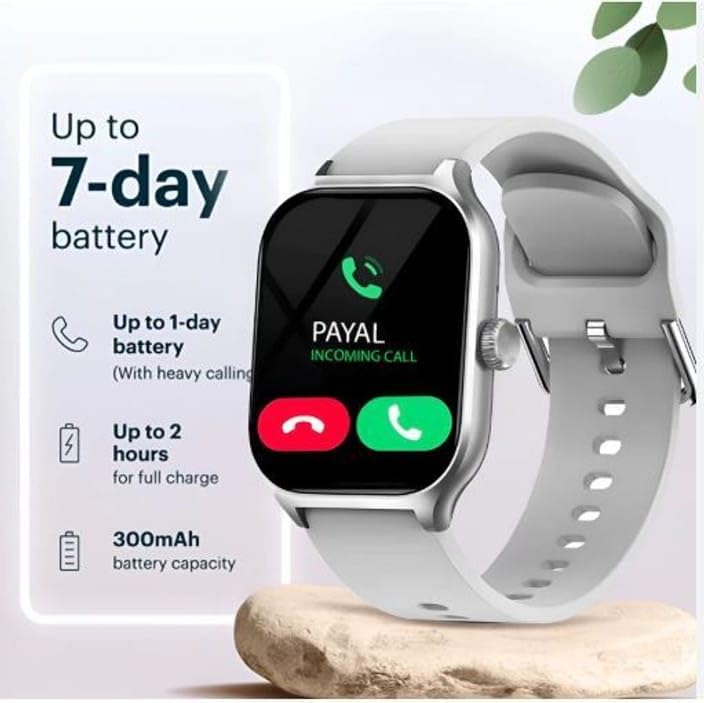
Image: Smartwatch screen showing an incoming call and battery status, illustrating the device's display and potential charging state.
2. Berpasangan dengan Telefon Pintar Anda
- Muat turun Aplikasi Pendamping: Cari untuk the official companion application for the H9 Pro Max Smartwatch on your smartphone's app store (Android or iOS). Install the application.
- Dayakan Bluetooth: Ensure Bluetooth is enabled on both your smartphone and the smartwatch.
- Buka Apl: Launch the companion app and follow the on-screen instructions to create an account or log in.
- Tambah Peranti: Within the app, select the option to "Add Device" or "Pair New Device."
- Select H9 Pro Max: The app will scan for nearby devices. Select "H9 Pro Max" from the list of available devices.
- Sahkan Gandingan: A pairing request may appear on both your smartphone and the smartwatch. Confirm the pairing on both devices.
- Persediaan Lengkap: Follow any remaining prompts in the app to complete the setup, including granting necessary permissions for notifications and health tracking.
Arahan Operasi
1. Navigasi Asas
The H9 Pro Max Smartwatch features a 2.1-inch HD touchscreen display for intuitive interaction. Swipe left, right, up, or down to navigate through menus, widgets, and notifications. Tap to select an item. The side button typically serves as a power button, back button, or to return to the home screen.
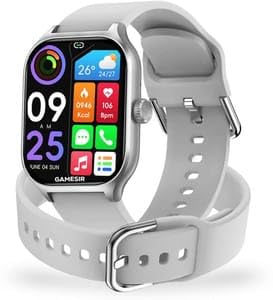
Image: The smartwatch screen displaying a grid of application icons, including weather, heart rate, call logs, and music controls.
2. Panggilan Bluetooth
Once paired with your smartphone, the smartwatch allows you to make and receive calls directly from your wrist.
- Membuat Panggilan: Access the dialer or contact list on your smartwatch. Select a contact or dial a number to initiate a call.
- Menerima Panggilan: When a call comes in, the smartwatch will display the caller ID. You can answer or reject the call directly from the watch screen.
3. Penjejakan Kecergasan
The H9 Pro Max monitors various health and fitness metrics:
- Pembilang Langkah: Tracks the number of steps taken throughout the day.
- Jarak Perjalanan: Menganggarkan jarak yang dilalui berdasarkan langkah anda.
- Pemantau Kadar Jantung: Menyediakan bacaan kadar denyutan jantung masa nyata.
- Penjejakan Aktiviti: Records various activities and workout data.
- Pemantauan Tidur: Analyzes sleep patterns to provide insights into sleep quality.
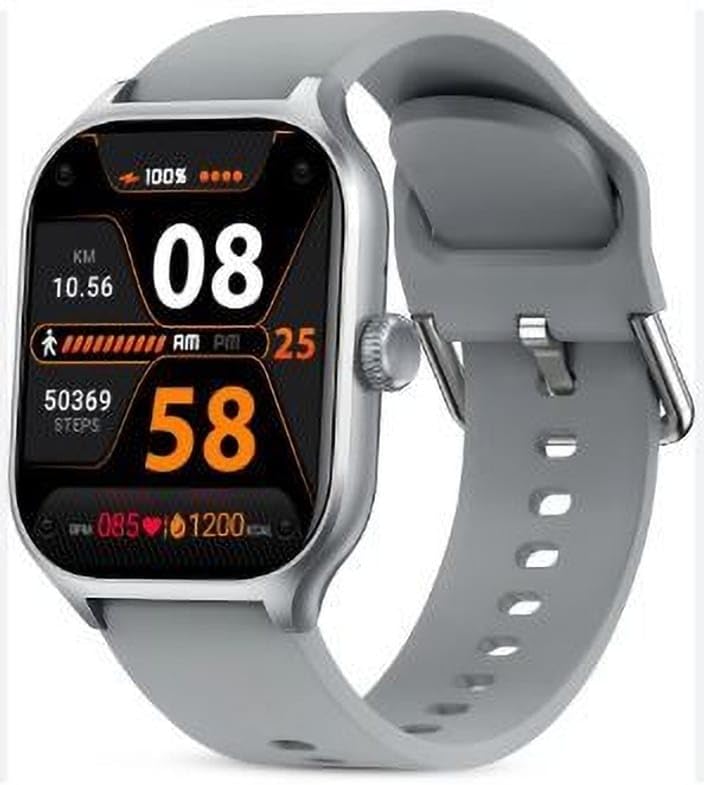
Image: The smartwatch screen displaying fitness data such as steps taken, distance covered, and heart rate, indicating active tracking.
4. Pemberitahuan
Receive notifications from your smartphone directly on your smartwatch. Ensure the companion app has the necessary permissions enabled for notification access.
5. Fungsi Lain
The H9 Pro Max Smartwatch includes several additional features:
- Kawalan Kamera Jauh: Use your smartwatch to remotely trigger your smartphone's camera.
- Wireless Music Control: Control music playback on your smartphone from your wrist.
- Ramalan cuaca: View keadaan dan ramalan cuaca semasa.
- penggera: Set alarms directly on the smartwatch.
- Cari Telefon Saya: Locate your paired smartphone by triggering an alert sound.
- Kalkulator: Access a basic calculator function.
- Permainan: Engage with pre-installed games.
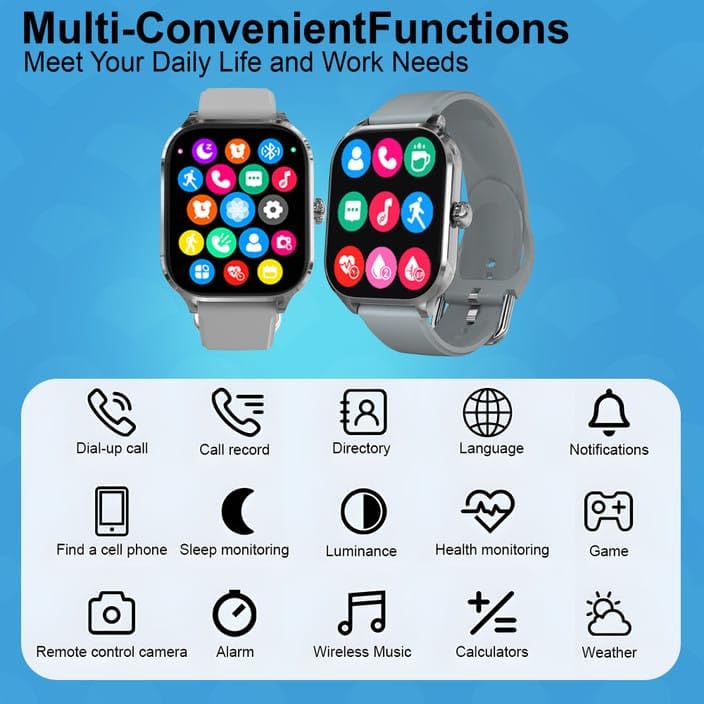
Image: A visual representation of the smartwatch's multi-functional capabilities, including communication, health, and utility applications.
Penyelenggaraan
1. Pembersihan
Regularly clean your smartwatch and strap to prevent skin irritation and maintain its appearance. Use a soft, lint-free cloth. If necessary, slightly dampen the cloth with water. Avoid using harsh chemicals, abrasive materials, or strong detergents.
2. Tahan Air
The H9 Pro Max Smartwatch features a water-resistant design. However, it is not suitable for diving, swimming, or high-pressure water activities. Avoid prolonged exposure to water and do not operate buttons underwater. Dry the watch thoroughly if it gets wet.
3. Penyimpanan
When not in use for extended periods, store the smartwatch in a cool, dry place away from direct sunlight and extreme temperatures.
Menyelesaikan masalah
1. Smartwatch Not Turning On
- Ensure the smartwatch is fully charged. Connect it to the wireless charger for at least 10-15 minutes.
- Press and hold the power button for an extended period (e.g., 10-15 seconds) to attempt a forced restart.
2. Tidak Dapat Dipasangkan dengan Telefon Pintar
- Confirm Bluetooth is enabled on both the smartwatch and your smartphone.
- Ensure the smartwatch is within the Bluetooth range of your smartphone.
- Mulakan semula telefon pintar dan jam tangan pintar anda.
- Clear any previous pairing records for the smartwatch on your phone's Bluetooth settings.
- Ensure the companion app is installed and running correctly.
3. Pemberitahuan Tidak Muncul
- Check that the smartwatch is successfully paired with your smartphone.
- Verify that notification permissions are granted to the companion app in your smartphone's settings.
- Pastikan mod "Jangan Ganggu" tidak aktif pada telefon atau jam tangan pintar anda.
- Check the notification settings within the companion app.
4. Inaccurate Fitness Data
- Pastikan jam tangan pintar dipakai dengan kemas di pergelangan tangan anda, tetapi tidak terlalu ketat.
- Pastikan sensor bersih dan bebas daripada serpihan.
- Calibrate the device through the companion app if an option is available.
Spesifikasi Produk
| Nama Model | H9 Pro Max Smartwatch |
| Saiz Paparan | 2.1-inch HD Display (Note: Some specifications list 1.91 Inches, refer to product packaging for exact details) |
| Saiz Dail | 49mm |
| Jenis Paparan | AMOLED |
| Ketersambungan | Bluetooth |
| Ciri Panggilan | Panggilan Bluetooth |
| Jenis Pengecasan | Pengecasan Tanpa Wayar |
| Masa Mengecas | Lebih kurang 40 Minit |
| Kapasiti Bateri | 200 Miliamp Jam (mAh) |
| Kapasiti Penyimpanan Memori | 128 MB |
| Sistem Operasi yang Serasi | Android dan iOS |
| Berat Barang | 300 g |
| Negara Asal | China |
Waranti dan Sokongan
For information regarding warranty coverage, please refer to the documentation provided with your purchase or contact the retailer. For technical support or further assistance, please reach out to the manufacturer's customer service channels, details of which are typically found on the product packaging or official webtapak.
Ask a question about this manual
Ask about setup, troubleshooting, compatibility, parts, safety, or missing instructions. Manuals+ will review the question and use this page’s manual context to help answer it.