
1. Pengenalan
This manual provides essential information for setting up, operating, and maintaining your OnePlus 15 smartphone. Please read this guide thoroughly to ensure proper use and to maximize your device's capabilities. The OnePlus 15 features a Snapdragon 8 Elite Gen 5 processor, a 165Hz display, a 7300mAh battery, and a triple 50MP camera system with 4K 120fps Dolby Vision recording.
2. Apa yang ada di dalam Kotak
Sahkan bahawa semua item terdapat dalam pembungkusan produk anda:
- OnePlus 15 Smartphone
- Sarung Telefon
- Penyesuai Kuasa (120W SuperVOOC)
- Ejector Dulang SIM
- Pelindung Skrin (yang telah dipasang atau di dalam kotak)
- Kabel USB (Jenis-C)
3. Peranti Lebihview
Familiarize yourself with the physical components of your OnePlus 15.

Imej: Depan dan belakang view of the OnePlus 15 smartphone in Sand Storm color.

Image: Close-up of the triple camera module on the rear of the OnePlus 15.

Imej: Depan view of the OnePlus 15, showcasing the display with a 'Never Settle' wallpaper.
4. Persediaan
4.1 Memasukkan Kad SIM
- Cari dulang kad SIM di sisi peranti anda.
- Masukkan alat ejektor SIM ke dalam lubang kecil di sebelah dulang dan tekan dengan kuat sehingga dulang terkeluar.
- Place your Nano-SIM card(s) into the tray with the gold contacts facing down. The OnePlus 15 supports Dual SIM.
- Masukkan semula dulang SIM dengan berhati-hati ke dalam telefon.
4.2 Menghidupkan dan Konfigurasi Awal
- Press and hold the Power button until the OnePlus logo appears.
- Ikut arahan pada skrin untuk memilih bahasa anda, sambung ke Wi-Fi dan sediakan akaun Google anda.
- Configure security features such as fingerprint recognition and a screen lock (PIN, pattern, or password).
5. Mengendalikan Peranti Anda
5.1 Navigasi Asas
- Skrin Utama: Swipe left or right to access app pages.
- Laci Apl: Leret ke atas dari bawah skrin ke view semua aplikasi yang dipasang.
- Pemberitahuan & Tetapan Pantas: Leret ke bawah dari bahagian atas skrin untuk mengakses pemberitahuan dan togol tetapan pantas.
- Berbilang tugas: Leret ke atas dan tahan dari bahagian bawah skrin ke view apl terbaru.
5.2 Ciri Paparan
The OnePlus 15 features a 6.78-inch AMOLED display with a 165Hz refresh rate and 2772x1272 pixel resolution, providing a smooth and vibrant visual experience.

Image: Visual representation of the 165Hz display refresh rate on the OnePlus 15.
6. Ciri-ciri Kamera
The OnePlus 15 is equipped with a versatile triple 50MP rear camera system and a 32MP front camera.
- Kamera Belakang: Triple 50MP setup including a wide lens with Shake-free OIS, an ultra-wide lens with a 112° Field of View, and a periscope telephoto lens with 7x Optical Quality Zoom and Shake-free OIS.
- Rakaman Video: Supports 4K 120fps Dolby Vision video recording and playback.
- DetailMax Engine: Enhances clarity and vibrancy in photos.
- Clear Night Engine: Optimizes low-light photography for brighter and clearer night shots.

Image: Diagram illustrating the triple 50MP camera setup on the OnePlus 15, detailing wide, ultra-wide, and periscope telephoto lenses.

Imej: Cthamples of Ultra Clear Mode and Clear Burst photography, demonstrating enhanced detail and dynamic range.

Image: Side-by-side comparison demonstrating the improved clarity and brightness provided by the Clear Night Engine in low-light conditions.
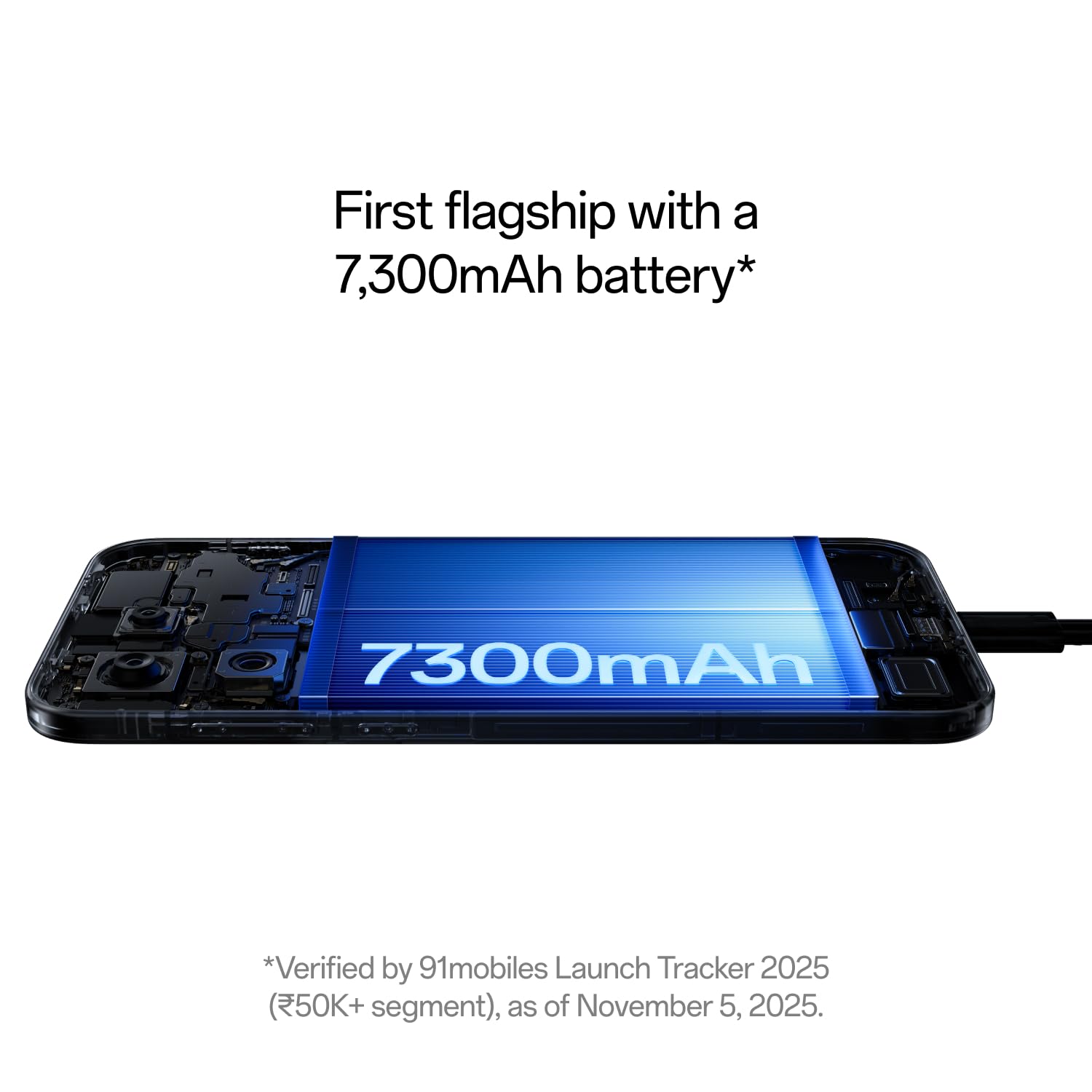
Image: The OnePlus 15 display showcasing 4K 120fps Dolby Vision video playback, highlighting cinematic quality.
7. Pengurusan Bateri
The OnePlus 15 is equipped with a 7300mAh battery for extended usage and supports advanced charging technologies.
- kapasiti: 7300mAh (typical) for prolonged battery life.
- Pengecasan Berwayar: Supports 120W SuperVOOC ultra-fast wired charging.
- Pengecasan Tanpa Wayar: Supports 50W AirVOOC wireless charging.
- Ketahanan Bateri: Designed to maintain 80% capacity after 4 years of use.

Imej: Dalaman view of the OnePlus 15 highlighting the large 7300mAh battery.

Image: Graphic illustrating the OnePlus 15's ability to maintain 80% battery capacity after 4 years.
8. Performance and AI Features
The OnePlus 15 is engineered for high performance and integrates advanced AI capabilities.
- Pemproses: India's first smartphone with Snapdragon 8 Elite Gen 5 chipset.
- penyejukan: Advanced 360° Cryo Velocity Cooling System for sustained performance.
- Tri-Chips: Features OPGamingCore engine, a dedicated G2 Wi-Fi chip, and a high-speed touch-response chip for optimized gaming and connectivity.
- Plus Mind AI: An AI tool integrated with Google Gemini, designed to capture, organize, and recall information from your device. It assists with planning, information retrieval from screenshots, and more.
- AI Writer: Tools for mind map generation, table generation, social media caption generation, and other writing aids.

Image: Visual representation of the OnePlus 15's Tri-Chips architecture, including the Snapdragon 8 Elite Gen 5, G2 Wi-Fi, and Touch Response chips.

Image: Screenshot of the Mind Space app on the OnePlus 15, demonstrating integration with Google Gemini for intelligent assistance.

Imej: Selesaiview of Plus Mind features within OxygenOS 16, showcasing intelligent organization and recall capabilities.
9. Ketahanan
The OnePlus 15 is built with robust materials and features comprehensive protection.
- Penilaian IP: IP66, IP68, IP69, and IP69K for dust and water resistance.
- Perlindungan Paparan: Features Gorilla Glass Victus 2 for enhanced screen durability.
- Pembinaan: Micro-Arc Oxidation process makes the device 3.4x tougher than aluminum and 1.3x tougher than titanium.

Image: The OnePlus 15 being used underwater, illustrating its IP66/68/69/69K water resistance.

Image: Visual representation of the Micro-Arc Oxidation process, highlighting its contribution to the device's toughness.

Image: The OnePlus 15 display protected by Gorilla Glass Victus 2, emphasizing breakthrough durability.
10. Spesifikasi
| Ciri | Spesifikasi |
|---|---|
| Jenama | OnePlus |
| Model | OnePlus 15 |
| Sistem Operasi | Android 16, OxygenOS 16 |
| Model CPU | Snapdragon 8 Elite Gen 5 |
| Kelajuan CPU | 4.61 GHz |
| Memori RAM | 12 GB (available in 16 GB variant) |
| Kapasiti Storan | 256 GB (available in 512 GB variant) |
| Jenis Paparan | AMOLED |
| Saiz Skrin | 6.78 Inci |
| Resolusi | 2772×1272 Piksel |
| Kadar Segar Semula | 165 Hz |
| Resolusi Kamera Belakang | Triple 50 MP |
| Resolusi Kamera Depan | 32 MP |
| Resolusi Tangkapan Video | 8K, 4K 120fps Dolby Vision |
| Kapasiti Bateri | 7300 mAh |
| Pengecasan Berwayar | 120W SuperVOOC |
| Pengecasan Tanpa Wayar | 50W AirVOOC |
| Tahap Ketahanan Air | IP66/68/69/69K |
| Keselamatan Biometrik | Pengecaman Cap Jari |
| Ketersambungan | 5G, Bluetooth, Infrared, NFC, USB, Wi-Fi |
| Dimensi | 16.1 x 7.7 x 0.8 Sentimeter |
| Berat badan | 211 Gram |
11. Penyelesaian masalah
This section addresses common issues you might encounter with your OnePlus 15.
11.1 Peranti Tidak Dihidupkan
- Ensure the battery is charged. Connect the device to the 120W SuperVOOC charger and wait a few minutes.
- Press and hold the Power button for at least 10-15 seconds to perform a force restart.
11.2 Kesambungan Rangkaian yang Lemah
- Periksa sama ada kad SIM anda dimasukkan dengan betul.
- Hidupkan dan matikan Mod Pesawat.
- Mulakan semula peranti anda.
- Verify your network settings (Settings > Mobile network).
11.3 Aplikasi Ranap atau Terhenti
- Close the problematic app from recent apps and reopen it.
- Kosongkan cache dan data aplikasi (Tetapan > Aplikasi > [Nama Aplikasi] > Storan > Kosongkan cache/Kosongkan data).
- Pastikan apl dikemas kini kepada versi terkininya.
- Mulakan semula telefon anda.
12. Penyelenggaraan
Proper care extends the life of your OnePlus 15.
- Pembersihan: Gunakan kain lembut dan tidak berbulu untuk membersihkan skrin dan badan. Elakkan bahan yang melelas atau bahan kimia yang keras.
- Kemas Kini Perisian: Kemas kini perisian peranti anda secara berkala untuk memastikan prestasi dan keselamatan yang optimum.
- Penjagaan Bateri: Avoid extreme temperatures. While the device has battery longevity features, try to keep the charge between 20% and 80% for daily use to further prolong battery health.
- Perlindungan Fizikal: Utilize the provided phone case and screen protector to guard against drops and scratches.
13. Waranti dan Sokongan
Your OnePlus 15 comes with a manufacturer's warranty and access to customer support.
- Waranti Pengilang: Waranti Pengeluar 1 Tahun.
- Lifetime Display Warranty: OnePlus provides a lifetime display warranty for industry-wide greenline issues.
- Hubungan Perkhidmatan Pelanggan:
Telefon: 1800 102 8411
WhatsApp: +91-9289606888 - Pengeluar: OPPO Mobiles India Private Limited, PLOT-NO.1, SECTOR ECOTECH-VII, GREATER, NOIDA, UTTAR PRADESH, India-201306.

Image: Information regarding OnePlus's Lifetime Display Warranty for greenline issues.